









Camtasia online collaboration
Collaborative video creation
Empower your team to co‑create videos in one shared space. Contributors add scenes, give time‑stamped feedback, and keep projects moving.
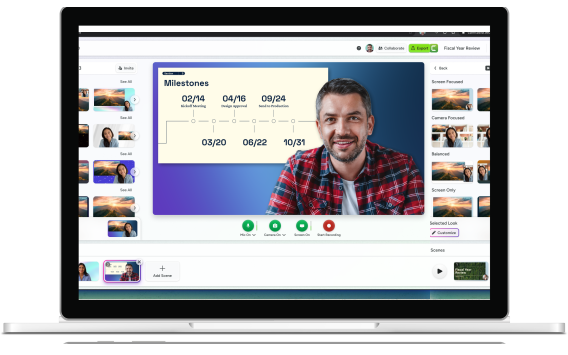
Collaboration in Camtasia online
How to collaborate on videos for free
Co-editing doesn’t have to be complicated. Discover how easy it is to record, edit, and review, all in the same place.
1
Create your project
Start your project instantly by recording scenes right in Camtasia online. Add as many scenes as you want.
2
Invite collaborators
Easily invite teammates via email to contribute their own scenes.
3
Stylize with customized effects
You can view real-time edits made by your colleagues, add feedback and change whatever you would like, it’s your project!
The benefits
Why teams choose Camtasia online
Camtasia online takes away platform switching fatigue by providing a one-stop-shop where collaborators can edit and provide feedback in real time.
No download hassle
Accessible from most desktop browsers, making it easy for teams to collaborate seamlessly from virtually anywhere.
No learning curve
Camtasia online keeps it simple. Just record, share your feedback, and you’re done, contribution made.
Streamlined team video workflow
Collaborate directly by adding recordings and scenes to a shared project. Use precise, time-stamped comments to streamline feedback and move projects forward smoothly.
Get Started with Camtasia Online
Have questions about Camtasia online?
Open a video project and click Collaborate. Enter the email addresses of the collaborators to invite to contribute to your video project. They will receive an email invitation and also access to this quick start guide to assist them with a seamless collaboration experience.
Camtasia online offers two options. With full project access, collaborators can add, delete, record, or edit scenes. With scene-only access, collaborators can only record and edit their assigned scenes.
No, Camtasia online protects from the risk of contributors recording over one another by locking the scene for editing when a collaborator is recording. You, as the project owner, can preview a scene at any time.
Open the Camtasia online video project to preview the recorded scenes. Recordings appear in your main project in real time.
Yes, deleting a scene removes this scene from the video project for everyone.
No, you cannot transfer project ownership. However, you can invite collaborators to the project to add, delete, record, or edit scenes.
See our Camtasia online tutorials.
Yes, Camtasia online is 100% free, with no software to download. You will need a free TechSmith Account to use Camtasia online.
No. You can create as many video projects as you need.
Camtasia online currently supports Google Chrome. Other Chromium browsers may work, however they are untested and your experience may vary.
Check out our tutorial that will walk you through everything you need to know.