Bring Your Words to Life with AI-Powered Live Captions
Use AI-powered live captions in Camtasia to display spoken words on the screen in real-time, with customizable styles and multilingual support.
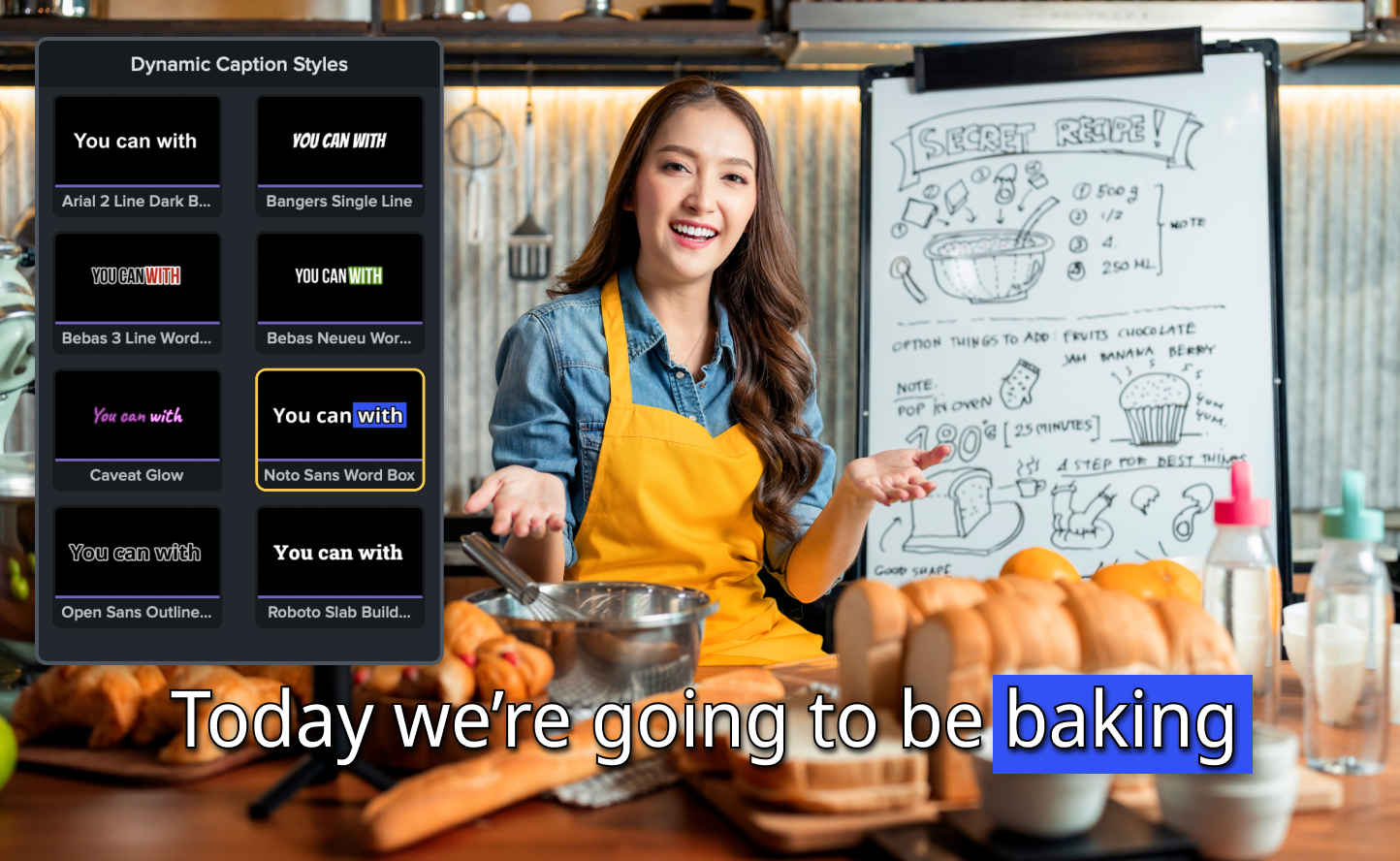
Camtasia’s new Dynamic Captions feature, powered by AI, transforms how you connect with your audience by showing every spoken word on-screen as it’s spoken. This real-time captioning not only enhances comprehension but also ensures your content is accessible to a broader audience.
Customize your style
Use preset designs for instant captions or adjust the properties panel to create captions that perfectly match your brand’s aesthetic.
Support multiple languages
Reach global audiences with captioning options in a variety of languages.
Streamline your workflow
Skip the time-consuming manual process of adding captions and let AI handle it for you.
💡 Ways to use dynamic captions:
Create polished tutorials or training materials with real-time subtitles for clarity.Add an engaging visual layer to presentations or videos for better viewer focus.Deliver multi-language content for international teams or audiences.
Whether you’re crafting instructional videos, professional presentations, or educational content, dynamic captions ensures your message is clear and captivating—every time.
Ready to try it for yourself?
View Tutorial
Create Dynamic Backgrounds with the New Tiling Effect
Use Camtasia’s tiling visual effect to create custom animated backgrounds with logos, images, or videos in a repeatable pattern.
Camtasia now includes a tiling visual effect, allowing you to create custom animated backgrounds by repeating a logo, image, or video in a seamless pattern. Adjust the size and spacing to perfectly fit your design, giving you endless creative possibilities for your projects.
💡 Ways to use the tiling effect:
Design eye-catching backgrounds with your branding or visuals.Add unique style to your videos with customizable patterns.Save time creating professional, animated layouts directly in Camtasia.
Try the tiling visual effect today and bring a fresh, polished look to your videos!
Make Your Text Stand Out with Customizable Outlines
Add customizable outlines to your text in Camtasia with the new text stroke feature for bold, standout visuals.
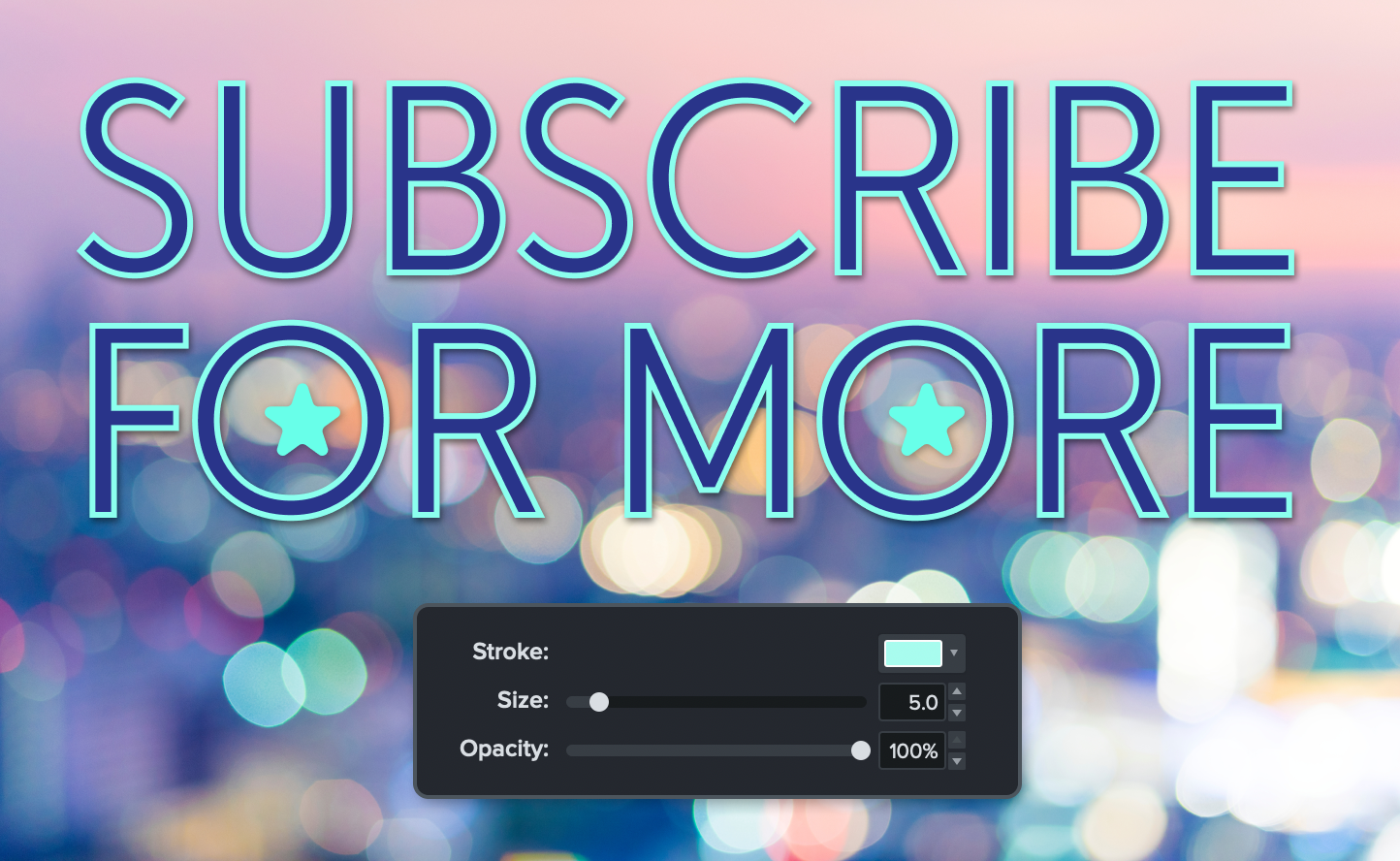
Camtasia now lets you add an outline to any text, giving you more control over how your text appears on screen. Customize the color, size, and opacity of the outline to perfectly match your design or highlight key points in your videos.
💡 Ways to use text stroke:
Make text pop against any background for better visibility.Customize outlines to align with your video’s style or branding.Draw attention to important details with bold, clear text effects.
Try the new text stroke feature today and add an extra layer of polish to your content!
Create Faster with Built-In Assets Integration
Access titles, footage, callouts, music, and more directly within Camtasia’s editor to streamline your video creation.
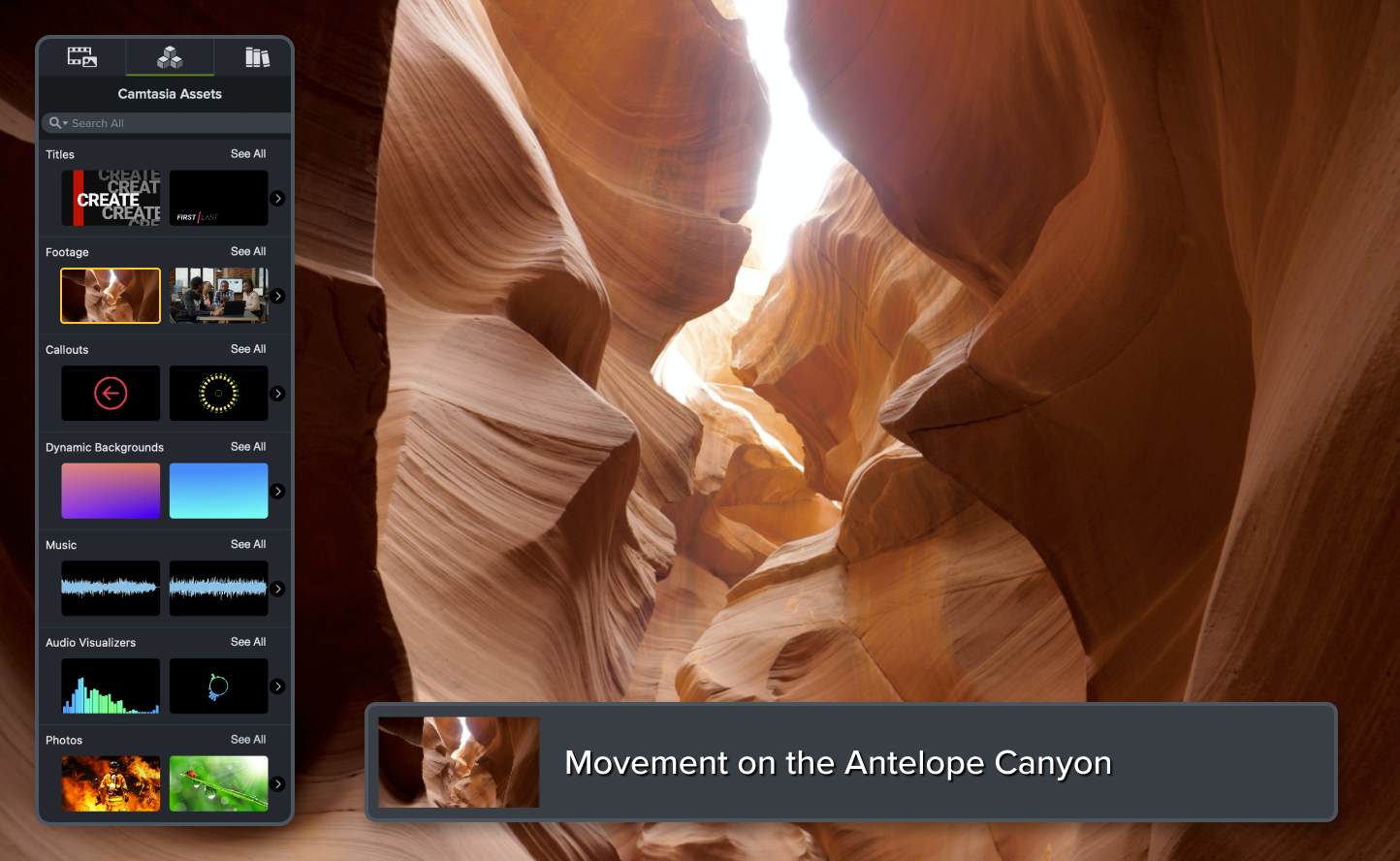
Camtasia now lets you find the assets you need directly within the editor, saving you time and streamlining your workflow. Access a wide variety of resources, including titles, footage, callouts, dynamic backgrounds, music, audio visualizers, photos, and more—all without leaving Camtasia.
💚 Why you’ll love this feature:
Quickly enhance your videos with professional-quality assets.Save time by accessing everything you need in one place.Easily add polish and creativity to your projects.
Explore the integrated assets library today and take your videos to the next level!
Ready to try it for yourself?
View Tutorial
AI-Powered Captions, Shortcut Updates, and Visual Enhancements
Dozens of new behaviors, dynamic backgrounds, and audio visualizers.Make a static screenshot look like a video by adding a mouse cursor, then changing its position and adding clicks. Additional cursor effects include the ability to scale cursor clicks or add a glow around the cursor.Speed up your video editing. JKL brought the ability to play the video preview at slower (J) or faster speed (L) and now you can slow down (Shift + J) or speed up (Shift + L) without pausing (K) in between.New shortcut options to speed up your video editing.Click and drag to rearrange the items in the main toolbar.(Win only) New AI technology that turns the audio of your video into closed captions on your video.
Enhanced Editing Tools with New Visuals and Shortcuts
Dozens of new behaviors, dynamic backgrounds, and audio visualizers.Make a static screenshot look like a video by adding a mouse cursor, then changing its position and adding clicks. Additional cursor effects include the ability to scale cursor clicks or add a glow around the cursor.Speed up your video editing. JKL brought the ability to play the video preview at slower (J) or faster speed (L) and now you can slow down (Shift + J) or speed up (Shift + L) without pausing (K) in between.New shortcut options to speed up your video editing.Click and drag to rearrange the items in the main toolbar.
Bug Fixes
Miscellaneous bug fixes and improvements.
Resolved Incorrect Duration Issue with Extend Frame
Fixed an issue showing the wrong duration when adding an Extend Frame to the end of a media.