Customize Shortcuts
Learn how to customize the Camtasia Editor recording and editing keyboard shortcuts.

Learn how to customize the Camtasia Editor recording and editing keyboard shortcuts.

Speed up video creation based on your preferences by customizing the recording and editing keyboard shortcuts or hotkeys. Export your customized shortcut sets to share with others or to transfer to another computer.

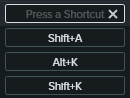
Note: If the keyboard shortcut entered is already assigned to another customizable shortcut, Camtasia Editor unassigns the shortcut for that command and displays a message.
If the keyboard shortcut entered is reserved by system controls or another program, a message appears. Please enter another keyboard shortcut combination.

 icon and select Delete.
Note: Shortcut sets are not cross-platform compatible.
icon and select Export.Camtasia Editor saves the Camtasia Shortcuts file (.camshortcuts on Windows and .camsc on Mac).
Note: Shortcut sets are not cross-platform compatible.
icon and select Import.On Windows, Camtasia Editor overwrites the existing keyboard shortcuts with the new shortcut set. On Mac, Camtasia Editor adds the shortcut set to the dropdown.

Unleash the world’s most powerful screen recorder and video editor.
* Already a Camtasia Editor user? Learn how to update to the latest version.