









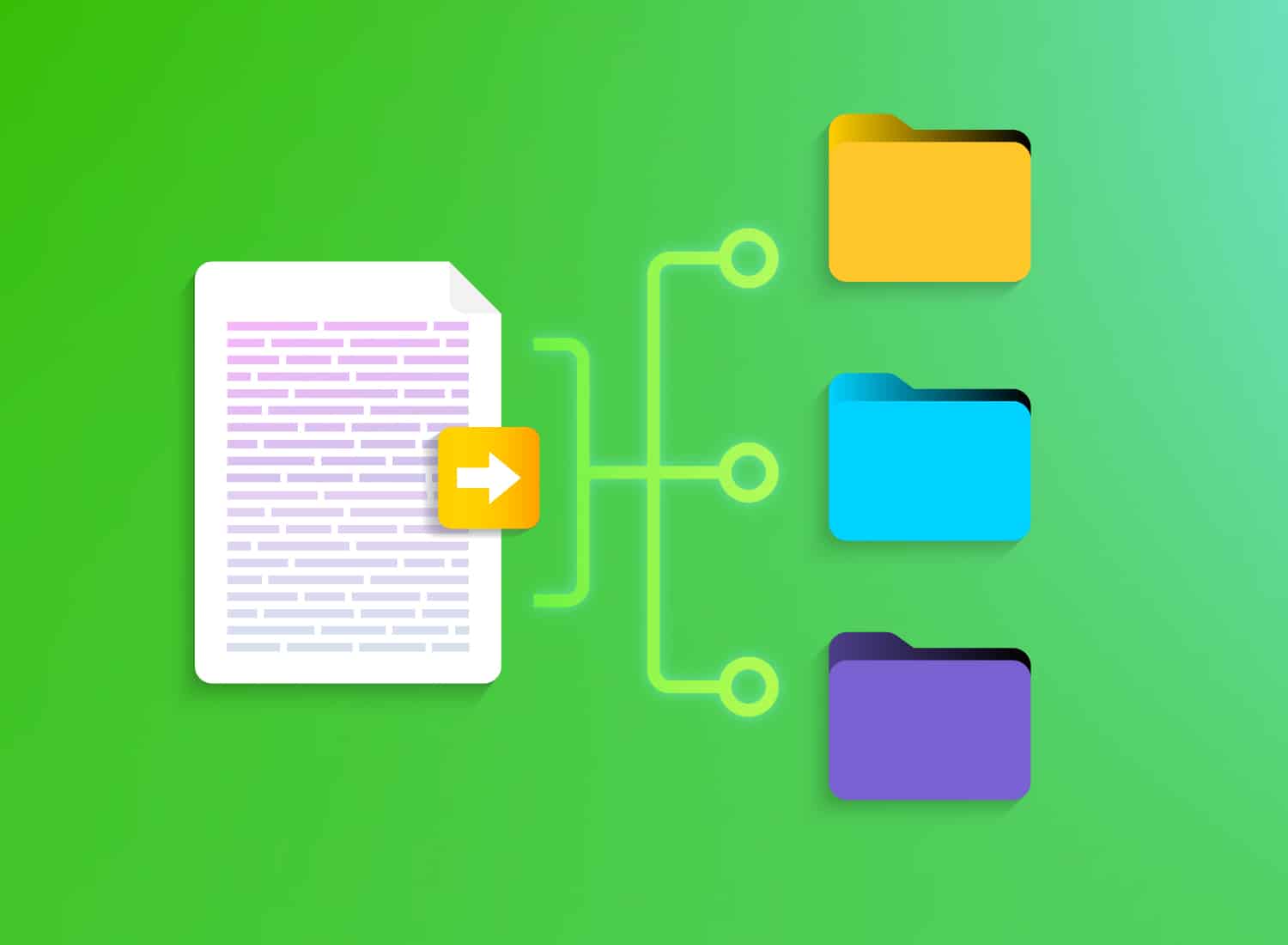
An employee asks an AI assistant how to reset a customer’s password. It surfaces last year’s training deck, a support article, and a help doc. All three give different answers.
That’s what happens without a knowledge management strategy: a unified plan for capturing, organizing, and sharing what your organization knows, covering documentation, training, and support content under one taxonomy and governance model instead of three disconnected plans.
You probably didn’t build it this way on purpose. You inherited three functions, each with its own owner, its own tools, and its own taxonomy. One team at a time, it just accumulated.
This piece gives you a framework for finding where that fragmentation lives and mapping a phased rollout to fix it. And it comes with a practical throughline: the same “one, not three” logic that works at the strategy level also works at the content level. One process capture replaces three separate recording sessions, one subject matter expert (SME) interview instead of three, and one source that documentation, training, and support can all pull from.
Key takeaways
- Fragmented knowledge across documentation, training, and support creates duplicated production costs long before anyone notices conflicting answers.
- AI tools that surface documentation, training, and support content side by side can turn silent inconsistencies into visible, urgent problems.
- Documentation, training, and support often capture the same subject matter expert’s explanation three separate times because they work in isolation.
- Unifying knowledge management governance means assigning one accountable owner or council, not simply asking three teams to coordinate better.
- A taxonomy built for one content function, like support tickets, usually breaks when training or documentation teams try to reuse it.
Capture expertise once, publish it three ways
Before you audit, restructure governance, or rebuild your taxonomy, know what you’re working toward: one SME session that produces a help article, a training video, and a support resource, without scheduling a second recording.
Most teams still run this the hard way. The documentation writer schedules time with the SME. The trainer schedules separate time with the same SME. The support team writes a resource from scratch using whatever they could find. Three teams, one explanation, zero coordination.
A single process capture in Camtasia Snagit eliminates that loop. One recording becomes the source material for all three outputs. The audit, governance, and taxonomy work later in this piece is what keeps that captured content organized, owned, and current once it’s out in the world.
Capture the process once with Camtasia Snagit
Camtasia Snagit’s Step Capture records each on-screen action into a static, numbered guide automatically as the SME works, with no manual screenshotting required.
From there, share that guide directly to Camtasia Editor through the Share menu. The same steps become an editable video sequence, with transitions, callouts, cursor motions, and animations already applied. That’s where documentation and video split from one shared source instead of two teams scheduling separate interviews, a workflow worth building into your knowledge capture process.
Edit with AI tools built for reuse
AI voice generation and translation in Camtasia Audiate are optional next steps once the video exists. Camtasia Audiate lets you edit text once to produce three tailored versions. Route transcription, text-based editing, filler-word cleanup, and AI voice updates to Audiate instead of rebuilding the source recording for each audience. This output is AI-generated, so a person still reviews it before it ships.
AI is already changing how service teams create and maintain knowledge content. Salesforce’s State of Service research tracks how AI adoption is reshaping the way service reps build and share knowledge resources across organizations.
Distribute through a shared content library
Camtasia Editor’s reusable Library assets keep branded callout styles, titles, lower thirds, and redaction styles consistent across training, documentation, and support outputs. A teammate exports a customized style from their Library as a file, and anyone on the team imports it into their own local library. The Camtasia Editor Library doesn’t sync automatically across accounts, so this export-and-import step is what keeps everyone’s styling on brand.
Finished videos live in a Camtasia Screencast shared library. Editable source assets stay in the Camtasia Editor Library. Once a video lands in Screencast, reviewers get creator-controlled access to view and comment before it ships.
Learn more about how screencasting can help your teams share knowledge and be more productive.
Calculate the real cost of fragmented knowledge
Running three separate content operations costs more than it looks. The waste shows up as duplicated production costs, conflicting answers, and redundant tooling spend, usually long before anyone names it a strategic problem.
Think about a single product update. A documentation writer builds a help article. A trainer builds a course module. A support lead creates a resource. Three teams, three versions of the same explanation, and none of them talk to each other when the process changes again next quarter.
AI tools are making that problem harder to ignore. When a search surfaces your training deck, your help article, and your support document side by side, any contradiction between them becomes instantly visible. What used to be buried inefficiency is now a credibility problem. The Nielsen Norman Group’s research on findability and information architecture shows how quickly users lose trust when content sources contradict each other.
Audit where documentation, training, and support overlap
Before you change anything about your strategy, structure, or tools, run a fragmentation audit. Map who owns each asset, where the same expertise gets produced more than once, and where your three content functions give different answers to the same question.
Map who owns each content type today
Most teams have three separate owners:
- Learning and development (L&D)
- Technical writing
- Support
Each has its own reporting line and no shared view across the other two.
Build the ownership list one function at a time. Name who creates each asset, who reviews it, and where it lives. Once that map exists, you’ll probably see for the first time that support bought its own tooling completely independently of documentation and training decisions.
Find where the same expertise repeats
Your documentation team, trainers, and support team are likely interviewing the same SME three separate times about the same process. Nobody planned it that way, but that’s what happens when three teams work in siloes.
Have each team list its last five content pieces and flag any topic another team also covered. That overlap list is your starting point, and it’s what a single Camtasia Snagit capture session replaces.
Flag where answers contradict each other
Right now, your training content, help documentation, and support responses might each describe a different workflow for the same task, with no one owning the reconciliation. Training tells a new hire one thing. Documentation lists different steps. Support walks the customer through a third version.
Search all three content sets for a single task and line up the instructions side by side. Pull the training module, the help article, and the last few support responses on that topic, then compare each step. Flag every mismatch for governance review before it causes real damage.
Simplify HR workflows with visual tools
Create clear, engaging training and documentation that helps your teams better understand company policies and processes.
Learn More
Unify governance across documentation, training, and support
One accountable owner or cross-functional council replaces three separate reporting lines. That’s the model — not three managers who agree to meet more often. Coordination leaves each team owning its own knowledge management priorities, taxonomy, and lifecycle rules. Unified governance means one lead or council holds decision rights over those things across all three functions.
ISO 30401 (the international standard for knowledge management systems), is a solid starting checklist for a governance charter. Its requirements cover defining scope and objectives, planning implementation, and ongoing quality control.
You don’t need to merge headcount or budgets to get started. Shared decision rights and shared metrics come first. In practice, one person or council signs off on every new taxonomy term and lifecycle rule before it applies across documentation, training, and support.
Agree early on how the capture-once workflow gets handed off between teams. If your L&D team publishes documentation with the Snagit guide, and your Support team circulates the full Camtasia Editor video from the same session, who owns updating either one when the process changes? Settling that question early keeps the workflow from reverting to three separate recordings the next time something shifts.
Build a shared taxonomy and content lifecycle
One taxonomy and one lifecycle need to work across documentation, training, and support, so a term or status defined in one function means the same thing in the other two.
Support-only categories rarely survive that jump. Ticket tags like “billing issue” or “login error” describe symptoms, not tasks, so they break down when someone tries to apply them to a training module or a documentation page built around a process.
Apply the same stages across all three functions instead: draft, reviewed, published, and retired, with one review cadence regardless of content type.
That lifecycle also has to hold up across formats, from static guides and PDFs to AI-mediated answers and chatbot responses. The TSIA’s research on content strategy for customer education covers how teams are adapting lifecycle rules as content formats continue to expand.
Assign the taxonomy’s upkeep to the governance council, not a one-time naming project.
Phase your rollout without a full rebuild
You can unify governance and taxonomy across documentation, training, and support without pausing any of the three, and without migrating every asset at once. Start with a 30-day pilot on one high-overlap topic to test the shared taxonomy and lifecycle in practice. Expand by day 90 once the governance council has a working cadence and the capture-once workflow has proven itself beyond that first topic.
Pilot the shared taxonomy in the first 30 days
- Pick one topic that already shows up in documentation, training, and support, and run it through the new taxonomy and lifecycle first. Pull the highest-overlap topic from your earlier audit, the one where the same explanation shows up in a help article, a training video, and a support doc.
- Apply the shared terms to that one topic across all three teams. Then move it through the shared lifecycle so each team practices handing content off using identical language.
- Judge success by whether the terms and stages hold up in daily use. If the documentation writer, the trainer, and the support agent can all use the new taxonomy without stalling their existing workflow, the pilot’s ready to scale.
Scale governance and capture by day 90
By day 90, two things should run on their own: the governance council meets regularly, and the capture-once workflow has moved past the pilot topic.
Pick two or three more high-overlap topics from your earlier audit and run them through the same shared taxonomy and capture process. Repeatability is the milestone: proving the workflow holds on a second and third topic before calling the strategy done. If the council can process a new topic without reinventing the workflow each time, it’s working.
Don’t expect full historical content migration or the retirement of every legacy tool by day 90. Both take longer than that, and forcing the pace now risks stalling a rollout that’s still building momentum.
What changes in the first 90 days
Three disconnected plans become one accountable structure when a single owner, one taxonomy, and one capture-to-publish workflow replace separate training, documentation, and support efforts. That’s the shift this 90-day approach makes possible: a repeatable pattern the next process can follow.
Start smaller than feels necessary. Pick one process, run it through the new taxonomy and capture workflow, and see whether it cuts duplicate SME effort or conflicting answers. This piece on knowledge transfer is a useful companion if you’re also thinking about preserving expertise before someone leaves.
Streamline your knowledge management strategy with video: Download Camtasia Snagit.
Is your screen capture tool still in its Dial Up era?
Snagit is built for the modern office, and helps you do it all.
Learn More
Frequently asked questions
How is a knowledge management strategy different from a learning management system?
A learning management system delivers and tracks training courses for learners. A knowledge management strategy governs how teams create, organize, and reuse documentation, training, and support content across the organization. Many organizations run an LMS as one piece of technology inside a broader knowledge management strategy, not as a replacement for it.
Does a unified knowledge management strategy only make sense for large enterprises?
A unified knowledge management strategy applies just as much to a ten-person team as to a global enterprise. Smaller teams often have less formal fragmentation, but one person may still juggle documentation, training, and support without a shared taxonomy. The framework scales down easily, since one person can hold the governance and taxonomy decisions instead of a full council.
How do you measure ROI on a unified knowledge management strategy?
Track ROI by measuring fewer duplicate content requests, faster time-to-publish across documentation, training, and support, and a drop in conflicting answers flagged during review. Compare the hours a subject matter expert spends on interviews before and after a capture-once workflow, since that time savings is often the clearest signal. Governance councils typically review these metrics quarterly to confirm the strategy is reducing rework rather than just reorganizing it.
How long should the initial fragmentation audit take before rolling out changes?
Most teams can treat this as a focused two- to four-week sprint rather than an open-ended project. Larger organizations with many product lines may need closer to six weeks to interview every team and map every tool in use. Treat the audit as a fixed-length sprint with a firm end date, since an open-ended audit tends to stall the whole rollout.
Does unifying knowledge management mean replacing all our existing tools?
Unifying a knowledge management strategy doesn’t require replacing every documentation, training, or support tool your teams already use. The taxonomy, lifecycle rules, and governance model sit above existing tools, so a support platform, an LMS, and Camtasia Editor can all stay in place. What changes first is how the organization categorizes and reviews content, not which software each team logs into every day.
Looking for professional screen recording software?
From simple screen captures to polished video editing, TechSmith has everything you need to create professional-quality content.
Learn More
Share