










When a senior trainer leaves, they rarely take their files with them, but they almost always take their judgment. The shortcuts they used to troubleshoot a broken demo environment. The moment in the onboarding flow where they slowed down because new hires always got confused. The client context that made one standard step the wrong call. That knowledge never made it into the SOP, and now someone else has to learn it the hard way.
This is where a structured knowledge transfer process pays off. It gives L&D teams a repeatable way to surface expert know-how, capture it before it disappears, and turn it into something a new hire or backup facilitator can use on the job, not just read and forget.
What follows is a practical framework for doing exactly that: identifying which knowledge is at risk, capturing tacit expertise before a departure or transition, sharing it in formats people will actually open, and confirming it sticks through real work.
Key takeaways
- The knowledge transfer process moves critical expertise out of individual heads and into resources people can use.
- A practical knowledge transfer process follows four stages: identify, capture, share, and apply the knowledge on the job.
- Tacit knowledge is often hardest to transfer because judgment and context rarely translate through documents alone.
- Capture is often where knowledge transfer breaks down, especially when subject matter experts are busy or reluctant.
- The strongest knowledge transfer process runs as an ongoing system that updates content and checks whether learning holds up.
Why knowledge transfer is an organizational risk, not just an HR task
When one person holds critical process knowledge, the organization absorbs that risk quietly, until a retirement, promotion, or resignation makes it visible and costly.
Common triggers include:
- Retiring specialists with no successor
- SMEs promoted before documenting their workflows
- Remote onboarding with no recorded guidance
- Rapid scaling that outpaces informal knowledge sharing
Consider an SME who’s promoted into a new role before documenting the escalation criteria she used to triage support tickets. Her replacement inherits the queue with no record of those judgment calls, and tickets that used to take minutes now take days.
Research links strong knowledge management practices to greater organizational agility and faster innovation, outcomes that depend on documented, transferable expertise.
Action step: Identify one role this quarter whose loss would slow ramp time, create rework, or raise compliance risk. Start there.
What the knowledge transfer process means
Knowledge transfer is the structured movement of expertise into formats other people can use on the job, not just a file handoff.
A shared folder full of decks and checklists rarely transfers judgment. Consider a new manager who inherits a complete quarterly training kit but has never seen it run. The files are there. The know-how isn’t.
Effective transfer includes:
- Examples that show decisions in context
- Explanation of the reasoning behind each step
- Practice opportunities before the expert leaves
Without those, documentation sits unused.
Tacit knowledge: The hardest kind to move
Tacit knowledge lives in judgment, not documentation. The senior trainer who skips a standard software step because she knows the client’s environment is configured differently makes that decision automatically, without thinking to explain it.
When that person leaves, the gap surfaces fast.
Ask SMEs to narrate their reasoning on camera: why they chose this path, what they checked first, and which conditions change the workflow. That narration is the transfer.
Explicit knowledge: Easier to document, but not enough on its own
Explicit knowledge lives in SOPs, checklists, and templates — assets you can store, search, and share. A webinar facilitator checklist might cover room setup and slide uploads perfectly. But when a speaker sends revised slides 10 minutes before go-live, that checklist offers no guidance. Document the steps, then add a short note explaining how experts handle exceptions.
The four-stage knowledge transfer framework
Use these four stages as a checklist for your next transition project: identify the existing knowledge, capture it in a reusable format, share it with the right people, and apply it with a built-in review loop.
For example, a new manager stepping into a role can shadow a recorded walkthrough of the quarterly planning process instead of piecing it together from scattered emails and half-remembered conversations.
Stage 1: Identify what knowledge is at risk
Start by mapping the workflows whose loss would slow ramp time, reduce service quality, or create compliance gaps.
Build a simple five-column matrix with the following columns: knowledge area, owner, business impact, departure risk, and replacement readiness. Run it before a known departure, promotion, reorg, or new-hire ramp-up.
Example: A compliance-heavy onboarding workflow owned by one LMS administrator scores high on impact and low on replacement readiness — that’s your first capture priority.
The matrix surfaces gaps fast. Once you know which knowledge areas are fragile, you can sequence your documentation work around actual risk rather than guesswork.
Stage 2: Capture it before it walks out the door
Most knowledge transfer fails at the capture stage, not because experts are unwilling, but because they’re asked to write documentation instead of simply doing their job out loud.
A better approach: Book a short recording session and ask your SME to walk through one real workflow while narrating their decisions. Have them call out the exceptions that trip up new hires. That commentary is the knowledge you need.
For quick turnaround, use Camtasia Online to send a browser-based recording request directly to a time-pressed SME. For walkthroughs that need annotations, callouts, or reuse across multiple courses, bring the raw footage into Camtasia Editor to refine it into a polished asset.
Example: A training manager sends a Camtasia Online recording link to a product manager. The PM records a live workflow in 15 minutes. The training manager then edits that footage in Camtasia Editor into a reusable onboarding module.
Record the real work first. Then polish it.
Need to show your screen?
Skip the downloads. Use Camtasia online to record your screen, camera, and microphone right in your browser for free.
Start Recording
Stage 3: Share it in a format people will use
Long manuals get saved and never reopened. Match each asset to the moment it’s needed instead.
- Short video: A two-minute workflow clip sent before a handoff
- Annotated screenshot guide: A Camtasia Snagit walkthrough for rare but critical tasks
- Checklist: A scannable reference during onboarding
A new facilitator preparing their first software demo will likely benefit more from a short video plus a Camtasia Snagit screenshot guide than from a 20-page document.
Place content wherever learners already look: a knowledge base, team hub, or structured onboarding portal. Short, findable video content transfers knowledge at scale in ways static documents rarely do.
Add captions to every video. It’s a baseline accessibility requirement, and it also makes content searchable.
Stage 4: Apply and assess it in real work contexts
Completing training content is not the same as transferring knowledge. Transfer occurs only when a learner performs the task independently in a real-world context.
Have the new hire run a live software demo while the manager observes. Watch for repeat questions, hesitation points, and escalations; these reveal where the training fell short.
After each observation session, do three things:
- Note every moment the learner paused or asked for help
- Update the relevant video or job aid to address that gap
- Re-assess after one week to confirm the fix has held
This loop turns observation into evidence, proof that knowledge was transferred, not just that content was delivered.
Why knowledge transfer fails even when you do everything right
Strong documentation can still fail if the right conditions aren’t in place when a learner needs to apply it.
Before blaming the asset, check three variables:
- Content quality: Is the information accurate and complete?
- Learner readiness: Did they have time and context to absorb it?
- Workplace support: Did a manager reinforce it on the job?
Consider a remote new hire who watched every onboarding video and understood each click. When the live system behaved differently from the recording, they froze, because the training covered the steps but not the judgment behind them.
Timing, local context, and manager follow-through are what turn watched content into applied skill.
Skills every knowledge transfer facilitator needs
Strong facilitation starts with drawing out expert thinking through structured interviews and live shadowing rather than just asking someone to write down what they know.
Four skills define effective facilitators:
- Eliciting experience through targeted questions
- Creating joint attention on real tasks, not abstractions
- Collecting concrete examples like finished decks or recorded demos
- Sustaining communication with regular check-ins over time
In week one of a transfer project, put all four to work. Interview the departing expert, shadow a live task, record a screen walkthrough of their demo, and collect a finished deliverable for your example library.
For example, an L&D manager onboarding a replacement trainer might record the retiring trainer’s demo in Camtasia, then schedule biweekly coaching check-ins to catch gaps early.
A simple knowledge transfer plan: What to define before you start
Before you capture anything, answer six questions about the transfer itself:
- What knowledge matters? Focus on the specific process rather than the whole role
- Who holds it? Name the person
- Who needs it? Name the audience
- When must it transfer? Set a deadline
- How will it be captured? Match the tool to the task
- What does success look like? A new hire completes the task independently
The question of how to capture it is where most teams lose time. Match the asset to the complexity:
- Use Camtasia Snagit for annotated screenshots of each step
- Use Camtasia Online for a quick walkthrough recording
- Use Camtasia Editor when the process needs a polished, reusable module
- Use Screencast to collect reviewer feedback before you finalize
For example, an L&D manager preparing a new hire for fully remote onboarding might start with Camtasia Snagit screenshots of the internal ticketing system, then record a short walkthrough in Camtasia Online, and hand it off via Screencast for a teammate to review and approve before the new hire’s first day.
Go from screen recording to polished video
A screen recording is just the start. Camtasia’s editor helps you add the callouts, animations, and edits you need to create a truly professional video.
Free Download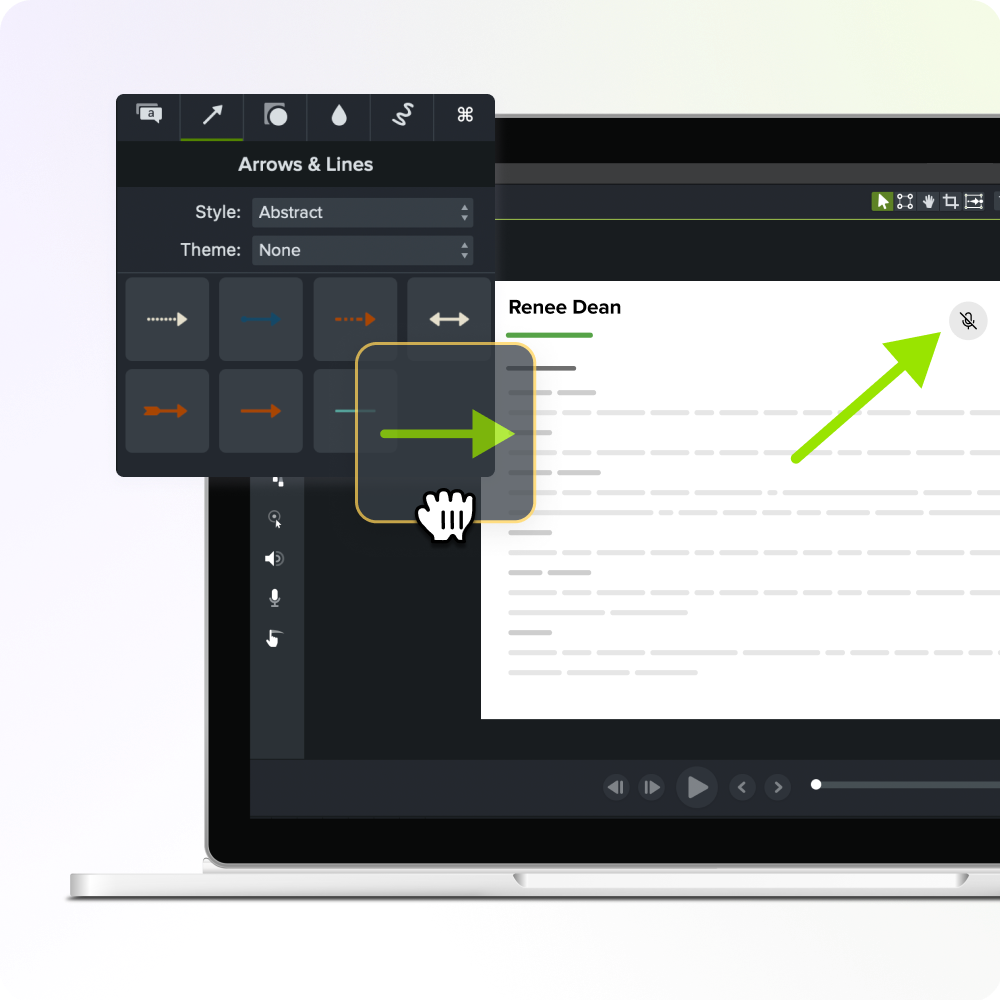
Build knowledge transfer as a system, not a one-time project
Sharing files once isn’t enough. Expertise drifts the moment a tool changes or a process evolves, so set a quarterly review cadence to keep every asset up to date.
After a software update, for example, revisit your onboarding videos and update any affected steps. Store everything in a searchable hub, like a well-structured knowledge base, rather than a shared drive folder no one maintains. When learners ask the same question repeatedly, treat that as a signal to update the relevant article before the gap widens.
This system protects you when someone gives two weeks’ notice and takes years of judgment out the door with them. The habit is simple: identify who holds critical expertise, capture it before they leave, share it in a format people actually use, and confirm it holds up in real work.
Start capturing your team’s expertise — try Camtasia Editor free.
FAQs
What exactly is the knowledge transfer process?
The knowledge transfer process is a structured way to move expertise, decisions, and know-how from one person or team to others. In L&D, the goal is usable guidance, not just documentation, so people can apply it in real work. Done well, it helps reduce knowledge loss during onboarding, role changes, retirements, and team growth.
What are the four stages of knowledge transfer?
Most workplace models use four stages: identify critical knowledge, capture it, share it, and apply it on the job. Many teams also add a review step to confirm that the knowledge is accurate, up to date, and improving performance. That extra check may help you improve the process rather than treating the transfer as a one-time handoff.
Why is tacit knowledge the hardest part of the knowledge transfer process?
Tacit knowledge lives in judgment, habits, and small decisions, so experts often use it without realizing they need to explain it. That’s why manuals alone usually miss context, exceptions, and timing. Short screen recordings in Camtasia Online or polished walkthroughs in Camtasia Editor may help preserve those details before they disappear.
What skills are needed to facilitate the knowledge transfer process?
Strong facilitators draw out past experience, keep attention on real tasks, and ask for concrete examples of finished work. They also need clear communication habits because consistent follow-up helps subject-matter experts and learners stay aligned. In practice, that means planning interviews, prompting decisions out loud, and turning rough examples into reusable training assets.
How do you know the knowledge transfer process worked?
You know it worked when people can perform the task correctly with less support under normal working conditions. Look for fewer repeat questions, faster ramp time, cleaner handoffs, and better adherence to the current process. If gaps remain, update the capture step first, because better examples and clearer videos improve sharing and application.
Share