









The completion report looks solid. Eighty-six percent of new hires finished the onboarding module, and assessment scores came in above the passing bar. Then the CFO asks what the training is actually going to do, and the answer stalls.
The disconnect between what L&D teams measure and what leadership wants to see is where credibility breaks down before a budget review even starts.
Time to value in L&D is the elapsed time between launching a training initiative and the point where the organization sees a measurable change in the behavior, performance, or business outcome the training was supposed to influence. It’s not about how fast content ships.
This piece gives L&D leaders a practical framework for spotting leading indicators that connect training activity to business outcomes, and for translating those indicators into language that holds up in an executive conversation before the annual review cycle closes.
Key takeaways
- Completion rates measure whether learners showed up, not whether anything changed, which is why leadership stops trusting L&D reports built around them.
- L&D time to value spans three distinct stretches: expertise to finished asset, finished asset to learner-accessible delivery, and content availability to stakeholder approval.
- Tacit knowledge trapped in one expert’s head resets the time-to-value clock every time a process changes, because updates can’t start until that person is free again.
- L&D leaders can report meaningful impact within weeks by linking training activity to leading indicators like support ticket reduction or feature adoption among trained employees.
- Scalable, on-demand expertise delivery keeps time to value short as learner populations grow, since reusable assets remove the scheduling constraints of live knowledge transfer.
What time to value means in L&D
Time to value in L&D measures how quickly training produces organizational impact. It doesn’t measure how fast content gets produced or how many learners finish a course. That distinction matters because leadership’s question is rarely “did people finish it?” It’s “when will we see results?”
ROI tells you the size of a return. Time to value tells you how soon that return shows up, which makes it a faster, more useful signal for both L&D leaders and the executives they report to.
Training Industry found that fewer than half of L&D professionals are effective at measuring impact, despite it being a core part of the job. Completion rates and seat hours fill the gap by default, but they only measure activity.
Why completion rates mislead leadership
Completion rates record whether learners showed up. They can’t tell you whether anything changed, and that’s why leadership stops trusting L&D reports. A module marked complete tells you a learner clicked through every screen. It doesn’t tell you whether they retained a single step.
Two learners can post identical completion records with opposite results. One finishes the software training and adopts the new workflow the next morning. The other finishes and keeps using the workaround they’ve always used. The completion rate can’t tell them apart.
When L&D reports completions and leadership asks about adoption or productivity instead, it’s a sign L&D isn’t measuring what the business cares about. That credibility misalignment is why measuring training engagement beyond completions matters, and why a time-to-value lens is worth adopting.
The three intervals that control L&D time to value
Time to value in L&D is the sum of three measurable intervals, and the longest one is where your program is losing time. Find which interval runs longest, and you know exactly where to step in. In order, the three are:
- Expertise capture
- Accessible delivery
- Stakeholder review
Interval one: Expertise to finished asset
SME availability is the main bottleneck here. When undocumented expertise lives only in one person’s head, every content project waits on that person’s calendar before a single learner sees anything.
Each new training request restarts the same cycle:
- Find the right expert.
- Find a slot.
- Schedule the session.
- Pull out what they know.
That cycle costs days before production even begins. Getting better information from SMEs takes planning, but the bigger fix is reducing how often you need to go back to them.
Recording an expert’s workflow as a Camtasia Editor screen recording or a Camtasia Snagit Step Capture guide breaks that cycle. The knowledge becomes a reusable asset that reflects what the expert actually does on screen, not just what they remember to describe, so the next content project starts with what’s already recorded.
Crystal-clear screen recording
Why settle for blurry screen content? Camtasia Editor’s screen recorder captures everything at up to 4K!
Free Download
Interval two: Finished asset to learner-accessible delivery
A finished training asset sitting in a shared drive or an email thread delivers no value. The time-to-value clock keeps running until the intended learner can actually find and open it.
You’ve likely seen this play out. A completed video gets attached to an email, forwarded to a manager, and lost in someone’s inbox before the new hire ever sees it. A step-by-step guide lives in a folder no one knows to check.
Both static Step Capture guides and finished training videos can be shared instantly through Camtasia Screencast as a direct link, with no file-size friction or need to hunt through folder structures. Pairing that with just-in-time delivery puts the right content in front of learners exactly when they need it — for example, as a link embedded directly in the onboarding card or guide an employee receives on day one.
Interval three: Content availability to stakeholder approval
Finished, accessible training content still delivers no organizational value if the stakeholder review drags on unresolved. This is the most overlooked interval in time to value.
Email-based review makes it worse. Reviewers respond at different times, feedback scatters across threads, and it’s easy to lose track of which comment refers to which part of the content. Your team has no clear signal of whether content is approved or still in revision.
Camtasia Screencast tightens this interval by keeping time-stamped comments on the asset itself, so all feedback lands in one place and each comment is anchored to the exact moment in the video or step in the guide it refers to. Reviewers comment directly on the video or step-by-step guide without switching apps.
Screencast supports commenting and creator-controlled access. It doesn’t have a formal approve/reject workflow, but teams that treat a comment as their informal approval signal still move faster than teams routing feedback through email.
Leading indicators you can report within weeks
Support ticket reduction, feature adoption among trained users, and time-to-first-independent-task are all visible within weeks of a program launch, and each one signals an outcome leadership already tracks. You don’t need to wait for annual performance data to show meaningful impact.
Attribution needs one thing to work: your training data has to connect to employee performance or usage data so you can compare trained and untrained groups.
- Fewer help desk tickets means faster adoption.
- Higher feature usage means the training changed behavior.
- Shorter ramp time means productivity starts sooner.
That connects training impact to outcomes leadership is already measuring, like increased employee engagement.
How SME dependency slows your program down
SME dependency is a structural problem, not a staffing one. When expertise lives only in one person’s head, every training initiative waits on that person’s availability, no matter how much production capacity your L&D team has.
It hits hardest when a process changes. You re-engage the SME, revise the content, and reset the time-to-value clock for every affected learner. This cycle repeats as long as undocumented expertise is the only source of truth.
The fix is the same record-once approach from the first interval. One structured session produces both the guide and the video, and single-source documentation keeps them in sync when the process changes.
Translating training data into executive language
Translating L&D data for leadership isn’t about dumbing it down. It’s about connecting each training measure to the operational outcome executives are already tracking.
Fewer onboarding support requests, for example, signal faster time-to-productivity, which maps directly to lower ramp cost per hire. That’s a number a CFO recognizes.
How you present the data matters more than the data itself. Saying “we trained 200 employees on the new CRM” tells leadership nothing useful. Saying “trained employees reached independent CRM use in four weeks versus nine for untrained employees” gives leadership a number they can connect to revenue cycle speed.
The data usually exists. What’s missing is translating it into language leadership already speaks. Your L&D strategy should build that in from the start.
Scalable expertise delivery compresses time to value
Reusable, on-demand expertise removes the one-to-one constraint on knowledge transfer, so time to value stays short no matter how many learners need the same training.
In live training, time to value is bounded by the SME’s calendar. A new hire waiting for a scheduled session isn’t building productivity yet. When that same expertise is available as a structured on-demand asset on day one, the clock on time to productivity starts immediately.
The same mechanism applies to software adoption rollouts. Learners who can revisit a narrated walkthrough on their own can adopt faster, without needing extra SME time per user.
Camtasia Audiate extends that same advantage. When the process changes, update the script and regenerate the AI-generated voice instead of re-engaging the SME for a new recording. Camtasia Screencast keeps the review step in one place, so the updated asset reaches learners without file-sharing friction.
For transparency, include a disclosure telling viewers the video uses an AI-generated voice.
Instant lifelike AI voice over
No voice over? No problem. Audiate generates incredibly life-like voice over right from your script!
Get Audiate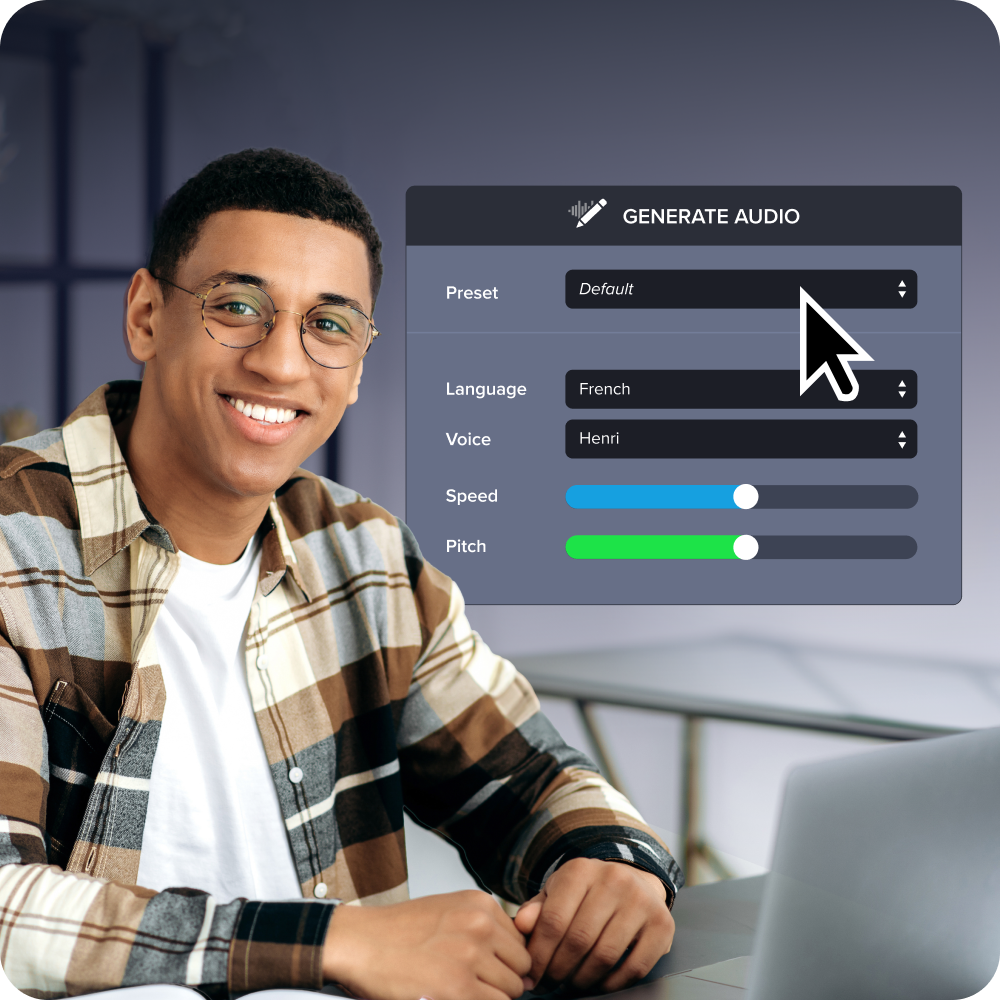
Start measuring impact before your next review cycle
Time to value in L&D isn’t a production metric. It’s a business outcome metric, and treating it that way changes what you measure, what you report, and how leadership reads your program’s results.
The three-interval framework gives you a practical place to start:
- Find the longest interval in your program, whether that’s expertise to finished asset, finished asset to learner-accessible delivery, or content availability to stakeholder approval.
- Name the leading indicator that signals movement in that interval.
- Translate it into language your leadership already uses, like ramp time, error rate, support ticket volume, or time to first successful task.
That translation is the real work. A metric your CFO or VP of Operations already tracks carries more weight in a quarterly review than a completion rate they’ve never asked for.
If you want to see how a record-once workflow compares to your current process, Camtasia Pro is ready for your next training update.
Build your next training video with Camtasia
Record your screen or camera. Then, use the video editor to add polish and clarity.
Learn More
Frequently asked questions
How is time to value in L&D different from training ROI?
Time to value in L&D measures how quickly a training investment produces organizational change, while ROI measures the size of the return once that change can be quantified. L&D leaders need both, but time to value answers the question leadership asks first: when will we see results? Because time to value can be tracked through leading indicators within weeks, it gives L&D programs a way to show credibility long before a full ROI calculation is possible.
What happens to time to value when a process changes and training content needs updating?
When process knowledge lives only in one subject matter expert’s head, a process change resets time to value for every affected learner, because updates can’t begin until that person is free to be re-engaged. This slows down both the initial content creation and every future revision, stretching the gap between when a change happens and when trained employees can act on it. Capturing expertise in reusable formats, like screen recordings or step-by-step guides, makes updates faster because the knowledge is already structured and doesn’t depend on any one person’s schedule.
Can time to value in L&D be shortened without growing the L&D team’s headcount?
Shortening time to value in L&D is mostly a structural problem, so adding headcount alone rarely fixes it. The three intervals that control L&D time to value, from expertise capture to finished asset, from finished asset to learner-accessible delivery, and from content availability to stakeholder approval, each respond more to workflow and tooling changes than to team size. Shortening those stretches by capturing undocumented expertise faster, cutting file-sharing friction, consolidating feedback into one review channel, and editing a narration script instead of re-recording with the SME can shrink time to value without adding headcount.
How do I talk to a CFO or CEO about time to value for an L&D program?
The most credible way to frame L&D time to value for a CFO or CEO is to connect training activity directly to a business outcome they already track, like time-to-productivity for new hires, software adoption rates after a rollout, or a drop in support escalations. Instead of reporting that 200 employees completed a module, reporting that trained employees reached independent use of a new system in fewer weeks than untrained employees gives leadership a number they can connect to revenue cycle speed or cost per hire. Research from Training Industry found that fewer than half of L&D professionals are effective at measuring impact, which makes this translation step one of the best ways L&D leaders can build credibility fast.
How long does it typically take for new employees to reach full productivity without structured training?
Time to productivity varies significantly by role, but faster L&D time to value can often decrease it by speeding up knowledge transfer. When expertise is captured in structured, on-demand formats instead of delivered through scheduled live sessions, new hires can start learning on day one, measurably compressing that ramp. For L&D leaders building a business case, your internal time-to-productivity baseline is a solid anchor point for quantifying the value of shaving even a few weeks off time-to-productivity.
Share