










Time to value is how long it takes a customer or employee to realize the intended benefit of a product. For customers, video training can shorten that time by showing clear, repeatable steps on demand, right when they need help.
Have you ever started using a product that took so long to figure out that you gave up on it? If so, would you consider using the product again? Probably not.
This is why you need to shorten time to value (TTV). The shorter it is, the better your chances of achieving high customer satisfaction rates, increasing adoption, and converting new users into brand advocates.
Here, we look at the impact of video training on TTV and offer tips to help you reduce yours through this content format.
Key takeaways
- Video training shortens time to value by showing customers and employees the exact steps they need to take.
- On-demand training helps users pause, replay, and revisit instructions when they need support.
- Reusable videos keep onboarding and enablement consistent across teams, customers, and regions.
- The most valuable early videos target the support topics and training questions that cause the most confusion.
How does video training shorten time to value?
Video training shortens TTV by improving comprehension, consistency, accessibility, and self-service access. Companies typically try to address low feature adoption challenges and shorten their TTV through traditional methods like in-product pop-ups, text-based how-to guides, webinars, and, in some cases, blog content.
It’s easy to see why these methods would be a go-to for many. They’re fast to produce and familiar, so teams don’t have to put too much effort into the creation process.
There’s only one problem: They don’t meet employees’ or customers’ needs, so they have little impact on conversion or TTV.
Build your next training video with Camtasia
Record your screen or camera. Then, use the video editor to add polish and clarity.
Learn More
Record your screen or camera. Then, use the video editor to add polish and clarity. Learn More
Video, on the other hand, promotes better understanding and engagement among employees and customers. It’s proactive and more accessible, resulting in a better TTV.
The best part? With tools like Camtasia Snagit and Camtasia Editor, you don’t need to be a professional editor or graphic designer to create high-quality customer education videos.
Here’s more on why video training is one of the most effective ways to shorten TTV:
How does video make training accessible on demand?
Video makes training accessible on demand by letting people watch, pause, replay, and review guidance when it fits their schedule. This kind of flexibility matters even more for global teams. With American companies increasingly hiring abroad, U.S. workers landing remote jobs from overseas companies, and more brands operating on a global scale, language barriers have become a real challenge in onboarding processes.
However, video onboarding has changed the game. With AI translation tools, teams can improve accessibility for employees and customers, no matter where they’re tuning from.
Other features, like AI voice generation, can even make video content more accessible for people with vision loss.
Video onboarding also lets employees and users learn at their own pace and revisit instructions whenever needed, which is difficult to replicate with traditional solutions like live training sessions. This streamlines the onboarding experience, which can help people see the value of your product much quicker.
How does video scale repeatable knowledge?
Video scales repeatable knowledge by giving every viewer the same process, explanation, and product walkthrough. It’s tough to maintain consistency when you have multiple managers running training sessions or if you have to constantly repeat the same content. Some trainers may skip details, and other trainers could add their own twists to training programs, ultimately resulting in inconsistencies. This could mean longer TTV.
This is why video training is so important. Whether you’re onboarding one client or ten of them, now or a few months down the line, it ensures everyone receives the same message or process walkthrough. This is especially important for high-growth and SaaS companies, since it helps you scale training without missing crucial product details.
How does visual learning improve comprehension and retention?
Visual learning improves comprehension and retention by helping users see the process instead of interpreting each step from text alone. Remember the phrase, “a picture is worth a thousand words”? It’s more than just a phrase — it’s a fact. The way our brains are wired, we process visuals faster than text and retain information better with video.
So, a basic user interface (UI) walkthrough in video format will be more valuable for employees and customers than a comprehensive text-based guide, shortening your product’s TTV.
Video is also effective because it allows audiences to pause and replay sections as often as they want. This means those who learn via repetition are covered.
How does video reduce repetitive work for internal teams?
Video reduces repetitive work by giving trainers a reusable resource instead of requiring them to deliver the same demo or answer the same question over and over. Nobody wants to repeat the same type of content and answer the same questions over and over — not even your hardest-working employees. It gets boring fast and can affect the quality of training, ultimately impacting your TTV.
Record your screen with Snagit
Snagit makes it easy to share quick updates and how-to’s by capturing exactly what’s happening on your screen.
Get Snagit
With video, trainers can say goodbye to endless live demo sessions and repetitive training calls and instead direct audiences to consistent video resources that cover all the basics. This frees them up to focus on more strategic work while still ensuring customers and employees get the help they need whenever they need it.
Snagit makes it easy to share quick updates and how-to’s by capturing exactly what’s happening on your screen. Get Snagit
With video, trainers can say goodbye to endless live demo sessions and repetitive training calls and instead direct audiences to consistent video resources that cover all the basics. This frees them up to focus on more strategic work while still ensuring customers and employees get the help they need whenever they need it.
Better yet, creating video training materials doesn’t have to be hard. With Camtasia’s suite of tools, trainers can use screenshots and screen recordings to create professional-level visual content — no video editing skills needed. So, not only do you have an effective means to shorten your TTV, you also have a relatively easy time creating the content you need.
Where does video training have the biggest impact?
Video training has the biggest impact in customer onboarding, employee enablement, and product or feature releases. Video training can support every stage of the customer journey. That said, there are specific circumstances when it’s not just nice to have; it’s a must-have for better TTV. These include:
Customer onboarding
Customer onboarding is a high-impact place for video because it helps users complete first-use tasks and understand where your product fits into their workflow. The value of video training in customer onboarding, aka the “make or break” stage in the customer journey, is enough to justify its cost. Welcome videos, quick-start guides, account setup walkthroughs, and FAQ content quickly get customers acquainted with your product and brand.
They break down first-use experiences, making it easy for customers to determine how your product fits into their processes and reducing the number of support tickets in the early stages. The better their experiences here, the likelier they are to stick with your product (and brand).
Employee enablement
Employee enablement benefits from video because internal teams can review processes, tools, compliance steps, and culture guidance on demand. Employee training is a crucial part of any business. It empowers staff with the skills they need to do their jobs and reach maximum potential, which can improve retention rates.
With video, internal teams can easily get employees up to speed on everything from standard operating procedures and company tools to compliance requirements and company culture. It lightens the load on trainers by eliminating the need for repetitive sessions and enhances employee experiences by providing on-demand guidance — without the hassle of reading through long documents or syncing calendars with trainers for live sessions.
New product or feature releases
Release videos help users see what changed, why it matters, and how to use the new feature without waiting for live training. New product and feature releases can feel high-stakes for both teams and customers. Still, you need to put your best effort forward to win customers over.
Video helps you do just that. It quickly showcases what’s new and highlights the benefits of your new product or functionality. This can build excitement, reduce confusion, and help customers adopt new features fast.
Take a short explainer video that spotlights your software’s new feature, for example. It draws attention to the new feature and builds excitement, which can boost engagement and adoption.
When should you start building training videos for customers?
Teams should start building training videos as soon as recurring onboarding questions or support issues appear. You need to make sure customers have the easiest time with your product to shorten TTV and encourage loyalty.
Video production speed is even more crucial if:
- Your company grows and attracts new customers: They’ll need a “crash course” on your offerings.
- You introduce new products, services, or features: Customer education is necessary to prevent confusion.
- There’s an apparent demand for self-service and self-guided learning options: Video training allows users to find answers without waiting on customer success teams. This lets you focus on complex matters, which can improve your customer service quality.
- The complexity of your product increases (maybe because of new features): Quick-reference guides prevent customers from getting stuck.
Ideally, your videos should cover the essentials, like your product’s navigation, before moving on to more complex topics, like how to configure dashboards or set up integrations. This way, you don’t scare customers off in the early stages.
Video content should also proactively address common pain points and answer FAQs to guide users toward value faster.
How can you create customer video training without a full production team?
You can create customer video training without a full production team by starting with clear screen recordings, concise narration, and the support topics customers ask about most often. Video format can appear scary at first, especially if you don’t have editing or graphic design experience. But with the right tools (like Camtasia Editor and Camtasia Snagit), you don’t need video editing or production expertise to get there.
Whether you have decades-long experience or are only used to creating TikTok or home clips, you can build high-quality, professional customer training videos.
Use this simple workflow to turn one recurring customer question into a useful training video:
- Choose a recurring support question, onboarding issue, or process step that causes confusion.
- Record the process so customers can see the screen, clicks, and expected result.
- Add concise narration and annotations to explain what matters at each step.
- Edit for clarity by removing distractions, tightening pauses, and highlighting key details.
- Embed the finished video where customers already look for help, such as onboarding emails, help centers, and product guidance.
Here’s how Camtasia’s tools support each step of that workflow.
How can Camtasia help record detailed process walkthroughs?
Camtasia helps record detailed process walkthroughs with screen recording, voiceover, annotations, and editing for step-by-step training videos. Camtasia takes the hassle out of creating guides by offering an AI-powered video editor. You can seamlessly record your screen, add voiceover, and include annotations or effects to highlight vital details, all without previous videography experience.
Some of the features that are sure to help you create high-quality videos include:
- Ability to highlight and magnify cursor movements: Draws attention to key details.
- Text-based video editing capability: Increases video editing efficiency.
- Automatic audio cleanup functionality: Seamlessly removes filler words from recordings.
- Generative AI-powered script creation, translation, narration, and avatar generation: Lets you create polished, interactive, and accessible videos.
- Separate tracks for screen, cursor, mic, and system audio: Allows you to update training videos without starting over.
Thanks to these features, Camtasia is best suited for detailed content like step-by-step video tutorials, software training, and product explainer clips.
Go from screen recording to polished video
A screen recording is just the start. Camtasia helps you add the callouts, animations, and edits you need to create a truly professional video.
How can Camtasia Snagit help capture quick tutorials and how-tos?
Camtasia Snagit helps capture quick tutorials and how-tos with short recordings and annotated screenshots that support quick learning.
Camtasia Snagit is a good fit for anyone without video editing experience who’s just getting started with training content. With features like short video recording and annotations, it’s perfect for creating bite-sized videos or annotated screenshots to support the detailed tutorials created via Camtasia Editor.
It’s great for sharing troubleshooting guides, showcasing case studies, and offering quick software tips and tricks.
Go from screen recording to polished video
A screen recording is just the start. Camtasia’s editor helps you add the callouts, animations, and edits you need to create a truly professional video.
Free Download
Document any internal process as you do it. Step Capture organizes the screenshots, numbers, and steps into a clear, shareable visual.
Why should training videos focus on clarity over production value?
Training videos should focus on clarity over production value because clear audio, clean visuals, and concise delivery matter more than advanced editing for shortening TTV. Remember, your goal isn’t to wow audiences; it’s to deliver relevant and consistent content that shrinks TTV.
With Camtasia as your trusty partner, this is relatively easy. Even with zero video or audio production experience, you’ll have no trouble creating valuable content for your target audience.
Which training topics should you record first?
Record the questions and process steps customers ask about most often first. The truth is, you can’t possibly cover everything that has to do with your product or service — not in the beginning, at least. So, try not to put too much pressure on yourself.
Rather than trying to record everything, pull insights on what trips customers up the most from FAQs and support tickets. Creating videos that address common concerns will lessen your burden and significantly shrink TTV by making it easier for customers to understand your product.
Where should you embed customer training videos?
Embed customer training videos where customers already look for help, including help centers, onboarding emails, product guidance, and your website. Training videos will only shorten TTV if they reach your target audience. So, embed them in as many customer touchpoints as possible.
Some excellent placements include:
- FAQ pages
- Onboarding emails
- In-product pop-ups
- Your website
You can even share them via physical materials like business cards or pamphlets. To do this, link the videos to QR codes and then add the codes to your preferred print materials.
How can the right tools help customers and teams find value faster?
Practical screen recording and editing tools help teams turn repeatable training needs into clear, reusable videos. Video training shortens time to value by making complex concepts easier to understand and reducing the need for repeated support or training. This can improve employee and customer relationships with your business, boost conversion rates, and reduce churn.
Video training would be particularly ideal when onboarding new customers and hires, updating employees on SOP changes, launching a new product or feature, or if you want to support self-service.
With Camtasia tools, you can create valuable and professional-looking videos to help shrink TTV, even with zero prior experience. Our tools are easy to learn and packed with features like text-based editing, AI-powered scripts, and annotations that make training easier to build.
Try Camtasia free and build your first training video from a real support question.
Create how-to guides in seconds with Snagit
Document any internal process as you do it. Step capture organizes the screenshots, numbers, and steps into a clear, shareable visual.
Learn More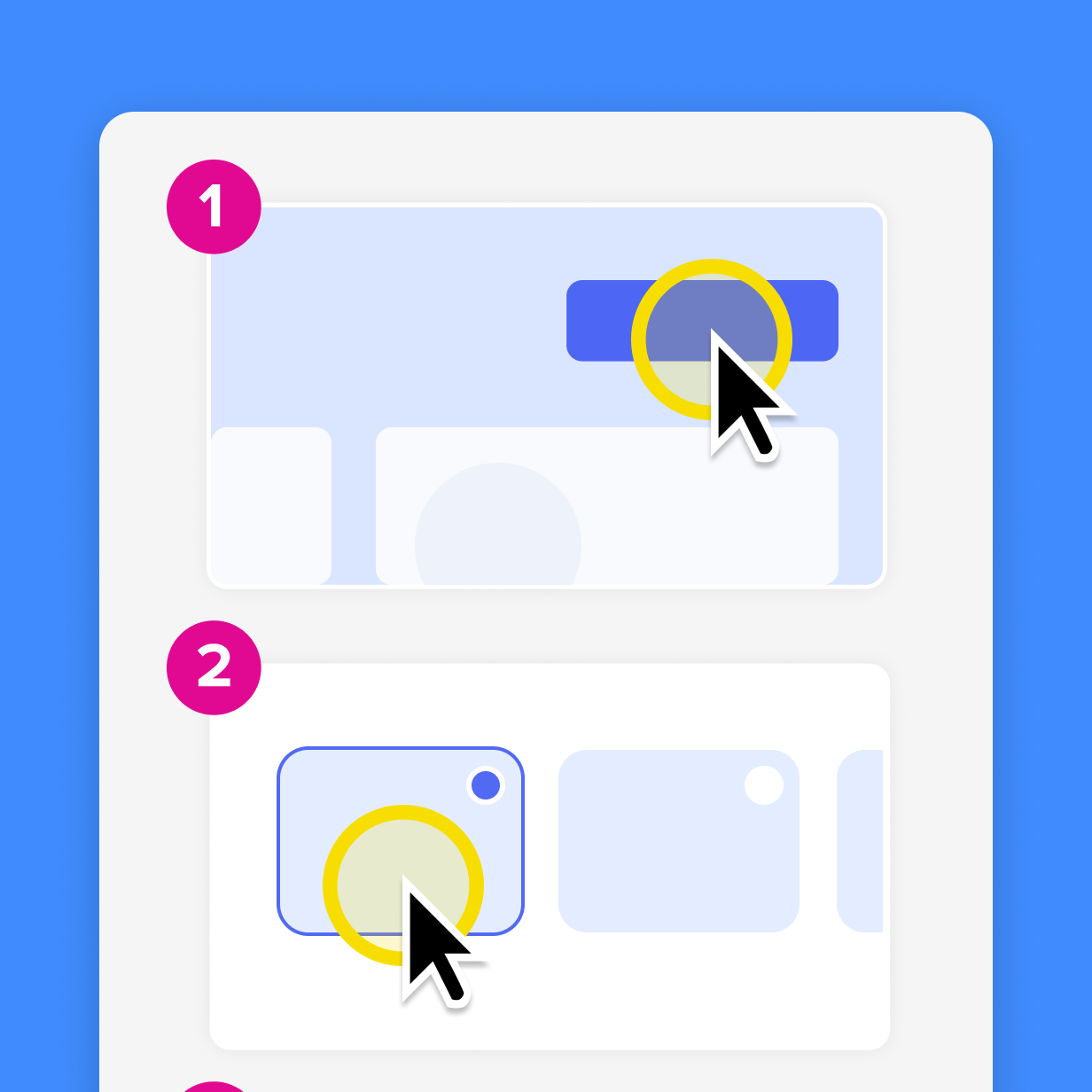
Frequently asked questions
How does video training shorten time to value?
Video training shortens time to value by showing users exactly what to do instead of asking them to interpret instructions from text alone. A clear walkthrough can demonstrate the screen, the clicks, the expected result, and the next step in one place. That helps customers and employees complete onboarding tasks faster and reduces repeated support interactions for common questions.
What does time to value mean in customer training?
Time to value in customer training means the amount of time it takes a customer to understand and experience the intended benefit of your product. A shorter TTV matters because customers are more likely to keep using a product when they can complete important first tasks without confusion. Customer onboarding videos support that goal by giving people clear, repeatable guidance during the moments when they are learning how the product fits into their workflow.
What is Time to First Value, and how is it different from time to value?
Time to First Value focuses on the first useful outcome a customer or employee experiences with a product. Time to value can describe the broader point when someone realizes the product’s intended benefit, which may include several steps or a fuller workflow. For example, a customer might reach Time to First Value when they complete a basic setup task, while full time to value may come later when they use the product successfully in their regular process.
How do you measure time to value for video training?
To measure time to value for video training, choose a clear start event and a clear value event. The start event might be account creation, a first login, or the beginning of employee onboarding. The value event might be completing setup, finishing a required process, using a key feature, or resolving a common task without live help. Measure the elapsed time between those events, then compare patterns before and after you add training videos.
Where should teams place training videos to reduce time to value?
Teams should place training videos where customers and employees already look for help. Good locations include help centers, onboarding emails, in-product guidance, product tours, and website pages that explain setup or common workflows. You can also use QR codes on printed materials when people need quick access to a video from a physical handout, business card, or pamphlet.
Which customer training videos should you create first?
Create the customer training videos that answer recurring support questions, explain onboarding steps, and clarify process steps that cause confusion. These topics are strong starting points because they already show where customers need help before they can reach value. Once those videos are in place, you can expand into more advanced workflows, feature releases, and deeper product education.
Share