









Your training budget covers one major initiative this year, and three departments each believe their request should win. Sales wants faster software adoption. Operations wants shorter onboarding ramp time. HR wants manager development tied to succession planning. You need a way to decide that holds up when leadership asks why.
A learning and development strategy is a roadmap that connects organizational goals and workforce skill gaps to learning objectives, delivery methods, resources, governance, and measurable business outcomes. It turns training from a stack of isolated requests into a coordinated plan for improving workforce performance and readiness.
You don’t need another framework that stops at theory. You need a sequence you can apply this quarter: identify the goal, diagnose the gap, write the objective, pick the method, and prove the result.
Key takeaways
- A learning and development strategy connects training priorities and spending to organizational goals, workforce capabilities, and measurable business outcomes.
- A five-step framework helps L&D teams identify goals, assess skills gaps, set objectives, select methods, and evaluate impact.
- Within a learning and development strategy, video delivers consistent training at scale when teams use efficient, repeatable production workflows.
- SCORM completion and performance data help L&D teams connect learner activity to objectives, but completion alone doesn’t prove employees applied what they learned.
- AI-assisted production tools help lean L&D teams work faster while people retain responsibility for judgment, accuracy, and instructional quality.
Why a learning and development strategy matters now
A learning and development strategy is a documented plan connecting your organization’s goals to the workforce capabilities, delivery methods, and measures needed to build them. Without it, training becomes a stack of disconnected courses that never quite move the business.
A clear strategy helps you defend budget decisions instead of guessing at them.
Take the budget scenario from the opening: A strategy ranks competing requests by business impact instead of by who argues loudest.
Five steps make that ranking possible:
- Identify organizational goals
- Run a training needs analysis
- Set measurable objectives
- Choose methods and resources
- Evaluate impact
Build your next training video with Camtasia
Record your screen or camera. Then, use the video editor to add polish and clarity.
Learn More
Defining L&D strategy as a business throughline, not a training checklist
A strategy earns that name only when you can trace every course back to a business goal, a required behavior, an owner, and a measure, forming a capability-building roadmap that links goals, priorities, delivery, and measurement.
Audit your portfolio and flag any course missing a documented owner or success measure. A software-training request becomes strategic once it’s tied to adoption rates, error reduction, and an accountable executive owner.
The business case for L&D: retention, engagement, and readiness for change
Leadership backs L&D when priorities map to metrics they already track, since a strong L&D function drives performance, engagement, and retention. Check which of these your executives report on, then mirror that language in your strategy document.
For manager readiness, don’t cite workshop attendance. Link the program to observed coaching behavior and confirmed succession candidates for critical roles.
Step 1: Identify your organization’s goals
Every training priority should trace back to a specific business goal, not a general wish to “upskill” employees. Start by naming the goals leadership already cares about: faster onboarding, lower error rates, software adoption, or manager readiness.
Then, translate each goal into a required behavior. Build a one-page alignment table with columns for business goal, affected audience, required behavior, executive owner, timeline, and success measure.
In other words, if your goal is to cut new-hire ramp time, the table shouldn’t list “onboarding course” as the priority. It should name the actual behavior: new hires accurately completing your core workflow, owned by the department lead, within 30 days.
This table becomes your reference point for every decision that follows. For more on translating goals into workforce capability, see this guide to building education content around business outcomes.
Step 2: Conduct a training needs analysis
A training needs analysis diagnoses the real cause of a performance gap before you design a single lesson, so you don’t spend budget training people who already have the skill.
Gather evidence in this order:
- Review performance dashboards and customer feedback.
- Survey employees.
- Interview managers.
- Observe the workflow directly.
- Compare findings against existing skills inventories.
Rank each gap by business impact, urgency, audience size, risk, and trainability, and document any assumption you haven’t validated yet.
Consider a support team with a high error rate on order corrections. A survey suggests a knowledge gap, but observations reveal that reps are following an outdated process, and their incentive plan rewards speed over accuracy.
No amount of training fixes a process problem or a conflicting incentive. Flag it for operations and save the training budget for gaps people can learn their way out of.
Step 3: Set measurable learning objectives
A measurable learning objective turns a diagnosed gap into a specific behavior you can teach, practice, test, and report on. Write each one with five parts: audience, observable behavior, working condition, quality standard, and deadline.
Weak: “Employees will understand the new CRM.”
Improved: “By June 1, all account managers will log a completed customer interaction in the live CRM with zero required fields missing.”
That version tells your team exactly what to build. Content teaches the workflow, practice rehearses it in a sandbox, assessment checks accuracy, and reporting tracks completed live entries against the deadline.
Writing objectives tied to business KPIs, not completion rates
Completion tells you that you delivered content, not whether the capability improved. Chain each objective to leading indicators like assessment scores and practice quality, then lagging indicators like errors, productivity, or time-to-competency.
For onboarding, don’t stop at course completion. Track manager observation and time-to-independent task performance instead. Label completion explicitly as a delivery metric on your dashboard, separate from evidence of actual skill transfer.
Step 4: Choose your learning methods and resources
No single delivery method fits every learning objective, so match the format to the job before you commit a budget line to it.
Work through these questions in order:
- What skill type and work context are you training for?
- How large and varied is the audience?
- How much interaction and practice does mastery require?
- What can your team realistically produce and update?
You have to be able to answer these questions before you can pick the right method or blend of methods.
| Method | Scalability | Consistency | Interaction | Production effort | Update speed |
| E-learning | High | High | Low | Medium | Slow |
| Cohort workshop | Low | Medium | High | Low | Fast |
| Mentorship | Low | Low | High | Low | Fast |
| Video | High | High | Low | Medium | Medium |
Example: For a company-wide software rollout, pair short microlearning demonstrations with live practice sessions instead of forcing a single modality to teach and reinforce the workflow alone.
Comparing e-learning, cohort workshops, and mentorship
Each method does a different job. E-learning delivers structured, self-paced knowledge and practice at scale. Cohort workshops create space for discussion, feedback, and shared practice. Mentorship builds contextual judgment and supports career development over time.
Treat frameworks like 70-20-10 as a flexible starting point for planning, not a fixed formula.
A manager development program often works best when blended. Self-paced modules cover foundational concepts, a cohort workshop runs a role-play on giving difficult feedback, and a mentor reviews the manager’s real conversations afterward. Each layer reinforces a different part of the same objective.
Video-based training as a scalable, high-consistency modality
Video earns its place when you need the same demonstration delivered consistently to people who aren’t in the same room, or even the same time zone. A global software rollout is the clearest case: Instead of five regional trainers each explaining a workflow slightly differently, one recorded walkthrough with captions ensures every employee, regardless of location, sees identical steps and hears identical guidance.
That consistency only holds if you can maintain the workflow behind it. Scripting, recording, review cycles, caption accuracy, and a plan for updating content when the software changes all take real capacity, as outlined in these e-learning video best practices.
Camtasia reduces that friction for full training modules. And if the real goal is a quick-reference guide rather than a video, Camtasia Snagit’s Step Capture lets you build one even faster.
Streamline workflows with Snagit Assets
Transform your screenshots with ready-made templates, custom themes, and unique stamps.
Get Started
Matching the method to the skill and the audience
Match the modality to the behavior first:
- Procedural software skills need demonstration and guided practice
- Interpersonal skills need role-play and feedback
- Complex judgment needs cohort case discussion
- Career growth needs mentorship
Then check fit: language, accessibility, time zones, device access, prior knowledge, and chances to practice on the job.
A global CRM walkthrough works as a short recorded demo. A manager conflict-resolution program needs live cohorts rather than video alone.
Step 5: Evaluate and measure your training’s impact
Training impact holds up under scrutiny only when you define your measures before launch. Build the evaluation plan alongside your objectives so you’re not scrambling to justify results later:
- Capture a baseline before training starts.
- Measure reach and immediate learning.
- Run delayed knowledge or skill checks.
- Collect manager observations of on-the-job behavior.
- Compare relevant operational KPIs.
- Review production cost at defined intervals.
For a software rollout, keep reach, learning, transfer, impact, and cost in separate dashboard sections: participation rate, task accuracy in the live system, manager-observed application, support ticket errors, and cost per trained employee.
Separating these categories stops one strong number, like high enrollment, from masking a weak one, like unchanged error rates.
Using SCORM and completion data to report training ROI to leadership
SCORM is the LMS packaging standard that lets courses report completion and quiz scores back to your system, but the exact data you get depends on your learning management system and authoring settings.
Build your ROI report in order:
- Participation and completion
- Assessment performance
- Workplace application
- Relevant business KPIs
- Cost
Completion is an activity measure. It doesn’t prove competence.
A compliance course showing 100% completion only proves that employees opened the material. You still need a manager-observed task or quality audit to confirm they apply it correctly.
Keeping your strategy current as AI changes how training gets made
An AI-ready L&D strategy treats automation as capacity support rather than a substitute for instructional expertise. Use faster production to shorten content cycles while keeping guided practice, feedback, and progressively harder tasks intact.
Build this into your operating rhythm with three habits:
- Quarterly skill reviews to catch gaps before they affect performance
- Controlled pilots for any AI-assisted format before full rollout
- Written governance covering accuracy checks and disclosure of AI-generated content
A lean training team responsible for a global software curriculum can’t wait months for a full rebuild when a vendor pushes an interface update. Learn more about using AI voices and avatars in training videos to shorten that turnaround without sacrificing instructional quality.
Do AI Voices and Avatars Improve Learning?
Discover what the data reveals about learning outcomes.
Get the Full Report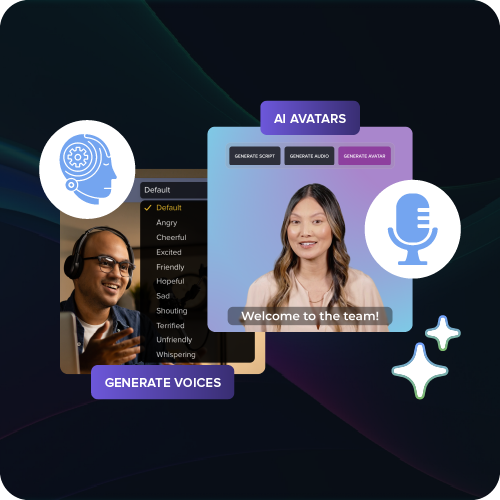
Where AI helps lean L&D teams do more without adding headcount
Camtasia Audiate handles six jobs that used to eat scarce hours: script generation, transcription, filler-word removal, AI voices, avatars, and translation.
A non-native narrator can record once, strip filler words from the transcript, then generate a translated version instead of re-recording the lesson.
Before publishing AI-generated output, disclose it to learners and run this checklist:
- Accuracy and terminology
- Pronunciation
- Licensing permissions
- Accessibility
- Organizational policy compliance
What to keep human: judgment, accuracy, and instructional expertise
People stay accountable for needs diagnosis, instructional design, organizational context, factual accuracy, inclusion, assessment quality, and final approval. AI drafts content. It doesn’t own outcomes.
Keep training videos accurate. Avoid “AI slop.”
Build training content faster without sacrificing quality. The HUMAN Framework is a 5-step strategy for integrating AI effectively.
Get the Guide
Set risk-based approval thresholds before publishing. Require SME sign-off on high-risk material, such as a safety module, where an expert confirms terminology, permissions, and assessment standards before release.
This human framework for AI training videos keeps accountability clear as production speeds up.
Equipping your team to execute the strategy at scale
A strategy only earns credibility once your team can produce and review training without bottlenecking on a single person or tool.
Match each contributor to the right job:
- SMEs pilot a walkthrough in Camtasia Online before anyone commits production time.
- Instructional designers polish approved pilots into branded modules in Camtasia Editor.
- Narration specialists clean up audio in Camtasia Audiate.
- Anyone needing a quick process document instead of video uses Camtasia Snagit.
- Reviewers comment asynchronously through Screencast, using a share link that doesn’t require an account or license.
Business buyers deploying this strategy across a training team should look at standalone licenses per role, giving each seat exactly the tool it needs. For full production steps, see this employee training video guide.
Camtasia Online for fast, no-install pilots
Camtasia Online lets a subject-matter expert validate a training concept in minutes, right in the browser, without a download or subscription. It records screen, webcam, and microphone at up to 1080p, watermark-free.
Each scene runs up to five minutes, but you can record unlimited scenes and export straight to Camtasia Editor for polish later. Try it at Camtasia Online.
Camtasia Editor for polished, branded training video
Camtasia Editor gives you the full timeline control needed for layered, updatable training projects. Separate tracks let you stack narration, on-screen action, and callouts without disrupting synchronization.
Build a reusable template with locked User Styles for brand colors, fonts, and annotations. An instructional designer can set caption defaults once, then swap in new screen-recording segments for each software update.
Save that template, and every future module matches your last one, giving you back hours per project.
Camtasia Audiate for clean, accessible narration and video
Camtasia Audiate turns spoken narration into an editable transcript, so fixing a mistake means editing text instead of re-recording narration. It also removes filler words, cleans up background noise, and exports an SRT caption file for accessible delivery.
If you need AI voices, avatars, or translations, Camtasia Audiate has those too. But for transparency, be sure to include a disclosure informing listeners that the video uses AI-generated output.
Build an L&D strategy that proves its own value
A five-step framework that connects strategy to gaps to objectives to methods to evidence only earns credibility once it survives contact with an actual pilot. That compliance module you keep meaning to fix, the one with the 40-minute narration nobody finished, is probably sitting in your queue right now. That’s your test case.
Here’s what you can do this week: Pick that one training priority, the one leadership already asks about, and rebuild a single lesson end to end. Tighten the narration, add captions, check it against your accessibility baseline, and track completion against a real business metric instead of a vanity view count. Small, visible, and finished beats broad and theoretical every time you’re asking for budget.
That’s where execution capacity stops being an abstract requirement and becomes the thing that makes or breaks the pitch. The Camtasia Product Suite supports consistent, accessible video builds, narration cleanup without re-recording, and fast drafts you can show a stakeholder tomorrow. Choosing the right tool for a pilot is itself part of demonstrating that the strategy works.
If you’re ready to turn your next strategic priority into a working example, try Camtasia for free.
Frequently asked questions
What is a learning and development strategy?
A learning and development strategy is a roadmap for building workforce skills that support organizational goals, performance, and future capability. It connects business priorities, skill gaps, learning objectives, delivery methods, resources, governance, and measurement, rather than treating training as a disconnected list of courses.
What does an L&D strategy look like?
A practical L&D strategy identifies organizational goals, analyzes skill gaps, sets measurable objectives, selects appropriate learning methods, and defines how the team will evaluate results. It also assigns owners, budgets, tools, timelines, governance requirements, and review cycles so the plan stays executable as business needs change.
What is the 70-20-10 rule for learning and development?
The 70-20-10 rule is a planning heuristic suggesting that roughly 70% of learning comes from work experience, 20% from relationships, and 10% from formal training. Teams shouldn’t treat it as a fixed allocation for every workforce. Choose methods based on the skill, audience, work context, and business objective instead.
Will L&D be replaced by AI?
AI is unlikely to replace L&D because effective workforce development still requires human judgment, organizational context, instructional design, factual validation, assessment design, inclusion, and sensitive communication. AI can reduce production work such as transcription, narration cleanup, translation, and first-draft creation, but teams should review outputs for accuracy, pronunciation, permissions, accessibility, and policy compliance and disclose AI-generated material as required.
How do you measure the impact of a learning and development strategy?
Measure impact by establishing baseline business and performance data, then tracking reach, learning, workplace application, operational results, and cost at defined intervals. Assessments, delayed checks, manager observations, quality measures, errors, productivity, retention where relevant, and time-to-competency each provide a different piece of the evidence chain. SCORM and LMS data document completion and assessment activity, but completion alone doesn’t prove that employees applied the skill.
Share