









Customers want answers and support teams are feeling the pressure.
With the rise of SaaS, mobile apps, and on-demand everything, users now expect quick and clear answers when something goes awry. The demand for self-service has skyrocketed, but not every business is equipped to scale its customer support without growing headcount (and budget) with it.
Luckily, we’ve got video. A powerful, underused tool that transforms how support teams deliver help. Instead of answering every customer question over the phone or chat and working with them through every step, video allows users to answer their own questions before they call customer support. That means more can get done, and support teams can prioritize more intricate questions.
Let’s explore why traditional support methods are increasing your backlog and how short, simple videos can improve the customer experience, boost ticket management, and lower ticket volume without burning out your support team.
The problem with traditional support workflows
If your support team is drowning in a constant ticket queue, you’re not alone!
More help desks rely heavily on written documentation, chat, and email replies. While these job aids are essential, and likely always will be, they come with limitations when used in isolation.
Long wait times mean that customers often face delays waiting for answers to basic questions.
Repetitive tickets waste your team’s time as they answer the same common issues again and again.
Frustrated agents and users are more likely to go around in circles with unclear instructions or miscommunications. And when you’re frustrated, you’re less likely to get anything resolved in a positive way.
Missed opportunities to scale knowledge remain locked inside support tickets rather than in a knowledge base. Your coworker may have solved a common issue in a more efficient way, but it’ll most likely be forgotten once they move on to the next ticket.
Text-only documentation, no matter how well written, often struggles to explain complex issues or visual workflows. A product feature that takes five steps to configure might require multiple screenshots and paragraphs to describe, and the customer might still be confused after.
All of this adds up to slower ticket resolution, poor customer satisfaction, and burnt-out support agents.
How video content deflects repetitive support tickets
When done right, video can upgrade your communication skills and reduce the number of tickets by delivering clearer, more scalable support customers actually enjoy using.
According to TechSmith research, 98% of people who use video at work find that it improves the effectiveness of their message. We know that video increases positive communication, so let’s dive into exactly what makes video a game-changer.
The future of work is async
Survey shows more than half of workers would rather watch a video update than attend a meeting.
Get the Full Report
Visual clarity leads to faster answers
Think about the last time you tried to follow a written manual for software troubleshooting. Maybe there were a few haphazard graphics thrown in, but even then it probably took a few tries to get it right.
Now imagine watching a 90-second video that shows exactly where you should click, what steps to expect, and what a successful outcome looks like.
Video walkthroughs make complicated tasks simple. They capture everything that matters:
- Cursor movements
- Interface changes
- Multi-step workflows
- Drop-down menu options
- And more!
Unlike static images or long paragraphs, a quick screen recording delivers instant, visual understanding. That means fewer follow-up questions and faster response times.
Self-service video builds user confidence
A major part of ticket deflection comes down to confidence.
If users feel confident to solve problems themselves, they won’t open a support request in the first place. Self-service video options are magical in that way.
Video content removes the intimidation that can sometimes come with self-service. A friendly, easy-to-follow tutorial helps customers feel more capable and in control.
Keep all of your videos in a well-organized knowledge base so your customers can easily find the content they need, lowering their resolution time and improving their support experience.
Scalable content for high-volume issues
Instead of solving the same problem 500 times, you can use a single video.
A single, well-produced video tutorial can eliminate hundreds (maybe even thousands) of future customer support tickets for the same issue. You can use a short, evergreen video for multiple scenarios:
- New user onboarding workflows
- Feature tutorials
- Answering common FAQs
Camtasia online (a free, browser-based version of Camtasia) is an ideal tool for polished, evergreen content your customers will find in your self-service portal. As an online screen recorder, you can capture any part of your screen and add polish with backgrounds and effects without downloading software.
However, if you need to make edits to your videos like adding callouts, transitions, cursor effects, and more, Camtasia Editor is the tool for you. It’s heftier than Camtasia online and has a forever free trial for you to work with!
For one-off walkthroughs and lighter tutorials, Snagit is an easy-to-use tool for everyone. You can add arrows and other annotations with screen draw while you record to add clarity to your tutorials.
Where to use video in your support process
You don’t need to overhaul your entire support workflow to start seeing results. Video fits easily into the tools and channels you already use.
Some high-impact ways to integrate video into your support processes include the following:
Help center articles and FAQs
Replace or complement static how-to articles with short videos to guide users through complex issues. These are easy to build from and create a natural pathway from one issue to another until you build a full self-service knowledge base.
Embedded replies in your ticketing system
Respond to individual support requests with a quick personalized Snagit video instead of a wall of text. Videos show more context and may answer future questions before they arise.
In-product onboarding workflows
Use video tutorials to walk new users through setup, configuration, and product features in real-time. As features and setups change, use a multi-track screen recorder like Camtasia so you can easily make edits on pre-existing videos without having to rerecord.
Email automation
Reduce ticket volume from known friction points with proactive, video-based how-tos. Figure out which issues arise most often, like password resets, and focus on creating content for these first. You can include the videos directly in your password reset emails to answer customer questions proactively.
Social media or forums
Share visual explanations in LinkedIn posts, support forums, or customer feedback threads. That way, customers can save your video replies for future reference or look up keywords on social media platforms for answers.
Pro Tip: Include frequently asked questions (and answers) in your Instagram highlights for increased visibility and access.
Examples of how to use TechSmith tools to build videos for support processes
TechSmith’s tools, Snagit and Camtasia, are designed specifically with trainers in mind. Trainers want to create clear, effective videos without having to go to film school, and that’s exactly what these tools do.
Both tools have low learning curves, and they’re built to help support teams save time, reduce ticket volume, and improve clarity across the board.
Here’s how they work:
Record and send a quick screen capture with Snagit
For fast, personal support replies, Snagit is your go-to tool.
In just a few minutes, a support agent or IT admin can capture their screen while narrating a fix or walkthrough, which is perfect for one-off support tickets, internal training, or even Slack replies.
Some key Snagit features allow you to:
Record your screen, camera, or webcam, and audio simultaneously or any combination thereof for comprehensive tutorials that only show what you need.
Annotate or highlight important elements with the screen draw feature as you record.
Share videos instantly with a unique link you can copy and paste into an email or chat thread. Or, share the classic way with a downloadable file.
Save frequently used replies in Snagit’s comprehensive library to reuse for later. You can sort them into folders and tag them according to topic so you can easily retrieve them later on.
Snagit is ideal for real-time feedback without the back-and-forth or confusion that often follows long emails.
Is your screen capture tool still in its Dial Up era?
Snagit is built for the modern office, and helps you do it all.
Learn More
Build a polished troubleshooting tutorial in Camtasia
When you need a more in-depth video for your knowledge base or product tutorials, Camtasia is here for you. You can create high-quality, reusable content with features built for support documentation.
Camtasia allows you to record narration separately from your screen recording so you can avoid multi-tasking while recording. Then, once you’re happy with your recording and narration, you can add informative callouts and helpful cursor effects so your viewers can easily follow along.
These features are ideal for content in your knowledge base or new feature rollouts that need a little extra attention to detail.
Reuse existing assets to speed up video creation
If you already have screenshots or Snagit videos, you can drop them right into Camtasia.
This saves your time since you don’t have to recapture anything and helps keep your branding, messaging, and visuals consistent across your content. Combine short clips, screenshots, and even full guides into a single, comprehensive tutorial without having to start from scratch.
Repurposing content also makes it easier to scale your assets without duplicating work, especially for high-volume tickets that already have comprehensive answers.
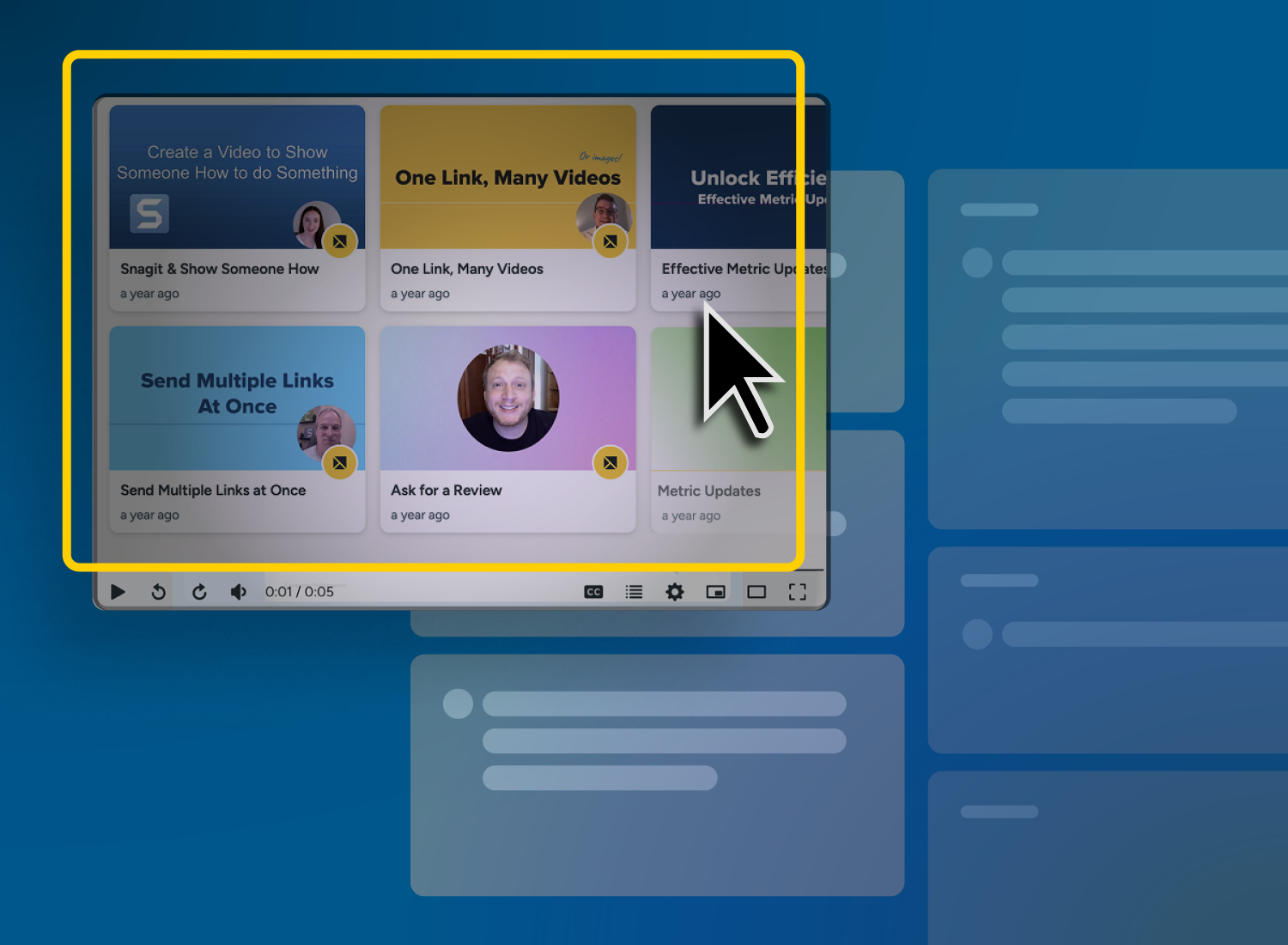
Organize videos by topic or issue with collections
To keep your videos organized and accessible, consider grouping them into collections based on ticket categories or user types.
Likely categories will vary by industry, but some common ones include:
- Billing & accounting management
- Product configuration or user type
- Integration & third-party tools
- Common error messages
You can host and share these collections using Screencast, making it easy for team members and customers alike to browse based on the issue they’re experiencing.
Organized video libraries help reduce confusion, improve content searchability, and streamline your support processes, which makes them indispensable to your customer support plan.
Looking for professional screen recording software?
From simple screen captures to polished video editing, TechSmith has everything you need to create professional-quality content.
Learn More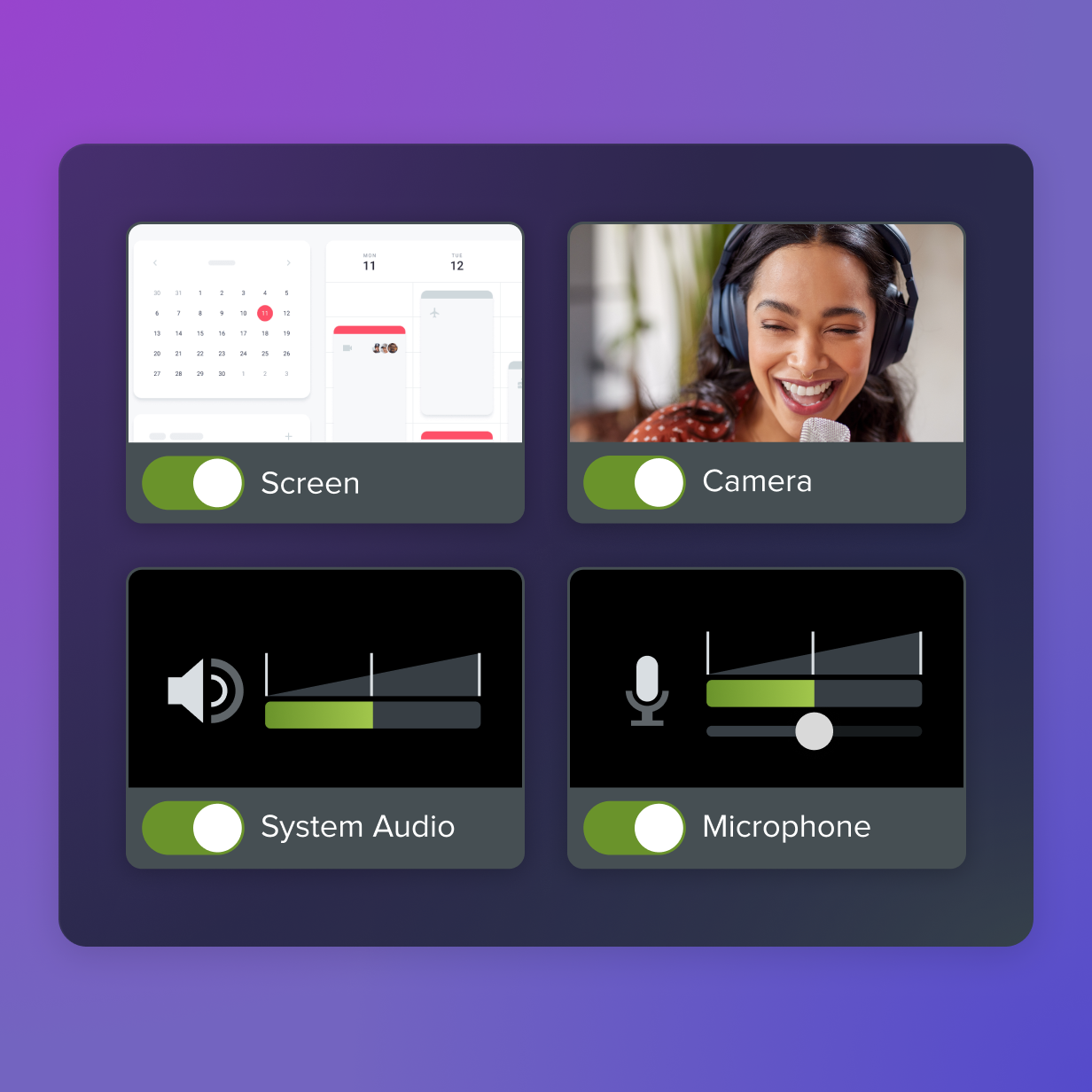
Maintain accuracy with easy video updates
Support content needs to stay up to date. One UI change shouldn’t mean re-recording everything from scratch, which is where Camtasia’s multi-track editor comes in.
Camtasia’s modular editing features allow you to:
Swap out clips or screens individually, without affecting the rest of the video because of the multi-track editing features.
Update your cursor. Add movement by altering the cursor path during the video, blow up the size of your cursor for added visibility, add click animations so your viewers know exactly when you click, and even more cursor effects.
Adjust narration or captions separately from any visual content. You can adjust, delete, and add new audio and have the captions updated to reflect the new content.
Make great tutorial videos
Camtasia makes it ridiculously easy to make tutorial videos that keep your viewers engaged.
Free Download
Unlock faster support with documentation through TechSmith
Video is the solution your customer support team has been waiting for. Tools like Snagit and Camtasia help your team reduce support tickets while building smarter, more scalable workflows.
These video tools are easy to learn and quick to deploy so your team can start helping your customer more efficiently without an entire overhaul. It’s time to start building a clearer, faster answer today with TechSmith’s tools.
Share