








A subject matter expert (SME) spends two hours recording a training video. It gets used once in an onboarding program. Three months later the process changes, and the whole thing gets rebuilt from scratch. Most learning and development (L&D) leaders know that cycle, and the cost of it adds up fast.
The root cause is structural. Most corporate training strategies are built around one-time delivery. A reuse-first corporate training strategy flips that: Every piece of content gets recorded, structured, and stored with the explicit intent of being reused.
Instead of a one-off deliverable, that one SME training video can get recycled across multiple programs, audiences, and time periods.
That one shift in how you design content changes what you build, how you store it, and how much effort it takes to keep it current. This article makes the case for that model and gives you a practical framework for applying it.
Key takeaways
- Training content built around a program event has no second life once that event ends, so rebuilding becomes the default instead of the exception.
- Treating recorded expert knowledge as a reusable asset library compounds value over time, while program-centric content resets to zero with every new cohort.
- High-turnover content like software workflows and compliance procedures may benefit most from a reuse-first approach, since updating a module is far faster than rebuilding it.
- Production friction, not lack of expertise, can keep subject matter experts from contributing knowledge that teams could reuse across roles and programs.
- Governance habits like consistent naming, a review cadence, and clear asset ownership can decide whether a growing training library stays useful or becomes an archive.
Why most training content expires after one use
Training content expires after one use when teams organize it around a delivery event instead of the underlying knowledge. A course built for a Q1 onboarding cohort is designed to run once, so when that cohort ends, the content has no second life. There’s no module to update and no asset to redeploy. The next cohort just means starting over.
That cycle is expensive to sustain. According to TalentLMS’s 2026 L&D report, 50% of HR managers say high workloads leave little room for training even when it’s needed. Production capacity is the real bottleneck, and a model that forces you to rebuild content for every program only makes it worse.
A program-centric approach produces a course. An asset-library approach produces a reusable module you can refresh in minutes and redeploy across roles, cohorts, and teams. The same expert knowledge does more work without asking the expert to show up again.
Content strategy, more than technology, causes this problem. No tool fixes a workflow built around disposable output. The fix starts with deciding that expert knowledge deserves structure for reuse before production even begins. Building scalable employee training depends on making that call first.
1. Treat expert knowledge as a library, not a lesson
Every time a subject matter expert contributes to a training program, that knowledge should become a reusable asset that outlasts the cohort.
A content asset library is a governed collection of training media, templates, and modules your team draws from when building new programs. Think recorded walkthroughs, annotated process guides, and branded module templates, all organized and easy to find.
What separates a program from a library is compounding value. A library grows with each new recorded walkthrough. The second time a role needs onboarding, you pull from existing assets instead of starting over. By the fifth time, the work is mostly assembly.
Most L&D teams haven’t made this shift yet. LinkedIn Learning’s 2025 Workplace Learning Report found that only 36% of organizations qualify as career development champions with measurable business results to show for it, while 88% report retention concerns. Those two numbers show what happens when training stays program-shaped.
If you’re storing finished training in a learning management system (LMS) with no plan for reusing its components, you’re leaving compounding value on the table.
2. Decide which knowledge is worth recording
Record knowledge for reuse when it’s role-critical, repeatedly needed, or tied to a process that changes often enough to require maintainable training. Not all expert knowledge meets that bar, and the filter is simple: Will someone else need this again, and can you maintain the content as conditions change?
Three signals mark knowledge worth recording:
- Role-critical: Everyone in that role needs it to do their job.
- Frequently referenced: People ask the same questions again and again.
- Tied to a process that changes on a regular cadence: Think software workflows, compliance procedures, and onboarding steps.
Content that meets even one of these criteria earns a place in the library.
Start with tacit knowledge. That’s the undocumented expertise one person holds that never made it into a guide or process doc. When that person leaves, the knowledge leaves with them. Turning tacit knowledge into institutional knowledge, through a recorded walkthrough or a narrated step-by-step, is the core goal of a knowledge transfer process that scales.
High-turnover content also deserves urgent attention. Software interfaces change, compliance requirements shift, and onboarding steps move with every tool migration. Record these workflows now, and your team revises a module instead of rebuilding from scratch when the process changes next quarter.
Skip project-specific commentary and one-off context that applies to a single situation. That material just clogs the library without helping future learners.
3. Remove the production bottleneck for SMEs
Reuse becomes practical for SMEs once editing and refreshing narration stops feeling like a second job. Time cost is the barrier. Recording for reuse means recording, editing, and eventually re-recording when a process changes, and that math makes answering the question live feel more efficient than recording it once.
Camtasia Audiate removes that barrier by letting anyone edit narration like a text document. Deleting a mistake is as simple as deleting a word, so there’s no timeline to scrub. An SME can record a walkthrough, read the transcript, cut the stumbles, and move on.
Text-based editing also works on AI-generated scripts. Have an SME review for accuracy before anything gets published. AI script generation in Camtasia Audiate walks through how that workflow runs.
The bigger payoff comes when a process changes. If you recorded the narration with Camtasia Audiate’s AI voice generation, updating it is as simple as editing the text, with no re-recording required. That’s what makes reuse realistic: The update cost drops low enough that maintaining a content library fits into a normal workday.
Trimming a recording before it reaches the transcript stage saves cleanup later, so it’s worth learning how to edit a screen recording. And for both AI-generated transcripts and AI voiceovers, include a disclosure aligned with any platform or organizational requirements.
If you can edit a doc, you can edit a video
Stop fearing the timeline. Camtasia Audiate transcribes your recording so you can edit your video just by editing the text.
Free Download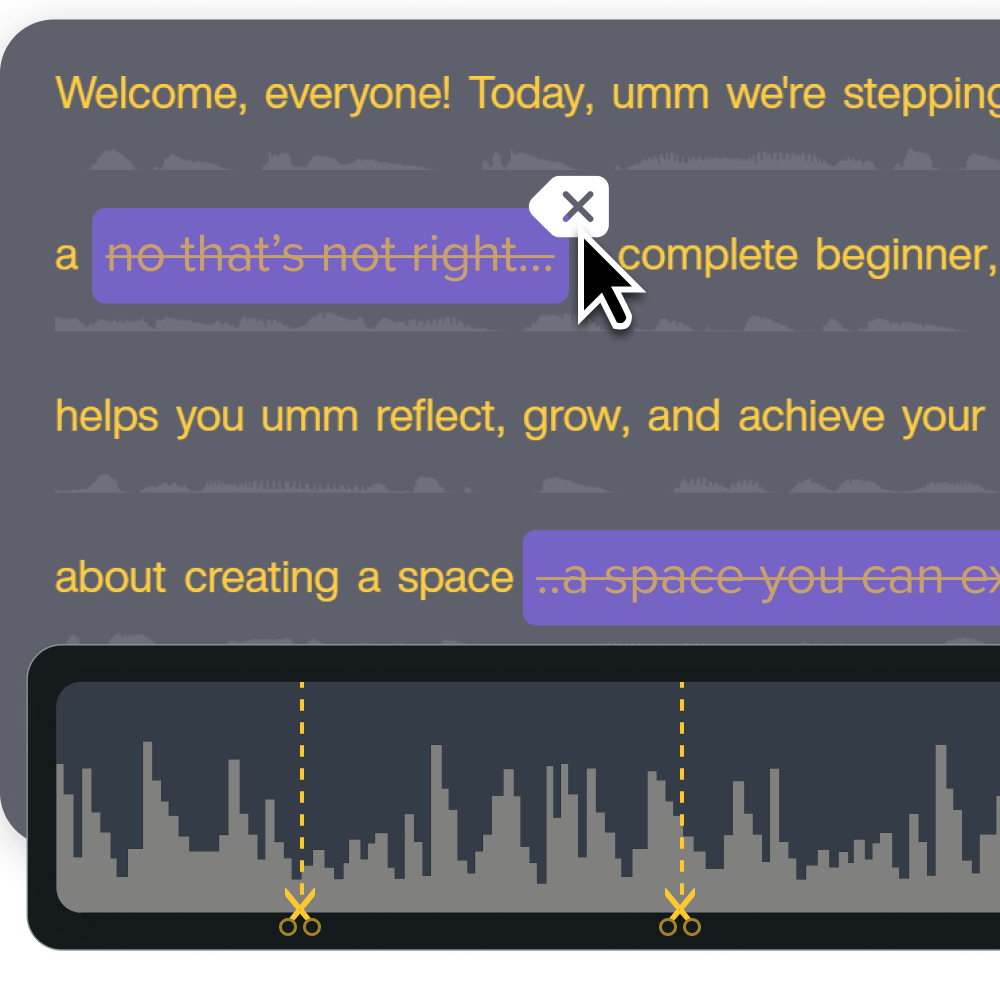
4. Build reuse into your editing workflow
Build reuse into the editing workflow from the start. Wait until a module is finished to think about it, and you’ll end up with one-off projects that are hard to update and impossible to hand off consistently.
Camtasia Editor gives you three tools for keeping video training consistent across a team:
- Themes (preset brand fonts, colors, and logos)
- Templates (a saved project structure)
- Library Assets (customized callout, title, and lower-third styles)
None of these live in a centralized shared workspace. You share them by exporting files or a Camtasia package and importing them into each team member’s local Library.
The template workflow is the most repeatable piece. Once you have a project structure worth repeating, open it in Camtasia Editor and go to Edit > Add Placeholder to mark every spot where content will be swapped out.
Then go to File > Save Project as Template, and use File > Export > Template to generate a .camtemplate file your team can import. The official template tutorial walks you through the full sequence.
Pair that structure with chunked recording segments and Simplified User Interface (SUI) graphics instead of real screenshots. When a process changes, you’ll update one segment instead of re-recording the whole module.
Go from screen recording to polished video
A screen recording is just the start. Camtasia’s editor helps you add the callouts, animations, and edits you need to create a truly professional video.
Free Download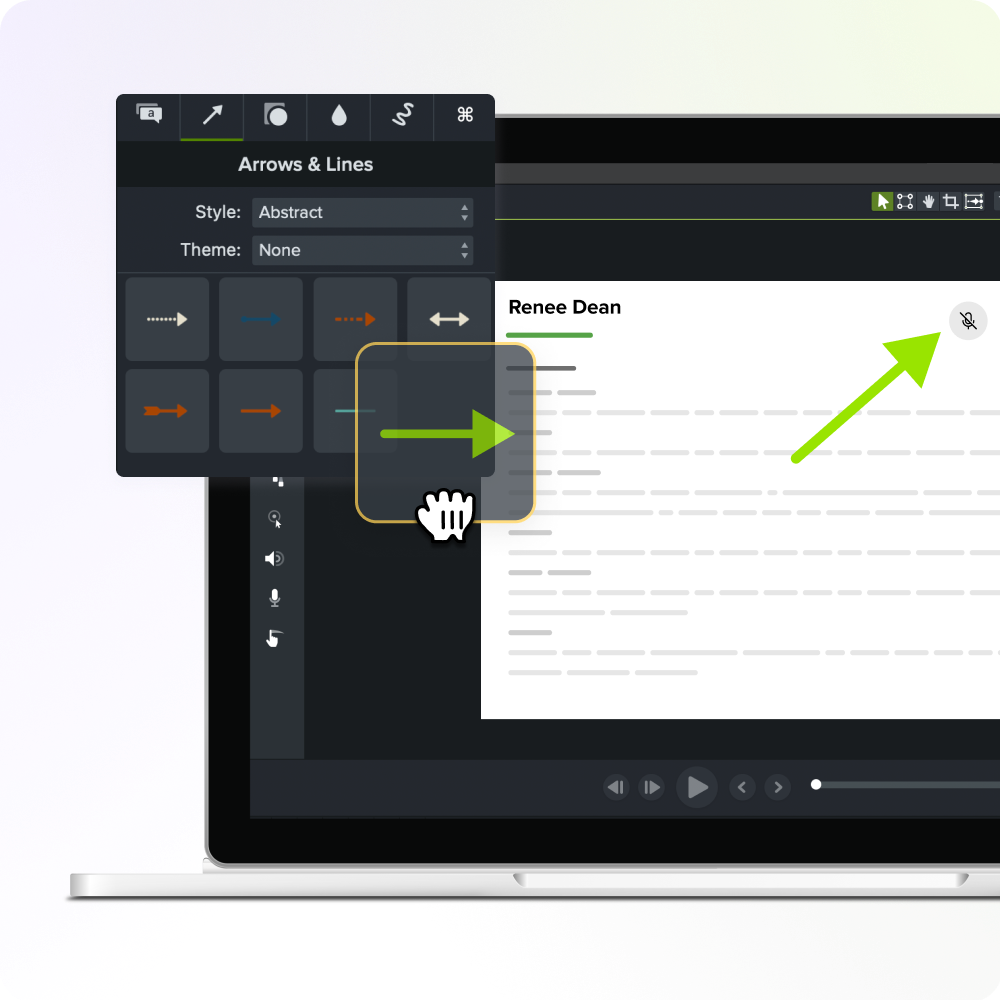
5. Govern your library so it stays usable
A training library nobody can navigate stops being a library and becomes an archive. The strategic challenge shifts from creating content to maintaining it, and three habits decide whether your assets stay findable and current as the collection grows.
- Naming. Adopt a consistent convention, such as [process]_[topic]_[date], and assign one person to enforce it. Skip that, and everyone names files their own way, which gets messy fast.
- Review cadence. Schedule recurring checks so you flag outdated content before a new hire follows a process that changed six months ago.
- Ownership. Assign a named owner to each asset category so updates don’t fall through the cracks when a tool or policy changes.
These three habits form the core management model for a training video library.
Before you finalize a video, Screencast serves as the review layer, the step between finishing a video and publishing it wherever your audience lives. Share a draft with stakeholders through creator-controlled access, and they can leave time-stamped comments directly on the content before it moves to its destination.
6. Apply reuse-first to your next content project
Applying reuse-first to your next project means deciding before production what to maintain, modularize, and carry into future training. That single decision separates a training content system from a one-time program.
Work through these four questions at the project kickoff:
- Is this knowledge role-critical or frequently referenced? If yes, it belongs in your library.
- Will it need updating in the next 12 months? If yes, plan for modular segments so you can swap one unit without rebuilding everything.
- Can it be broken into standalone modules? Content aligned to a single learning objective is easier to redeploy across roles, cohorts, and contexts than a single long course.
- Does a template or Library asset already cover part of this? Check before recording. Reusing a proven structure saves setup time and keeps output consistent.
The idea is simple: one learning objective per unit, no matter the duration. Short, focused segments update faster and fit more contexts, supporting a sustainable L&D strategy.
Start building a training library that compounds
The quality of a corporate training strategy comes down to one question: How much of the expertise recorded in your programs survives in a form the organization can actually reuse?
Reuse-first means structuring recordings, narration, and review from the start, so updating one module doesn’t require rebuilding from scratch. Camtasia Pro supports that at every stage:
- Repeatable structures in Camtasia Editor
- Text-based narration updates in Camtasia Audiate
- Creator-controlled review comments in Screencast
Pick one upcoming training project and apply the principle there first. Build the template, record the narration as editable text, and share the draft through Screencast for feedback before you finalize anything. That one project will teach you more about where your team can reuse content than any audit will.
When you’re ready to run that workflow, start your reuse-first project with Camtasia Pro.
Build your next training video with Camtasia
Record your screen or camera. Then, use the video editor to add polish and clarity.
Learn More
Frequently asked questions
What is the difference between a training program and a training content system?
A training program is built around a delivery event, like a course launch or onboarding cohort, and it resets to zero once that event ends. A training content system treats recorded expert knowledge as a reusable asset library that gains value over time, so each new piece of content cuts the rebuild effort on the next project. Only 36% of organizations qualify as career development champions with measurable business results, while 88% report retention concerns, which suggests most L&D strategies aren’t compounding value this way yet.
How do you align corporate training strategy to skill requirements that keep changing?
Shift the goal from building a good training program to building a content system you can update and redeploy faster than skill requirements change. Deloitte’s 2026 Global Human Capital Trends research argues that sustainable competitive advantage depends on deliberately combining human judgment with AI and putting continuous learning at the center of business strategy instead of treating it as a periodic event. Design training content in short, focused modules aligned to a single learning objective, and you can update each unit independently when role requirements shift.
How can organizations record subject matter expert knowledge before it walks out the door?
The most direct fix is lowering the time cost of producing a polished recording, since undocumented expertise is most at risk when production feels like a second job on top of an SME’s regular role. An SME can record the screen, any slides, and narration together in one pass in Camtasia Editor, then clean up the narration afterward in Camtasia Audiate, where text-based editing lets you remove mistakes by deleting words from the transcript.
What types of training content benefit most from a reuse-first approach?
High-turnover content benefits most, especially software workflows, compliance procedures, and onboarding steps that change on a predictable cadence, because updating a module is far faster than rebuilding from scratch. Content that’s role-critical and frequently referenced by multiple teams is also a strong candidate, since one well-structured asset can serve several audiences without duplication. Highly contextual or short-lived knowledge, like commentary specific to a single project or team moment, usually isn’t worth recording for reuse, because the conditions that make it relevant won’t repeat.
How do L&D teams scale training content production without adding headcount?
Treat production as a system instead of a series of individual projects. That means shared templates, reusable Library assets, and update-friendly recording design from the start. TalentLMS’s 2026 Learning and Development Report found that 95% of HR managers agree better training improves retention, yet 50% say high workloads leave little room for training, which shows production capacity is the real bottleneck. Choose tools that let non-technical SMEs contribute and update content directly instead of routing every change through a production specialist, and you can scale output without expanding the team.
Share