










Your training request list keeps growing, but your production team doesn’t. Another department wants a walkthrough by Friday, a policy changed last week, and the video you finished last month already needs an update.
Scalable employee training supports more learners, roles, and locations without requiring proportional increases in production time, headcount, or cost. It runs on reusable modules, distributed content ownership, and AI-assisted video workflows that make training faster to create, update, review, and localize.
None of that happens by accident. You need a production model built for repeatable, editable, shareable video, not a queue of one-off projects that pile up faster than you can finish them.
This guide provides a practical framework for structuring that model, along with tools that can remove common production bottlenecks.
Key takeaways
- Scalable employee training supports more learners without requiring proportional increases in production time, cost, or L&D headcount.
- Generative AI tools like Camtasia Audiate can help L&D teams update scripts, regenerate voiceovers, and translate training videos without scheduling another recording session.
- Short, modular training videos make individual lessons easier to reuse, localize, and update as tools or processes change.
- Camtasia Online’s one-click AI layout lets subject matter experts (SMEs) produce clear training videos while L&D maintains shared templates, standards, and oversight.
- Combining screen recordings with a smaller, Camtasia Audiate-generated on-screen avatar can add human context without distracting learners from the process being taught.
The capacity ceiling: When training demand outgrows your team
Training demand often grows faster than L&D capacity. A scalable program serves more learners without matching increases in production work.
New hires, system changes, compliance updates, and global requests can each add another round of production work. Weigh those requests against available production hours and organizational priorities instead of treating every request as automatically urgent. This reflects CIPD’s guidance on aligning L&D strategy with organizational priorities.
Build your next training video with Camtasia
Record your screen or camera. Then, use the video editor to add polish and clarity.
Learn More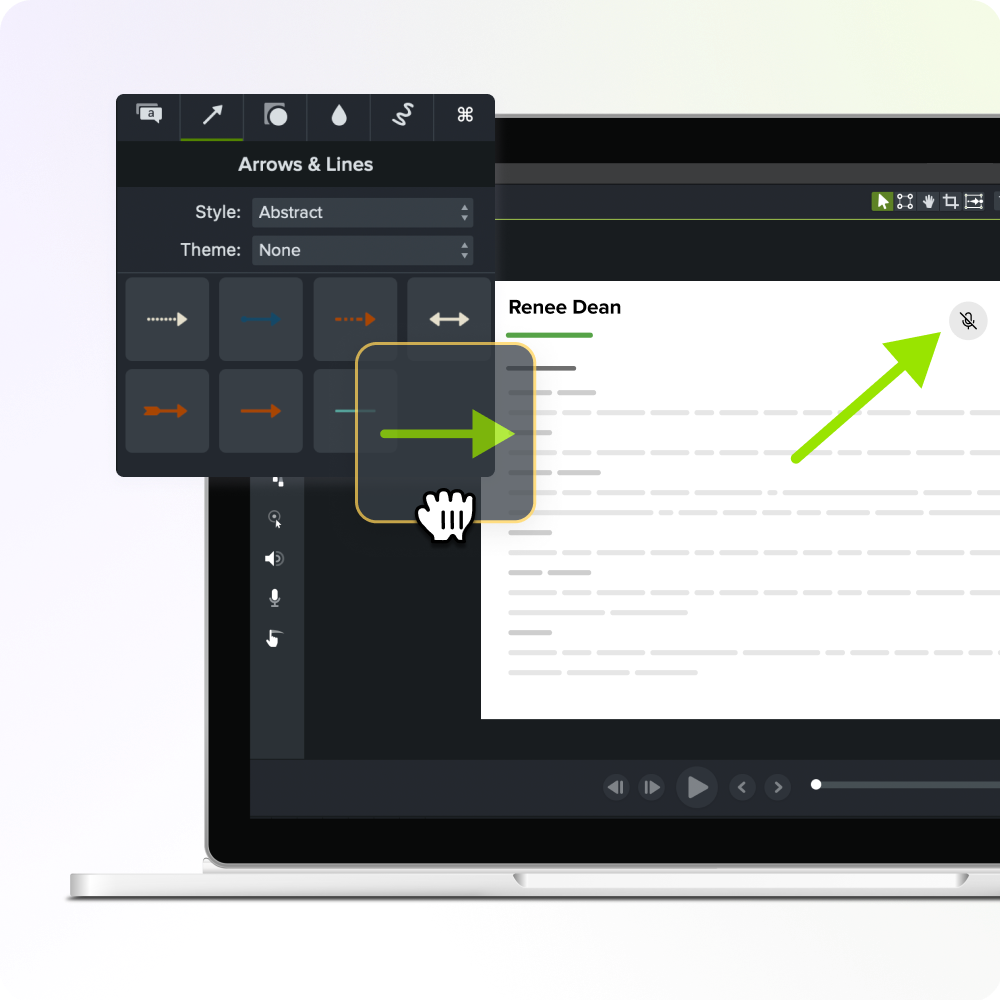
Why traditional training video production doesn’t scale with headcount
Traditional training video production doesn’t scale because every additional role, region, or process can trigger another full cycle of scheduling, scripting, recording, editing, review, and publishing.
Trace one request from start to finish: Book time with an SME, draft and approve a script, record footage, edit and caption it, route it for stakeholder review, and publish it to your learning management system (LMS).
That sequence repeats for each new audience. Add a new job role, and you may repeat the process from scheduling through publishing. Add a region, and you may need translation and localized review. Add a process change, and the same steps begin again.
This pressure is compounding. AI-assisted development can accelerate software release cycles, leaving companies with more onboarding and training content to produce and update. At the same time, AI tools are enabling more employees outside traditional development teams, including product managers, UX teams, and sales engineers, to build and launch software experiences that require documentation and training.
Part of the problem is that video creation requires a combination of skills, including subject matter expertise, instructional design, storytelling, on-camera comfort, and multitrack editing. That skill stack, not a lack of interest, is why so much training content either doesn’t get made or turns out lower quality than it should.
Scalable versus sustainable: Why L&D needs both
Scalable training serves more people, while sustainable training keeps the expanded program affordable, current, and manageable over time. Reach and durability are separate challenges, and a program can succeed at one while failing at the other.
A library that reaches thousands of employees but stops receiving updates may leave outdated screenshots, retired policies, and incorrect procedures live in your LMS. Learners then follow outdated instructions or turn to support teams for help.
Before adding new modules, assess your library against four questions:
- How many hours does each update take?
- What does localization require for each language?
- Are the right SMEs still available to review the content?
- Can your team maintain this pace as the library grows?
The bottleneck is producing and maintaining training videos at scale
Delivery technology can distribute training quickly. Production and maintenance still determine whether your content library can keep pace.
Start tracking four numbers: production hours per video, review cycles per approval, update backlog size, and elapsed time from an approved change to a published revision.
Creating new training video takes longer than most teams can afford
A new training video takes more time than recording alone. L&D must coordinate with the SME, write the script, record and edit the content, add captions, check accessibility, secure approval, and publish it before anyone can watch it.
Every stage sits between the SME’s knowledge and the learner’s screen. Tracking the time spent at each stage can reveal where the production process slows down, a challenge also covered in this guide to time-saving training video production.
A software rollout makes the cost visible quickly. Employees may encounter a new interface before the updated video is ready, leaving them to follow an outdated workflow or file support tickets that your team now has to answer.
Updating existing video often costs more than making it fresh
Updating an existing training video may require a full rebuild if you haven’t kept the source files, interface footage, narration, and presenter assets organized for targeted replacement.
A one-line policy correction should require only a revised sentence of narration and, when necessary, a short replacement screen segment. Instead, the original project file may be missing, the presenter may have left the company, the interface may have changed, or the narration may exist only as a single continuous audio track. What should be a small correction becomes a full reshoot.
Audit your priority modules now. For each one, confirm you have editable source files, narration separated from screen footage, and a named owner who can approve changes. Update effort, not initial polish, determines whether a training video library remains sustainable as it grows.
How generative AI video removes the production ceiling
Generative AI increases an L&D team’s production capacity by reducing repetitive scripting, narration, revision, and localization work that might otherwise require rebuilding a video from scratch.
Camtasia Audiate supports text-based script editing, AI voice generation, and multilingual narration, so many updates don’t require a new recording session. This guide to AI training videos covers the detailed process for applying these capabilities to script edits, regenerated narration, and localized versions.
Editing scripts instead of re-recording footage
Camtasia Audiate reduces narration rework by letting trainers revise transcribed speech as text instead of locating every change manually on a timeline. Instead of scrubbing through minutes of footage to find one mistake, you can edit the transcript directly.
Audiate transcribes the narration track automatically and links every word in the transcript to its exact position in the audio. Find the sentence in the text and delete unwanted wording to remove the corresponding audio instead of hunting through the timeline. For revised or added wording, update the script and generate replacement narration.
This only covers what learners hear, not what they see. If a field, menu, or interface has changed on screen, you may still need to replace the affected screen-recording segment. Before editing, check whether each requested change is verbal, visual, or both.
If you can edit a doc, you can edit a video
Stop fearing the timeline. Camtasia Audiate transcribes your recording so you can edit your video just by editing the text.
Free Download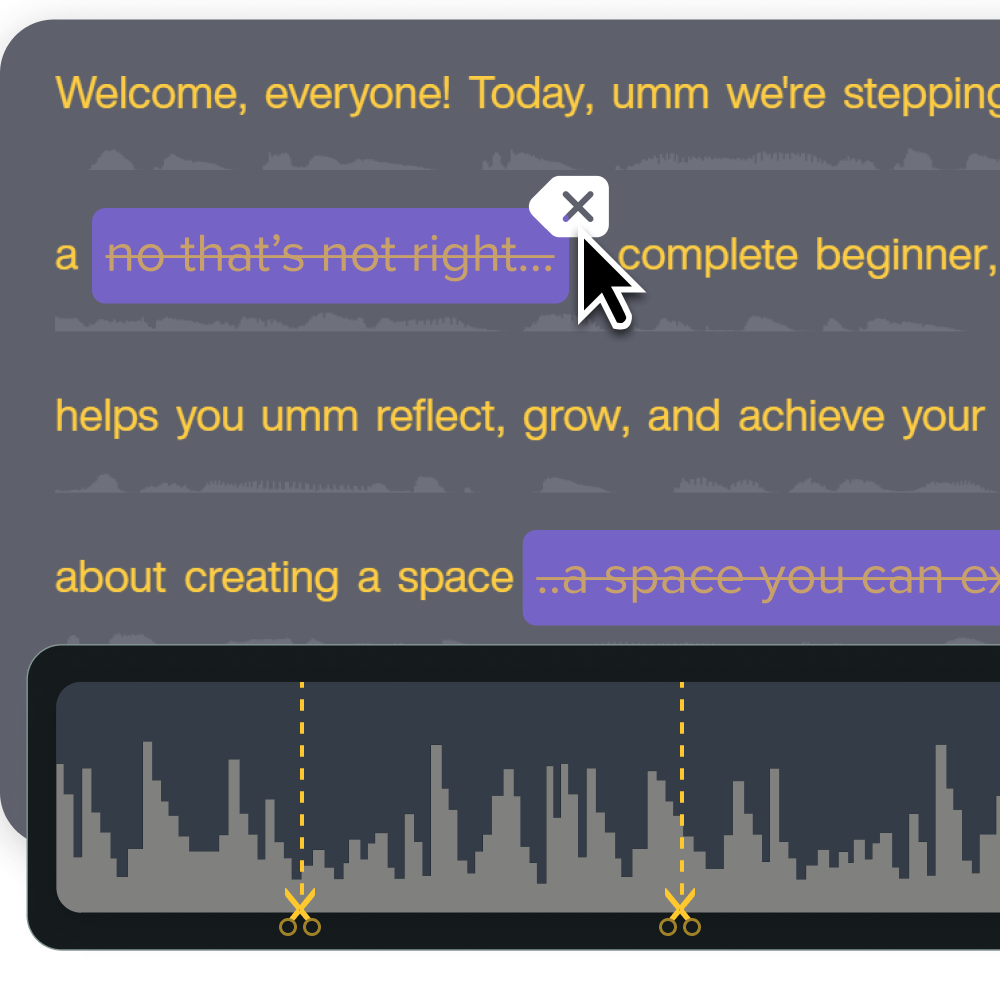
Regenerating voiceover instead of scheduling talent or studio time
AI voice regeneration lets you create revised narration without rebooking the original presenter, recording room, or microphone setup. After approving a script correction, trainers can use Camtasia Audiate to generate narration from the updated text and adjust the available voice, style, speed, and pitch settings as needed.
This reduces the coordination required for presenter scheduling, equipment setup, and studio time. A single-sentence policy fix no longer requires reassembling the people and gear used for the original recording.
Before publishing AI-generated narration, review your disclosure requirements. Check your organization’s AI-use policy, your training platform’s terms, applicable accessibility guidelines, and industry requirements. Clearly identify AI-generated narration wherever policies require it.
Instant lifelike AI voice over
No voice over? No problem. Audiate generates incredibly life-like voice over right from your script!
Get Audiate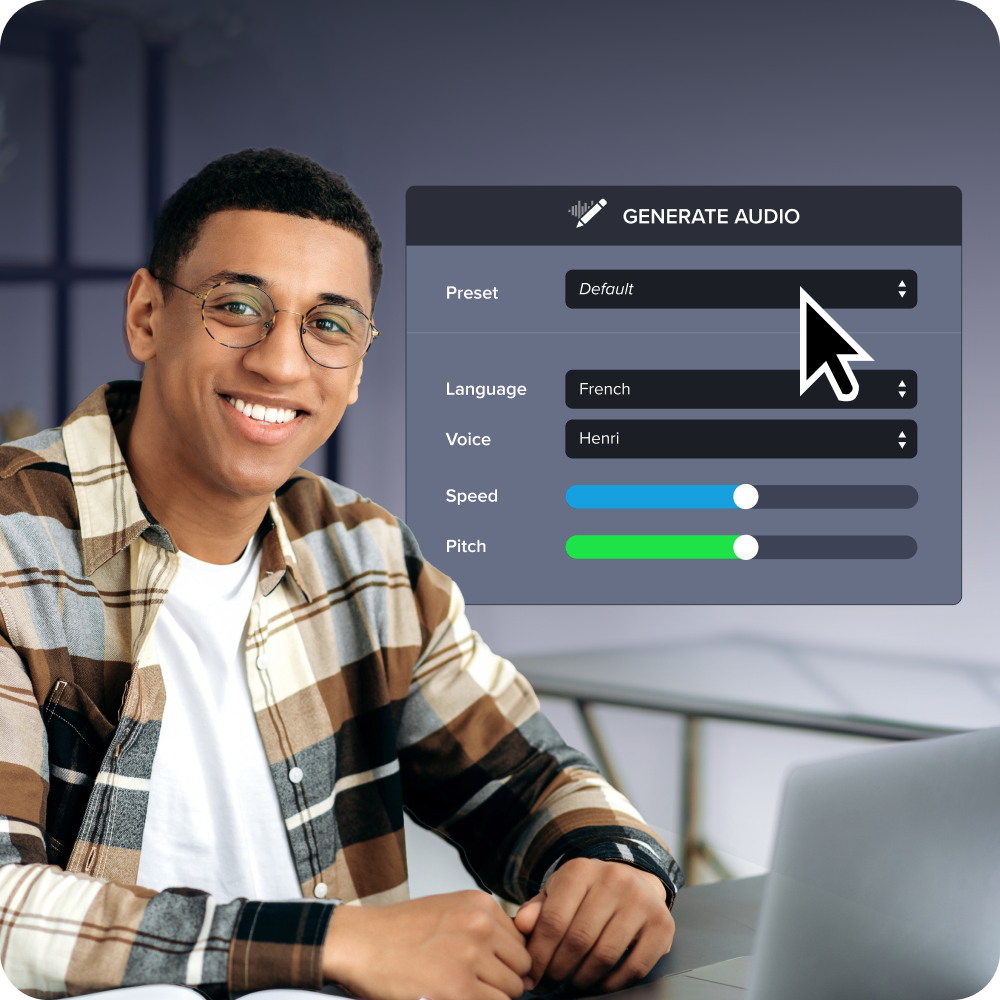
Translating training video for global teams without a new shoot
Camtasia Audiate can help localize narration without scheduling a separate presenter and recording session for every language. One approved module can serve as the source for additional versions, reducing the need to rebook talent, studio time, and production setup.
A practical localization workflow includes the following steps:
- Translate the script.
- Generate localized narration in Camtasia Audiate.
- Have a native speaker review terminology and pronunciation.
- Check cultural context, captions, and on-screen text.
- Add an AI-generated narration disclosure according to your organization’s requirements.
- Approve the localized module for publishing.
Record once. Deploy globally.
Create your training video in English. Audiate can then translate your edited script and generate a new audio track in Spanish, German, French, and more.
Free Download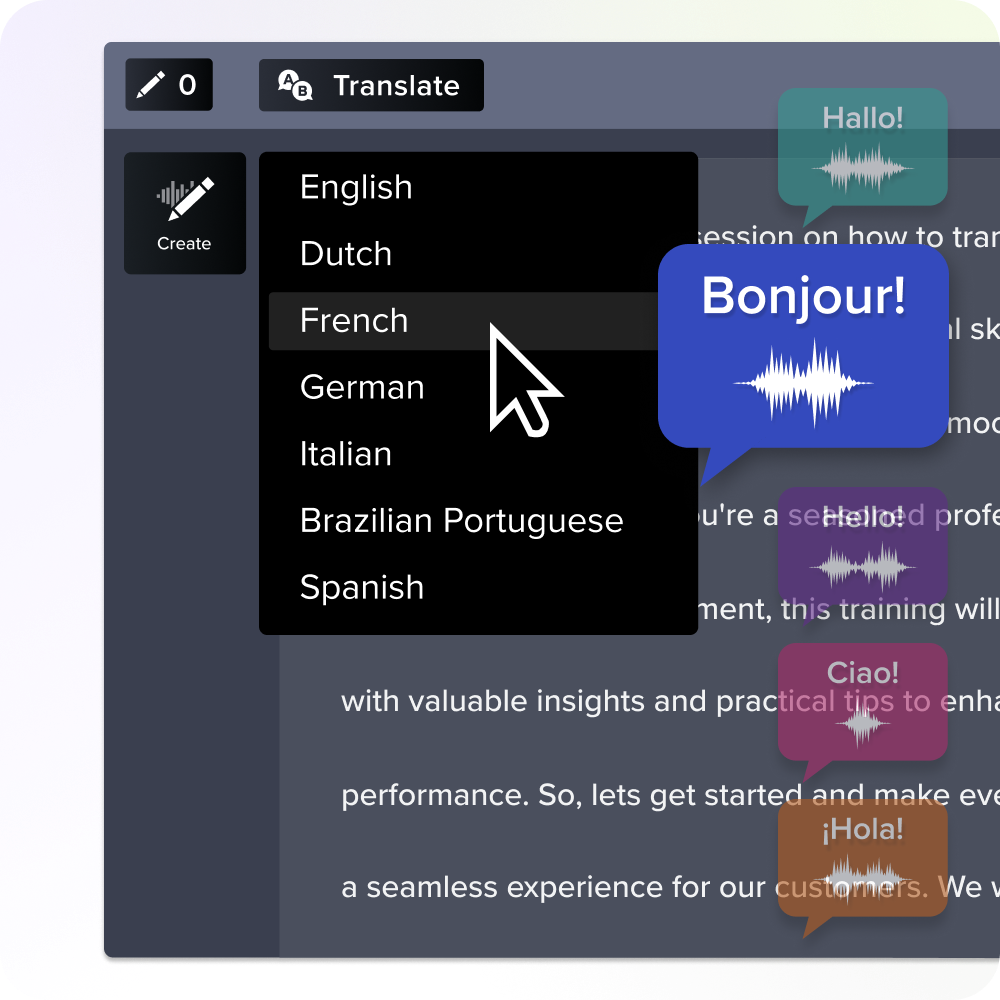
Structuring and assigning video production so it scales
Scalable video production requires L&D to centralize standards while distributing creation, review, and maintenance responsibilities across trained SMEs. A centralized queue where L&D handles every request creates a backlog. A governed model lets SMEs capture current knowledge while L&D controls templates, accessibility, and approval, as outlined in this guide to creating effective training videos.
Breaking training into reusable microlearning modules
Microlearning helps training scale by having each short module teach one task, decision, or outcome that can be reused across learning paths. Build modules around a single objective instead of forcing every topic into a fixed runtime.
Once the modules exist, combine them into role-specific paths. For example, a module explaining how to reset a customer password might appear in both a support-team learning path and a manager onboarding path without requiring a second version.
That narrow scope also makes revisions easier. When one process changes, you can replace the affected module instead of rebuilding the entire course. This structure supports just-in-time training and keeps employee participation higher.
Designing modules for easy updates and localization
Training modules are easier to update and localize when narration, screen footage, captions, and source files remain separate, editable, owned, and versioned. Keep each asset in its own track or file rather than flattening everything into one rendered video. A wording change or interface update will then affect only the relevant component.
Assign an owner to every module, then record a review date and version number in your content inventory. When a module needs a correction, you know who is responsible and which version is currently live.
Shared visual standards help maintain consistency across creators and languages. Build reusable Camtasia Editor templates, saved User Styles, annotations, and callouts so branding remains consistent across modules and localized versions.
Letting subject matter experts create content with AI-assisted tools
Camtasia Online lets SMEs capture clear walkthroughs directly, while L&D maintains quality control through Camtasia Editor and Screencast.
The workflow runs in four steps:
- The SME records a short walkthrough using Camtasia Online’s one-click AI layout, which works directly in a browser without an install or setup process.
- A trainer pulls that recording into Camtasia Editor to apply templates, captions, and branding.
- Stakeholders review the video in Screencast and leave time-stamped, frame-specific feedback.
- L&D approves and publishes the finished module.
For a single process step that doesn’t need motion, skip video. Camtasia Snagit can turn a screenshot into a clear, annotated instruction in minutes.
Choosing video formats that scale without sacrificing clarity
The best format follows the learning task. Before you pick one, ask a simple question: Is video doing the job you want it to do for this particular message? Choose visuals that clarify the work while keeping production and updates manageable.
Screen recordings for process and software training
Screen recordings work well for software and process training because learners can see each click, menu, field, setting, or troubleshooting decision in context. When learners must reproduce actions in an interface, watching the sequence can be clearer than reading a list of instructions.
Use Camtasia Editor to make that sequence easy to follow and easier to update. Apply cursor emphasis to draw attention to clicks, add captions for accessibility, and use annotations and callouts to identify important fields or settings. Keeping steps in separate timeline segments can also make it easier to replace an outdated interface.
Skip the recording when one static step tells the whole story. Capture it as an annotated Camtasia Snagit screenshot.
Combining avatar-led video with screen recording
A small Camtasia Audiate AI avatar can add human context to a screen recording without competing with the process learners need to see. Keep the screen as the primary visual and treat the avatar as a supporting presence, similar to a webcam overlay.
Use the avatar for moments that benefit from a human presence, such as an introduction, a transition between tasks, or a closing summary. During a click-by-click demonstration, remove or shrink it if it blocks the interface.
Before publishing, test the avatar’s placement against menus, callouts, captions, and mobile playback. Clearly disclose that the avatar is AI-generated in the video description or an on-screen note.
Keeping training content current instead of letting it go stale
Training content stays current when every published module has a named owner, a review date, editable source files, a change history, and an approval path. Roles change, systems update, and policies shift, so accuracy depends on planned ownership and review rather than memory. Add these five fields to your content inventory before expanding the library further.
Building an ongoing maintenance cadence, not a one-time push
L&D should review volatile or regulated training monthly and stable modules quarterly, adjusting the cadence when the organization carries greater compliance risk. Frequency should reflect two things: how quickly the underlying process changes and how much harm outdated instructions could cause.
Set a monthly review for content tied to regulatory requirements, safety procedures, or systems that update often. Reserve quarterly reviews for stable modules, like onboarding basics or general policy overviews that rarely change.
Add an immediate, off-cycle review after a software release, policy change, audit finding, spike in support tickets, direct learner feedback, or change in process owner. Build these triggers into your content inventory so reviews happen systematically rather than relying on memory.
Prioritizing which modules to update first
Update modules first when outdated content poses a high business risk or affects a broad or frequently reached audience, such as compliance steps or safety procedures that many employees complete. Score your backlog on six factors: business risk, learner reach, process frequency, error impact, content age, and evidence of confusion from support tickets or manager feedback.
Once a module ranks near the top, check whether the fix is verbal or visual. Script-only corrections, such as an incorrect policy name or an outdated figure, can go through Camtasia Audiate for a quick text edit. Interface changes, new screens, or demonstration steps require work in Camtasia Editor to replace the affected footage.
Scalable training video starts with rethinking how content gets made
That regional sales team drowning in policy-update requests didn’t need more trainers. They needed a way to replace ten minutes of narration without rebuilding a forty-minute course. Capacity comes from reducing the labor required for each update, not adding more people to the same manual process.
Find the training asset your team updates most often and time how long a small revision takes. If script changes, re-recorded narration, or translated versions are consuming your hours, work text-first rather than timeline-first. If the real slowdown is getting SMEs to record content, distributed capture may be the better starting point.
The Camtasia suite maps directly onto those two failure points. Camtasia Audiate turns script and voice edits into a text-editing task, while Camtasia Online lets SMEs record directly in a browser. Test the workflow against your biggest bottleneck before applying it across your library.
Start a free trial of Camtasia and see how much faster your next script edit, voice regeneration, or translated module comes together.
Frequently asked questions
What makes an employee training program scalable?
A scalable employee training program supports more learners, departments, and locations without proportional increases in the number of facilitators, production time, or administrative work. It combines reusable video modules, clear content ownership, accessible delivery, and a regular maintenance schedule. As demand grows, the system remains consistent while adapting to changing roles, tools, and languages.
How do you scale training without scaling headcount?
You scale training without scaling headcount by recording repeatable instructions once and dividing them into short modules that employees can access when needed. Give subject matter experts shared templates and low-barrier tools, such as Camtasia Online’s one-click AI layout, so they can capture current workflows without routing every request through L&D. Keep quality consistent through centralized review, accessibility standards, and approval processes.
How does generative AI make employee training more scalable?
Generative AI reduces the production work required to update scripts, narration, and localized versions of training content. In Camtasia Audiate, trainers can edit spoken content as text, regenerate AI voiceovers, and translate modules without scheduling another recording session. Organizations should review the output and clearly label any AI-generated narration or translations in accordance with their requirements.
Why does microlearning help employee training scale?
Microlearning helps scale employee training because short, modular videos let L&D teams update or translate a single process without rebuilding an entire course. Design each module around one outcome, keep the source files organized, and reuse shared introductions, demonstrations, or assessments where appropriate. This structure also helps learners find the exact task or step they need.
What video formats work best for scalable employee training?
Screen recordings work best when employees need to see software, process steps, clicks, fields, or decisions in context. Trainers can add presenter-led context with a small avatar that does not compete with the instructional screen, captions, or callouts. Teams should disclose the use of AI-generated avatars in accordance with organizational and platform requirements.
Share