









The subject matter expert (SME) has already sat for two recording sessions this quarter. Support asked for a shorter clip for the help center, while marketing wanted a version with different branding and a tighter script. Neither request should have needed a new session.
That’s the promise of single-source documentation: capture one SME session once, then use that same capture, not written text, as the authoritative source for every training, onboarding, or support asset built from it.
Key takeaways
- Subject matter expert time, not editing capacity, is usually the real constraint on how much training and documentation a team can produce.
- A single expert session can be structured to feed onboarding, training, documentation, support, customer education, and adoption content without a second recording.
- Decisions made before and during the original recording, not edits made afterward, determine whether that footage can be reused later.
- Recording in short, topic-based segments instead of one continuous walkthrough makes it far easier to update a single step later.
- Counting how many separate expert interviews a workflow eliminates offers a clearer ROI case than measuring production speed alone.
What single-source documentation really means
For training teams, that means one recorded SME session becomes the authoritative source for every training, onboarding, or support asset built from it.
People often mix this up with two other terms:
- A single source of truth is a data governance idea, one clean dataset everyone trusts.
- Sole sourcing is a procurement term for buying from one vendor.
Neither has anything to do with how you build training content.
OASIS defines single-sourcing as producing multiple deliverable formats from one authoritative source. Apply that same logic to an SME recording instead of written text, and one capture becomes your source for everything downstream.
Why SME time is the real bottleneck
Your SME’s time is the scarce resource that limits how much training content your organization can produce, not editing hours or software skill. A team can add editors, tools, or formats without much friction. It can’t add more hours to a senior expert’s calendar or clone the expertise in their head.
Before a structured workflow, that scarcity shows up as repeat requests:
- Onboarding asks the SME to walk through the process again.
- Support asks for a live explanation of the same steps.
- Customer education asks for another session to cover the same workflow for a different audience.
After one structured SME capture, downstream teams build all six outputs from that single recording. Every hour the SME isn’t re-explaining a known process is an hour back on their actual job.
One capture, six reusable outputs
One structured Camtasia Editor capture of an SME session can supply six distinct outputs without a second interview: onboarding, training, documentation, support, customer education, and adoption content.
Each pulls from the same footage but changes scope, audience, or packaging, not the source material. That’s worth the setup: 57% of video marketers say video has reduced support queries, and 23% have built training videos from similar footage.
Looking for professional screen recording software?
From simple screen captures to polished video editing, TechSmith has everything you need to create professional-quality content.
Learn More
Onboarding material that gets hires productive faster
Trimming the SME’s original walkthrough into short, role-specific clips gets new hires productive without scheduling the expert for a live session again. A trainer pulls the segments that matter for a given role, packages them into short modules, and lets the new hire watch on their own schedule, without needing the SME’s calendar to line up.
Camtasia Editor’s trim and rearrange tools make this repackaging fast. Cut the parts relevant to a sales role into one module, the parts relevant to an engineering role into another, all from the same source recording, without touching the original SME capture.
Training content that scales across teams
Shared, reusable visual styling lets several trainers cut department-specific versions of one SME capture without losing a consistent look.
In Camtasia Editor, save your customized callouts and annotations as Favorites and share them with your team so every trainer uses the same fonts, colors, and shapes without having to rebuild a style from scratch. Save reusable video assets, like intros, outros, and motion graphics, to a shared Library instead, since Favorites and Libraries serve different jobs.
That governance layer is what turns a single expert session into training the whole organization can use. Sales, support, and product teams can each trim the same walkthrough to fit their needs while the branding still signals it came from one trusted source.
Documentation that employees can actually search
Add clear segment titles to the capture’s transcript and captions, and one recording becomes documentation employees can search by keyword instead of scrubbing through footage to find one step. The same capture also generates a transcript that becomes a text-based reference on its own. Employees can scan it, search a term, and jump straight to the answer instead of rewatching the whole video.
A static Camtasia Snagit Step Capture guide adds another layer of speed. Pull key moments from the same workflow into a numbered, screenshot-based guide employees can scan for a quick refresher after training.
It’s the same source footage, repurposed into a second format, not a separate writing project. If you build the Step Capture guide first, bring it into the Camtasia Editor timeline through the Share menu and develop it into video from there.
Streamline workflows with Snagit Assets
Transform your screenshots with ready-made templates, custom themes, and unique stamps.
Get Started
Support content that deflects repeat tickets
Clipping the SME’s answer to one common question into a short, searchable video reduces how often support agents field that same question.
Open the original Camtasia Editor project, find the two-minute segment where the SME walks through that specific answer, and export it as its own clip. Support agents can link straight to it instead of typing out the same multi-step reply.
The data backs this up. Absorb’s own customer education program reduced support ticket volume by 15% after building structured educational content.
Save this format for multi-step or changing processes. If a quick line in your FAQ answers the question just as well, skip the video and write the line.
Customer education content that clarifies product value
Take the original SME walkthrough, re-edit it for an external audience, and internal expertise becomes a customer-facing asset that shows product value, without a new production cycle.
Open the capture in Camtasia Editor and swap internal terminology for customer-facing language, trim any context that assumes company knowledge, and tighten the pacing for someone outside your organization. This version deserves a higher production bar than your internal cuts, since customers are forming an impression of your product, not just learning a task.
That extra polish pays off. Ninety-three percent of organizations increased investment in customer education in 2024, and 44% name customer support as their program’s primary goal, which is what a clear, well-edited walkthrough delivers.
Adoption content that turns features into habits
Short, focused clips pulled from the same capture reinforce one feature or habit, rather than re-explaining the entire original workflow. A 30-second clip that reminds someone how to use a filter or a shortcut does more for feature adoption than a five-minute walkthrough they’ve already watched once.
If the original SME session was recorded natively in Camtasia Editor as a TREC file, apply Screentelligence-powered cursor effects to draw the viewer’s eye straight to the button or menu you want them to remember. If it was recorded in Camtasia Online or brought in from another source, use a callout or zoom effect to achieve the same focus.
A small avatar overlay works fine for a friendly reminder intro. Camtasia Audiate is where you create and customize AI avatars if you want one. For the actual feature reminder, voice plus screen footage usually does the job without needing an avatar at all.
Instant lifelike AI voice over
No voice over? No problem. Audiate generates incredibly life-like voice over right from your script!
Get Audiate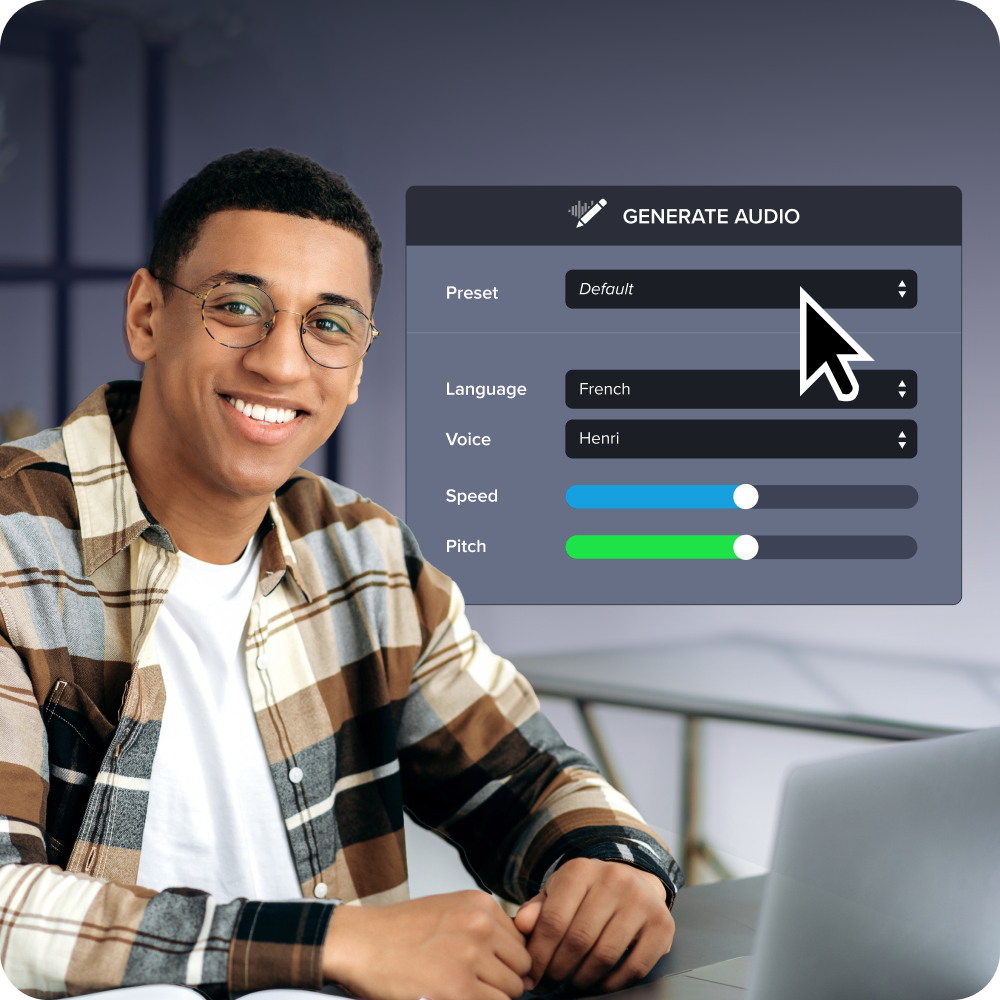
What your capture needs before you hit record
A reusable SME capture depends on the decisions you make before recording starts, not on edits you make afterward. If you sit your expert down for one unstructured, hour-long walkthrough, you’ll spend hours later scrubbing footage to pull out one usable clip. Structure it in short, topic-based segments from the start, and reuse becomes simple.
That means solving two things before you hit record: how you organize the session and how you label what comes out of it.
Structuring the session around modular topics
Record the SME session as short, self-contained topic segments instead of one continuous walkthrough. That structure is what makes later re-editing possible.
Before you hit record, break the workflow into its individual tasks and map each one to a distinct audience need, like a step for new hires and a separate step for support agents. Record each task as its own clip, with a clear start and stop. For more on structuring productive SME sessions, see our guide to collecting better subject matter expertise.
When one step changes, you only need a jump cut or a quick re-record of that segment, not the whole session. For interface elements likely to change soon, swap in SUI-style graphics instead of a live screenshot recording, since a simplified graphic is faster to update than a real interface capture.
Naming and tagging clips for later reuse
Consistent topic, audience, and date labels let a trainer find and reuse the right clip months later without asking the SME to explain the recording again.
Build a naming convention around three fields: topic, audience, and date. A file named “expense-reports_new-hires_2024-03” tells a support writer what’s inside without opening the clip or tracking down the person who recorded it. Apply that convention every time you export, and tag each file for its intended workflow, whether that’s onboarding, support, or customer education.
How Camtasia Audiate removes the production bottleneck
Camtasia Audiate cuts the production bottleneck by turning transcript and narration revisions into text edits instead of manual timeline scrubbing or re-recording, while the trainer still reviews and approves every change.
- Before: A trainer replays footage minute by minute to find and fix one line.
- After: The trainer edits the transcript text and reviews the updated cut.
Two workflows make this possible: text-based editing for fast revisions and automated captions for searchability.
Text-based editing that speeds every revision
Editing the transcript in Camtasia Audiate, rather than scrubbing the timeline, lets a trainer cut a new segment for a different output by deleting text. Find the sentence that doesn’t fit the audience, highlight it in the transcript, and delete it. The matching video removes itself.
Open the transcript through the Camtasia Audiate integration, read through the SME’s original walkthrough, and clean up filler words as you go. That same text-editing workflow builds an audience-specific cut without touching a single keyframe.
None of this replaces the trainer’s judgment about what stays and what goes. It just removes the manual timeline work, which is what makes producing five different edits from one capture realistic instead of exhausting.
Automated captions that boost searchability
Camtasia Audiate generates that searchable transcript automatically, alongside the captions, so you’re not typing one out by hand for every clip you cut from the capture.
Closed captions also meet accessibility requirements once the content reaches an entire organization or customer base, while dynamic captions support quick, casual viewing in shared spaces. Review the automated text for accuracy before you publish.
The business case for capturing expertise once
Capturing expertise once improves onboarding speed, adoption support, SME availability, and asset longevity, because every downstream output starts from the same reusable source.
An organization that schedules a new expert session for every request keeps paying the same SME time cost over and over. One that measures onboarding, adoption, and documentation against a single original capture pays that cost once.
Faster onboarding timelines
A reusable SME capture shortens onboarding timelines by removing the scheduling delay between a new hire’s start date and the expert’s next live session. They can start with the existing recording on day one.
Build in two checkpoints to keep that content trustworthy: a pulse check at day 7 and another at day 30. Ask the new hire what felt outdated or unclear at each one. That habit catches stale segments before they confuse the next hire.
Higher product adoption rates
Captured expertise supports product adoption after onboarding through short, single-feature clips that reinforce the same behavior over time without requiring another SME session.
Each adoption clip should cover one feature or one step only, kept short enough to work as a quick refresher rather than a full retraining session.
Fewer repeat SME interviews
The clearest measure of reduced SME dependency is the number of similar interviews your team no longer has to schedule after adopting a capture-once workflow. Every output pulled from that one capture (onboarding, training, documentation, support) is one fewer meeting on the SME’s calendar.
Before this workflow, a single process might need four or five separate sessions: one for the new hire’s onboarding walkthrough, another for the team training deck, another when support needed a clip for a ticket. After a structured capture, that number drops to one session used across every output.
That reduction protects the expert’s time and lowers the risk of their knowledge living only in their head instead of a reusable asset.
Longer-lasting knowledge assets
A modular, well-tagged capture keeps producing new outputs long after the recording session ends, unlike a document or a one-off video that goes stale after a single use.
A finished deliverable only answers the question it was built for. A modular capture stays available for whatever the team hasn’t needed yet, whether that’s a support clip six months from now or a customer education segment next year.
Pull up the source, find the tagged segment, and cut a new output without scheduling the SME again.
When the user interface changes slightly, check whether the workflow still makes sense. If it does, a jump cut or a small update to the affected segment keeps the asset current without a full re-record.
Start capturing once, publishing everywhere
That one recorded walkthrough of a process your SME has explained a dozen times becomes an onboarding module, a support reference, a documentation source, and a knowledge asset that outlives the person who recorded it.
Take the process request that keeps landing in your SME’s inbox this week, and record it as a single, well-organized capture instead of a one-off answer. Camtasia Editor is where that recording turns into something your whole team can reuse, and Camtasia Audiate handles the editing lift so your SME’s time goes toward explaining the work, not trimming footage.
Download Camtasia Editor for free and turn today’s capture into your first reusable asset.
Do AI Voices and Avatars Improve Learning?
Discover what the data reveals about learning outcomes.
Get the Full Report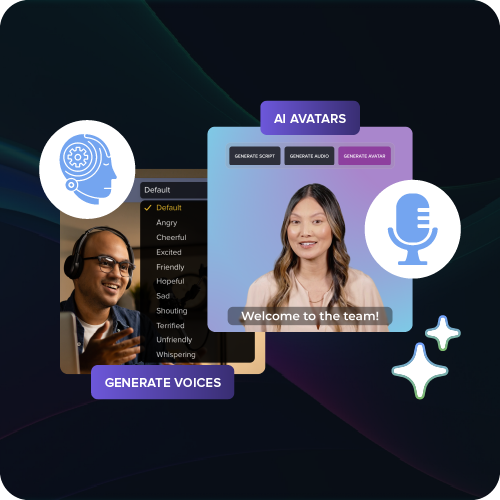
Frequently asked questions
How does single sourcing in technical writing differ from single-source documentation for training teams?
Technical writing’s single sourcing usually means authoring structured text in a CCMS or XML system that publishes into manuals or help files. Single-source documentation for trainers starts from a captured SME session instead, like a screen recording or an interview. That captured session then becomes the reusable source for onboarding, training, and support content, not written text.
What happens to single-source documentation if the SME who recorded the session leaves the company?
A well-structured capture keeps its value even after the SME leaves, because the knowledge already lives in reusable footage instead of in that person’s head. Trainers can keep pulling new onboarding, training, or support clips from the same session without needing another interview. If the process changes after the SME departs, a short supplemental capture from a successor usually covers the gap.
How many outputs can realistically come from a single SME capture session?
Most structured SME captures can realistically support four to six distinct outputs, covering onboarding, training, documentation, support, customer education, and adoption content. That range depends heavily on how modular the original recording is. A session broken into short, topic-based segments supports far more reuse than one long, continuous walkthrough.
Does single-source documentation work for processes that happen away from a screen, like physical or in-person procedures?
Single-source documentation built around screen capture works best for software-based or digital processes, since the recording itself is the reusable asset. For physical or in-person procedures, a hybrid approach often works better. Capture the SME on camera using Camtasia Editor’s separate video track, then apply the same tagging and reuse principles to that footage.
Is single-source documentation practical for small teams, or does it only make sense at enterprise scale?
Single-source documentation delivers value at any team size. The core benefit, protecting a scarce expert’s time, matters whether a team has three trainers or three hundred. Small teams often see the return even faster, since one or two people usually own SME relationships and feel scheduling strain the most.
Share