









Feature adoption is when users discover, understand, try, and continue using a specific feature because it helps them complete a real task. New features keep software innovation alive, but too often they go underused. Even the most thoughtfully designed and applicable updates can fall flat if users aren’t aware of them or don’t understand how to use them in their workflow. Unfortunately, feature discovery doesn’t automatically lead to product adoption.
Traditionally, product marketing and support teams take the lead in driving adoption, using in-product feature announcements, social media, and email notifications. While these touchpoints are incredibly important, they’re only one part of the puzzle.
Documentation teams, especially in SaaS environments, are positioned to influence whether a feature is fully adopted or ignored by users. Effective technical documentation doesn’t just explain how a feature works. Users need to feel confident enough to try the feature, apply it to their own workflow, and see real value from it before adoption actually happens.
This kind of meaningful engagement is the key to improving onboarding, increasing retention, and building long-term engagement.
Key takeaways
- To increase feature adoption, give users timely guidance that explains what the feature does, why it matters, and how to use it in a real workflow.
- In-context documentation, such as tooltips, walkthroughs, embedded videos, and checklists, helps users act while the feature is still relevant.
- Screenshots, GIFs, and short videos reduce guesswork by showing the exact clicks, screen changes, and expected result.
- Accessible documentation is part of adoption work because captions, transcripts, plain language, and searchable structure help more users follow the same steps.
- Adoption work should be measured with practical signals, including feature use, guide views, video completion, support questions, and user feedback.
Why does documentation increase feature adoption?
Documentation increases feature adoption by showing users what the feature does, when to use it, and how it fits into their workflow. A feature release may be met with a pop-up, in-app message, or banner, which prompts curiosity. Curiosity then turns into action if users feel confident they can use the feature without confusion or risk. That’s the tricky part.
Document workflows with visuals to explain not just what a feature is, but how it fits into a workflow. Especially for new users or those exploring unfamiliar functionalities, thoughtful guides and in-product tooltips help turn complex concepts into digestible new features that users want to try.
Additionally, video onboarding adds an extra boost to documentation. It provides a self-paced, low-stress environment for users to discover features at their own pace. When users are clearly guided through a new process, it reduces time-to-value and improves the overall user experience.
How do clear instructions reduce adoption friction?
Clear instructions reduce adoption friction by making the first attempt feel safe, specific, and manageable. Confusion is the enemy of activation. If documentation is vague, outdated, or filled with overly technical jargon, users are less likely to engage with the feature even if it could dramatically improve their workflow. Complex language pushes users away.
Concise, step-by-step instructions with visuals lower the perceived effort required to try something new. They also reduce the risk of user error, which is a major blocker in SaaS adoption. A clear how-to guide for a specific feature helps users feel in control of their learning and encourages them to experiment with unfamiliar features.
Effective product documentation answers the real questions:
- “What does this feature do?”
- “Why should I care?”
- “How do I use it safely with my current workflow?”
How does a training-first mindset speed up adoption?
A training-first mindset helps users practice the feature in a realistic task instead of only reading about the interface. Documentation should do more than explain: it should train.
When you shift from describing a process to actually guiding users through tasks and ideal outcomes, you help them apply the feature in real-world contexts they can relate to. This training-first mindset is central to helping users truly learn the feature, not just read about it. Instead of passive, bored reading, users engage in active learning with real outcomes.
Focus on workflows and use cases rather than UI explanations. This helps features become integrated into a user’s day-to-day work and supports faster onboarding and user adoption, particularly among users who are hesitant to experiment.
When does video improve feature comprehension?
Video improves comprehension when users need to see the exact clicks, cursor movement, timing, or screen changes. Text-only documentation, while necessary, doesn’t always paint the full picture. UI-heavy or complex functionalities require an extra kick that instructional videos can provide.
Adding short, task-based videos or GIFs allows users to see the feature in action rather than imagining it. Users don’t have to interpret text because the final product is right in front of them.
Visual supplements reduce misinterpretation and build trust in the product. When users see exactly how a feature works in a real-time context they are familiar with, they’re more likely to try it out. Plus, they’ll make fewer mistakes along the way.
Need to show your screen?
Skip the downloads. Use Camtasia online to record your screen, camera, and microphone right in your browser for free.
Start Recording
Creating short videos doesn’t have to be time-consuming or complicated either. Use an all-in-one screen recorder and editor like Camtasia Editor to create and polish your videos in one place. The multi-track screen recorder captures your screen, camera, audio, and cursor on different tracks, which means that you can edit every track individually. This makes it easy to update the content in the future or as questions arise.
Need to record a quick screen walkthrough?
You can record your screen, camera, and microphone in the browser with Camtasia Online. Skip the downloads. Use Camtasia Online to record your screen, camera, and microphone right in your browser for free.
Start recording with Camtasia Online
Why does accessible documentation build trust?
Accessible documentation builds trust because users can understand the feature even when they cannot use audio, need a transcript, or want to search for a specific step. If users can’t find or understand documentation when they need it, they won’t adopt the feature. Accessible content, in both form and language, makes users feel seen and supported during their learning journey.
Closed captions, dynamic text, and transcripts are particularly important in videos. They ensure that users who can’t or don’t want to use audio are still able to follow along. Accessibility also means having documentation that is easily searchable with intuitive segmentation and clean navigation.
The goal is to meet users where they are and go from there, not make the user work to get to the documentation’s level. In-app guidance, contextual modals, and well-placed checklists can help with that process. Empower users to explore new features without the fear of mistakes and watch as user engagement and long-term retention increase.
How does early education shorten time-to-value?
Early education shortens time-to-value by giving users guidance before they get stuck or abandon the feature. Don’t wait for users to ask questions before offering help.
Instead, documentation should introduce and contextualize new features proactively. At the moment of a new feature’s release, documentation should already be live, integrated, and discoverable to users in-app and on your website.
Place help content where it’s most relevant. Feature tooltips, interactive walkthroughs, embedded videos, and more ensure that users receive the right guidance in real time. This will minimize frustration, accelerate activation, and improve the feature adoption funnel overall.
What documentation mistakes slow feature adoption?
Documentation slows adoption when it makes the feature harder to find, understand, or try. In some cases, traditional practice unintentionally creates friction. Let’s explore the most common blockers that hurt product adoption.
How does technical jargon slow feature adoption?
Technical jargon slows adoption when it hides the user benefit behind internal or overly complex language. While accuracy is important, documentation should never prioritize technical language over clarity. This loses users.
Simple, benefit-driven wording makes users feel at ease and encourages exploration. Instead of detailing APIs or backend processes, focus on what the feature does for the user and how it solves their pain points. Documentation should help alleviate their confusion, not add more.
Why should new feature documentation be easy to find?
Users are more likely to try a new feature when the related guide is clearly labeled, linked, and available where they are already working. If users have to hunt through dense PDFs or huge knowledge bases to find new feature information, you’ve already lost them.
Feature announcements should be super easy to find, clearly marked, and linked from multiple places so that users have many avenues to find the information. Prioritize visibility and create a dedicated section on your website or in-app for new releases or recently updated features.
Why does visual guidance matter for feature adoption?
Visual guidance matters because users can match the documentation to the interface they see on screen. Let’s be honest, most people don’t want to read text alone, and your documentation isn’t the exception. Text alone can confuse or mislead users, especially for features that involve UI changes or step-sensitive workflows.
Add visual aids with screenshots, tutorial video walkthroughs, or interactive templates. Camtasia Snagit’s Step Capture helps when a team needs a click-by-click guide with screenshots and editable text. You simply need to click through your process, and Snagit takes a screenshot every time you click and compiles it all into an editable document.
Annotate and edit screenshots with Camtasia Snagit
Annotated screenshots help users follow feature steps without guessing where to click. Snagit’s markup tools, like arrows, callouts, and highlights, make it easy to point users to exactly what matters in a screenshot. Try Camtasia Snagit free
Visual aids speed up comprehension, improve usability, and ensure that onboarding processes flow smoothly.
Annotate and edit screenshots with Snagit
Professional mark-up tools and powerful features make it easy to create helpful images.
Try it Free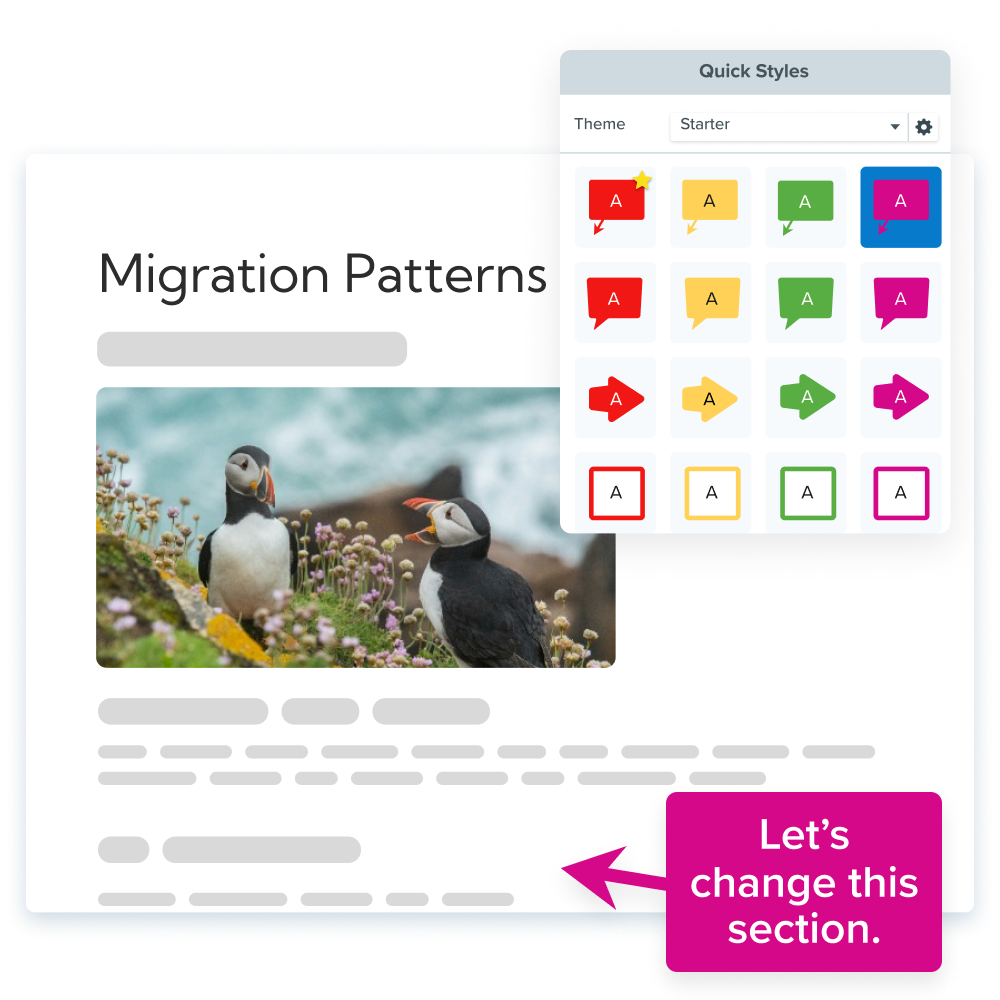
What are the best practices for increasing feature adoption with documentation?
The best documentation for adoption is short, task-based, visual, benefit-led, and placed where users need it. When done correctly, documentation stimulates growth. There are specific ways that make your content a key part of the feature adoption strategy.
How to increase feature adoption with documentation
- Identify the user task the feature supports, not just the menu item or setting you want to announce.
- Choose the right content format for that task, such as a tooltip for a quick hint, a screenshot guide for a simple sequence, or a short video for a visual workflow.
- Place the documentation in context, including in-product prompts, release notes, onboarding emails, or the help center page users are likely to search.
- Add visuals or video so users can compare the instructions to the interface they see on screen.
- Make the content accessible with clear headings, plain language, captions for video, transcripts when possible, and searchable step names.
- Review adoption signals after release so your team can update the guide, improve the video, or add clarification where users still get stuck.
Why should feature guides be short and task-based?
Short, task-based guides help users apply a new feature immediately to a real workflow. Long-form documentation has its place, but brevity wins in product adoption. Focus your help content around specific, real-world tasks or outcomes.
This guides users to apply new features immediately since they’ll see exactly how to use the feature for their intended workflow. Cover as many use cases as are applicable, within reason, so that everyone can see themselves using it.
When should you use visuals and video walkthroughs?
Visuals and video walkthroughs are most useful when the user needs to see a sequence, interface change, or expected result. There is no shortage of visual aids to choose from. Annotated screenshots, animated GIFs, short-form videos, clickable walkthroughs, and more can help users follow the process.
Interactive elements, like embedded quizzes in Camtasia Editor, tooltips, or clickable walkthroughs, also boost user engagement and help personalize the onboarding experience for each user. And they benefit you too, since they also provide valuable product analytics data, which helps you track feature adoption metrics and iterate changes based on real-user behavior.
Why should documentation explain the feature benefit?
Benefit-led documentation helps users understand why a feature is worth trying before they invest time in learning it. Don’t just explain how a feature works, explain why it matters. Why should the user care to take the time?
Position each feature around the user’s goals. Common goals include the following:
- Save time
- Reduce errors
- Automate a task
Show value upfront and encourage active users to try new features and increase the overall feature adoption rate. You can calculate your feature adoption rate by dividing the number of a feature’s active users by the total number of logins or active users during the same time period and multiplying that by 100.
Record your screen with Snagit
Snagit makes it easy to share quick updates and how-to’s by capturing exactly what’s happening on your screen.
Get Snagit
What signals show whether documentation is improving feature adoption?
Useful adoption signals show whether users found the documentation, understood the workflow, and used the feature again after the first try. You do not need to turn every help article into a full analytics project. Start with the signals that connect directly to the content you created.
- Feature use: Look at whether more active users try the feature after the guide, video, or walkthrough is published.
- Guide views: Check whether users are finding the help content from release notes, in-product links, search, or onboarding materials.
- Video completion: Review whether viewers reach the part of the video that shows the key action or result.
- Support questions: Watch for repeated questions that point to unclear steps, missing screenshots, or a video that needs an update.
- Time-stamped feedback: Use comments on shared videos to find the exact moment where users need more context.
How can Camtasia help teams create adoption content?
The Camtasia suite helps teams create screenshots, short recordings, edited walkthroughs, and organized video resources for feature education. With the right tools, anyone can create rich, interactive documentation. No full-fledged production team needed.
Camtasia offers several products built for this documentation workflow.
Go from screen recording to polished video
A screen recording is just the start. Camtasia’s editor helps you add the callouts, animations, and edits you need to create a truly professional video.
Free Download
Camtasia Snagit is useful for text-based documentation that needs a visual layer. Capture annotated screenshots, record GIFs, and create short screen recordings, ideal for step-by-step tutorials and visual documentation of specific features.
- Step Capture in Snagit creates sequential step-by-step guides, and all you have to do is click through your process. Snagit will capture each click and insert it into an editable template you can polish in minutes.
- Annotations like arrows and callouts in Snagit and the Snagit step tool are great to add context and clarity to screenshots. These help users get as much information as possible out of each piece of documentation you create.
- Smart Redact in Snagit automatically and cleanly blurs out any sensitive information your documentation may show. That way, you don’t have to worry about revealing email addresses, phone numbers, or other personal information in your screenshots.
Record your screen with Snagit
Camtasia Snagit can capture quick screen recordings too, the same use case as Camtasia Online above, so you don’t have to switch tools if you’re already in Snagit for a screenshot or GIF. It’s a fast way to share an update without writing a full guide.
Camtasia Editor goes a step further with its all-in-one screen recorder and video editor. Videos are essential for clear and understandable documentation that your users will want to use.
- The multi-track recorder in Camtasia Editor separates your screen, mic, camera, and cursor recordings into individually editable tracks. This allows you to make fast, targeted edits without starting from scratch, which is especially useful when updating documentation after interactive UI changes.
- Brand templates in Camtasia Editor and reusable layouts keep your look consistent across your organization. Consistency in your videos is important to create a cohesive look your users will be able to navigate better with every video.
- Cursor edits in Camtasia Editor increase comprehension by making the cursor easy to follow during a tutorial. Click animations, cursor highlights, and cursor smoothing make it easier for users to follow along without second-guessing where you clicked and where to go.
Go from screen recording to polished video
Camtasia Editor helps teams turn rough screen recordings into clearer instructional videos with callouts, animations, and edits. A screen recording is just the start. Camtasia’s editor helps you add the callouts, animations, and edits you need to create a truly professional video. Download Camtasia Editor free to start editing — exports include a watermark until you upgrade.
Screencast helps teams share, organize, and update documentation videos in one place. By using Screencast, you can always keep content fresh, centralized, and aligned with product updates.
- Users can watch videos and add time-stamped comments in Screencast along the way if they need further clarification, which your product team can answer in real time. If you’re sharing the video more broadly, you can turn this feature off.
- Collections in Screencast keep your videos in appropriate folders so that users can easily and quickly find the content they need.
All together, these tools empower product teams, documentation creators, and managers to produce polished, scalable resources. They help teams build richer onboarding experiences that drive feature adoption and improve retention, with less manual work for you and your team.
Looking for professional screen recording software?
Teams can use Camtasia tools to capture screens, explain workflows, and create professional-quality instructional content. From simple screen captures to polished video editing, Camtasia has everything you need to create professional-quality content.
Learn more about professional screen recording software
How does clearer documentation lead to faster feature adoption?
Clearer documentation leads to faster feature adoption because users can find the right help, understand the next step, and try the feature with confidence. Technical documentation is no longer just a support asset. It’s critical for retention, activation, and long-term user success.
When help content is easy to find, easy to follow, and rich in visual aids, it builds user confidence and shortens the time they invest in learning your new features.
Effective documentation tracks feature adoption, reduces churn, and strengthens the relationship between product teams and the user base. Show users clearly how the new feature helps them, and the work your team put into building it pays off.
Explore Camtasia’s documentation tools. With screen capture enabled documentation and instructional videos, you’re sure to create a knowledge base your users will want to refer to.
Try Camtasia Snagit and Camtasia Editor free when you are ready to turn screen recordings into clear documentation videos: download Camtasia Snagit for free or download Camtasia Editor for free.
Looking for professional screen recording software?
From simple screen captures to polished video editing, TechSmith has everything you need to create professional-quality content.
Learn More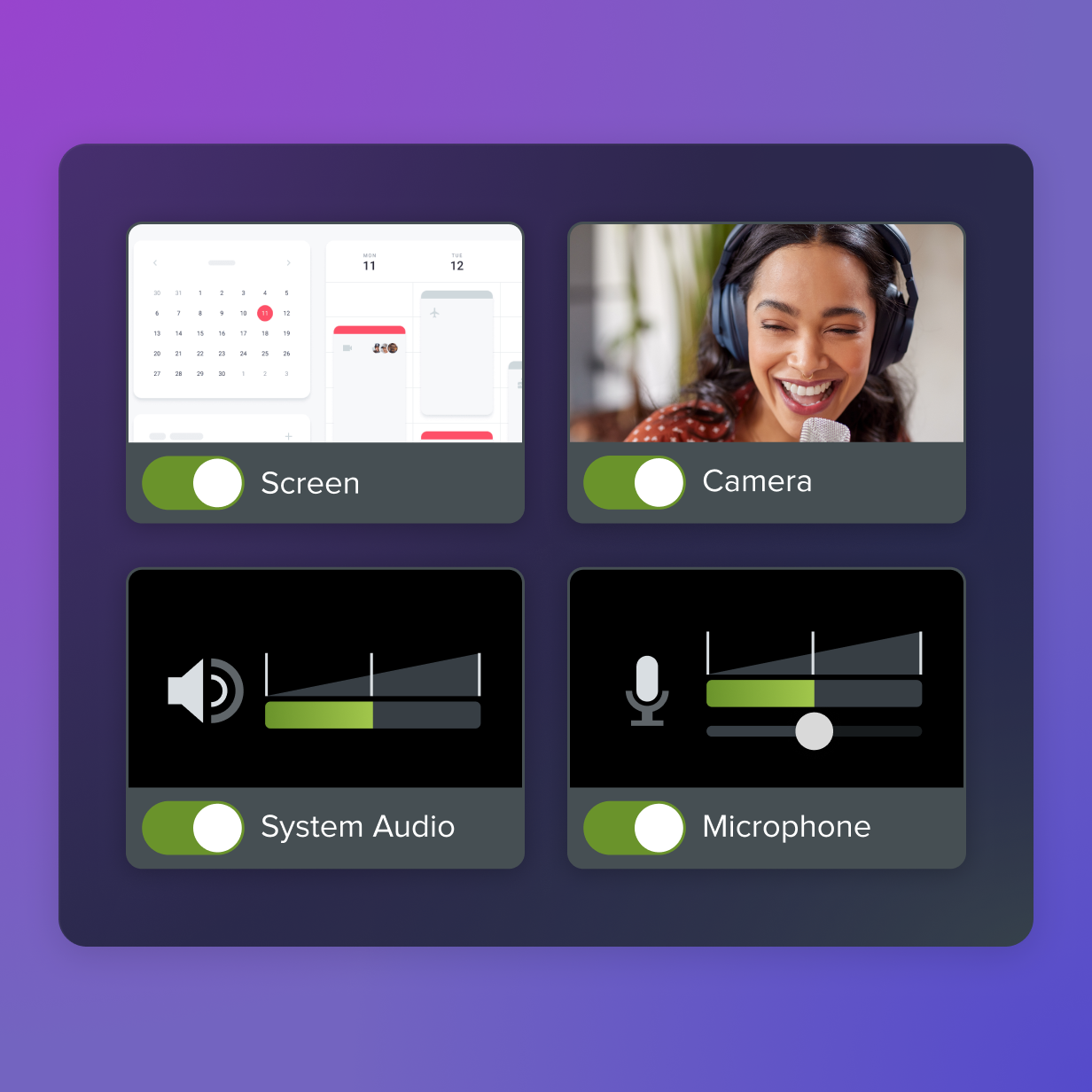
Frequently asked questions
What does feature adoption mean?
Feature adoption means users discover, understand, try, and continue using a specific product feature. It is more specific than general product use because it focuses on one capability and whether that capability becomes part of a user’s workflow. Strong feature adoption usually means the feature solves a real task clearly enough that users come back to it after the first attempt.
How does documentation help increase feature adoption?
Documentation helps increase feature adoption by reducing the uncertainty that keeps users from trying something new. A good guide explains the benefit, shows the steps, and helps users connect the feature to a task they already need to complete. When that guidance is available in the product, in the help center, or inside onboarding materials, users can act before they lose momentum.
What is the difference between feature adoption and product adoption?
Product adoption looks at whether users start and continue using the overall product. Feature adoption looks at whether users start and continue using a specific feature inside that product. A customer can adopt a product while still missing valuable features, which is why release education, in-context help, and task-based documentation matter after onboarding.
What content formats work best for new feature adoption?
The best format depends on the task and the amount of visual detail users need. A tooltip can explain a simple control, a screenshot guide can show a short sequence, and a video walkthrough can demonstrate timing, cursor movement, or a more complex workflow. Many teams use a mix of formats so users can skim, watch, search, or follow along in the way that works best for them.
How should teams measure feature adoption after publishing documentation?
Teams should look for signals that connect documentation to user action. Useful signals include feature usage, guide views, video completion, repeated support questions, and feedback on specific steps. The goal is not to measure everything at once, but to learn where users still need clearer guidance and update the content accordingly.
Where does video help most in feature adoption?
Video helps most when users need to see an action happen on screen before they feel comfortable trying it. It is especially helpful for UI-heavy workflows, multi-step processes, cursor movement, before-and-after results, and tasks where timing matters. Short videos work best when they stay focused on one task and include captions or a transcript so users can follow along without relying on audio.
Share