









A learning management system (LMS) is a software application designed to create, manage, deliver, and measure educational content and training materials.
The pandemic has forever changed the way people work, train, and learn. Gone are the days when every employee visited the office in person for 8 hours a day, 5 days a week.
According to Gallup, 52% of employees whose jobs can be done remotely work in a hybrid setup, 29% work fully remotely, and only 20% work entirely in the office.
Why is this important? It changes how employees are onboarded and trained and affects what technologies and processes learning and development departments adopt. Training programs consisting of instructor-led, face-to-face instruction have been replaced by online learning, remote and hybrid training, and asynchronous content delivery. One technology at the core of this evolution is the Learning Management System, more commonly known as the LMS.
Key takeaways
- A learning management system provides training teams with a single place to host, organize, deliver, and track learning content.
- An LMS helps with access, sequencing, completion tracking, and reporting, but it does not automatically create effective training content.
- The right LMS should fit your learners, content workflow, integrations, security requirements, and growth plans.
- Content creation tools such as Camtasia help teams build the videos, guides, quizzes, and updates that make an LMS useful.
What is a learning management system (LMS)?
A learning management system is the central platform for hosting, organizing, delivering, and tracking training content for learners. This gives employees and students quick, easy access to learning anytime, anywhere. From onboarding new hires to ongoing professional development, an LMS provides the infrastructure to support a wide range of training content and learning programs.
Effective training programs boost performance and retention. Technology and the skills needed to compete are changing fast, so continuous learning and upskilling are now necessities.
Finding new employees is costly and difficult, which makes retaining existing talent crucial. The LMS is a tool that offers a flexible, accessible, and scalable solution for organizations to develop employee training that boosts competence and employee retention.
The role of the LMS in learning and development
An LMS handles training delivery, access, sequencing, and tracking, while L&D teams still create the course content that learners use. Learning management systems handle content management and content delivery, enabling businesses to create, organize, and distribute training materials efficiently. They also integrate with other enterprise systems and content creation tools by using e-learning technology standards such as SCORM.
An LMS can be self-hosted by an organization, or it can be vendor hosted in the cloud. Either way, learning and development teams create the content, including text, images, documents, and videos. These assets are added to an LMS and organized into courses and modules.
L&D teams can then create learning paths for employees to follow, provide checks for understanding along the way, and enforce an order of content consumption. The LMS also provides security and access controls to ensure that private company information is available only to authorized users.
Types of LMS courses include everything from soft skills training (e.g., how to give effective feedback) to technology training (e.g., how to request time off in the HR system) to in-depth role-based training (e.g., how to manage people), and more.
One key advantage of an LMS is its ability to support blended learning techniques. This approach combines traditional face-to-face instruction with online learning modules, providing a more comprehensive and flexible learning experience.
For instance, employees can attend in-person workshops while also accessing supplemental online resources through the LMS platform. Another example is employees or students watching videos in the LMS prior to an in-person session where they then discuss the video material and work on assignments. This is called flipped learning and is a form of blended learning.
For a broader look at how vendors compare, see the G2 Grid for Learning Management Systems (LMS).
Modern LMS platforms empower subject matter experts within an organization to create, manage, and deliver training content directly.
This division of content creation enables more diverse and specialized training materials tailored to the specific needs of different departments or roles within the company. It also helps scale training content development beyond just the training team.
For example, Kobe City uses Cornerstone to enable department managers to create their own training content.
To enhance the quality of training content, many organizations use video-creation tools such as Camtasia. This software allows trainers and instructional designers to create engaging video content that can be integrated into the LMS.
- Screen recording
- Video editing
- Interactive quizzes and polls
- SCORM support
These capabilities help teams produce professional-grade training videos without needing a video production background. Its ease of use makes it ideal for instructional designers, managers, and subject matter experts who lack video-editing expertise.
Key features of a learning management system
The most useful LMS features support content management, mobile access, accessibility, tracking, integrations, and reporting. When evaluating learning management systems, it’s essential to determine the features that will best support your organization’s training and learning objectives.
Differences exist across LMS companies. Some vendors focus on specific vertical industries like higher education or healthcare, while others are tailored to organizations of different sizes. Before you start comparing LMS options, identify your top needs, then evaluate who can meet them most effectively and within your budget.
How should an LMS support content creation and management?
A robust LMS should provide tools and integrations for instructional designers and content authors to develop and manage training content efficiently. For example, instructional designers often work with subject matter experts (SMEs) to create course modules.

Source: Video Viewer Trends Report 2024
SMEs need the ability to easily record their knowledge, while instructional designers need an easy way to review and provide feedback that ensures the content supports the learning objectives. Keep in mind that video is one of the most preferred formats for instructional content.
In the TechSmith Video Viewer Trends Report 2024, 83% of people said they prefer to consume instructional or informational content by watching a video. Look for platforms that offer:
Version control and content revision tracking
Great support for video through integration with easy-to-use creation tools
Collaborative authoring capabilities between team members, streamlining the review and approval process for releasing new training content
Build your next training video with Camtasia
Record your screen or camera. Then, use the video editor to add polish and clarity. Learn More
How should an LMS support mobile learning and accessibility?
An LMS should support mobile learning by offering responsive design, offline access, and accessibility features so employees can train from whatever device they choose. With the increasing prevalence of remote and hybrid work, it is crucial to support the devices that employees and students prefer to use.
Mobile learning is the process of learning using personal mobile devices like smartphones. Most employees and students have a smartphone, which is now the most commonly used device to consume digital videos in the U.S., according to a statistic from Statista.
Supporting mobile devices matters, and it’s equally critical that instructional designers ensure training and learning content is accessible. This is both required by law and good business practice.
A modern LMS should:
- Offer a responsive design that adapts to various mobile devices.
- Provide offline access to learning materials.
- Support microlearning modules optimized for mobile consumption.
- Meet accessibility requirements, including support for screen readers, keyboard navigation, and videos with captions.
What tracking and analytics should an LMS provide?
One important capability of using an LMS is its ability to track learning progress. This is critical for compliance training, as organizations must know whether employees have completed training required by law or regulation. Understanding what training employees consume and how much they consume also enables L&D teams to measure course effectiveness.
An LMS should offer robust tracking and analytics features, including:
- Real-time progress tracking for individual learners and groups
- Customizable reports on course completion rates, assessment scores, and learner engagement
- Integration with HR systems for comprehensive employee development tracking
How do you choose the right LMS for your organization?
Choose an LMS that matches your organization’s learners, content workflow, integrations, security requirements, and growth plans. Selecting the best learning management system for your organization requires careful consideration of several factors:
Scalability
Ensure the LMS can grow with your organization and support an increasing number of users and courses delivered to mobile and desktop devices.
Why does LMS user experience matter?
User experience matters because a confusing interface slows down everyone who touches the LMS. Look for an intuitive interface that minimizes the learning curve for administrators, SMEs, and learners.
What should an LMS integrate with?
The LMS should integrate seamlessly with your existing or future HR systems, content creation tools, and other relevant software.
How much LMS customization do you need?
The amount of customization you need depends on your brand and workflow. Choose a platform that lets you brand the learning environment and tailor the user experience to your organization’s needs.
Does the LMS support blended learning?
The ideal LMS should facilitate a mix of online and in-person training methodologies.
How does the LMS protect training data and support compliance?
Consider how the LMS ensures the security of user data. Training content contains proprietary information that must be protected. Also, check for compliance with security certifications.
Consider case studies or examples of organizations similar to yours that have successfully implemented an LMS. This can provide valuable insights into how different features translate into real-world benefits. For example, read how the City of Brownsville, Texas used an LMS to raise its required training completion rate to 99%.
The importance of content creation in an LMS
An LMS can deliver and track training, but the program succeeds only when teams can create useful, current, accessible content to put inside it. High-quality training materials are essential for effective employee development and engagement. An LMS is an empty vessel that can be filled with either good or bad content.
Use the LMS for structure and tracking, and use a content creation workflow for the assets learners actually watch, read, and practice. That distinction helps teams plan the full training system instead of buying a platform and then scrambling to fill it.
| Training layer | LMS layer | Training content creation layer |
| Purpose | Organize, deliver, secure, sequence, and track training. | Create the videos, guides, quizzes, and updates learners use inside the LMS. |
| Typical output | Courses, modules, learning paths, reports, and completion records. | Screen recordings, training videos, visual guides, callouts, captions, and interactive checks for understanding. |
| Primary owner | L&D, HR, training administrators, or education technology teams. | Instructional designers, trainers, managers, and subject matter experts. |
| Success measure | Enrollment, completion, assessment scores, compliance reporting, and access control. | Clarity, learner engagement, accessibility, accuracy, and how quickly content can be updated. |
| Common gap | The LMS is launched, but course content is thin, outdated, or hard to maintain. | Teams need practical tools such as Camtasia to turn expertise into reusable learning assets. |
When creating content for your LMS, consider the following tips to create the most engaging content:
What learning objective should each LMS asset support?
Each LMS asset should support one clear, specific learning outcome. Ask yourself: what outcome do you want the learner to achieve by consuming this content? Try to keep it limited to a few. It is better to create additional content for different learning objectives rather than covering too many in a single piece of content.
Otherwise, learners will get lost and disengage. If the content is part of a course, be sure the content supports the overall course learning objectives as well.
Who is the LMS content for?
Understand who the learners are and what their goals are. What format do they prefer to consume content in? Most likely, video will be a top priority, but taking time to research your audience will make it easier to meet their expectations.
Which content formats should you include in an LMS?
Incorporate a mix of text, images, videos, and interactive elements to cater to different learning styles. Make sure your formats align with the learning objectives and preferences of your audience.
How can you make LMS content engaging?
Use tools like Camtasia to create professional-grade training videos with features such as high-quality screen recording, video callouts, mouse cursor highlighting, and interactive quizzes. Trainers and SMEs are not video creation experts. To ensure they can create quality content fast, you need a video editor with drag-and-drop simplicity and a short learning curve.
Make sure content is easy to integrate into the LMS using standards like SCORM. Camtasia Editor’s SCORM support enables videos to track learner progress and report quiz scores directly to the LMS.
”Camtasia’s ease of use, output quality, and output format options are a million times better than anything else I’ve been asked to use for creating video content.”
– Sara Schiebner, Underwriting Communications and Training Specialist at Amerisure Insurance
Incorporate interactive elements to improve engagement
Capturing and maintaining learner engagement is one of the biggest challenges for L&D teams. Adding interactivity is one key strategy that can improve engagement rates and increase information recall.
Interactivity can include checks for understanding, such as interactive quizzes, clickable links (sometimes referred to as hotspots) to choose a path, and more. The learner can answer questions and then receive feedback and additional resources based on their responses. Check out these 5 ways to make course videos more interactive.
When should you use microlearning in an LMS?
Break down complex topics into bite-sized modules that are easy to digest and retain, also known as microlearning. This is especially useful for when employees just need to learn about a specific part of a general topic (e.g., how to use a specific feature) or to solve an immediate problem (e.g., where to submit an IT helpdesk ticket).
How often should LMS content be updated?
Keep content fresh and relevant by regularly reviewing and updating training materials.
Quality content can make or break an LMS implementation. It is important to consider creation as part of the overall LMS evaluation process. You don’t want to invest heavily into an LMS only for it to sit empty and unused because the process to fill it has too much friction.
What are the advantages of using an LMS for employee training?
Implementing a learning management system offers numerous benefits:
Improved retention and compliance
Most importantly, LMS platforms help ensure that employees complete required training and stay up to date on certifications and regulatory compliance. Automated reminders and tracking features make it easier to manage ongoing training requirements.
It also provides a single source for training content, making it easy for employees to find the training they need.
Lastly, if it is filled with high-quality content, an LMS can help employees feel supported and develop their skills more quickly. This leads to higher retention and improved employee engagement.
How does an LMS support training growth?
As your organization grows, an LMS can easily accommodate an increasing number of learners and courses without significant additional investment. This assumes scalability was considered when choosing an LMS.
Cost efficiency
By reducing the need for in-person training sessions, printed materials, and travel expenses, an LMS can significantly lower training costs. It also provides a better ROI for training content because employees can access it on demand.
”Camtasia’s ease of use, output quality, and output format options are a million times better than anything else I’ve been asked to use for creating video content.”

Crystal-clear screen recording
Camtasia Editor’s screen recorder captures everything at up to 4K, so you never have to settle for blurry screen content. Free Download
Using video and screen capture for enhanced learning
Video and screen capture help explain processes visually and make LMS content easier to follow. Video content has become an integral part of effective online learning strategies. Why? Because video increases engagement.
Crystal-clear screen recording
Why settle for blurry screen content? Camtasia Editor’s screen recorder captures everything at up to 4K!
Free Download
Tools like Camtasia Editor enable the creation of engaging tutorials, how-tos, process training, microlearning, and interactive presentations that can be easily integrated into your LMS.
For quick visual explanations and step-by-step guides, screen capture tools like Camtasia Snagit are invaluable. These tools allow instructors to create clear, visual instructions that simplify complex processes and enhance understanding.
What’s next for learning management systems in 2026 and beyond?
The next phase of LMS technology is centered on AI-powered learning, gamification, mobile optimization, and collaborative authoring. As we look towards the future of LMS technology, several trends are emerging:
AI-powered learning
Advanced algorithms will provide deeper insights into learner behavior and predict outcomes, allowing for more personalized learning. LinkedIn’s own workforce research points to the same shift: AI is starting to deliver personalized, on-demand learning at a scale organizations couldn’t reach with manual course design alone.
Gamification and engagement tools
Expect to see more sophisticated gamification elements integrated into LMS platforms to boost learner motivation and engagement.
Mobile learning optimization
LMS providers will continue to enhance their mobile offerings, providing seamless experiences across all devices.
Collaborative authoring tools
More advanced real-time collaboration features will emerge, allowing instructional designers to create and update content more efficiently.
Conclusion: Maximizing your LMS for employee training
A well-chosen LMS needs a repeatable content creation process to keep training useful and current. To get the most out of your learning management system, consider the following tips:
- Align LMS features with your organization’s learning objectives and culture.
- Invest in content creation tools like Camtasia to produce high-quality, engaging training materials.
- Regularly gather feedback from learners and instructors to continuously improve your training programs.
- Stay informed about emerging LMS trends and technologies to ensure your system remains cutting-edge.
- Develop a content review process to ensure training materials get updated at appropriate times. This can be similar to creating a content calendar. You can designate different types of content to be updated based on criteria such as importance, frequency of viewing, how quickly the training’s content changes, regulatory changes, and more.
By leveraging the power of a well-chosen LMS and creating compelling content, organizations can build a culture of continuous learning that drives employee growth and business success. As you explore options for implementing or upgrading your learning management system, consider how tools like Camtasia can enhance your content creation capabilities and take your training programs to the next level.
Learn more about how Camtasia can get you started recording and editing your training videos.
Frequently asked questions
How do you choose the right learning management system?
Choose the right learning management system by matching the platform to your learners, content workflow, integrations, security needs, and growth plans. Start with the basics: the LMS should scale with your organization, be easy for administrators and learners to use, integrate with tools such as HR systems and content creation software, and support the mix of online and in-person training you plan to deliver. Then test the content workflow, because an LMS is most effective when your team can create, review, update, and track useful training materials without extra friction.
Is Google Classroom a learning management system?
Google Classroom can function like a lightweight learning management system for many classroom workflows because it helps educators create classes, distribute assignments, communicate with learners, and organize coursework. Google’s own product documentation describes Classroom as a tool that helps teachers manage and measure learning. For employee training or complex compliance programs, teams should still evaluate whether it provides the reporting, integrations, security, and content management depth they need from a full LMS.
Is Microsoft Teams a learning management system?
Microsoft Teams is primarily a collaboration and communication platform, not a dedicated learning management system. Microsoft’s own product documentation positions Teams for Education as a place for classes, assignments, meetings, and collaboration. It may support parts of a learning workflow, but teams that need formal course sequencing, compliance tracking, SCORM reporting, and detailed learning analytics should compare it with a purpose-built LMS.
Can an LMS create training content?
An LMS can organize, deliver, and track training content, but it does not automatically create effective videos, guides, quizzes, or job aids for your team. L&D teams still need a content creation process that translates subject-matter expertise into clear, accessible, and up-to-date learning materials. Tools such as Camtasia can support the content creation layer by helping trainers and SMEs create screen recordings, training videos, and visual guides that fit within the LMS.
Build your next training video with Camtasia
Record your screen or camera. Then, use the video editor to add polish and clarity.
Learn More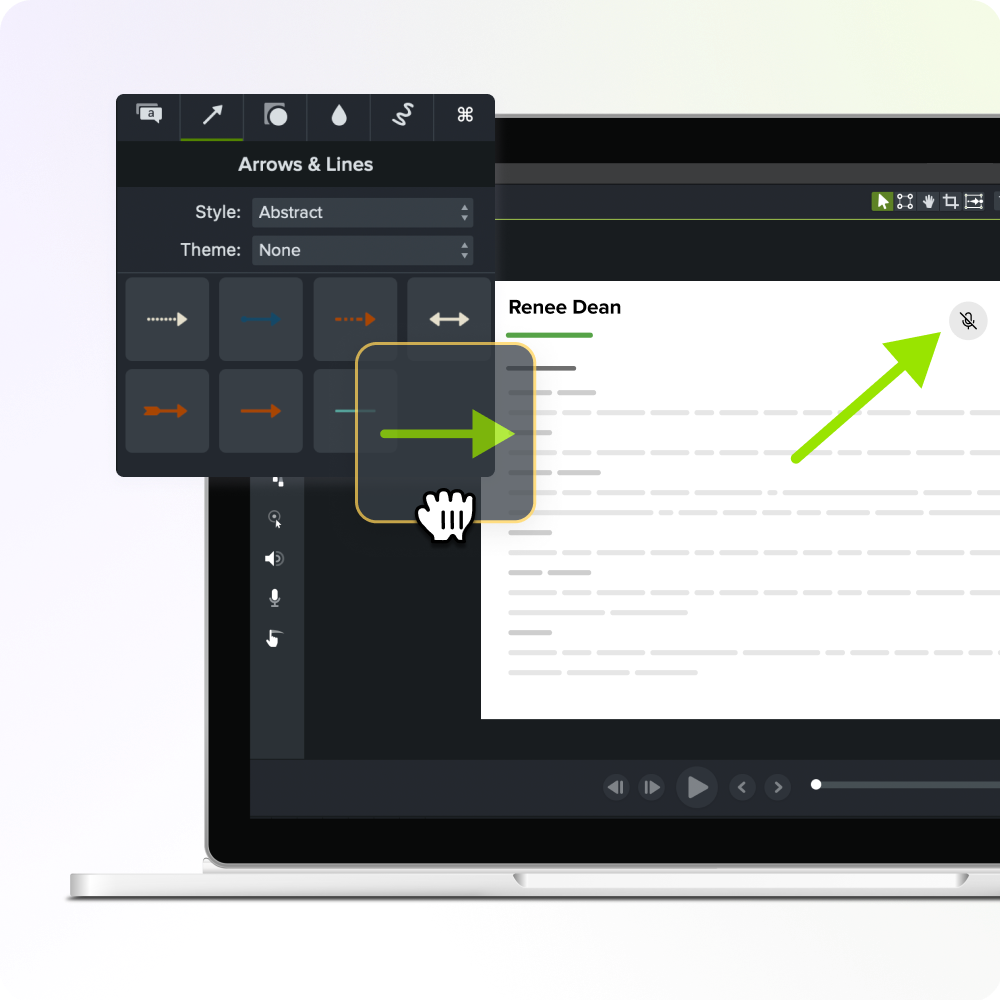
Share