3 Keys to the Camtasia Editor Timeline
Designed for beginners, this short video series covers the essential Camtasia Editor timeline editing techniques, concepts, and tricks.

Designed for beginners, this short video series covers the essential Camtasia Editor timeline editing techniques, concepts, and tricks.
Sometimes you may need to shorten clips, without actually trimming anything out. The Clip Speed effect speeds up (or slows down) any media on your Camtasia Editor timeline.
Create depth and separation between layered tracks by applying visual effects, such as Drop Shadow, Border, and more.
As you learned in part three, groups help keep complicated timelines organized and in sync. To learn more about groups, including how to reuse groups across multiple Camtasia Editor videos, check out the linked tutorial below.
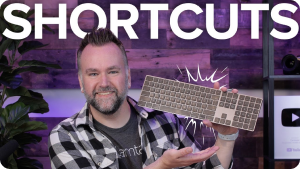
Camtasia Editor has keyboard shortcuts for precise playback, common editing actions, and more. You can customize many of the shortcuts in the Preferences.
Unleash the world’s most powerful screen recorder and video editor.
* Already a Camtasia Editor user? Learn how to update to the latest version.
 See
See  See
See 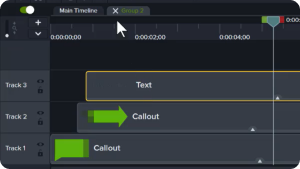 See
See