









AI video generators like Synthesia have shifted the landscape of L&D. By replacing traditional cameras with AI avatars, these tools have made it possible to produce “talking head” content in minutes. However, as many trainers and instructional designers quickly discover, an avatar is only one piece of the puzzle.
When your goal is to teach a complex software workflow or document a technical process, a scripted avatar can feel limiting. You need tools that allow you to capture what’s actually happening on your screen with precision.
In this guide, we explore seven Synthesia alternatives that help you scale your video production. We’ll look at everything from high-end avatar competitors to professional recording suites—including why an all-in-one solution like Camtasia might be the missing link in your training tech stack.
Camtasia: The all-in-one professional standard
While AI avatar tools are excellent for scripted narration, they often hit a “content ceiling” when you need to demonstrate complex workflows or technical processes. Camtasia is designed for the trainer who needs to go beyond simple narration and actually show how work gets done.
By leveraging the full Camtasia product suite, you can move from a rough idea to a polished, multi-platform learning program with one integrated set of tools.
Workflow: Capture, polish and narrate with precision:
- Quick captures with Camtasia Snagit: Start your project by using Snagit to grab high-resolution screenshots or quick video clips of specific software steps. These visuals serve as the foundation for your training guides or as B-roll in your larger Camtasia projects.
- Professional editing in Camtasia Editor: Bring your recordings into Camtasia Editor. Use professional-grade tools like SmartFocus to automatically zoom in on key actions, or use Rev to apply branded layouts and backgrounds in a few clicks.
- Text-based editing with Camtasia Audiate: Edit your video’s audio just like you’re editing a Google Doc. Audiate transcribes your recording, allowing you to remove mistakes or filler words by simply deleting text.
- AI avatars and voiceovers: If you aren’t camera-ready, use Camtasia’s AI Avatar Generator within Audiate. Choose from dozens of lifelike presenters to host your video, and generate natural-sounding voiceovers in 7 languages to reach a global audience.
Why Camtasia wins for corporate trainers
Unlike generative-only tools, Camtasia projects are modular. If your software UI changes or a process updates, you can swap out a single screen recording or edit a specific line in Audiate without re-rendering the entire video from scratch. This saves hours of rework and ensures your training library stays accurate and up to date.
Go from screen recording to polished video
A screen recording is just the start. Camtasia’s editor helps you add the callouts, animations, and edits you need to create a truly professional video.
Free Download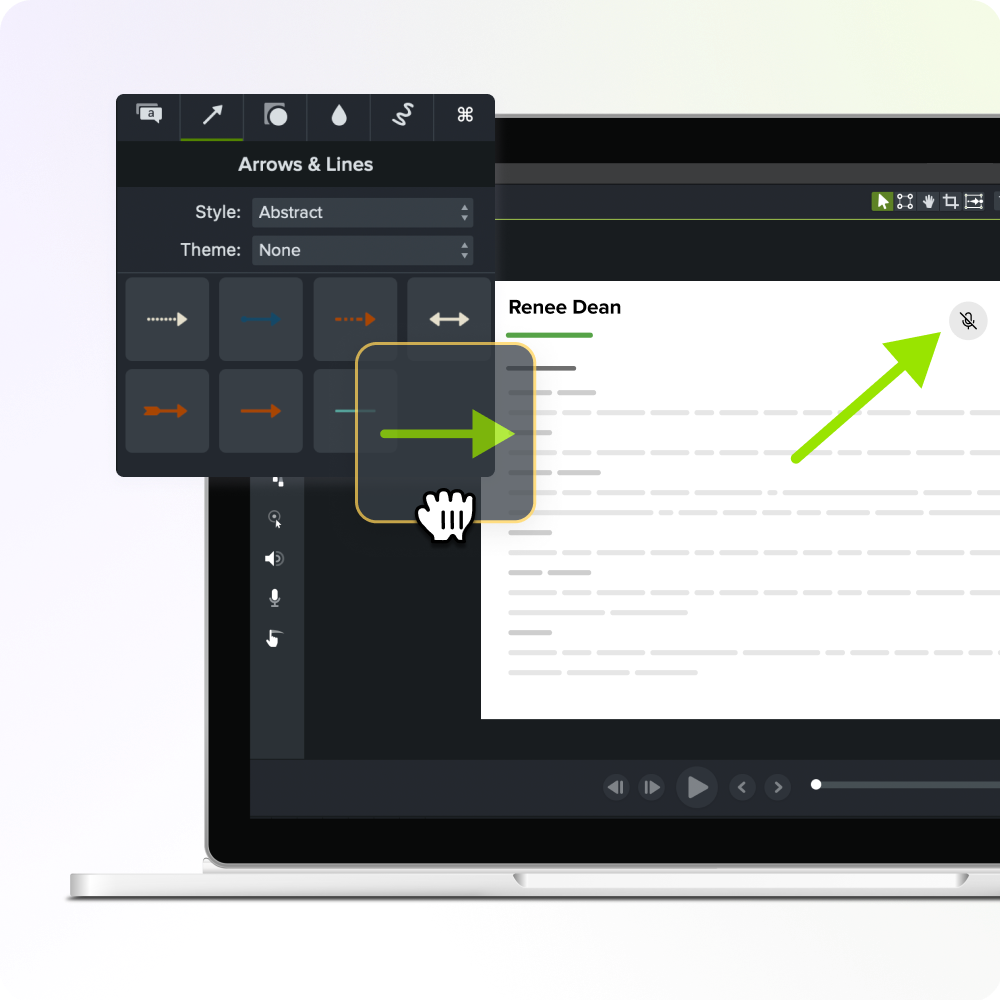
Lumen5: Best for AI-powered video creation for social media
Lumen5 is an AI-based video creation platform that automatically generates videos from blog posts, articles, or text content, making it a great alternative for users looking to quickly produce social media content. Its AI-driven video creation process simplifies video production by converting written content into engaging video presentations.
Key features of Lumen5
AI Avatars
I mean, it’s why you are reading this article, right? Check out their 80+ realistic human avatars with 80+ languages. They also have “conversational AI avatars” which can be used in customer support in kiosks and on the web, mobile devices and the metaverse.
Team & Workspaces
Create a shared cloud based space for your team to collaborate on videos, sync video projects, or comment ideas and feedback.
Best suited for global audiences
Judging by the case studies, Lumen5 customers are part of large multinational corporations spanning IT, pharmaceutical, telecommunications, and banking.
As media companies expand their footprint, it’s crucial not only to translate captions, but have multilingual speakers. While Lumen5’s case studies follow journalism and AI avatars used as news anchors, this would be beneficial for any video content or video marketing.
Pricing and plans
While there is no free plan, Lumen5 offers 3 different premium plans.
- Personal Plan: $288/ a year
- Team Plan: $864/ a year for 3 seats
- Enterprise: Custom pricing with unlimited seats
InVideo: Best for creating professional videos with AI and customization
InVideo is a cloud-based video creation platform that combines AI video generation with extensive customization options, making it a solid alternative to Synthesia. InVideo allows users to create high-quality videos for marketing, social media, and presentations, offering over 5,000 video templates.
Key features of InVideo
Create video from text prompts
InVideo’s use of AI to automate the video creation process, while still offering robust editing tools is perfect for users who want more control. Just remember that AI is only as good as you prompt it, so you might need multiple tries before you get what you are looking for.
Customizable Video Templates
InVideo has a large library of templates, transitions, and animations, which allow users to create professional, branded videos quickly. One review mentioned that you can “optimize your content marketing with little effort and just have to be creative.”
AI Voice Overs
Users have raved about the voiceover effects speeding up their video creation process.
Best suited for marketers and storytellers
This tool is ideal for marketers, entrepreneurs, and content creators who need a flexible video creation tool that balances AI automation with customization. Keep in mind that some users have complained that even the highest premium plan will only allow you to use one brand asset in videos, so if you are a consultant or agency, this would not be the right tool for you.
If you already know what you want your video to look like and you are comfortable with storyboarding, scripting, and tweaking the visuals, InVideo’s fast creation process will work for you.
Pricing and plans
InVideo has a free, watermarked version and premium plans.
- Free Version: A generous 10 minutes a week of AI generation with 4 watermarked exports a week
- Plus Plan: $240/ a year for one user
- Max Plan: $576/ a year for 1 user
Doodly: Best for animated explainer videos
Doodly as a video creation tool focused on producing whiteboard-style animated explainer videos. Doodly is perfect for users looking to create training videos, product demos, and marketing content using animated drawings and text.
Key features of Doodly
Easy to use
Doodly’s drag-and-drop interface for creating fun animated videos, including a library of pre-drawn characters, objects, and backgrounds. You can even upload your own images and then convert these to custom draw paths to match Doodly’s hand drawn characters.
Voiceover
Doodly has a voiceover feature on their main plans, but their text-to-speech integration would be an additional cost.
Best suited for artists and educators
If you are an animator or sketch artist, you will be able to customize your doodles as needed for engaging content.
With the multiple blackboard options and realistic hands, this is ideal for educators or trainers who need to create explainer videos without extensive video editing experience.
Pricing and plans
Doodly does not have a free plan, but they are on a perpetual software model, which means a one-time cost allows you to continually use the software.
- Perpetual Plan: $67
- Add-On plans: $67+ for at least 6 other plans including non-black and white animations, the text-to-speech app, premium templates, etc.
- The worst reviews of Doodly are because the add-on plans are either pushed constantly on them or you need to spend around $67 for each single plan.
Pictory: Best for AI-powered video summaries
Pictory is an AI-powered video creation tool that automatically generates video summaries from long-form content, such as webinars, articles, or training materials. Pictory focuses on creating concise, engaging videos quickly, making it a useful tool for repurposing content into short, shareable clips.
Key features of Pictory
Long Form Content to Short Form Content
Pictory’s AI-driven video creation analyzes long content and generates short, engaging videos with automatic captions and text overlays.
Additional Editing Capabilities
Pictory has additional editing tools for trimming videos, adding background music, and incorporating transitions for that extra layer of polish.
Best suited for marketers and content creators
Have an awesome webinar or a customer event that you want to turn into a highlight reel? Repurpose long-form content into short with visually appealing video clips for social media or marketing purposes.
Have a long form podcast or YouTube show that you need to turn into bite-size chunks on social? Pictory will work great for you!
Pricing and plans
Pictory does not have a free plan, but they do offer a free trial without a credit card needed for 14 days and limited access to all features. You can view their premium plans below.
- Starter Plan: $228/ a year for one user
- Professional Plan: $468/ a year for one user
- Team Plan: $1,188/ a year for 3 users
- Enterprise Plan: Custom pricing for 5+ or more users
Conclusion
In conclusion, the need for creating high quality videos with a globalized audience is a must. Synthesia will help you accomplish this, but might not fit your need for every type of video you need to create.
Top Pick: Camtasia is the best overall choice for users seeking a versatile, professional video editor, and Audiate for users focused on improving audio quality and synchronization. And with a fully-functioning free trial available, you can try it out, risk-free.
Go from screen recording to polished video
A screen recording is just the start. Camtasia’s editor helps you add the callouts, animations, and edits you need to create a truly professional video.
Free Download
Share