









The plant supervisor who’s run second shift for 19 years knows exactly which valve sticks when the temperature drops and how to talk an anxious client off the ledge before it ever reaches the account manager. If she resigned tomorrow, the process would stall. Nobody else ever watched her make those calls.
That’s what capturing institutional knowledge is supposed to prevent: recording the processes, judgment calls, and unwritten know-how held by experienced employees so that knowledge survives when they leave, retire, or change roles. Done right, it’s an ongoing practice of identifying who holds critical expertise and preserving it well before departure, run on a schedule.
The most practical way to preserve that kind of knowledge is to record it on screen. Have the expert walk through a real task while narrating their reasoning, and you have something a new hire can watch and learn from. A written SOP tells someone what to click. A screen recording shows why an expert made each call.
This piece gives operations and knowledge management leaders a way to do exactly that:
- Score departure risk
- Name the one expert whose exit would hurt most right now
- Decide what to capture from them first
- Record it before their last day
That’s a better place to start than waiting for a two-week notice and hoping someone remembers the details.
Key takeaways
- A scheduled review of at-risk roles protects institutional knowledge far more reliably than a documentation checklist rushed through during someone’s final two weeks.
- Long tenure alone doesn’t signal risk; a specialized role with no backup and a departing expert is what threatens continuity.
- The costliest knowledge to lose is rarely written down anywhere, since it lives in the judgment calls and workarounds an expert makes without thinking twice.
- Naming one specific at-risk employee today produces faster action than launching a full knowledge audit across every department.
- Judgment-based expertise often resists text documentation entirely, which means watching someone work can preserve reasoning that a written SOP would strip away.
Building a standing capture practice, not a scramble
A standing capture practice protects critical expertise more reliably than a documentation scramble triggered by an employee’s notice, because it captures knowledge while there’s still time to do it well.
An organization with scheduled capture sessions has a running record of how its specialists actually work, built a little at a time, long before anyone hands in a resignation letter.
Compare that to an organization trying to document years of judgment during someone’s final two weeks. The checklist gets completed. But two weeks isn’t enough time to explain why a decision gets made one way in one situation and differently in another, so that context walks out the door even when the paperwork looks done.
There’s a second reason the scramble fails, and it’s less obvious: recency bias. A departing employee will naturally gravitate toward explaining what they’ve been working on most recently, because that’s what’s active in their head. The process they run once a quarter, the annual exception, the workaround they only need when a specific edge case appears — those don’t come up unless someone explicitly asks. By the time the new hire hits that situation for the first time, the expert is gone and there’s no one to ask.
This exposure carries real operational consequences in specialized, experience-heavy roles. State transportation agencies have reported that losing experienced staff without capturing their knowledge worsens design quality and overburdens the people left behind, according to a Wyoming Department of Transportation knowledge retention proposal.
Each scheduled session also produces something the scramble can’t: a recording the next person can learn from.
Score roles against four departure-risk signals
A few concrete departure-risk signals give you a faster screen for offboarding exposure than a broad skills audit. Check your org chart against the following before you record a single video:
- Retirement eligibility
- Sole ownership of an undocumented process
- Long tenure and role scarcity
- Flight-risk signals in engagement data
Retirement eligibility within a known window
Retirement eligibility within a known window, based on age, tenure, or stated intent, is the most checkable and earliest-actionable of the four signals.
Look for pension eligibility, a stated retirement intent shared with a manager, or an age-plus-tenure threshold such as 60 years old with 20 years of service. Pair that threshold with a check on backup coverage. If the role has one or zero trained backups, the window matters, and it’s often visible years before anyone announces plans to leave.
Most organizations don’t use that lead time. According to McLean & Co. research, succession planning still runs as pre-retirement forecasting followed by peri-retirement exit prep, with formal knowledge transfer starting only after the announcement. Waiting that long recreates the exact scramble this approach is meant to prevent.
Sole ownership of an undocumented process
Sole ownership is a single point of failure. One person can execute a process end to end, and no documentation bridges the gap. If that person leaves, the process leaves with them, and no one else can pick it up without relearning it from scratch.
Most documentation efforts miss this risk because they focus on the wrong layer of knowledge. According to SHRM research, 83% of HR professionals document company policy, but only 43% document client relations, and just 32% document cultural norms.
This pattern points to where the real risk sits. Policy is easy to write down. The judgment calls, workarounds, and relationship context a sole owner carries in their head rarely make it into any formal document at all.
Long tenure paired with role scarcity
Long tenure signals serious knowledge-loss risk only when few other employees share the person’s specialized skills.
Someone with 20 years in a role that 10 other people also know is a low priority, because the knowledge already lives in 10 other heads. Someone with 20 years as the only person who understands a specialized process has no meaningful backup at all, and that gap doesn’t show up until they walk out the door.
Scarcity is the multiplier that turns tenure into risk. Apply this to a specialist running a legacy system nobody else on the team touches. The tenure alone isn’t the flag. The absence of a second or third person who can do that work is.
Flight-risk signals in engagement data
Declining engagement scores, reduced participation in meetings and projects, and rising external demand for a scarce skill should all raise a critical expert’s departure risk score.
This signal is harder to work with than the others, since it points to intent, with no date attached. Retirement eligibility gives you a known window. Flight risk only tells you that departure is possible. It doesn’t tell you when.
Treat it as an early warning. If you see an engagement-score drop for an employee who also owns a process alone or fills a role with no backup, raise that role’s priority immediately. Don’t wait for a resignation letter to confirm what the data already suggested.
Name the one expert to start with
Pick exactly one person to start with. Skip the shortlist and the full roster review entirely. Take the four risk signals from the previous section and run them against your org chart. Scan every role, and flag anyone showing retirement eligibility, sole ownership of an undocumented process, long tenure in a scarce role, or flight-risk signals in engagement data.
Some roles will show more than one signal at once. Compare those exposed roles against each other and ask which departure would create the clearest continuity gap for your organization, then stop comparing and commit.
A full knowledge audit feels thorough, but it stalls action while you build spreadsheets nobody acts on. Naming one person moves you straight into capture work.
Say that person’s name and role out loud. Make them your next priority, then put a recording session on their calendar.
Price the cost of waiting on that person
Quantify the cost of waiting by adding three things:
- The process that stalls
- The weeks a replacement spends relearning it by trial and error
- The extra work coworkers absorb in the meantime
Start with the process only that person can run end to end. Estimate how long a capable replacement would need to reach the same speed and judgment, then ask who covers that gap week to week. Write down that relearning window as a concrete number.
Leadership already treats this as urgent. 92% of organizations don’t consistently capture knowledge from soon-to-be retirees, and 58% of C-suite leaders say they’re very worried about it.
Bring that relearning-time estimate, tied to your one expert, into the next budget conversation. A single recorded capture session from that expert costs a morning. The number you just calculated is what skipping it costs.
Rank that expert’s knowledge by capture priority
Split what your named expert knows into two buckets: judgment calls and execution steps, and relational or organizational context. Trying to capture everything at once leaves you with hours of footage and no sense of what mattered most.
A two-category inventory fixes that. It turns an overwhelming brain dump into a short list you can actually work through. The sections below spell out which category to capture and which recording to schedule first.
Undocumented judgment calls and execution steps
Undocumented judgment calls and execution logic should top your capture list, because they’re the hardest part of an expert’s work to rebuild once that person is gone. Anyone can read a list of steps. Almost no one can reconstruct the reasoning an expert never wrote down.
Start by identifying every exception, workaround, and shortcut the expert uses without thinking, and ask what triggers each one. A billing specialist might skip the standard approval step whenever a customer falls into a specific account tier, a workaround built from years of catching a system limitation nobody flagged in the manual.
A text-based SOP records that the step was skipped. It can’t explain why the expert knew to skip it, and that gap is exactly what a new hire needs most.
Context and relationships outsiders lack
This category covers relationship maps and unwritten organizational context: which stakeholders matter, which requests carry political weight, and which escalation paths only the expert knows about.
Rank it second in your capture priority, behind judgment calls and execution logic. It’s still valuable, but it’s easier to hand off than tacit decision-making, because a person can explain it in conversation.
Skip the written directory. A list of names and titles tells a new employee who’s on the team, without explaining why any of them matter. Instead, record a handoff conversation that walks through four things in order:
- Name the stakeholder.
- Explain when to involve them.
- Flag which requests are politically sensitive.
- Document the informal escalation path for when something stalls.
That sequence gives the next person context. Share that recording through Camtasia Screencast so a new hire can leave time-stamped questions directly on the moments that need more explanation, without pulling the expert back for another meeting.
Choose demonstration over documentation for tacit steps
Demonstrating tacit steps on screen preserves the judgment and decision logic that a written SOP usually strips out. A document can tell someone what to click. It can’t show why an expert paused, checked a second system, or chose one path over another when a case didn’t fit the standard flow.
What a recording can do that a document can’t: let the expert narrate the reasoning while the screen shows the action. The viewer sees what the expert did and hears why they did it, in the same moment. That combination is what makes tacit judgment transferable. A written SOP can document the outcome of a decision. It can’t capture the thinking that produced it.
Draw the line there. Policies, stable steps, and fixed sequences belong in written documentation. Exceptions, judgment calls, and the reasoning behind them need to be watched.
Need to show your screen?
Skip the downloads. Use Camtasia online to record your screen, camera, and microphone right in your browser for free.
Start Recording
That’s the same reason organizations have long used exit interviews and structured mentoring to pull tacit knowledge out of departing experts. A recorded demonstration extends that same observational, show-don’t-tell principle to more roles at once, without asking the expert to translate their own judgment into a formal document.
Camtasia Editor supports this directly. It records screen, camera, and narrated audio in one session, then places each on its own editable track, so the expert can talk through a decision while the screen shows exactly what they did.
Screentelligence-powered cursor effects and annotations then highlight where attention should go, so the expert doesn’t need editing skills to make the reasoning clear.
Build a recurring cadence, not a deadline
Operations or knowledge management teams make capture repeatable by rerunning the four-signal screen on a set schedule and after any material change to a role or process. A quarterly review works well as the baseline. Every quarter, your operations or knowledge management function pulls the org chart and re-scores it.
Between those quarterly checkpoints, specific events should trigger a capture session on their own. A promotion, a reorg, a new tool rollout, or a drop in an engagement score all change who owns critical knowledge and how urgently it needs to move out of one person’s head.
Assign this cadence to a named owner inside operations or knowledge management. Put the review and its triggers on that person’s calendar.
A recurring cadence lets you identify and record expertise while the expert is still on staff. Each quarterly pass adds new recordings to the library, so the organization builds institutional memory over time.
Turn this into a standing practice next quarter
Naming that one at-risk expert, scoring what they know, and choosing a recorded demonstration over another written procedure works best as a repeatable habit. Something you run every time someone with deep, undocumented judgment gets close to a transition, a retirement, or even a new role on another team.
This week, record the next capture session before the next departure notice lands on someone’s desk.
Camtasia Editor is where that recorded session turns into something more useful than a one-off file sitting in a shared drive. Once the capture is edited into a clear training or documentation asset, other trainers can build on it, adapt it for a new audience, or slot it into onboarding without starting from scratch.
That’s where a standing capture practice pays off. The organization stops relearning the same lessons every time someone walks out the door.
Go from screen recording to polished video
A screen recording is just the start. Camtasia’s editor helps you add the callouts, animations, and edits you need to create a truly professional video.
Free Download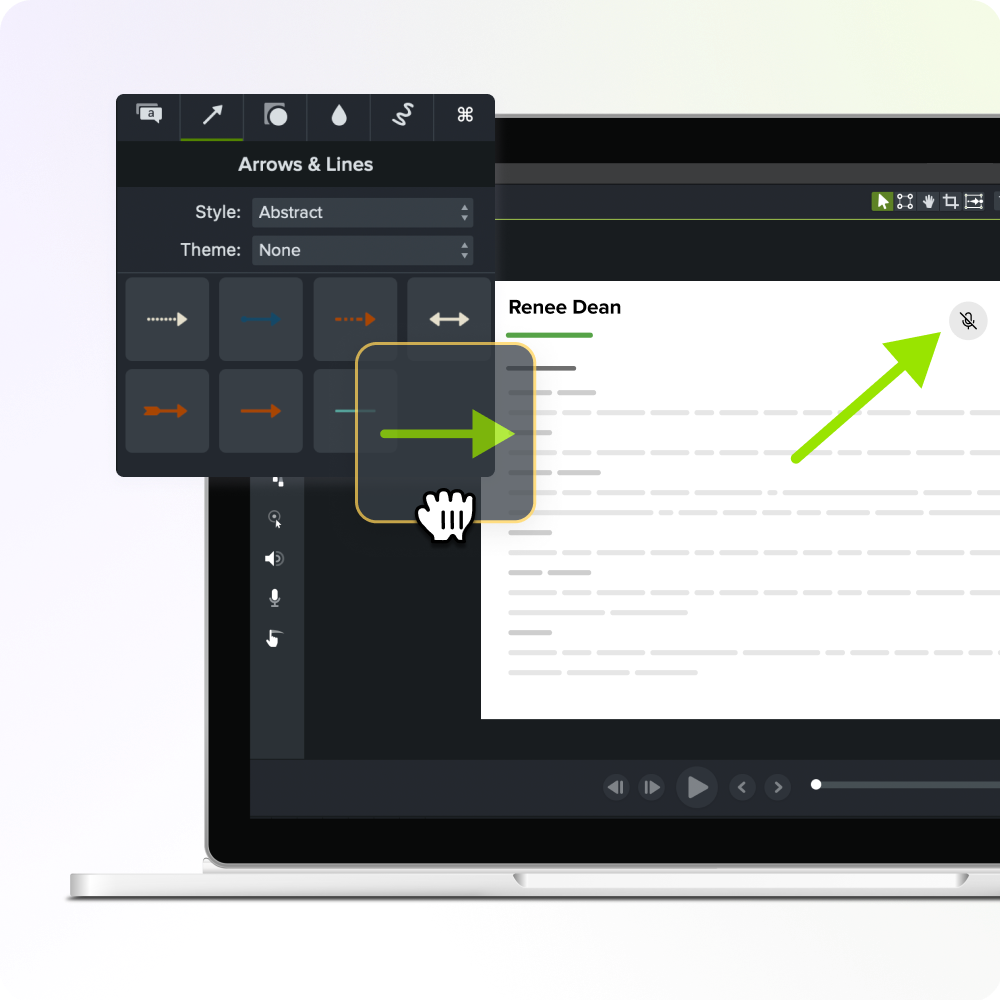
Frequently asked questions
What is the difference between institutional knowledge and tribal knowledge?
Institutional knowledge covers the full range of processes, judgment calls, and organizational context a company depends on to function. Tribal knowledge is a narrower slice of that: informal, peer-to-peer know-how shared within a team that often never gets written down anywhere. Most organizations lose both types when an experienced employee leaves, which is why proactive capture should target each one.
How long does a knowledge capture session with a subject matter expert usually take?
A single capture session for one process typically runs 15–30 minutes, since shorter segments are easier to schedule. Complex, multi-step processes may need several short sessions, as fatigue and screen changes make longer takes harder to edit cleanly. Camtasia Editor records screen, camera, and audio together in one session, then splits each onto its own track so you can trim and rearrange later.
Does capturing institutional knowledge on video mean I can skip written SOPs entirely?
Video and written documentation serve different kinds of institutional knowledge, so no single format should carry the whole load. Written SOPs still work well for policies, compliance steps, and other explicit knowledge that rarely changes. Video is better suited to the judgment calls and tacit reasoning behind a process, the parts a written checklist usually can’t capture.
What if the at-risk expert is too busy or reluctant to sit down for a recorded session?
Skip the formal sit-down interview and record the expert while they do the work they already do every day. A quick screen and audio capture of a real task, even one just 10 minutes long, still preserves the judgment calls that matter most. Camtasia Online makes this kind of lightweight, browser-based recording fast enough that it doesn’t feel like a scheduling burden for a busy expert.
What happens if the process changes after I’ve already recorded the expert explaining it?
A process update doesn’t automatically mean the whole video needs to be re-recorded from scratch. If the core steps still hold up, a short new segment or a jump cut to show the change is usually enough. Recording in small, chunked segments from the start makes these updates much faster to produce later.
Share