










Your learning and development (L&D) team uses one AI tool to record and caption training videos. Your documentation team uses a different one to record screens and generate step-by-step guides. Your communications team has its own subscription for audio cleanup and voiceover.
Each team picked a tool on its own, and each tool solved a real problem. Now you have separate admin consoles, separate licenses, and only a vague idea of what data any of these tools touch.
Add up those choices, and you’ve got AI tool sprawl. Overlapping AI apps and one-off tools pile up across the organization, usually because teams adopt them on their own without central IT oversight. The fallout includes redundant licenses, integration debt, security gaps, and inconsistent output.
It’s more of a coordination failure than a procurement failure. Each team made a reasonable call with the information it had, but nobody had the full picture.
This self-assessment walks you through a simple framework to take stock of what’s running, find where tools overlap, and build a solid consolidation case without taking away what your teams rely on.
Key takeaways
- AI tool sprawl is a coordination failure because teams adopt disconnected solutions on their own to solve real problems.
- Using four or more AI tools at once can reduce productivity, and workers report more mistakes and mental overload than people using fewer tools.
- Shadow AI makes sprawl worse because AI features built into tools you already use often go uncounted in standard IT audits.
- Redundancy at the recording or distribution layer of a content workflow usually delivers the fastest return when you consolidate your AI stack.
- Consolidating onto an integrated platform gives you better control of this sprawl than restricting AI access for teams who’ve found value in it.
What is AI tool sprawl?
AI tool sprawl differs from general software-as-a-service (SaaS) sprawl in one big way. AI tools often need broad data access permissions and can act with some autonomy, so they add governance risk that a standard productivity app doesn’t.
When dozens of them spread across L&D, documentation, and communications without central coordination, IT loses sight of what data those tools touch and who approved them.
Torii’s 2026 SaaS Benchmark Report found that more than 61% of discovered applications lack formal IT approval or oversight, and the average large enterprise runs nearly 2,200 applications. Most of that shadow inventory grows one team request at a time.
What tool sprawl actually costs
Sprawl hits productivity, licensing, integration, and security across teams at the same time. That makes it an organizational risk that goes well beyond a single line item. A BCG survey of 1,488 U.S.-based workers found that self-reported productivity dropped and workers reported brain fog and more mistakes when using four or more AI tools at once.
For IT and operations leaders, that finding is a ready-made business case. Sprawl hurts both the quality of what your teams produce and how efficiently they produce it.
In training and documentation video workflows, the cost grows with every piece of content you make. Separate tools for screen recording, audio editing, video production, and content sharing each come with their own login, license, data flow, and file handoff. Each new point solution adds to the work of keeping all those connections running and compatible. That’s integration debt, and it grows quietly until something breaks.
The pattern is structural. A narrower count tells the same story. Zylo’s SaaS Management Index looks only at actively licensed SaaS subscriptions, a smaller number than the Torii figure above, which includes shadow IT and built-in features. Even so, enterprises still average around 305 applications in active use, with per-app spend continuing to climb despite flat adoption.
Enterprise teams that standardize on one platform reduce that overhead at the source.
Keep training videos accurate. Avoid “AI slop.”
Build training content faster without sacrificing quality. The HUMAN Framework is a 5-step strategy for integrating AI effectively.
Get the Guide
The four-step AI tool sprawl self-assessment
This self-assessment is an audit you can run on your own stack today. It centers on the four workflow layers where sprawl piles up most in L&D and documentation teams:
- Recording
- Audio and script editing
- Video production
- Content distribution and review
Step 1: Build your tool inventory
Every step that follows depends on a complete inventory. Without one, you’re measuring sprawl against an incomplete baseline.
Start by sending a short request to team leads in L&D, documentation, and communications. Ask each one to list every tool they use to record, edit, narrate, or share training and process content. Keep the prompt specific. These all count:
- Screen recorders
- Video editors
- Narration tools
- AI voice generators
- Screenshot tools
- Sharing platforms
- Tools teams adopted without IT approval
Your L&D team likely has a different list than your documentation team, and neither list may match what communications uses. The difference between what IT has on record and what teams run is where sprawl lives.
Shadow AI is the piece most audits miss. Standalone subscriptions are easy to spot on a software invoice. Built-in AI features are harder to find.
Transcription in your video conferencing platform, AI writing help inside a productivity suite, and automated captions in a learning management system are all active AI tools processing your organization’s content. None of them show up in a central tool inventory because nobody bought them as separate line items.
Add a second question to your team lead prompt: Beyond standalone tools, what AI features inside tools you already use are part of your workflow? That question uncovers the built-in layer.
Once every team has responded, combine the lists into a single document. Duplicate entries are expected, and they’re your first sign of overlap.
Step 2: Map tools to the four workflow layers
Sorting each tool into a workflow layer turns a messy subscription list into a map of exactly where teams have built redundancy.
The four layers match how L&D and documentation work gets done, whatever tools your teams use:
- Recording: Screen recorders, screenshot tools, and any app you use to capture what’s happening on a screen
- Audio and script: Transcription, filler-word removal, AI voice generation, avatar generation, and script drafting tools
- Production: Video editing, caption generation, motion graphics, interactive elements, and AI-assisted editing workflows
- Distribution and review: Content hosting, sharing platforms, and any tool you use for stakeholder commentary or feedback collection
Go through your Step 1 inventory and assign each tool to exactly one layer based on its main function.
Before this step, you have a flat list of subscriptions with no clear relationship to each other. After it, you have a map where the recording layer might show three separate tools doing the same job, or the distribution layer might reveal two platforms teams use interchangeably.
Pay close attention to tools that span multiple layers. A tool that handles both recording and production, or both audio editing and distribution, is either a real integration that saves a handoff step or a source of hidden redundancy worth a closer look.
Step 3: Identify overlap and redundancy
A workflow layer has confirmed redundancy when two or more tools do the same core job without a shared license, a clean handoff, or a difference in purpose. The recording and distribution layers are where overlap shows up most, and where consolidation delivers the fastest return.
For each layer in your inventory, apply three diagnostic questions:
- Do two or more tools on this layer do the same thing?
- Do they share a common admin console and license?
- Does data from this layer flow cleanly into the next without a manual export or reformatting step?
Any layer that fails the second or third question carries exposure worth fixing, even if the tools don’t fully overlap. For a closer look at where these tools tend to pile up, this guide to AI tools for learning and development maps the common categories.
Start with the layer that has the most obvious duplication. If two tools both record your screen, or two tools both host and distribute finished video, that’s your first target. You can see the overlap, count the license cost, and document the case for consolidation without much effort.
Step 4: Score your licensing and security exposure
Your exposure score is a simple count. Every tool in your inventory that lacks IT approval, lacks an approved data-handling policy, or duplicates a function already covered in the same workflow layer adds one point. The higher the score, the more risk and wasted spend your organization carries.
Work through the inventory tool by tool and mark three fields for each entry:
- IT approval: Did IT formally review and approve this tool, or did a team adopt it independently?
- Data-handling policy: Is there an approved, documented policy governing how this tool processes or stores organizational content?
- Same-layer duplication: Does another tool on this workflow layer already cover the same core function?
Flag any tool where the answer to any of those three questions is “no” or “unknown.” Then total the flagged tools and add up the redundant license spend across duplicated layers. That combined figure is what you bring to leadership.
A list of tool names rarely moves a decision. A count of ungoverned tools plus a dollar figure for redundant licenses does.
When you reach the consolidation conversation, security documentation carries as much weight as the cost case. Before committing to a platform, confirm it can satisfy your organization’s own security review requirements.
For teams evaluating Camtasia Pro™, the Camtasia Trust Center provides System and Organization Controls (SOC) 2 Type 2 and Voluntary Product Accessibility Template (VPAT) evidence for IT review. If you’re building the broader case for security and compliance in training video workflows, that documentation gives you a verified starting point.
Consolidation over restriction
Your self-assessment probably turned up something familiar. Separate subscriptions for AI voice generation, AI avatars, screen recording, video editing, and ad hoc review each solve one piece of the visual knowledge workflow, and each one adds another vendor to your security queue and another line to your software budget.
The right response is consolidation. Restricting access would take away tools your L&D and demo teams rely on.
Start by consolidating the tools that serve this workflow under one license:
- Camtasia Snagit handles recording and screenshots.
- Camtasia Editor handles production.
- Camtasia Audiate handles AI-assisted narration and text-based editing.
- Camtasia Screencast handles creator-controlled review and distribution.
That covers the whole recording-to-distribution path without five point tools or five vendor relationships.
Record once. Deploy globally.
Create your training video in English. Audiate can then translate your edited script and generate a new audio track in Spanish, German, French, and more.
Free Download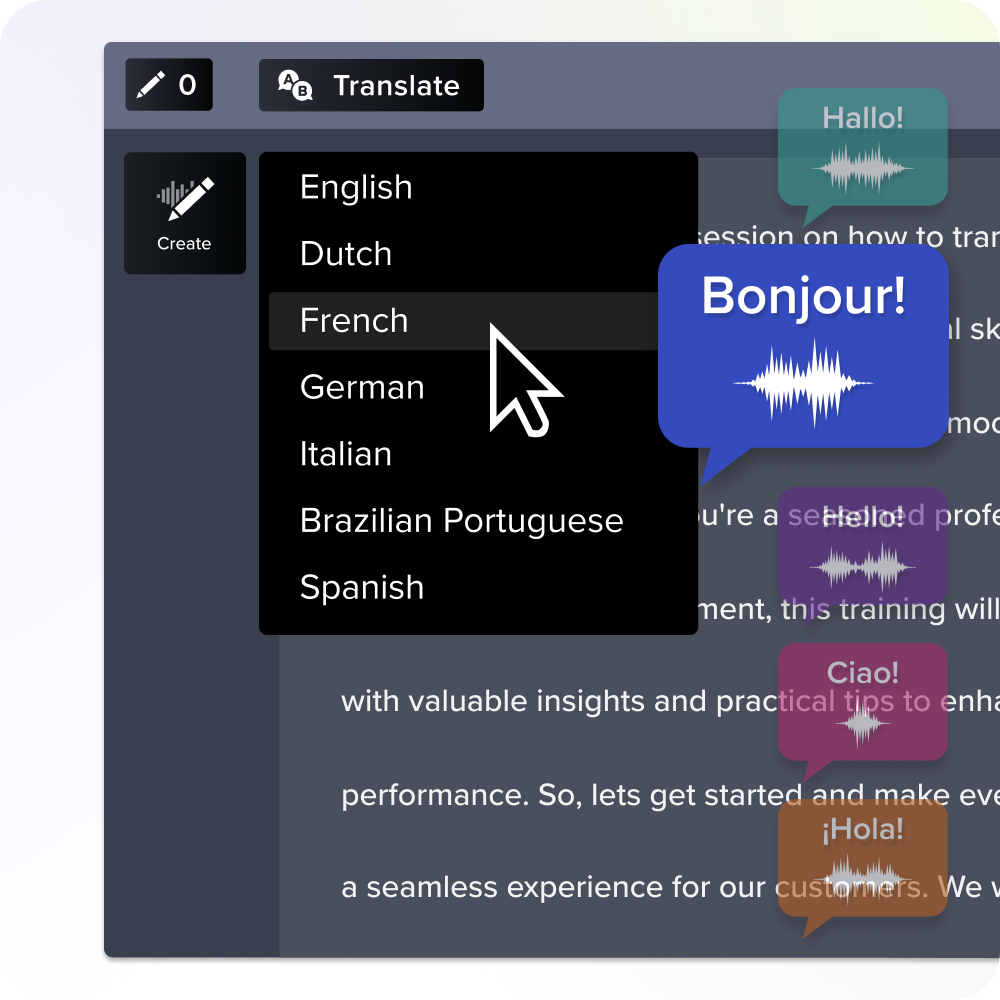
Stop the AI tool sprawl with Camtasia Pro
Camtasia Pro is built for documentation, training, and customer enablement video, not as a substitute for every AI category on your stack.
If your exposure score flagged overlapping subscriptions for voice generation, avatar tools, screen recording, and review (tools like ElevenLabs, Synthesia, HeyGen, and D-ID), that’s the overlap worth addressing here. Camtasia Pro combines screen recording, video editing, and AI-powered workflows like voice and avatar generation under one license.
If that overlap matches your assessment, book a discovery call with our enterprise team to see what a Camtasia Pro rollout would look like for your organization.
Frequently asked questions
How is AI tool sprawl different from regular SaaS sprawl?
This kind of sprawl carries more risk than general SaaS sprawl. AI tools often need broad data access permissions and sometimes act with a degree of autonomy, which opens governance holes that traditional software rarely does. A standard SaaS tool might store your data. An ungoverned AI tool might process it, analyze it, or generate new output from it in ways IT can’t audit. That difference changes how you look at security exposure.
What is shadow AI, and why does it make the tool sprawl problem harder to measure?
Shadow AI means AI tools and built-in AI features that employees or business units adopt without formal IT approval, so they never show up in standard procurement audits. The tricky part is that AI capabilities now come bundled inside tools your organization already uses, like transcription in video conferencing platforms or AI writing help in productivity suites. Those features go uncounted even when a team runs a thorough inventory, so most organizations underestimate how much sprawl they have by a wide margin.
At what point does using multiple AI tools actually hurt team productivity?
Productivity starts to drop once workers use four or more AI tools at the same time. In a BCG survey of 1,488 full-time U.S.-based workers, people using four or more tools reported brain fog and more mistakes than colleagues using three or fewer.
The culprit is context switching. Each added tool brings its own login, its own mental model, and its own data handoff, and that friction compounds with every piece of content a team produces. For L&D and documentation teams, it shows up as slower output and inconsistent quality across training assets.
Why is banning AI tools the wrong response to AI tool sprawl?
Restricting AI access takes away the value teams have already found in these tools, and it leaves the coordination failure behind sprawl untouched. The risk comes from ungoverned proliferation across teams that have separate admin consoles, separate licensing, and inconsistent data handling policies. Consolidation works better. Standardize on an integrated platform that covers the full workflow under a single license and security framework, and teams keep their capabilities while IT regains visibility.
How do you build an internal case for consolidating AI tools when each team believes its own stack is working?
Start with a concrete audit. Count how many tools each team uses across the recording, editing, production, and distribution layers of its content workflow, then total the redundant licenses and flag any tools without IT-approved data handling policies. That inventory turns an abstract governance concern into a specific exposure score leadership can act on, because it shows redundant spend and security gaps side by side.
Frame the ask as swapping several point solutions for one integrated workflow, and you’ll find it easier to win over both IT leadership and the business teams it affects.
Share