









A compliance leader pulls a clean report from the LMS: every employee finished the required Health Insurance Portability and Accountability Act (HIPAA) training, and the access log shows who opened it and when. That data looks solid, until an auditor asks a harder question about training compliance requirements: the specific rules and regulations that dictate what training content organizations must deliver, document, and be able to prove during an audit.
Was the training content itself trustworthy? Did the screen recording remove protected health information, or just blur it on screen? Did your employees complete the current policy version, or one that’s three updates behind? The LMS proves who did what. It doesn’t prove the content itself held up.
Compliance and L&D leaders don’t need another reason why regulated training matters. This piece is about the specific safeguard each regulation requires from training content, the proof your system of record keeps, and the content-creation controls Camtasia supports.
Key takeaways
- Content governance is the layer that makes training content trustworthy before it ever reaches your LMS. Completion tracking proves who finished training; content governance proves what they were trained on.
- HIPAA retraining is triggered by policy, system, or risk changes, not a fixed annual schedule.
- GDPR’s training mandate is narrower than most assume, allowing minimal or role-based programs to satisfy it.
- Your LMS or governance, risk, and compliance (GRC) platform provides the retention and change-history evidence auditors want; fast, modular content updates are what keep that record accurate.
- Enterprise programs get compliance-ready content into their system of record through Sharable Content Object Reference Model (SCORM) export, not through a centralized content-governance platform.
Content governance is compliance’s missing layer
Clean LMS records show delivery and completion, but content governance determines whether the training those records describe was accurate, current, and appropriately handled. Your system of record, whether that’s an LMS or a governance, risk, and compliance (GRC) platform, produces the evidence auditors expect: who finished a course, when, and what version they saw. That’s the layer that already exists and already works.
Content governance sits earlier, at the point where the training gets built. It’s a separate question from completion tracking, and it’s just as important for a compliance audit.
Here’s where a clean record can still hide a problem. An LMS shows 100% completion for a HIPAA training module, timestamped and attributed, with every employee account verified. But if that module contained protected health information (PHI) in a screenshot that was blurred on screen rather than permanently removed, or if the standard operating procedures (SOPs) it walked through were already outdated when the module published, the completion record doesn’t reveal those gaps.
Camtasia supports the process with content-creation controls that determine whether the training itself is trustworthy before it ever reaches your LMS.
Mapping compliance obligations to governance practices
Each compliance framework maps in three parts: the training obligation it sets, the proof your system of record keeps, and the content-creation practice that keeps the training itself trustworthy.
The five frameworks below each follow this same sequence. HIPAA, GDPR, SOC 2, FERPA, and FINRA have their own obligation and proof, but each separates what your LMS or GRC platform retains from what you control when you create the training content.
HIPAA workforce training and access safeguards
45 CFR 164.308 requires a security awareness and training program for the entire workforce, not just IT or compliance staff. Retraining kicks in when policies, systems, or a risk analysis change, so no fixed annual cadence exists to plan around.
Proving this obligation takes two different kinds of evidence:
- Your LMS or GRC platform has the completion records and access history auditors ask for.
- Protected health information was edited out of content while building the training itself, specifically, any PHI that shows up in screenshots used in slides or job aids.
Run Camtasia Snagit’s Smart Redact on screenshots before they go into your training content. PHI in a screen recording still needs to be edited out of the video directly.
GDPR’s narrow but specific training mandate
General Data Protection Regulation’s (GDPR) training obligation is narrower than most compliance teams assume, and it comes from just two textual hooks. Under Article 39(1)(b), the data protection officer must ensure “awareness-raising and training of staff involved in processing operations,” while Article 47(2)(n) requires “appropriate data protection training to personnel having permanent or regular access to personal data,” but only for organizations operating under Binding Corporate Rules for international transfers. That second hook isn’t a general controller duty. If your organization doesn’t rely on Binding Corporate Rules, it doesn’t apply.
Whichever hook applies, your LMS has the completion record for whoever took the training and when. Camtasia doesn’t retain that evidence.
What Camtasia supports is fast reissuance when data-processing roles or transfer arrangements change. Use Camtasia Audiate’s text-based editing to update the narration when those requirements change; because this works from an AI-generated transcript, disclose it as AI-generated output. A minimal, off-the-shelf module or a fuller role-based program both work under this standard, as long as the content stays current and your LMS logs who completed it.
SOC 2 audit evidence and access control
SOC 2 doesn’t provide a fixed training curriculum to deliver. It asks auditors to find documented, reviewable evidence that access controls and content changes are managed, not just assumed.
That evidence has a specific home. Your LMS or GRC platform is the system of record for content-change history: who edited a training module, when it changed, and what version went live for which audience. That record lives outside Camtasia entirely.
What Camtasia supports is the earlier, riskier stage: keeping a training video away from the wrong eyes before it’s finished and logged in your system of record. Screencast handles this through creator-controlled access, letting the creator decide who can view or comment on a video while it’s still in draft form.
It limits exposure during review, but the compliance-grade paper trail your auditor wants still comes from your LMS or GRC platform.
FERPA safeguards for student education records
The Family Educational Rights and Privacy Act (FERPA) governs how training content that references student education records must restrict access and disclosure, which makes controlling who can view that content the primary safeguard. If your training walks staff through a student information system or shows sample transcripts, grade reports, or advising notes, that footage falls under the same disclosure rules as the records themselves.
Your institution’s LMS or student information system, not Camtasia, is where you keep the record of who viewed the training and when. An auditor or reviewing office will ask for that access log, so publish the training through your LMS rather than distribute it as an untracked file outside the system.
Before any screenshot goes into the lesson, run it through Camtasia Snagit’s Smart Redact.
Streamline workflows with Snagit Assets
Transform your screenshots with ready-made templates, custom themes, and unique stamps.
Get Started
FINRA’s Firm Element documentation requirement
The Financial Industry Regulatory Authority (FINRA) requires firms to maintain a written Firm Element training plan that reflects their size, structure, and business activities. That plan is separate from each registered person’s individually completed Regulatory Element, which runs on a recurring annual cycle under FINRA Rule 1240, as confirmed in FINRA’s continuing education notice.
Individual completion sits in your LMS or GRC platform as a per-person record. The written Firm Element plan itself, along with its documentation, retention, and re-approval cycle, is your firm’s own compliance process. Camtasia plays no role in maintaining it.
For content creation, speed matters. When your Firm Element plan changes, whether that’s a new supervisory procedure or an updated product line, your training needs to catch up fast.
Recording content in short, modular segments means you replace only the affected piece instead of rebuilding the whole course. Pair that with Camtasia Audiate’s text-based script editing, which uses AI-generated transcripts and should be disclosed as such, to update narration in minutes when the plan’s language shifts.
Content-creation controls that support your audit trail
Three content-creation controls make regulated training trustworthy before the LMS or GRC platform ever records delivery evidence: redaction, creator-controlled review, and update-friendly design. These are content-creation controls, not the audit trail itself. They apply across HIPAA, GDPR, SOC 2, FERPA, and FINRA alike.
You already have a system of record for completions and access. What it can’t do is catch exposed data, unreviewed drafts, or stale steps before they reach that system. The three practices below close that gap.
Irreversible redaction with Smart Redact
Camtasia Snagit’s Smart Redact permanently removes sensitive data from still images and screenshots before they ever reach a training asset. This matters when a training video or job aid starts life as a screenshot of a real system, one that might still show a patient record, a student ID, or someone’s contact details in the background.
Smart Redact detects and addresses several supported categories: street addresses, Social Security numbers, phone numbers, credit card numbers, dates, email addresses, faces, IP addresses, and URLs.
Smart Redact works on screenshots and still images only. It doesn’t apply to video recordings, so any sensitive data captured on screen during a live recording still needs to be handled at the source, before capture.
Smart Redact is a content-creation control, not an access record. It tells you how sensitive data was handled at the source, which is separate from who completed the training or who can view it in your system of record.
Permissioned review in Screencast
Screencast lets you control who can view or comment on a training draft before it goes to an audience, and reviewers don’t need an account to weigh in. As the creator, you set access on the share link, invite the people who need to see the draft, and they can leave comments directly on the video without creating a login.
Before you turn on creator-controlled access, an unfinished video with PHI in a screenshot or a not-yet-redacted student record can end up in a link forwarded well past its intended reviewers. After you limit the link to invited reviewers, that same draft only reaches the people you named, and their comments become the record of what changed before the next revision.
Keep the boundary clear: A comment that says “approved” is a team convention, not a built-in approval feature. Screencast doesn’t log who viewed the video or when, so it can’t serve as sign-off documentation. For the audit-trail side of AI-assisted training content, see this AI compliance checklist for training videos.
Simplify HR workflows with visual tools
Create clear, engaging training and documentation that helps your teams better understand company policies and processes.
Learn More
Modular content that updates fast when your retention schedule requires it
How long training content stays valid, and when it needs re-approval, is set by your compliance process, not by anything Camtasia does. That retention schedule lives in your policy documentation or GRC platform, and tells you when a piece of training is due for review.
What Camtasia controls is how fast your team can act once that review flags a change. Build training from chunked recording segments and SUI (simplified UI) graphics instead of live screenshots, and a single policy update only requires replacing the affected piece.
A practical update sequence looks like this: identify the changed policy element, swap out the affected recording segment or SUI graphic, edit the narration text in Camtasia Audiate rather than re-recording it, route the update through review, then return the finished asset to your system of record. Camtasia Audiate’s text-based editing works on an AI-generated transcript, so narration changes are AI-generated output and should be disclosed as such. This keeps your training current without a full rebuild every time something changes.
Getting compliance-ready content into your system of record
The last step in compliance-ready content is getting it into the system that produces your audit evidence. Completion records, assessment scores, and training history for audit purposes live in your LMS or GRC platform. Camtasia doesn’t hold that data.
Once you finalize your training content in Camtasia Editor, the handoff is straightforward: Export the finished video and upload it to your LMS, where completion tracking and reporting take over.
For LMS platforms that expect packaged tracking data, Camtasia Editor supports SCORM export. Camtasia builds the content. Your LMS shows who took it and when.
If the course still needs narration, Camtasia Audiate‘s AI voice generation can generate that voiceover; the output is AI-generated and should be disclosed as such.
Before that handoff, two Camtasia capabilities support review and reuse, but they work differently than teams sometimes expect:
- Screencast offers a shared library of exported, finished videos that multiple people can view and comment on. Those are polished outputs, not editable source files.
- Camtasia Editor lets team members export customized callouts or redaction styles as Library Assets and share that file with colleagues, who then import it into their own local library.
No live, synced library exists across an organization. Think of it as sharing and importing custom styles as files, not multiple teams pulling from one centralized, brand-managed library.
Check out this guide to AI video content disclosure requirements before publishing AI-generated narration. For teams rolling this out across departments, each person who needs to create or edit content works from their own individual license to Camtasia Editor, Camtasia Audiate, or Screencast.
Production scales by adding people, not by adding a governance system. The content-creation controls are what keep output consistent as more people touch it, not centralized administration.
Instant lifelike AI voice over
No voice over? No problem. Audiate generates incredibly life-like voice over right from your script!
Get Audiate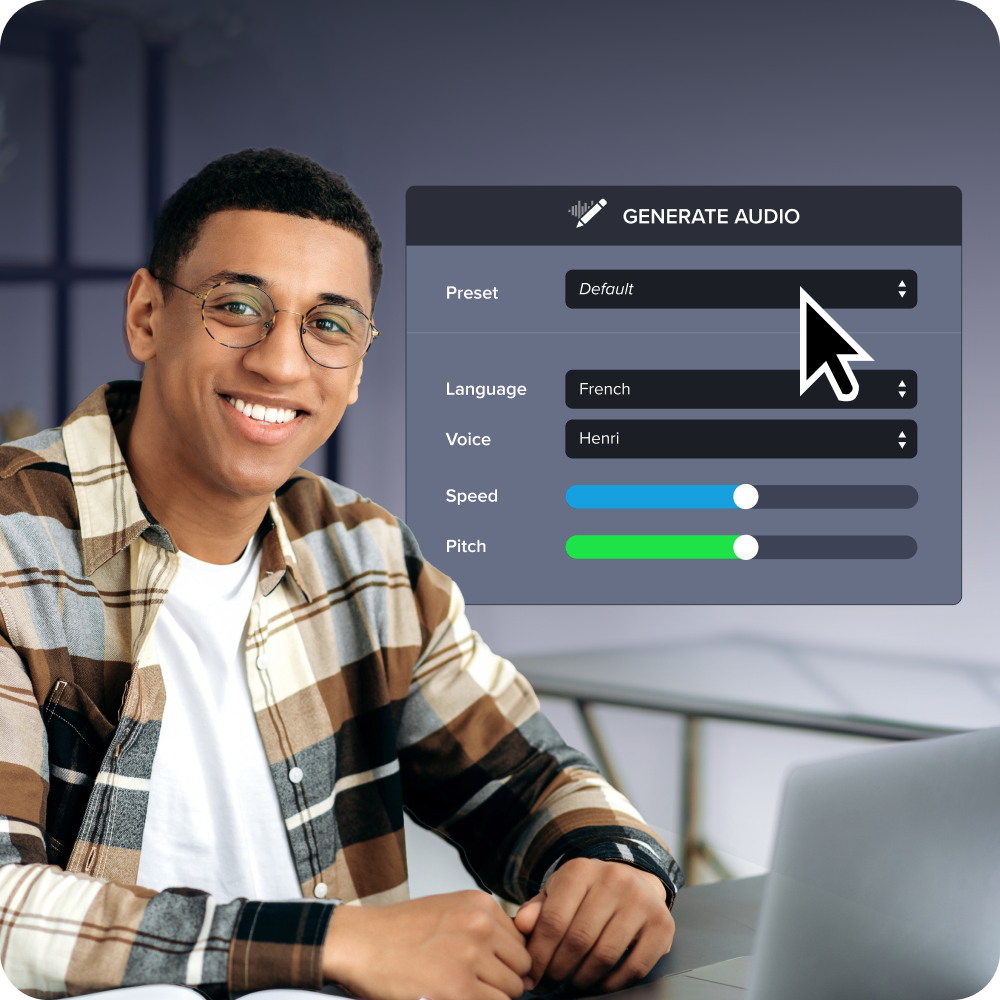
Build compliance readiness into training content
This content provides an overview of training compliance requirements and is not intended to be legal advice. Laws and regulatory expectations are evolving and may vary by jurisdiction. Consult your legal team to determine how regulations apply to your organization.
None of this replaces your LMS, your GRC platform, or the compliance officer who signs off before a course goes live. What changes is how much cleanup occurs before that sign-off and how quickly you can repeat it.
This week, before your next module ships, run every screenshot through Smart Redact and route the draft through Screencast for a comment pass instead of an email chain nobody can trace.
The Camtasia Product Suite keeps what lands in your LMS clean, reviewed, and easy to update when the rules shift again, though it won’t hand you a version history or a compliance stamp. (Our breakdown of EU AI Act compliance covers what “clean” means right now.)
Download Camtasia for free to start building audit-ready training today!
Keep training videos accurate. Avoid “AI slop.”
Build training content faster without sacrificing quality. The HUMAN Framework is a 5-step strategy for integrating AI effectively.
Get the Guide
Frequently asked questions
What happens if a company fails a training compliance audit due to content documentation gaps?
A failed audit due to documentation gaps usually triggers corrective action plans, fines, or mandated retraining. Regulators often cite missing version history or approval records as the root cause, not incomplete course completion. Rebuilding that documentation after the fact typically costs organizations far more time than maintaining audit trails from the start.
Do content governance practices apply to frameworks beyond HIPAA, GDPR, SOC 2, FERPA, and FINRA?
Content governance practices extend well beyond the five frameworks named here, including OSHA safety training and ISO 27001 information security programs. Both rely on the same underlying evidence, controlled content access, documented approvals, and access records, even though their specific training cadences differ. Building governance once around these practices, rather than per-regulation, lets compliance teams apply the same infrastructure across every framework they’re subject to.
What is the difference between security and compliance in training content?
Security in training content means protecting the video or document itself, restricting access and keeping sensitive data like PHI or student records out of view. Compliance means meeting a specific regulatory obligation, like HIPAA’s workforce training rule or FINRA’s Firm Element plan, which demands documented proof beyond a secure file. A training video can be perfectly secure and still fail a compliance audit if no one can show who approved or updated it.
Does meeting one regulation’s training requirement automatically satisfy another regulation’s obligation?
Meeting one regulation’s training requirement does not automatically satisfy another, even when the underlying safeguard looks similar. HIPAA’s workforce training standard and GDPR’s Article 39 and 43 mandate cover different populations, different retraining triggers, and different documentation auditors expect to see. Organizations under multiple frameworks need governance practices, like content redaction and permissioned access, mapped to each obligation separately rather than assuming one program covers all.
How long does it take to build a content governance process for regulated training content?
Building a content governance process typically starts with inventorying existing training videos and documents, then applying content review and access rules going forward. Most compliance teams have a working system, retention schedules, review workflows, and access controls, running within a few months rather than retrofitting everything at once. Starting with the highest-risk content, like PHI-heavy HIPAA training or FINRA disclosures, gives auditors visible progress sooner.
Share