









Learners today expect interactive training that feels relevant from the second they hit play. Generic, one-size-fits-all video content often falls flat and leads to disengagement, a key reason why people stop watching videos.
Employers need to tailor videos to a learner’s role, goals, experience level, or day-to-day context so the content feels immediately useful. This turns passive watching into active learning by connecting your content to specific roles, goals, or real-world challenges.
The best part? Personalizing your videos doesn’t have to mean more work. With the right tools and a smart approach, you can scale personalized training, keep it fresh, and maintain consistency across your training materials.
Let’s look at why personalization matters, how to do it well, and how to strike the right balance between customization and consistency — plus some effective video creation tools that can streamline the process.
Key Takeaways
- Personalized training videos connect lessons to a learner’s role, goals, and real tasks.
- You can personalize training videos by updating examples, intros, and learning paths instead of rewriting every script.
- Templates, modular editing, and reusable assets help you stay consistent while tailoring content for different teams.
- Accessibility basics like captions, transcripts, plain language, and clear visuals should be part of every version.
Why personalization matters so much in training videos
Personalized training videos work because they connect the lesson to the learner’s job, goals, and everyday decisions. This is a proven method for increasing learner engagement, improving retention, and making training feel relevant. Here’s why it works so well for employee training videos.
Personalization increases learner engagement and motivation
Learners engage more when content reflects their day-to-day reality. When an instructional video references the actual tools they use, the challenges they face, or the decisions they make, they’re more likely to tune in and stay in.
So you don’t need flashy gimmicks like saying their name on screen — just make the material relevant to their role, goals, and pain points.
Picture a customer support rep learning how to handle a tense conversation. A training video that walks through a ticket escalation scenario, with emotional cues and real-time response tactics, feels way more useful than a high-level overview or static script. That kind of relevance creates buy-in and keeps learners watching.
Personalized videos improve information retention
When training feels directly connected to real-world challenges, it becomes easier to absorb and retain. Personalization taps into the learner’s daily tasks, goals, and struggles, making the content stick because it directly impacts their success.
For example, a safety explainer video designed for warehouse workers might show actual scenarios they’re likely to face, like handling hazardous materials. It’s not just rote memorization instructions anymore. It’s visual, engaging, “Here’s how you can handle this at work.” This practical approach makes the lessons far more memorable than generic safety protocols.
Personalization helps learners feel seen and valued
Learning works better when people feel like the material was made with them in mind. Even small touches like tailoring a training program to someone’s job function or referencing a challenge common to their role can shift the tone from impersonal to encouraging. That emotional connection strengthens trust and makes the material more likely to land.
True personalization isn’t loud or flashy. It shows up in the quiet signals that say, “We see you, and we made this to help you succeed.” When a frontline manager opens a training module on how to deal with a team scheduling dilemma they face all the time, that builds instant trust and relevance.
Personalized content supports more inclusive learning
Good training meets learners where they are, which means considering different backgrounds, learning styles, and experiences.
Let’s say you’re rolling out global compliance training. Instead of one universal training, you offer different types of training videos in multiple languages, use regional examples, and ditch the legal jargon for plain language.
Everyone gets the same core message, but it’s delivered in a way that feels approachable and relevant. That’s personalization, and it makes learning more accessible and inclusive.
How to personalize training videos in practical ways
Worrying about how much this is going to add to your workload? Good news! Personalizing effective training videos doesn’t have to mean rewriting every script or starting every video from scratch. With a thoughtful approach and the right tools, you can tailor your training without stretching your resources too thin.
- Start with examples and scenarios that match the learner’s role.
- Segment content by experience level.
- Customize intros, greetings, or closing messages.
- Use dynamic elements that reflect responsibilities or context.
- Offer self-guided learning paths with short, focused segments.
Tailor examples and scenarios to your audience
Swapping out generic examples for ones that directly align with the learner’s role or industry instantly makes the content more relevant and engaging. Instead of using broad scenarios, speak to the specific tasks, challenges, and environments your audience encounters.
For instance, a step-by-step IT training video could show how to troubleshoot software issues in the context of a healthcare setting rather than a general office scenario. This approach makes the material feel real and a lot easier to apply on the job.
Segment videos for different experience levels
Not everyone starts from the same place, and trying to cover every level in one video is just asking for disengagement. Beginners will be lost as soon as you start talking about complex concepts, while experts nod off as you go over the basics.
So create separate videos for beginner, intermediate, and advanced learners, meeting each one exactly where they are in their journey.
Customize intros, greetings, or closing messages
Personalized intros and conclusions can have a huge impact, especially when addressing specific teams or departments.
So instead of a generic “Welcome to the training” greeting, kick things off with: “Hey sales team, ready to crush your quotas?” It directly acknowledges the team’s unique challenges and goals, establishes a connection, and makes them feel seen and valued.
These authentic, relevant moments, combined with engaging video effects and interactive elements, capture learners’ attention from the start and create an emotional connection to the content.
Use dynamic content elements
Sure, inserting someone’s name in a video during a training session can be cool, but true personalization goes way beyond that. Instead of just adding names or titles, use dynamic elements that directly relate to the learner’s role or responsibilities.
For instance, rather than generic instructions, you could customize a tutorial video to say, “Hey Sarah, as a customer support specialist, we know how frustrating it can be to deal with upset customers. So let’s look at some practical methods that can help defuse these situations.”
From the start, Sarah feels seen, understood, and supported, making her much more likely to engage with the training, rather than counting down the clock.
Offer self-guided learning paths
Break your videos into short, focused segments so learners can jump straight to what they need, whether it’s filling knowledge gaps or exploring content aligned with their career goals. This approach gives learners autonomy and empowers them to take charge of their learning journey.
Many learners prefer to seek quick answers and move on once they’ve met their immediate need. When you respect that preference, you make the content more useful and give learners more ownership over their progress.
Balancing personalization and consistency: What to know
Personalization shines when paired with consistency. Maintaining a unified brand and efficient workflows ensures professional, scalable training. Here’s how to strike the right balance.
Set clear guidelines for brand and voice
You’ll still need a consistent tone, style, and visual branding across your training videos. A cohesive look and feel — using the same fonts, colors, art/imagery styles, and voices — reinforces professionalism. Clear guidelines keep personalized content from feeling disjointed or off-brand.
When videos share a recognizable structure and aesthetic, learners can focus on the material instead of adjusting to different formats. So personalize greetings or examples, but anchor them to a unified brand voice to keep the experience polished and intentional.
Remember to define your standards early, down to how dialogue sounds or which visuals you use, so every personalized video still feels like it belongs to the same training family.
Standardize templates and frameworks
Build reusable templates for intros, objectives, transitions, and calls-to-action (and make sure they follow design best practices like the rule of thirds). Templates streamline video production, letting teams swap in personalized elements like role-specific examples without starting from scratch each time.
They also ensure efficiency and consistency across videos, so learners experience a clear structure no matter their role or location. Over time, a well-designed template library helps you produce tailored, high-quality training materials quickly and reliably.
Focus on key moments that matter most
Trying to personalize every second of a video wastes effort and leads to messy, “Frankenstein-like” video experiences. Instead, focus on key moments that have the biggest emotional or motivational impact:
- The intro that hooks them
- Scenarios that mirror their job
- A closing message that reinforces their next step
Use scalable tools to simplify personalization
The right tools make scaling personalization much easier. Modern video creation platforms like Camtasia help streamline the process with quick edits and dynamic text insertion. You can update key details like job titles or department names without re-recording videos.
A training team, for instance, might create one core safety video script, then swap in department-specific intros for manufacturing, logistics, and office staff using editable templates.
This approach keeps production agile and content relevant without burning resources. Scalable tools let teams deliver targeted, high-quality training, even to multiple audiences with overlapping needs.
Track personalization impact to refine future content
Personalization isn’t a one-and-done effort. It’s something you refine over time. Use feedback surveys, engagement metrics, and quiz results to track how learners interact with your videos. These insights reveal which elements truly resonate and which miss the mark.
If a personalized intro leads to higher watch times or improved quiz scores, that’s worth repeating. If flashy additions like animations or a talking head don’t move the needle, skip them next time. Regularly checking performance data helps you double down on what matters and ditch what doesn’t.
Common mistakes to avoid when personalizing training videos
While effective, personalization can backfire if you don’t do it thoughtfully. Watch out for these common mistakes to keep your videos effective, scalable, and aligned with your training goals.
Overpersonalizing and making the process unmanageable
Too much personalization can quickly overwhelm your production process. Customizing every detail for every learner might sound ideal, but that means managing multiple edits, voiceovers, and updates, each one multiplying the time and effort required.
This kind of sprawl bogs down your workflow, leads to inconsistency, and makes it harder to maintain content over time. Personalization works best when it’s strategic, not exhaustive.
Losing focus on the training goal
It’s easy to get caught up in personalization details and forget why the video exists in the first place. Every personalization choice should serve the core learning objective, not just create a moment of novelty. A tailored message or dynamic insert might grab attention, but if it doesn’t help the learner apply a skill or solve a real problem, it adds noise instead of value.
Ground every creative decision in the outcome you want to drive: better performance, deeper understanding, or faster skill adoption. When every choice supports that outcome, personalization becomes purposeful rather than decorative.
Using personalization gimmicks without adding real value
Surface-level gimmicks like just inserting someone’s name into a slide or greeting might grab initial attention, but it won’t hold it unless it connects to something meaningful. If the rest of the video is generic or irrelevant, learners will quickly tune out.
Real personalization speaks to what the learner needs to know and why it matters in their specific role. Instead of superficial touches, focus on tailoring the context, challenges, and language to make the training resonate and drive better outcomes.
Forgetting accessibility and inclusivity needs
True personalization considers the full range of learner needs and preferences, not just their role or department. So it has to go hand-in-hand with inclusion.
To ensure your content works for everyone:
- Always include captions and transcripts so learners with hearing impairments or those learning in noisy environments can fully engage.
- Use plain, clear language to support comprehension across different literacy levels, language proficiencies, and neurodiverse learners.
- Maintain strong visual clarity with high contrast, legible fonts, and minimal distractions, so the experience supports different cognitive and visual needs.
Not planning for updates or scalability
Even great training videos can become obsolete if they aren’t designed with change in mind. Roles shift, teams reorganize, and policies update. Your training needs to keep pace. Build with flexibility so you can update a segment or swap in new content without redoing the entire video.
Structuring assets using dynamic fields makes updates easier and personalization more sustainable. Need to add a new department or update content because of a policy change? You can just replace a segment or change a text-based field instead of re-recording the entire training module — making it much easier to keep your videos relevant and efficient over time.
Tools and ideas to make personalization for training videos even easier
With modern video creation software, you can customize content at scale without overloading your team. These tools and strategies help simplify the process and make your training videos even more engaging and effective.
Screen recording and quick edits with Snagit
If you need quick, straightforward screen recordings or walkthroughs, use Snagit. With Snagit, you can easily record your screen to highlight specific tasks or procedures, adding annotations to clarify the content.
Whether you’re showcasing a software feature or guiding users through a specific process, Snagit helps you to tailor short video content to different learners’ needs with minimal effort. It’s perfect for quick edits and capturing real-time workflows.
Record your screen with Snagit
Snagit makes it easy to share quick updates and how-to’s by capturing exactly what’s happening on your screen.
Get Snagit
Professional editing and modular creation with Camtasia
Camtasia offers modular editing, dynamic callouts, and easy updates for personalized videos. You can swap out specific segments, like department-specific intros or role-based demonstrations, without redoing the entire video.
Dynamic callouts and visual elements take personalization even further, letting you highlight important details and create a more engaging experience.
With Camtasia’s user-friendly interface and powerful video editing software features, it’s easy to keep your content fresh and tailored to different learner needs.
Faster video creation with Rev
Make videos as easy as click, click, done! Camtasia Rev is so fast it’s like magic!
Learn More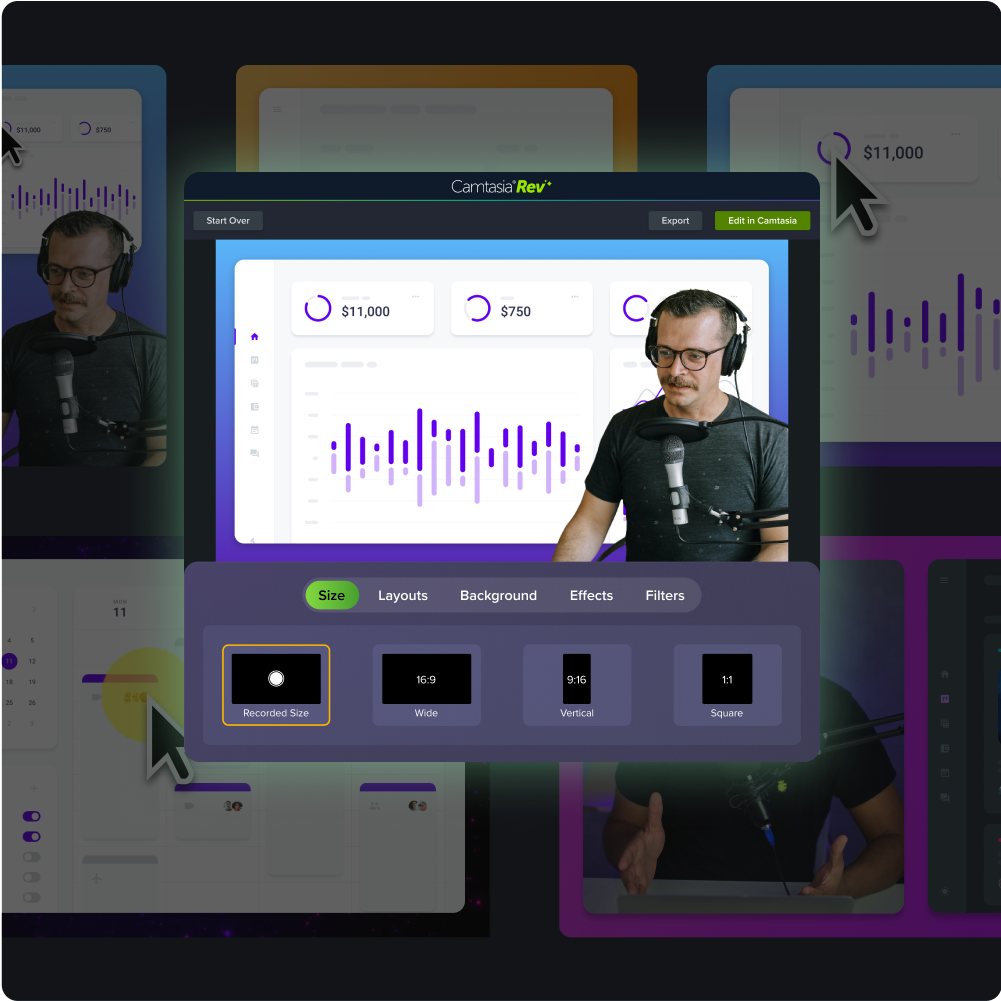
Adding captions and translations for broader reach
To reach a wider audience and make your content more accessible, incorporate dynamic captions and translations. With Camtasia Editor, you can automatically add captions to your videos, improving accessibility for learners who have hearing disabilities, are in noisy environments, or just prefer to follow along with text.
Meanwhile, translated subtitles make your content culturally relevant for learners across different regions and more accessible for non-native speakers.
Go from screen recording to polished video
A screen recording is just the start. Camtasia’s editor helps you add the callouts, animations, and edits you need to create a truly professional video.
Free Download
Examples of personalization strategies for different types of training
Tailoring strategies to the training type ensures your efforts are targeted and effective. Here’s how smart personalization can transform different types of training content.
Onboarding new employees
Employee onboarding videos are a perfect starting point for personalization. New hires come in with different backgrounds, roles, and expectations. So segment your onboarding content to job roles, departments, or office locations to give each learner a more relevant, confident start.
Start with a department-specific “prequel” video that walks them through the tools, culture, and workflows most relevant to their team. Once learners are grounded in the relevant basics, they can transition into company-wide materials that apply to everyone. This respects each learner’s journey and avoids overwhelming them with information that doesn’t apply.
Upskilling and professional development
Generic upskilling programs often miss the mark because they don’t align with individual career paths or current skill gaps. Instead, give learners control over their development by offering modular content tailored to specific goals.
A data analyst looking to move into data science, for example, should see different content than someone reskilling from marketing analytics. Personalization here might include curated playlists based on desired outcomes, assessments that suggest next steps, or role-based examples that make advanced concepts easier to grasp.
Even better, add reflective prompts like “How could you apply this in your current role?” to connect learning to day-to-day work. This kind of smart personalization keeps development practical, relevant, and motivating. When learners can clearly see the connection between training and their future, they’re more likely to stay engaged and grow with your organization.
Compliance and safety training
Personalizing compliance and safety training is essential to keep learners engaged with content they otherwise tend to tune out. While these modules are often mandatory, that doesn’t mean they have to feel generic. Tailoring scenarios and examples to the learner’s actual role adds immediate relevance and helps the message land.
Here’s how to personalize effectively:
- Match content to job responsibilities: A warehouse employee should see forklift safety protocols in action, while a finance team member might need focused guidance on data privacy.
- Use real-world environments: Incorporate visuals or terminology familiar to the learner’s daily workflow to boost credibility and attention.
- Modularize by department or risk profile: Build flexible learning paths based on role, location, or exposure level so learners only see what applies to them.
By using familiar visuals and role-specific terminology, you turn a generic requirement into something learners pay attention to — and apply.
Product or software training
Product training videos work best when they reflect the learner’s actual environment and use cases. When learners see the interface they use every day, complete with custom fields, workflows, or branding, it creates an instant connection.
If your sales team uses a customized version of the CRM, show that version, not the out-of-the-box template. This kind of visual relevance cuts down cognitive load and builds confidence faster.
It’s also smart to adjust training based on the learner’s experience level. Instead of packing one video with everything from basic navigation to advanced features, create separate paths for new and advanced users. Each group gets what it needs, without distraction.
To increase visual flexibility, you can also create a DIY green screen setup, allowing you to overlay presenters or custom environments directly onto relevant computer screens.
Customer-facing training or enablement
Customers don’t want generic product overviews. They want to know how your solution solves their specific problems. Personalizing training content for customers based on their industry, company size, or use case can make the difference between passive watching and active adoption.
A mid-sized logistics company, for instance, doesn’t just want to know how your software works. They want to know how it solves inventory bottlenecks across multiple warehouse locations.
This kind of targeted enablement builds relevance and trust. Training modules that reflect the customer’s day-to-day environment, terminology, workflows, and industry regulations create a sense of familiarity that helps learners connect the dots faster.
Small touches matter too. A customer training video that opens with, “Let’s look at how a healthcare team like yours can use that platform to streamline reporting,” immediately sets a tone of relevance.
So, instead of producing one-size-fits-all content, segment training videos by customer profile. This lets each learner see their own priorities reflected on screen and positions your company as a true partner in their success.
Create a scalable approach to personalizing training videos
You don’t need to personalize every second of a training video to create a great learning experience. Instead of reinventing the wheel, focus on the elements that matter most to your learners: real-life scenarios, role-specific examples, and content that speaks directly to their needs.
Prioritize impactful personalizations, like tailoring scenarios or using dynamic callouts, to make the content relevant and engaging. Even subtle changes, like using the learner’s department or context-specific examples, can make a big difference in engagement, satisfaction, and outcomes.
The key is scalability. Use tools that allow easy updates and modularity, so you can stay efficient without sacrificing quality. Personalization should help learners visualize success, not just tick off a checklist.
Discover how Camtasia’s suite of tools can help you personalize smarter, faster, and at scale, without the complexity.
FAQs
What does it mean to personalize training videos?
Personalizing training videos means tailoring the content to a learner’s role, goals, experience level, or work context. That can be as simple as swapping in job-specific examples, changing an intro for a department, or organizing videos by skill level. The goal is to make the training feel immediately useful without rebuilding every video from scratch.
What is an example of personalized content in a training video?
A good example is a customer support training video that walks through a ticket escalation scenario instead of using a generic script. A warehouse safety video that shows the exact hazards employees face is another clear example. Small touches like department-specific intros, familiar terminology, and role-based demonstrations also count.
How can you personalize training videos without starting over each time?
Start with a consistent template and keep the core lesson the same. Then swap in the parts that matter most, such as intros, scenarios, callouts, or closing messages for each audience. Modular editing and reusable assets make those updates faster and easier to maintain.
What software can help personalize training videos?
Snagit is useful for quick screen recordings, walkthroughs, and annotated process videos. Camtasia helps you edit longer videos, swap segments, add callouts, and keep training organized across versions. Captions, transcripts, and translations also make it easier to deliver the same core message to more learners.
How do you keep personalized training videos consistent and accessible?
Set clear standards for voice, visuals, and structure before you start personalizing. Use templates so each video feels like part of the same training program, even when examples change by role or department. Always include captions and transcripts, use plain language, and maintain strong visual clarity so the content works for more people.
Share