










You have a library of 45-minute recorded courses sitting on a server and a mandate to break them into microlearning modules. Every learning and development (L&D) leader hits the same question at that point: Can AI do the restructuring, or does that judgment still belong to the trainer?
AI for microlearning means using AI-powered editing tools, like transcript-based narration edits and modular project structures, to speed up the mechanical work of breaking long-form training into short, focused modules, each built around one learning objective.
The content sets how long each module runs. The judgment about where to cut stays with you.
Key takeaways
- Camtasia Audiate speeds up re-editing narration by letting trainers edit a transcript instead of a timeline, and it can automatically delete audio mistakes like hesitations and repeated words to clean up the transcript, but the trainer still decides where module boundaries fall and does the actual cutting.
- Transcript-based editing lets trainers delete the text around the segment they want to keep, which removes the matching audio without re-recording or scrubbing a timeline, while the trainer still reads and decides.
- No universal ideal length exists for a microlearning module, since content and context should drive it, and any trimmed segment can fail learners if it assumes context they no longer have after the cut.
- Modular project templates and exportable library assets can help teams apply consistent branding across a microlearning library without rebuilding each module from scratch.
- Recordings made natively in Camtasia Editor offer more downstream editing flexibility than imported clips, including separate audio, screen, and camera tracks for independent editing.
What AI does in this workflow
AI handles the mechanical editing work in a microlearning conversion. You handle the instructional decisions about where to cut and whether a segment teaches a complete concept.
Mechanical editing includes scrubbing a timeline to isolate a narration segment, removing filler words from a recording, and cleaning up audio. Instructional judgment covers module boundaries, concept completeness, and sequencing.
Before you open either tool, review the transcript or outline of your long-form recording and mark where the topic shifts. Those marks become your candidate module boundaries. That step is instructional judgment you apply before editing starts.
From there, Camtasia Audiate’s transcript-style editing lets you delete text around a chosen segment, which removes the matching audio without scrubbing frame by frame. Smart Scenes uses AI to segment the transcript into meaningful scenes, so you can move through the whole transcript and see what’s in the project without reading every line. It can also help you spot irrelevant segments you may want to delete. Smart Scenes only proposes a structure, though, and deciding which sections are worth keeping stays with you.
Camtasia Editor’s modular project workflow then helps you build and manage a library of shorter, reusable segments from the same source recording without rebuilding from scratch each time.
Why it adds up at scale: When trainers spend hours scrubbing timelines to isolate segments, module creation slows to a crawl. Transcript-based editing turns that friction into a text-deletion task, so a trainer can go from spotting a module boundary to having trimmed audio in minutes instead of hours. That speed compounds across a library of 20, 50, or 100 modules.
The trainer still makes every instructional call, but the tool removes the mechanical delay between decision and execution.
The problem with long-form training
Long recordings bundle several concepts into one file, so every individual segment is hard to isolate, recut, and update.
Say a trainer needs a five-minute segment from a 40-minute course. They have to scrub the timeline to find the right clip, re-record narration to fit the new context, and then resync the audio. Most teams skip that work and leave the long recording as is.
That choice compounds over time. When a policy changes or a process updates, a single long recording forces a full edit of a large, tangled file. The longer the recording, the harder it is to find exactly what needs to change, and the more likely the update gets delayed or skipped.
Modular content solves both problems. Shorter segments tied to one learning objective update faster when something changes and map more easily to specific training outcomes. Scalable employee training depends on content you can maintain, and that starts with a structure built for updates from day one.
How long should a microlearning module be?
A microlearning module should run long enough to teach one complete concept and no longer. Content complexity and learner context set the right length, not an arbitrary number.
For each module, ask whether this segment needs more time to teach the concept completely, or whether you’re padding it. That decision belongs to the trainer.
Once you’ve identified your cut points, AI tools can move fast. Researchers found that an AI pipeline was able to turn 150 to 225 minutes of lecture video into microlearning elements in about 45 minutes. But speed only comes after the instructional decisions are made.
How Camtasia Audiate’s transcript editing speeds up narration cuts
Camtasia Audiate shows your narration as editable text, and Smart Scenes gives the transcript a first pass at isolating sections for easier navigation, so isolating one module’s audio is a deletion task instead of a scrubbing task.
Open the source recording in Camtasia Audiate, read through the extracted transcript, and find the segment boundaries you identified during your content audit. Then delete the text before and after the block you want to keep. Each deletion removes the matching audio automatically.
But be sure to check the transcript against the original recording before you edit, since AI can make mistakes. Check Smart Scenes boundaries the same way, because the sections are AI-generated and the boundaries may not be precise. Any time you use AI in your training video workflow, it’s your responsibility to verify the accuracy and quality of the generated output.
Deleting transcript text removes the matching spoken audio, but rewriting it doesn’t change what the narrator said on the recording. If a module’s content has changed since you recorded it, you can re-record the updated segment with your subject matter expert or add a brief callout on screen that notes the change.
Once you’ve made your cuts, your edits sync back to the Camtasia Editor timeline automatically. The trimmed narration arrives ready for callout placement, visual editing, and export, so you never reimport anything by hand. If you work across languages, translating training videos with AI follows a similar transcript-first approach.
If you can edit a doc, you can edit a video
Stop fearing the timeline. Camtasia Audiate transcribes your recording so you can edit your video just by editing the text.
Free Download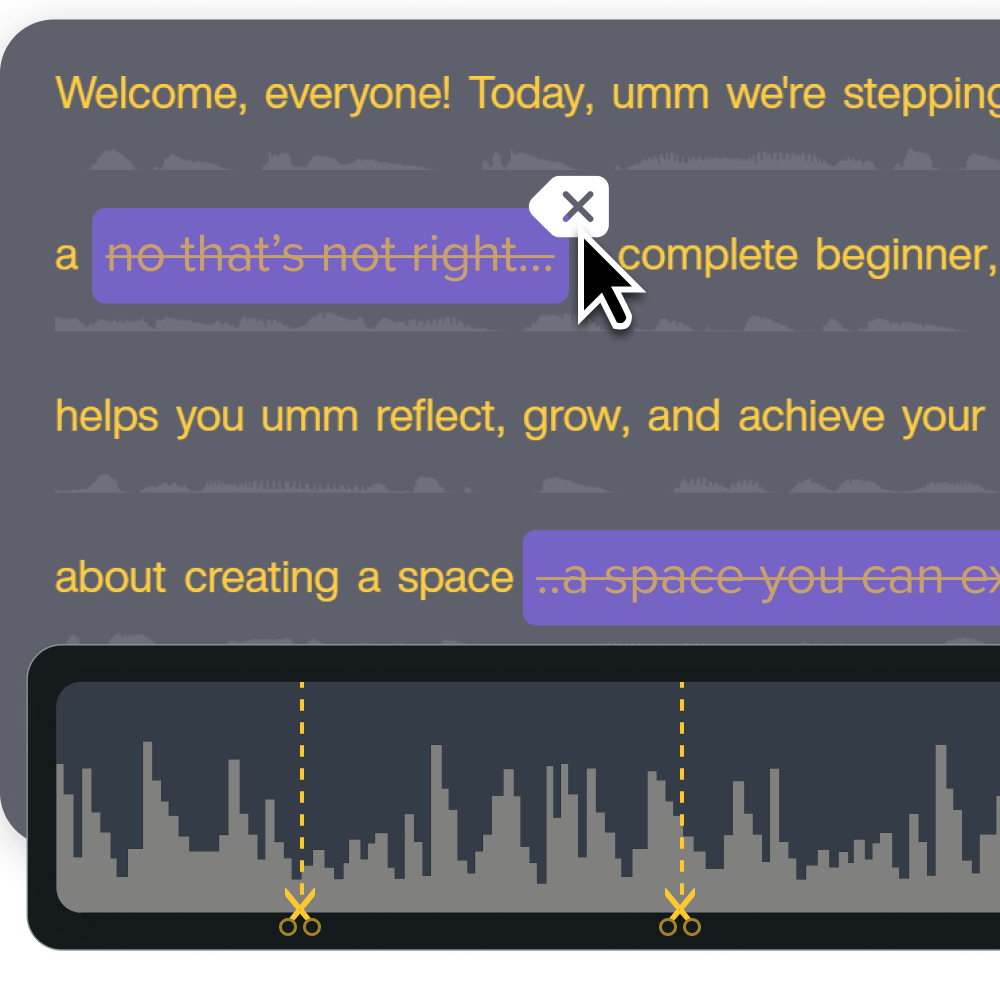
How Camtasia Editor supports modular workflows
Camtasia Editor’s template and Library asset system gives you a repeatable structure for building microlearning modules without starting over each time. A proven module typically includes:
- A brief orienting intro
- The core content segment
- An optional practice moment where the content calls for one
- An action-oriented outro with a quiz, practice prompt, or restated takeaway
Once you’ve built a structure worth repeating, save it in Camtasia Editor with File > Save Project as Template. That template becomes a flexible starting point across different module styles.
For visual consistency across a module library, save your customized callout and lower-third styles as Library assets, then share them by exporting and importing files between team members’ local libraries. Each person’s Library is local rather than a live shared workspace, but the file-based handoff keeps branding consistent across every module.
SmartFocus (available on Essentials, Create, and Pro tiers) can also add zoom and pan points automatically, which removes one more manual step. Combine a saved template, shared Library assets, and SmartFocus, and the repetitive setup that used to eat hours per module shrinks to minutes.
You focus on content decisions, like what to teach, how to sequence it, and whether a segment is complete, while the tool handles visual consistency and animation placement.
Build your next training video with Camtasia
Record your screen or camera. Then, use the video editor to add polish and clarity.
Learn More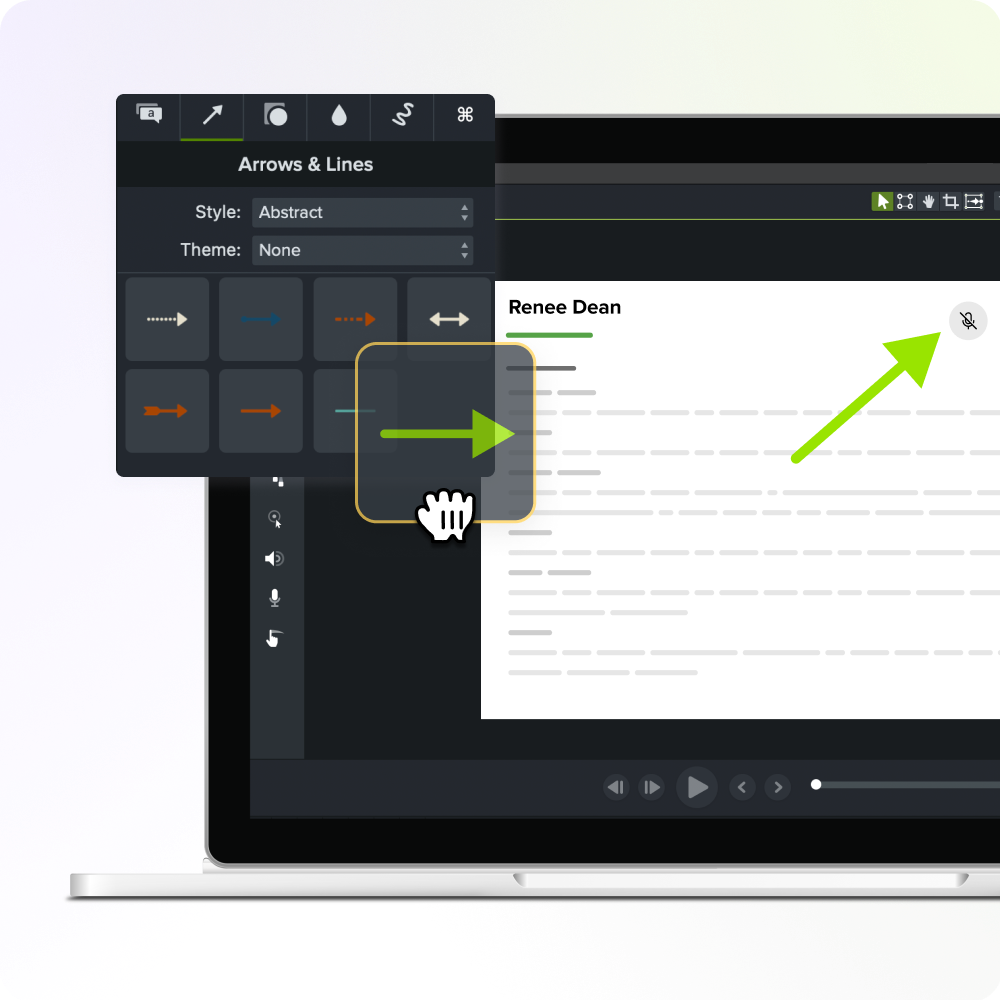
Where instructional judgment is non-negotiable
Trainers should keep control of module boundaries, concept completeness, and sequencing, because those decisions depend on knowing the specific learners: their job context, daily constraints, and what they need to walk away able to do. AI doesn’t have that knowledge.
Three judgment calls make this concrete:
- Module boundaries take domain knowledge to recognize where one concept ends and another begins.
- Concept completeness takes pedagogical judgment to confirm a trimmed segment doesn’t assume context the learner no longer has.
- Sequencing takes an understanding of how concepts build on each other across the full module library.
When AI decides the structure on its own, the failure is predictable. You get modules that are short but incomplete, or that reference a definition the learner hasn’t seen in the new order.
The trainer’s review step is what makes AI-assisted restructuring trustworthy. After Camtasia Audiate isolates a narration segment, the trainer watches the resulting module and confirms it teaches a complete concept before it enters the library. That review is the quality gate.
When AI decides the structure
When AI decides the structure, the trainer still decides what the structure is for. That division of labor makes the Camtasia workflow practical. Camtasia Audiate’s Smart Scenes proposes a structure by segmenting the transcript into scenes, and you decide which ones to keep. Camtasia Audiate also isolates narration so you can edit it like a document, and Camtasia Editor handles the modular project structure that turns one long recording into a set of focused, deployable modules.
The AI removes the mechanical friction. You supply the instructional judgment that decides whether a module actually teaches something.
If you have one training recording sitting in a folder right now, start there. Pull it into Camtasia Audiate, find where the topic shifts, and let the text-based transcript show you the natural module breaks. You’ll quickly see whether the AI’s suggested cuts match your instructional intent, and where you need to override them.
You already know which part of this workflow deserves your time: finding the segment that teaches one complete idea. Camtasia Audiate handles the narration cuts, and Camtasia Editor turns them into a module library that’s built to update.
Download Camtasia and run your first module split today.
Keep training videos accurate. Avoid “AI slop.”
Build training content faster without sacrificing quality. The HUMAN Framework is a 5-step strategy for integrating AI effectively.
Get the Guide
Frequently asked questions
How do I keep a microlearning module coherent when I cut it from a longer course?
Coherence breaks when a trimmed segment assumes context the learner no longer has, like a term defined earlier in the original course that now goes unexplained. Before you publish any isolated module, watch it cold, the way a first-time viewer would, and confirm it delivers a complete idea without leaning on surrounding content. One fix is adding a brief orienting sentence at the start of the module, either recorded or typed into the Camtasia Audiate transcript. Just as often, the missing context can live outside the video, in the LMS description, a course page, or the surrounding materials the module sits in, since most L&D programs pair video with other supporting content.
Can I use AI for microlearning if my original training was recorded outside Camtasia Editor?
Recordings from Zoom, Microsoft Teams, or Camtasia Online import into Camtasia Editor as a single combined track, which limits downstream editing flexibility compared to native Camtasia Editor recordings in TREC format. Screentelligence-powered cursor effects and separate audio, screen, and camera track editing work only on recordings made natively in Camtasia Editor. If you have recordings from other platforms, transcript-based narration editing in Camtasia Audiate still works, but expect fewer post-production options on the video side.
How fast can AI actually process existing training content into microlearning elements?
Research found that an AI pipeline using ChatGPT and Whisper turned 150 to 225 minutes of lecture video into microlearning elements within 45 minutes. Students rated the time efficiency of the AI-generated microlearning at a mean of 4.04 out of 5 across 650 students in two courses. That speed reflects mechanical processing time after you make the instructional decisions, so it isn’t a fully autonomous restructuring from start to finish. A trainer still needs to identify candidate module boundaries, verify concept completeness, and review each output before it goes into a learner-facing library.
What is the difference between AI-generated microlearning and using AI to edit existing training content?
AI-generated microlearning starts from a prompt or script and produces new content on its own, bypassing the trainer’s existing knowledge base entirely. That works for brand-new topics, but nothing guarantees the output reflects how your organization works. Editing existing training content with AI, the approach Camtasia Audiate supports, starts from material your SME already recorded and keeps that expertise intact. The trainer still decides what to cut, and AI speeds up the mechanical work of making the cut.
The practical difference shows up at review time. AI-generated content needs a full accuracy check against your actual processes, since none of it came from a verified source. AI-edited content needs only a judgment check on whether the trimmed segment still teaches the complete idea, because the underlying facts were already correct before you opened Camtasia Audiate. For organizations with an established content library, that’s usually the faster, lower-risk path.
How do I maintain consistent branding across a large library of microlearning modules?
Build one proven module structure, then save it as a reusable template in Camtasia Editor with File > Save Project as Template, so every new module starts from the same intro, content, and outro pattern. You can also save customized callout and lower-third styles as Library assets and share them across a team by exporting and importing files between individual local libraries. SmartFocus, available on Camtasia Essentials, Create, and Pro tiers, adds zoom and pan animation points automatically based on recording context, which saves time when you apply consistent visual emphasis across a large set of modules.
Share