









Software is being released faster than ever, in large part because AI coding tools are accelerating development cycles. Meanwhile, learning and development (L&D) and product enablement teams still rely on manual, skill-intensive video workflows to explain those constant changes. That gap is where training video costs compound.
When organizations invest in video-based learning, they often evaluate the budget through a single-event lens: the initial recording and edit. But as interfaces shift, features roll out, and internal workflows evolve, an unmaintained training library can become a burden. Even a minor update may require re-recording, voice matching, timeline editing, and re-rendering.
To reduce training video costs, organizations need to stop treating production as a one-time project and recognize it as a full lifecycle system. That means diagnosing where manual workflows break down between a software release and the training that explains it. Generative AI can then address those bottlenecks from the initial draft through future updates.
Key takeaways
- Training video creation demands a hidden stack of skills, from instructional design to multitrack editing, that few L&D teams have time to master.
- AI-accelerated software development is pushing out new features faster than traditional training video production can keep pace with.
- In internal studies, viewers reacted slightly more favorably to AI avatars than to authentic human recordings, challenging assumptions about the uncanny valley.
- Many trainers actually prefer AI-generated voices over their own, especially when they worry about their voice outliving their time at a company.
- Generative AI can shift a trainer’s role from hands-on editing to reviewing and refining generated content, freeing time for higher-value strategy work.
The double whammy squeezing training video teams
Training teams are caught in a structural double whammy: the same AI tools accelerating software development are increasing the volume of training content needed to explain those products, while traditional video workflows remain manual. Camtasia software developer Brooks Andrus describes software release speed as having accelerated dramatically.
Developer activity has reached record levels, with merged pull requests jumping 29% year over year as generative AI becomes a standard part of software development.
This dynamic changes the economics of corporate learning. As product updates become more frequent, training videos age faster too. Even if the baseline cost to produce a video stays the same, maintaining accuracy across a growing library requires more recurring work, increasing the overall cost of employee training.
This is a structural bottleneck rather than a cyclical problem. L&D departments can’t out-hire or out-schedule a workflow that requires manual intervention for every software update. Resolving that pressure requires reducing manual dependencies across the training video lifecycle.
Build your next training video with Camtasia
Record your screen or camera. Then, use the video editor to add polish and clarity.
Learn More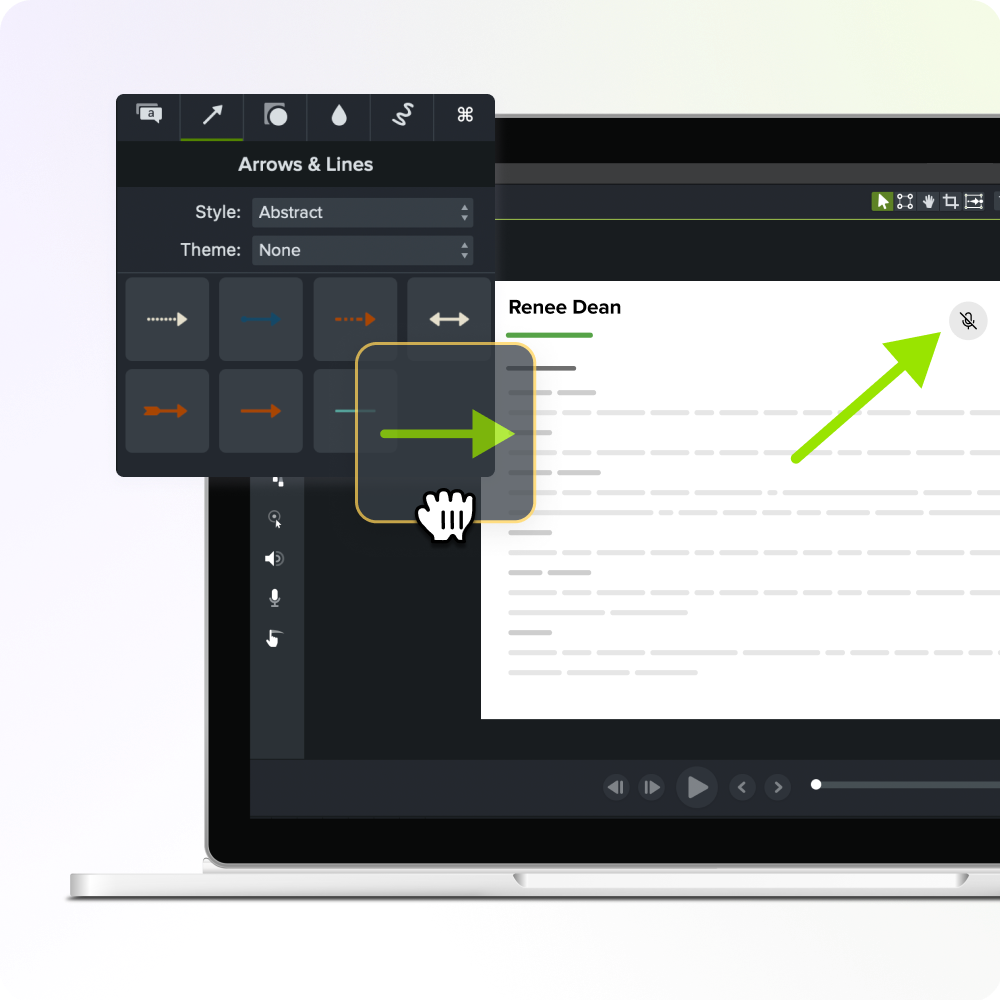
The hidden skill stack behind every training video
Training video production is often reduced to one vague complaint: “Video editing is hard.” In reality, creating effective instructional video requires a combination of specialized skills, with each layer adding another barrier to production.
- Subject matter expertise: Understanding the software, process, or workflow being explained.
- Instructional design: Applying learning principles to structure information so people can understand and retain it.
- Cinematography and visual framing: Managing screen framing, camera positioning, and visual hierarchy.
- Narrative structuring: Writing scripts that align spoken words with visual actions.
- Voice recording and audio leveling: Managing mic technique, noise reduction, pacing, and vocal tone.
- Multitrack nonlinear editing: Navigating timeline interfaces, splitting clips, syncing separate audio and video tracks, and managing callouts.
According to Andrus, the multitrack nonlinear editor represents one of the most demanding user experiences in software. Expecting an instructional designer or product owner to master every layer in this stack simultaneously is unrealistic.
Requiring all these skills at once can stop people from starting at all or lead to rushed content that reflects poorly on both the trainer and the organization.
This skill dependency feeds back into the lifecycle problem. When teams lack even one skill in the stack, they may skip updates, cut scope, or outsource small changes, all of which drive lifecycle costs higher over time.
Why the training video lifecycle breaks down today
Breakdowns rarely happen during initial planning. They occur at handoff points throughout the content lifecycle. Each handoff requires a different skill set and often a different person. When that person isn’t available, the update stalls and costs compound.
- Handoff 1: Script to record. Transitioning from written copy to spoken audio requires a quiet recording space, the right equipment, and a confident narrator. If the designated subject matter expert (SME) is camera-shy or unavailable, production can stall before recording begins.
- Handoff 2: Record to edit. Raw screen captures and audio files must move into an editing workflow. Syncing multitrack assets, removing hesitations, and inserting callouts require skills that many non-video specialists don’t have.
- Handoff 3: Edit to localize. When software changes or training expands into international markets, traditional workflows can require new recording sessions, translated scripts, or manually dubbed voice tracks, multiplying maintenance work.
Editing and voice recording are especially likely to create friction because they require skills beyond planning and subject expertise. When teams create employee training videos using traditional methods, each missing link in the skill stack creates another trade-off.
When a 10-second interface change requires a significant round of production work, organizations may leave outdated videos in circulation. That can create user confusion, increase support demands, and make it harder for employees or customers to adopt updated software.
Better scheduling alone doesn’t solve the problem. The underlying issue is skill dependency, and that’s where generative AI can change the workflow.
Who’s feeling this pressure now?
The operational burden of video creation has expanded beyond formal L&D departments. As more teams leverage AI tools to build internal apps, micro-features, and specialized software, the need for clear visual documentation is spreading across organizations.
Andrus points to sales engineers as one example. They routinely build complex, highly customized software environments for prospective clients and then need tailored walkthroughs to explain them. The affected audience now includes:
- Product managers and user experience (UX) designers: Creating quick feature walkthroughs for continuous release cycles.
- Sales engineers: Building custom demo videos and technical proofs of concept for clients.
- Customer success and support leads: Creating visual knowledge base content to reduce recurring support requests.
- Technical writers: Turning static text documentation into engaging visual instruction content.
Data from the Association for Talent Development (ATD) State of the Industry report underscores this resource pressure. Among talent development professionals surveyed, 33% cited scaling with few resources as a top challenge, while 27% cited the pace of change and another 27% cited inadequate budgets or resources.
L&D headcount has not grown at the same pace as the number of people and products requiring training content. That gap—where non-creators are expected to produce professional media with little or no production background—is where the pressure exists, showing that organizations can’t simply hire their way out of this challenge.
How generative AI removes each bottleneck
Generative AI can address lifecycle friction by removing specific skill dependencies, making it easier to create AI training videos at scale.
| Lifecycle friction point | Traditional bottleneck | Generative AI solution |
| Timeline editing | Complex multitrack timeline manipulation | Text-based editing: Edit video by modifying transcript text |
| Voiceover and audio setup | Studio space, mic setup, re-recording friction | AI voice generation: Generate professional voiceovers from text |
| Presenter availability | On-camera anxiety and scheduling reshoots | AI avatars: Generate on-screen presenters for intros, transitions, and instruction |
| Global scalability | Expensive dubbing and separate re-recordings | AI translation: Generate multilingual audio and captions |
Rather than treating AI as a collection of standalone novelty tools, the combination of Camtasia Audiate and Camtasia Editor lets teams manage the complete content lifespan within a unified ecosystem. Removing a skill requirement alters who can create and update training videos, delivering far greater organizational value than adding incremental features to a traditional timeline editor.
Editing video by editing text
For non-specialists, manipulating audio waveforms and video tracks on a multitrack timeline is a major operational barrier. Text-based editing with Audiate changes that model by linking recorded media to an automatically generated transcript.
When a user deletes a word, hesitation, or sentence from the transcript, Audiate removes the corresponding section from the media automatically. No timeline manipulation is required.
Removing the need to master timeline mechanics does more than improve a traditional editing feature. It lets trainers, technical writers, and product managers approach basic video editing much like they would edit a text document.
If you can edit a doc, you can edit a video
Stop fearing the timeline. Camtasia Audiate transcribes your recording so you can edit your video just by editing the text.
Free Download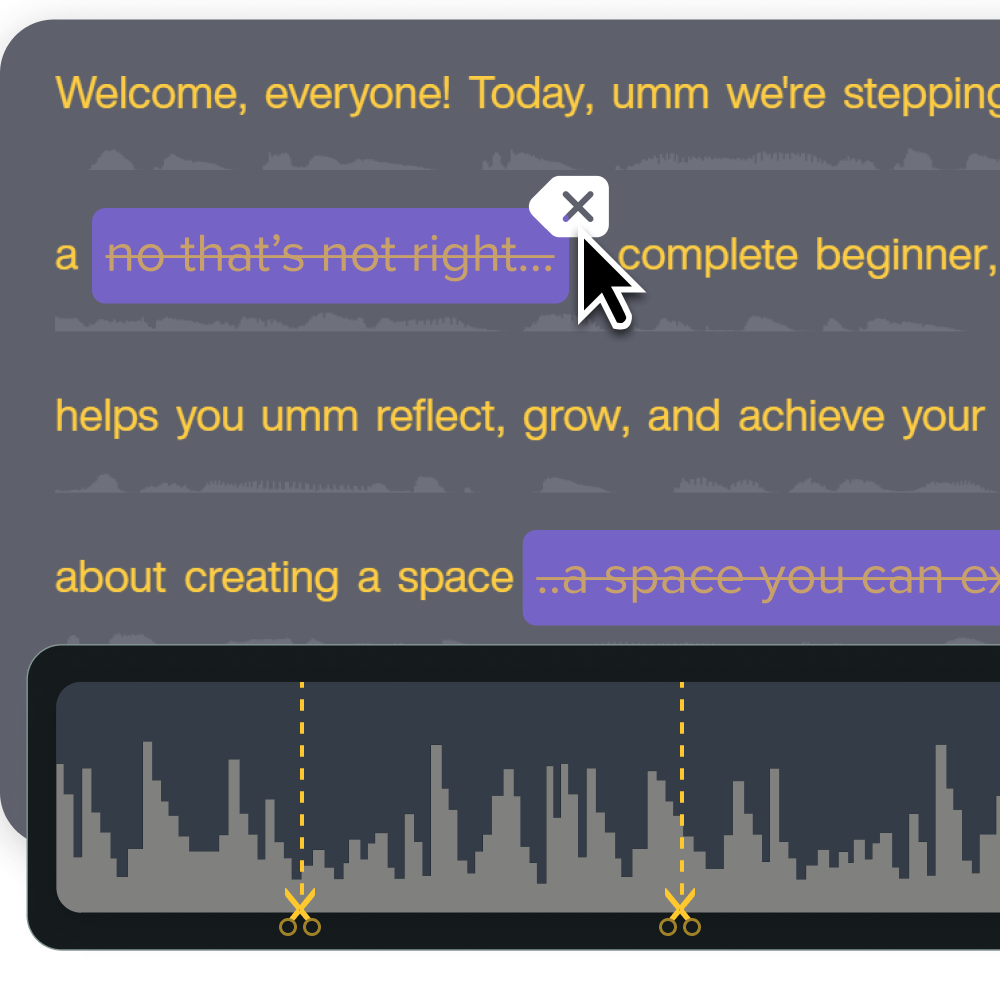
AI voice generation without the cringe
Re-recording audio to fix a minor script change or update a product name traditionally means reassembling equipment, matching room acoustics, and replicating vocal tone.
AI voice generation eliminates this recording and re-recording bottleneck for non-professional narrators. Through integration with high-quality voice technology like ElevenLabs, creators can generate natural-sounding voiceovers directly from written text, without the need for dedicated studio space, scheduling conflicts, or finding someone willing to put their voice on record.
Premium ElevenLabs voices are available with eligible Audiate, Camtasia Create, and Camtasia Pro subscriptions purchased through the TechSmith online store. Customers who purchase through software resellers or sales reps still have access to the Default Voice collection.
To evaluate vocal naturalness and tone quality firsthand, users can hear AI voice examples in Audiate before incorporating generated audio into their training content.
Instant lifelike AI voice over
No voice over? No problem. Audiate generates incredibly life-like voice over right from your script!
Get Audiate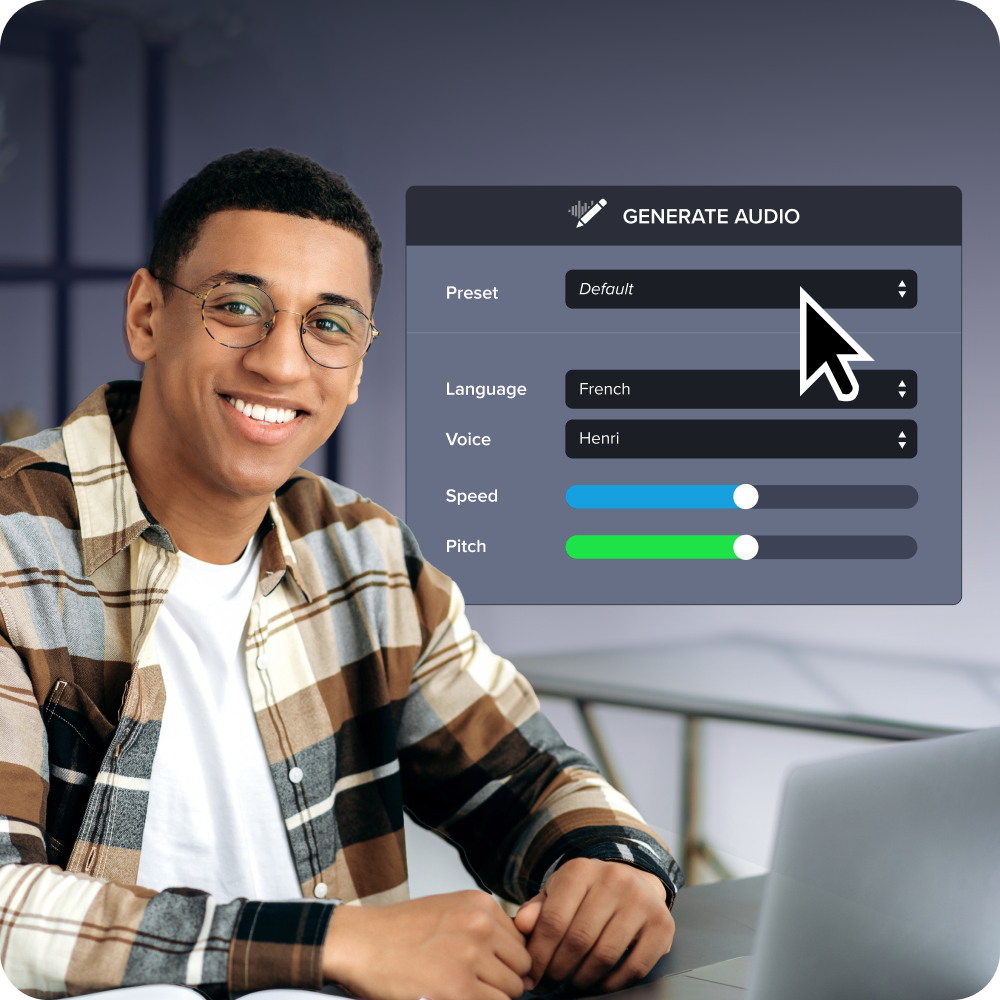
Avatar-based presenters
For instructional content that benefits from a human presence, such as onboarding modules or compliance videos, scheduling camera time with busy or camera-shy subject matter experts can create persistent delays. AI avatars remove that on-camera performance bottleneck and make future updates possible without scheduling reshoots.
Camtasia research found that viewers responded well to AI avatars in instructional, screen-based formats. This makes avatars a useful option when teams want an on-screen presence without requiring additional camera time.
Using an avatar in the lower corner of a screen capture provides visual engagement without distracting from the software procedure being demonstrated.
Translation and localization at scale
Localization is usually one of the first lifecycle stages cut due to the high cost of hiring voice actors and re-recording screen actions for international markets. AI-driven translation reduces that trade-off, enabling creators to translate underlying transcripts into multiple languages and generate synchronized vocal tracks automatically.
Because translated video outputs are AI-generated, organizations should include AI content disclosures in accordance with organizational governance guidelines.
Addressing the objections holding teams back
Each concern has a specific, evidence-backed answer rather than vague reassurance. Addressing these concerns directly can help teams evaluate where generative AI fits into their training workflows.
The voice cringe factor, debunked
According to Andrus, many trainers dislike hearing their own recorded voice. Organizations also face continuity challenges when an employee who voiced key training assets leaves the company, making future updates difficult to match.
Trainers may prefer using AI-generated voices over recording themselves, especially when they worry about their recorded voice outliving their tenure at the company.
As Camtasia research shows, professional-quality AI voices can support knowledge retention as effectively as human narration.
The uncanny valley myth: What the data shows
Skeptics often worry that digital avatars feel unnatural or off-putting to learners. But viewers were most comfortable with AI avatars in instructional, screen-based contexts and rated avatar quality substantially higher when presented in a picture-in-picture layout versus full-screen.
When an avatar operates as a supporting guide alongside a software demonstration, learners can focus on the task being demonstrated rather than the presenter.
Reframing the AI job security fear
When generative tools are introduced, L&D professionals sometimes worry that automation will threaten their roles. However, as Andrus suggests, would you rather spend a full week manually editing minutes of video or focus on learning strategy?
Organizations need more training content, and delivering more of it can create a flywheel effect: Increased video output surfaces new questions about what needs to be built, how and where content should be delivered, and who is accountable for reviewing and approving it.
AI can move humans up the value chain to the orchestration layer, shifting trainers from hands-on production to strategic oversight, quality assurance, and organizational alignment.
Choosing the right approach for your training content
There is no single right format for every video. Avatars and screen-only recordings solve different problems, so matching the delivery format to the learning goal is key. Most training programs will mix formats based on the content and audience.
When to use an avatar vs. screen-only recording
To choose between an avatar and a screen-only recording, run through this brief checklist:
- Is the primary goal demonstrating a UI click path or procedural task? Choose screen-only recording to keep the visual focus on the software interface.
- Is the video introducing a new concept, compliance topic, or soft-skill framework? Choose a picture-in-picture avatar. The visual presence can provide structural pacing and break up visual monotony.
- Will this video require frequent multilingual localization across global teams? Consider a screen capture with generated AI voice tracks. Text-based audio updates can make multilingual maintenance simpler.
Where training video creation is headed next
Training video production is transitioning toward a “generate, review, regenerate” workflow. Rather than starting every project with a blank editing timeline, instructors and SMEs can define the core training goals and let AI draft the initial content.
In this model, the trainer’s role centers on editorial review and refinement: verifying technical accuracy, tuning tone, and ensuring strategic alignment. This shift can make it easier to update video documentation as software release cycles accelerate.
Closing the gap across the full training video lifecycle
Training video costs compound because traditional production relies on a complex stack of manual skills across every stage of the content lifecycle. As software updates become more frequent, manual workflows stall, creating outdated video libraries and compounded costs. Unlike avatar- or transcription-only tools, the Camtasia Product Suite addresses the full lifecycle, not just one stage.
By reducing skill bottlenecks at each handoff point through text-based editing, AI voice generation, avatars, and translation, the suite can make video maintenance a more manageable, continuous process. Effective training video library management also helps learning assets remain accurate, engaging, and cost-effective over their entire lifecycle.
Discover how the Camtasia Product Suite streamlines video creation and editing across your organization. See all products
Frequently asked questions
Why are training video costs rising even as teams try to keep up?
Software release cycles have accelerated dramatically, in part because of AI-assisted development, so training content needs more frequent updates. Traditional video production wasn’t built for that pace, since a single update can require re-recording, re-editing, and re-voicing full segments. This combination of faster software changes and slower production methods creates a widening cost gap for training teams.
What actually makes updating a training video so time-consuming?
Each training video draws on multiple distinct skills: instructional design, scripting, on-camera or voice delivery, and multitrack editing. Most trainers only have deep expertise in one or two of these areas, so updates can stall while teams wait on the missing skill. That skill stack, not the video’s length, is usually the real bottleneck slowing teams down.
Do AI avatars really perform as well as human presenters in training videos?
Camtasia research comparing AI avatars against authentic human recordings found that viewers responded favorably to avatars. That result surprised even the team running the study and challenged assumptions about uncanny valley effects. Results likely depend on avatar quality and context, so screen-only recording still fits many procedural scenarios.
Will AI voices and avatars eventually replace trainers’ jobs?
Generative AI removes the manual grunt work of production, not the trainer’s expertise. Instead of spending most of a week editing a couple of minutes of footage, trainers can focus on planning, reviewing, and refining content strategy. Many teams see this as a chance to turn training and customer education into genuine growth engines rather than a threat to job security.
When should you use an AI avatar instead of a screen-only recording?
Screen-only recording works best when the content is purely procedural, and viewers just need to see the interface. Avatars work well for soft skills training, section transitions, and moments needing renewed attention, like a small talking presence in the corner. Choosing between the two usually comes down to whether learners need a process or a presenter.
Share