









When planning employee training programs, training and operations leaders often focus on line items, which means hidden costs add up in the background. The real cost of training goes much deeper.
As a trainer, you need a full view of direct and indirect expenses to ensure that budgets stay adhered to, programs perform well, and leaders feel empowered to continue teaching.
The following framework helps uncover the hidden costs of training, so you can make smarter decisions, reduce financial surprises, and connect investment to impact. Understanding the true cost equips you to align learning with performance goals and organizational outcomes that will benefit your team in the long run.
Why understanding staff training cost matters
Training budgets tend to fail not because they’re too small, but because they’re too vague. Vague budgeting often leads to overruns.
Indirect costs, like productivity loss, rework from ineffective training, or tech inefficiencies, unexpectedly increase expenses. Without measuring indirect costs, it’ll be hard to measure ROI and adjust training in the future.
Lastly, cost visibility builds stakeholder trust over time and prioritizes high-impact programs in the future. This visibility will ensure everyone is on the same page and mitigate unwanted surprises.
By understanding the true cost of training, you’ll be able to:
- Improve budget accuracy by avoiding hidden costs
- Clarify ROI and tie cost to performance and retention metrics
- Plan and choose the right format for the right purpose
Many organizations default to text-heavy eLearning modules or low-production videos to save money. Unfortunately, poor content quality often leads to knowledge gaps, disengagement from employees, and costly retraining programs.
High-quality, visual-first training–especially for process-heavy compliance topics–improves outcomes and retention, which reduces long-term costs.
Key factors that affect training costs
Training costs vary widely between companies (even between departments!), because multiple factors influence both design and delivery. By understanding these variables, you can build realistic budgets and select the best strategies for your workforce.
Business size
It may seem counterintuitive, but large companies often spend less per employee on training. That’s because of the economies of scale. Larger organizations can spread fixed costs across more learners, which reduces the average price.
Here’s a quick overview of how company size affects training cost and strategy
| Company size | Average Cost per Employee | Typical Challenges | Cost-saving Opportunities |
| Small (<100) | $1,000-2,000 | Limited resources No dedicated trainers | Peer learning Video-based learning |
| Mid-size (100-1000) | $1,000-1,500 | Scaling programs Diverse needs | Blended learning Group sessions |
| Large (1000+) | $400-1,000 | Consistency Tracking completion | LMS platforms Automated delivery |
Industry and skill requirements
The type of training required for your team can vary widely by industry, especially when compliance or technical skills are involved. These details drive up costs quickly, and it’s important to get ahead of them.
Industry-specific cost drivers include the following:
- Healthcare: compliance training, including laws, regulations, and rules; certification requirements for specialized roles
- Technology: Highly specialized tools and software; the constant need to upskill
- Manufacturing: safety protocols and procedures; equipment operation and maintenance
- Retail: High employee and inventory turnover; seasonal workforce training
Of course, these aren’t comprehensive, but they provide a small framework of training types that vary by industry.
One highly effective technique includes using visual content, especially video training, to reduce ramp-up time for employees. Additionally, when trainers create videos, they can reuse them across applicable departments and edit them to only focus on the information their learners need, making learning more efficient.
Training format
The type of training you choose has a huge effect on both the cost of training and its long-term impact on performance and employee retention. Usually, organizations make decisions based on up-front pricing, but the training format affects long-term employee engagement, learning outcomes, and scalability.
There are four most common formats.
- Instructor-led training is a traditional training method in which a trainer leads a session in real-time, either in-person or virtually. It’s the most expensive format in terms of initial investment since it requires schedule coordination, physical space, and potential travel.
- E-learning offers flexibility to train anytime, anywhere. It includes interactive modules hosted on learning management systems (LMS), making it ideal for standardized content and scalable delivery.
- Video-based training is highly engaging for any type of learner. It has low ongoing costs once created and is effective across roles and departments, making it a perfect option for most training initiatives.
Training-focused video tool Camtasia is a perfect solution for clear, effective training video content that is easy to update over time without needing professional production skills, which is ideal for walkthroughs, SOPs, or onboarding.
Crystal-clear screen recording
Why settle for blurry screen content? Camtasia Editor’s screen recorder captures everything at up to 4K!
Free Download
- Blended learning combines the best of both worlds. It combines live instruction with digital content so trainers can deliver complex topics through instructor-led training while reinforcing knowledge with on-demand videos and modules.
| Format | Pros | Cons |
| Instructor-led training | Complex, high-stakes topics Compliance training & certifications Soft skills development (ie, leadership) | Limited scalability High cost per learner Scheduling conflicts |
| E-learning | Consistent onboarding Compliance refreshers Basic skills training | Moderate up-front cost Quick outdating Varying learner engagement |
| Video-based training | Software walkthroughs Onboarding modules Standard operating procedures (SOPs) | Occasional updates as processes change Production capabilities |
| Blended learning | Multi-stage training program New employee onboarding Wide-spread teams | High-level coordination Complex setups |
Productivity loss
While direct costs like trainers and materials are easy to quantify, a hidden cost of employee training is often lost productivity down the road. When learners are pulled away from day-to-day responsibilities to answer repeated questions, costs add up quickly.
Every hour spent in training is an hour not spent producing value, and for new employees, the investment is even greater due to slower ramp-up time and ongoing supervision.
Let’s go over each step in the following formula to calculate productivity loss.
Employee hourly rate x training duration + supervisor time = total cost
- Employee hourly rate = (annual salary + benefits) / annual work hours
Example: $50/hour
- Multiply by training duration = total hours of training
Example: 40 hours
- Add supervisor time = oversight time (typically 10-20% of employee rate)
Example: 4 hours at %50/hour = $200
Total productivity cost per learner =
Employee time ($2,000) + Supervisor time ($200) = $2,200
How much does it cost to train a new employee?
Training new employees is an essential but often expensive process. According to the Association for Talent Development (ATD), the average organization spent $1,280 per employee on workplace learning, with an average cost of $103/hour. Of course, this will vary depending on role complexity and onboarding duration.
Here is a breakdown of new hire costs:
- Pre-boarding: Background checks, system access, equipment setup
- Onboarding: Orientation, first-week training, introductions
- Role-specific training: task-related and technical training
- Mentorship: Supervision and shadowing by managers for job readiness
Depending on the role, time to productivity can range from 8 to 26 weeks, which means that early employee turnover increases the training loss, making employee retention a critical ROI metric.
Steps to calculate cost per employee (with a framework)
Let’s explore a simple three-step framework to calculate your actual cost of training per employee.
- Identify direct expenses
Direct expenses are the straightforward costs everyone remembers to include. They’re the foundation of employee training cost calculations. However, this is only the starting point and should be considered as a foundation for calculations, not a comprehensive list.
Include the following:
- Instructor fees: Internal trainer salaries or external consultant rates
- Materials and resources: Workbooks, software licenses, online course fees
- Venue and equipment: Room rentals, computers, training tools
- Travel costs: Transportation, accommodation, meals for off-site training
- Include indirect and hidden costs
Indirect and hidden costs are commonly missed expenses, which means they can easily go unnoticed when planning. When a budget only accounts for the direct costs, it quickly leads to a rising bottom line.
Here are the hidden cost categories to consider:
- Participant wages during training
- Manager time for planning and follow-up
- IT support for technical training
- Administrative coordination efforts
To mitigate these costs and stay within budget constraints, use a checklist that includes the following:
- Planning time: Course design and customization hours
- Coordination efforts: Scheduling, communication, tracking
- Opportunity costs: Revenue lost for diverted resources
- Failure costs: Re-training for unsuccessful participants
By understanding the hidden costs of training, it’ll be easier to keep within budget.
- Divide by the number of learners
Understanding this math drives better training decisions for your team. It’ll help you choose the right delivery method and avoid overpaying for programs that will have little impact on employee development.
(Total Direct + Indirect Costs + Development ÷ Uses) ÷ Number of Participants = Cost Per Employee
Simply input your costs in this reusable template:
Total Direct Costs: $____
Total Indirect Costs: $____
Development Costs ÷ Expected Uses: $____
Total Investment: $____
÷ Number of Participants: ____
= Cost Per Employee: $____
To save time and increase ROI over time, create modular, evergreen content in a library of reusable content. This can be easily built using tools like Screencast. Screencast is a video hosting platform that is directly linked to Camtasia, so you can capture, edit, and organize your videos without using multiple tools.
The hidden costs that make training more expensive than you think
A training budget is kind of like an iceberg: visible training costs represent only a fraction of the true expenses. Identifying hidden costs can transform a budget’s accuracy and decision-making.
| Time-based expenses | Productivity impacts | Support requirements | Failure and repetition costs |
| Planning | Learning curves | Mentoring | Re-training |
| Coordination | Mistakes during practice | IT assistance | Turnover-related expenses |
| Follow-up | Management oversight |
Commonly missed expenses include the following;
- Manager preparation time
- Participant selection process
- Post-training support
- Knowledge transfer delays
To reduce rework and support time, trainers should create clear, searchable screen recordings and tutorials with Camtasia. Camtasia’s multi-track screen recorder and video editor make it possible (and convenient) to edit your screen, camera, audio, and cursor on separate tracks.
That means videos can easily be updated when processes change without much extra work on the trainer’s part.
Go from screen recording to polished video
A screen recording is just the start. Camtasia’s editor helps you add the callouts, animations, and edits you need to create a truly professional video.
Free Download
Tips to reduce corporate training costs without sacrificing quality
Cheap training isn’t cost-effective when it fails to deliver results. Strategic investment in the correct tools and methods reduces costs and increases the impact training has on employees.
Embrace video-based learning
Video-based microlearning can increase retention by up to 80% and lead to a 50% reduction in development costs.
By embracing video-based training, trainers can easily update content when processes change and scale without sacrificing quality. By using a multi-track screen recorder like Camtasia, trainers can update just one section when a process changes, which is far faster than recreating an entire deck or manual.
For an even quicker video creation process, trainers can also use Camtasia’s AI script generation and avatars to bring their words to life.
Leverage on-demand screen capture
Software training is usually a huge part of onboarding, and it’s easier to teach using screen capture to show, instead of tell, what you know. A visual approach reduces training time and accelerates learning.
According to TechSmith’s How to Thrive in the Modern Workplace Report, 97% of people who create images like screenshots, infographics, and charts to support communication say it makes their messages more effective.
A convenient way to create on-demand screen captures is to start by identifying repeatable training needs, record a screen tutorial, add annotations, and distribute it to learners in a searchable video library.
If video isn’t appropriate, trainers can create a step-by-step guide in minutes using Snagit’s step capture feature that turns clicks into a sequential process document.
Optimize training schedule
Poor scheduling can increase costs through overtime, rushed delivery, and participant conflicts.
There are a few tactics trainers can use to minimize these costs.
- Smart timing: Only schedule training sessions when the overwhelming majority of learners are available. If synchronous or in-person training is necessary, consider a blended learning approach to divide up content most effectively.
- Batching: Record one long training video that explains a process from start to finish, then cut and trim the footage around each concept to batch knowledge efficiently.
- Microlearning: Short modules work best to convey basic information. Instead of including a lot of information in one long video, include a little information in smaller videos. This directly relates to batching.
Track ROI and adjust
Lastly, measure and track key metrics you can optimize over time. Training is only helpful when you see results from learners’ performances, so it’s imperative that everything is tracked.
Start by tracking the following metrics:
- Time to productivity
- Skill application rate
- Mistake reduction
- Manager-reported performance improvements.
Given specific results, trainers will be able to adjust the content that seems to be underperforming. For example, if learners are struggling with a low skill application rate, training materials may need to be adjusted to be more in-depth and visually-focused.
Use visual communication tools to lower your training expense
With the right approach, visual learning reduces cost and increases the effectiveness of training. The right tools can also transform expensive, inconsistent training into scalable, engaging education.
According to TechSmith’s 2024 Video Viewer Trends Report, 83% of people prefer to consume instructional or informational content by watching a video. The research is clear: people want video training that sticks.
Do AI Voices and Avatars Improve Learning?
Discover what the data reveals about learning outcomes.
Get the Full Report
Not only is video training a preference for learners, but it also has benefits for the trainers:
- Faster creation: Record a training video in minutes compared to writing a manual for hours.
- Easier updates: Rerecord sections as processes change rather than rewriting stacks of documents.
- Global reach: Visual communication transcends language barriers, allowing training to work for more people
Modern screen capture and video editing tools enable any team member–no matter where or when they work–to create professional training content. Beginner-friendly tools like Camtasia and Snagit have intuitive interfaces that eliminate the need for technical expertise. Every subject matter expert (SME) can be a potential trainer with these tools.
Together, Snagit and Camtasia allow for a full visual training workflow. Record comprehensive videos and capture supporting visual documents that complement each other for a rounded-out training experience.
Make every training dollar count
Understanding the full cost of employee training–including hidden expenses–is key to improving employee retention, avoiding budget surprises, and creating a successful program.
Explore TechSmith’s powerful tools, Camtasia and Snagit, to create professional, scalable training content today.
Looking for professional screen recording software?
From simple screen captures to polished video editing, TechSmith has everything you need to create professional-quality content.
Learn More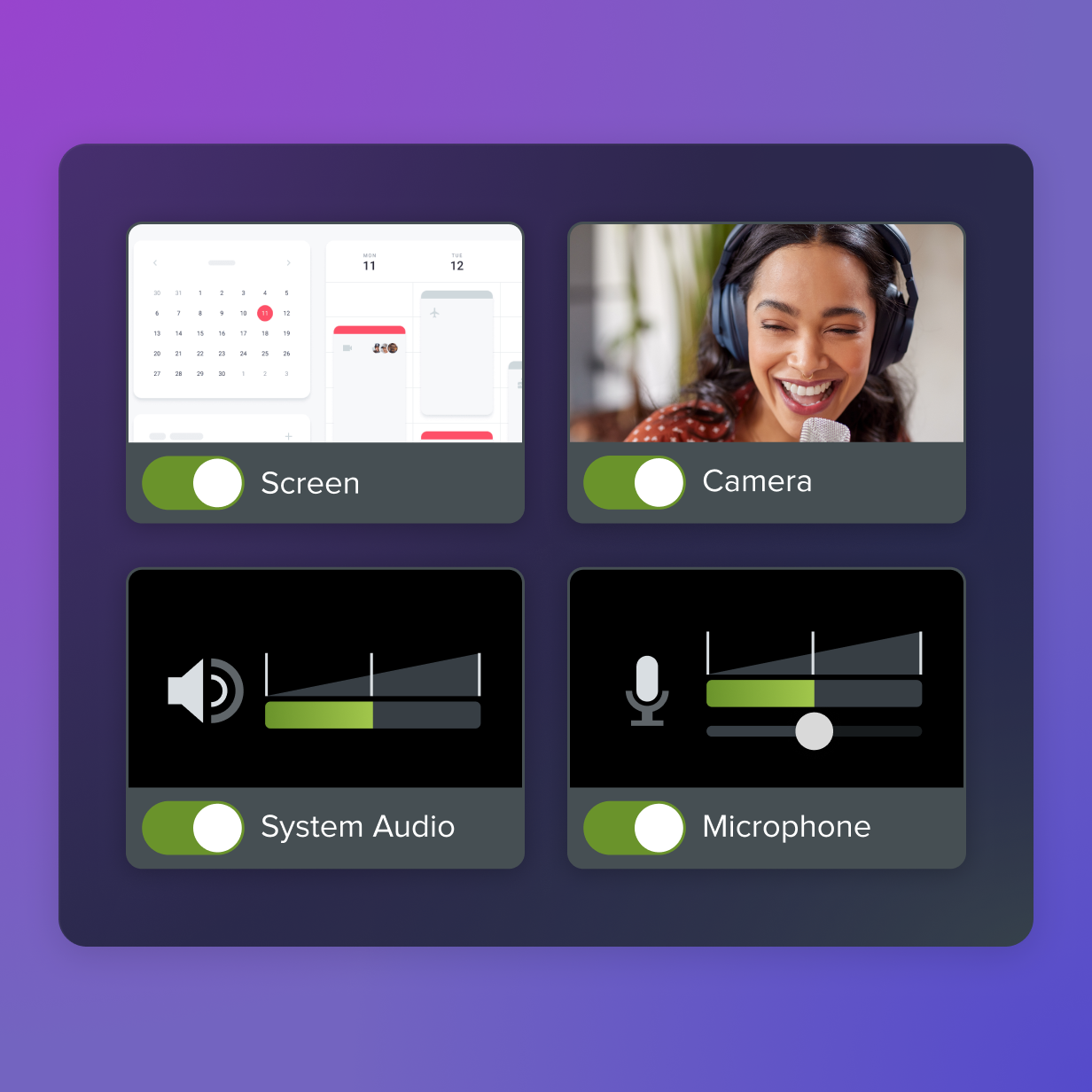
Share