










An expert retires, moves to another team, or just gets pulled into back-to-back projects, and what they know goes with them. The cause is a missing system. Nothing ever recorded that know-how. Organizations trying to accelerate organizational learning need a system more than they need more courses or more documentation requests.
A repeatable system records expert knowledge, turns it into consistent training assets, and sends those assets through a structured review. That’s how what one person knows becomes something everyone can learn from.
This article walks through a three-stage model built around that idea: Capture, Produce, and Distribute. Each stage tackles a bottleneck that learning and development (L&D) managers and operations leaders hit when they try to scale knowledge transfer. You’ll get a framework you can show budget approvers, with enough detail to prove you can pilot it.
Key takeaways
- Organizational learning stalls when expert knowledge stays undocumented, and the cause is a missing system that records that knowledge before it walks out the door, not a shortage of training hours.
- A repeatable content system accelerates learning by connecting three stages: capturing expertise, producing consistent branded assets, and distributing content for structured review.
- Undocumented expertise is a measurable organizational risk, and building the internal case for a capture system may be more persuasive to budget approvers than any learning strategy argument.
- Consistent production tools, shared templates, and exportable style assets can help non-specialists produce branded training content at scale, without a dedicated production team.
- Finished training content often stalls in email threads after creation, and a structured, link-based review workflow can close the distance between production and actual learner access.
Why training volume alone slows organizations down
Scheduling more training sessions doesn’t accelerate organizational learning when the expertise behind those sessions was never recorded in a reusable form. The knowledge lives in one person’s head, gets shared through a verbal walkthrough or a one-off screen share, and stays there until someone has to ask again.
That’s the failure mode. Undocumented processes and tacit knowledge are perishable by nature. The next new hire gets a different explanation from a different colleague, or no explanation at all. Training volume keeps climbing while the underlying knowledge stays fragile.
The cost of that pattern is measurable. Deloitte’s 2026 knowledge-management research describes an anonymized European telecommunications provider that consolidated four separate knowledge silos into one unified foundation. First-contact resolution improved 37%, Net Promoter Score (NPS) rose 30 points, and new-hire time to full productivity dropped 50%.
Those results came from building a system that made existing know-how reusable instead of letting it scatter across disconnected sources.
More sessions on a calendar can’t substitute for that kind of infrastructure. If your organization’s undocumented expertise keeps escaping through one-off explanations and informal walkthroughs, the knowledge transfer process is the place to start rebuilding it on firmer ground.
What a repeatable content system is
A repeatable content system connects three stages in one workflow:
- Capture expertise in a consistent format.
- Produce it into reusable training assets.
- Distribute it through a structured review process.
Each stage solves a different organizational problem, and together they end the habit of rebuilding training content from scratch every time a learning need comes up.
The capture stage preserves undocumented expertise before it walks out the door with a departing employee or gets buried in the calendar of a subject matter expert. The production stage turns that raw recording into a finished, branded asset a non-specialist can create without a production team. The distribution stage puts the asset in front of the right reviewers and learners without routing it through someone’s inbox.
Most organizations lack this system. They have ad hoc screen recordings saved to personal drives, scattered screenshots shared over chat, and training content that lives in one person’s email. When a process changes or a new hire starts, someone rebuilds the same content from memory. The knowledge transfers, but the asset doesn’t.
Consistency and reuse are what make organizational learning scale. When every piece of training content moves through the same three stages, the output is predictable. Reviewers know what to expect. Learners get the same quality no matter who created the content or when.
Keeping video training consistent across a team is a workflow problem more than a production problem, and a repeatable system solves it.
Stage one: Capture expert knowledge
Undocumented know-how leaves the organization the moment a subject matter expert (SME) changes roles, goes on leave, or moves on. A deliberate recording step moves a live process out of someone’s memory and into a durable, reusable asset before that happens.
Camtasia Snagit’s Step Capture is the primary tool for this stage. As the SME walks through the process on screen, Step Capture records each action and builds it into a static, numbered guide automatically. The result is a clear, sequential document a new team member can follow without the original expert in the room.
One session can produce two outputs. The static guide is ready to share right away. If you also need a training video, hand the .snagx project file straight to Camtasia Editor through the Share menu, and Camtasia Editor applies transitions, callouts, cursor motions, and image animations automatically.
With this method, turning screenshots into a training video doesn’t take a second recording session. That two-output approach sets this workflow apart from screenshot-first tools that stop at images and document-first tools that never record a live workflow.
Portability counts too. Camtasia Snagit screenshots export as standalone image files you can store in Google Drive, SharePoint, Screencast, or email. Platform-locked documentation tools keep guides inside their own environment, while your screenshots move with your team’s existing workflows.
Crystal-clear screen recording
Why settle for blurry screen content? Camtasia Editor’s screen recorder captures everything at up to 4K!
Free Download
Stage two: Produce branded learning assets
Recorded expertise only becomes learnable when a non-specialist can turn it into consistent, branded content without a production background. That’s the production bottleneck most organizations hit. The knowledge exists, but the path from raw recording to finished training asset is inconsistent, slow, or gated by the one person who knows the tools.
Camtasia Editor gives teams a repeatable production structure. Start with a theme that locks in your brand fonts, colors, and logo. Work from a saved project template that preserves a proven structure, so each new asset starts from the same foundation instead of a blank timeline.
Share customized callout, title, and lower-third styles as Library assets, exported and imported as files between each team member’s local Library. You don’t need a centralized library, because the structure travels with the files.
Camtasia Rev applies layouts and effects automatically, so creators without deep editing experience produce consistent output from the start. SmartFocus adds zoom and pan animation points based on the recording context, which saves you from manually guiding a viewer’s attention through a screen walkthrough. Both tools cut production effort and leave editorial control with the creator.
Screentelligence-powered cursor effects add to that automatic polish, but only for recordings made natively in Camtasia Editor (TREC format). A recording brought in from another source won’t get the same automatic cursor smoothing.
Captions belong in this stage. Camtasia Editor’s automated caption tools and SRT export make every asset your team produces accessible by default. For the execution-level detail on building a modular, repeatable production process, this guide on scalable employee training covers the tactics in full.
Go from screen recording to polished video
A screen recording is just the start. Camtasia’s editor helps you add the callouts, animations, and edits you need to create a truly professional video.
Free Download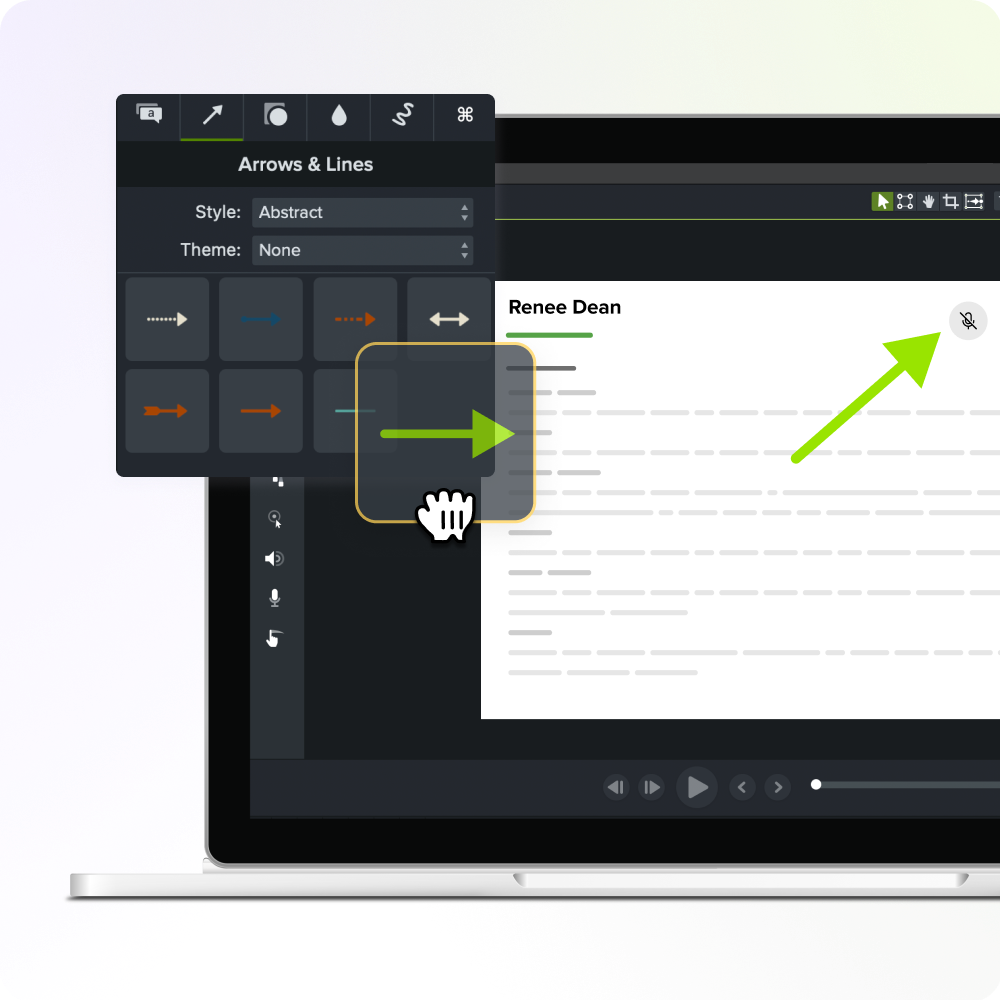
Stage three: Distribute content for approval
Finished training content routinely stalls in email threads and disconnected file systems before it reaches learners. A stakeholder replies with “around the 2:30 mark, the screen looks wrong,” the thread branches into follow-up questions, attachments, and version confusion, and nobody knows which file is current.
Screencast replaces that pattern with link-based sharing where file size isn’t a limitation. The creator controls who can view the content and whether commenting is on. Stakeholders open the link, watch the video, and leave time-stamped, frame-specific comments right on the content. The feedback lands where it belongs instead of in a reply-all thread.
Teams often adopt a simple convention where a stakeholder writes “approved” as a comment when the content is ready to move forward. That works well as a shared practice, but it isn’t a built-in approval feature, a sign-off state, or a logged record of who reviewed what and when.
Screencast supports creator-controlled access and structured commentary, and teams build their own review conventions on top of that.
Screencast’s shared library holds finished, exported videos that multiple people can view and comment on. Camtasia Editor Library assets are a separate thing: editable callout and style files that teams share by exporting and importing between individual local Libraries.
How the stages form one system
Capture, production, and distribution work as one system because each stage hands a usable output straight to the next, with no manual rebuilding. Camtasia Pro connects all three stages in a single workflow.
The handoff starts in Camtasia Snagit, which moves the Step Capture project directly into Camtasia Editor’s timeline.
Once editing is done in Camtasia Editor, the finished training asset moves to Screencast for stakeholder review.
In practice, you can pilot this workflow around one high-priority process before committing to a wider rollout. Pick one undocumented procedure, run it through Step Capture, bring it into Camtasia Editor, and share it through Screencast for stakeholder review. That one cycle shows the full system and produces a reusable asset at the same time.
Building the internal case
A credible internal case connects knowledge loss to organizational cost, explains the workflow in stakeholder language, and answers the practical objections budget approvers will raise. The sections below cover all three.
Framing knowledge loss risk for budget approvers
Budget approvers recognize knowledge loss as a business risk when you tie it to repeated onboarding cycles and inconsistent execution across teams, plus the cost of rediscovering what the organization already knew. Those are the consequences when no system records what experts know.
A capture system addresses all three, and it starts with screen recording and screenshots for knowledge sharing.
Describing the system in stakeholder language
Describe this workflow as organizational infrastructure, and it lands differently with budget approvers. Infrastructure implies durability and reuse across many projects, where a purchase implies a one-time cost.
Each stage maps to an outcome stakeholders already care about:
- Capture means expert knowledge stays in the organization when people move.
- Production means training content stays consistent and easy to update without a production team.
- Distribution means content reaches learners right after review.
Anticipating the objections you will hear
Three objections come up most often:
- Your organization already has a learning management system (LMS).
- Your SMEs don’t have time to record.
- You don’t have a production team.
The LMS objection has a direct answer. This workflow produces the content that goes into your LMS. It doesn’t replace it.
If SME time is the concern, Camtasia Snagit’s Step Capture records the process as the SME performs it, so nobody needs a separate documentation session.
If you don’t have a production team, Camtasia Editor’s exported templates and Library assets give non-specialists a proven, branded structure to work from.
Start building your system, not just your training library
The goal was never to produce more training content. It was to build the infrastructure that makes any training content durable, consistent, and reusable across the organization.
That’s a system where a process recorded once becomes a step-by-step guide and a narrated training video without a second recording session. It’s where a shared Library asset keeps every team’s callouts on-brand without a style review meeting.
You now have the three-stage framework, the stakeholder language, and the objection responses to bring that case into a budget conversation. Your next step is running the workflow yourself, so you can show what it looks like in practice.
Put Camtasia Pro to the test and see how far a single recording session can take you.
Build your next training video with Camtasia
Record your screen or camera. Then, use the video editor to add polish and clarity.
Learn More
Frequently asked questions
How is a repeatable content system different from simply buying a learning management system?
A learning management system stores and delivers training content, but it doesn’t produce that content or make sure expert knowledge gets recorded in the first place. A repeatable content system handles the upstream problem. It turns undocumented expertise into structured, reusable assets before routing them into whatever delivery platform your organization already uses. The two work together, so building a capture-produce-distribute workflow doesn’t require replacing an existing LMS.
What types of expert knowledge are most at risk of being lost without a capture system?
Process knowledge is the most vulnerable, especially the step-by-step workflows subject matter experts perform daily but rarely document. Those steps live only in the expert’s memory and disappear when the expert changes roles or leaves. Onboarding walkthroughs, software workflows, and troubleshooting procedures are common examples where undocumented know-how causes repeated rework and inconsistent execution across teams. High-turnover roles and specialized technical functions carry the highest knowledge loss risk when no recording system exists.
How long does it typically take to stand up a three-stage capture-produce-distribute workflow?
The time depends on how much tooling and governance you already have in place. Organizations that start with one high-priority process, record it with Camtasia Snagit’s Step Capture, produce it in Camtasia Editor using a shared template, and share it for review through Screencast can have a working pilot in days instead of months. The bottleneck is rarely tool setup. It’s identifying which undocumented process carries the highest organizational risk and getting the right subject matter expert in front of the workflow. Piloting with one team or one process before scaling organization-wide builds internal confidence and stakeholder support.
Can subject matter experts with no video production background realistically use this kind of system?
Subject matter experts with no video production background can realistically use this system, and reducing dependence on production skill is one of the core reasons to build it. Camtasia Snagit’s Step Capture records a process as the expert performs it and automatically organizes the steps into a numbered guide, with no editing afterward. Camtasia Editor’s shared templates and Library assets let non-specialists produce consistent, branded output from a proven structure instead of building from scratch. The goal is to lower the production burden on the people who hold the knowledge, so what they know moves into reusable assets faster, whatever the creator’s technical background.
What is the difference between a learning strategy and a repeatable content system, and why does it matter for accelerating organizational learning?
A learning strategy defines what an organization wants its people to know and how it plans to develop them over time. A repeatable content system is the operational infrastructure that records, produces, and distributes the content that makes that strategy learnable at scale. Organizations that invest heavily in learning strategy without building content infrastructure often find that expert knowledge never gets documented, training assets vary across teams, and finished content stalls in review before reaching learners. The distinction shows that the main bottleneck at the organizational level is the ability to record expert knowledge and reuse it consistently across teams.
Share