










When a security review covers five separate AI vendors, each with its own data processing agreement, renewal date, and onboarding cycle, all for a workflow that produces one training video, your tool stack has outgrown its original logic.
That’s usually when teams start talking about consolidating their AI tool stack, which means replacing several single-purpose AI tools with one integrated platform that covers the same functional scope and offers unlimited AI generation.
The overhead is organizational, and vendor management is the hard part. IT administrators and content operations leaders track the renewal windows, shepherd data processing agreements through legal, and field access requests when a team runs out of AI credits mid-project.
This post gives you a concrete framework to simplify your AI tool stack and build the business case for doing it, before you commit to any platform.
Key takeaways
- Each AI tool added to a content production workflow creates four distinct governance obligations: a security/AI use audit, a data processing agreement, user provisioning, and a renewal cycle.
- Shadow AI adoption by individual team members may create vendor data handling agreements that IT never approved and can’t track or audit.
- Native integration between recording and narration tools removes the maintenance dependency that breaks every time a point tool updates its API or export format.
- The strongest internal business case for consolidating an AI tool stack frames it as risk reduction, not cost cutting, because single-vendor accountability is easier to defend in a security review.
- Updating AI voice narration when content changes can be as simple as editing the script text, with no re-recording session required.
The hidden cost of a fragmented AI tool stack
A fragmented AI content stack creates four kinds of overhead for every tool your organization adds:
- Licensing
- Security review
- Integration maintenance
- Vendor management
Each one is its own budget line. A standard content production workflow covering screen recording, narration recording, transcript-based audio editing, filler-word removal, captioning, and AI voice generation can easily span five or six separate vendor relationships when each function comes from a different single-purpose tool.
That means five or six security audits, and just as many data processing agreements and renewal cycles to track.
One in four businesses delays or cancels AI projects because fragmented spending creates unforeseen costs, according to Mavvrik’s 2026 State of AI Cost Governance Report. The hidden costs of training video production compound quickly when each tool adds its own overhead.
Shadow AI adds a governance blind spot you can’t budget for
Shadow AI is any tool a team member adopts independently, outside your procurement and security review process. When someone on the content team signs up for a standalone captioning or AI voice tool with a personal or team credit card, that vendor now handles organizational data under terms IT never reviewed and may not know exist.
That missing vendor relationship is the problem, and it’s a growing one. Among organizations that suffered a data breach in the past year, 43% of them reported a shadow AI incident, up from 20% in 2025, according to IBM’s 2026 Cost of a Data Breach Report.
IT can’t calculate total security surface area or prepare for a unified audit when the vendor list is incomplete. Every unreviewed tool is a data-handling obligation the organization carries without knowing it.
Platform coverage is the structural fix. When one platform already handles the functions employees would otherwise source on their own, the unmet need that drives shadow adoption disappears. Preparing your team to use AI tools responsibly helps too, but coverage removes the pressure before the workaround starts.
What real consolidation looks like without losing capability
Consolidation doesn’t mean accepting reduced capability. Camtasia Pro covers the narration and editing functions most enterprise content teams use. Within the suite, Camtasia Audiate™ includes:
- 147-plus text-to-speech voices
- AI voice generation
- Filler-word removal
- Multilingual support
- AI avatars
- Text-based editing
That set handles most training, onboarding, and documentation workflows without a separate vendor for each function. In narrow edge cases, a dedicated single-purpose tool may offer slightly more depth in one specific area. But for most teams, the oversight and licensing savings from cutting vendor count outweigh that margin.
One requirement applies across all of these features. Camtasia Pro’s voice generation, AI avatars, and text-based editing produce AI-generated output. Follow applicable platform, industry, or organizational disclosure requirements, and keep qualified reviewers responsible for accuracy and final approval.
See how Camtasia Pro supports enterprise content teams.
Keep training videos accurate. Avoid “AI slop.”
Build training content faster without sacrificing quality. The HUMAN Framework is a 5-step strategy for integrating AI effectively.
Get the Guide
A framework for evaluating your AI tool stack
A solid AI stack audit covers five accountabilities in sequence:
- Workflow coverage
- Vendor obligations
- Integration maintenance
- Licensing cost
- Capability risk
Run it as a repeatable process so the results hold up when tools or contracts change. The goal is a concrete document you can bring to a budget conversation, with the five criteria below scoped to what IT and procurement answer for.
Map every AI tool to a function in your content workflow
List every AI tool your team uses, then assign each one to a single content function. Any function covered by more than one tool is a consolidation candidate. Any tool that appears on the list but not in procurement records is a shadow AI exposure, the same governance gap covered earlier.
Work through the functions in this order:
- Screen recording
- Narration recording
- Transcript editing
- Filler-word removal
- Captioning
- AI voice generation
Mark every row where two or more tools share a function. Those rows drive the next steps in the audit.
Count the governance obligations per vendor
Vendor management, named earlier as one of the four stack-wide overhead categories, breaks down into four oversight duties per vendor:
- A security audit
- A data processing agreement
- User provisioning
- A renewal management cycle
Multiply your current vendor count by four to get a rough governance-load estimate. Ten tools means forty obligations to track, each with its own timeline and owner.
Bring that number into any review of security and compliance in training video workflows.
Camtasia Pro’s enterprise review is designed to move quickly. A System and Organization Controls (SOC) 2 Type 2 certification and a Voluntary Product Accessibility Template (VPAT) are available through the Camtasia Trust Center, where most security teams can complete their review on their own. When teams need help, the median time to complete customer vendor forms is five business days.
Assess integration maintenance burden
Every connection between two single-purpose tools in your content workflow is a maintenance dependency. When one tool updates its API or changes its export format, that connection breaks, and someone on your IT team has to fix it.
That cost rarely shows up in a per-seat licensing comparison, but it adds up. A transcript editor that exports to a separate caption tool, which then feeds a video editor, gives you two dependencies to maintain instead of zero, and each one adds to the cost of updating training content.
Camtasia Audiate and Camtasia Editor remove that burden entirely. Edits you make in Camtasia Audiate sync back to the Camtasia Editor timeline automatically, so you don’t export, import, or maintain an integration between updates.
Calculate total licensing cost across the stack
The true licensing cost of an AI stack includes every active subscription, every overlapping tool, every seat charge, and every usage-based credit expense. A tool you use for one feature out of five still costs a full seat.
Add your average monthly AI token or credit spending to that total. Most AI tools run on a hybrid model of seat fee plus usage, and both numbers belong in the calculation. Once you have a complete figure, compare it against an enterprise purchasing path that lets you select individual products by seat instead of bundling everything.
Camtasia Pro offers individual product licenses for exactly this reason, giving teams seat-level control without paying for capabilities they won’t use. AI generation in Camtasia Pro is also unlimited (for capabilities offered within your chosen tier), so you have no usage credits to predict, budget for, or bill back.
Voice generation requires the Create tier or higher, and avatars or translation require Pro, so match the capabilities your team needs to the right tier before you compare total cost.
Verify coverage before cutting a tool
Confirm every stakeholder’s feature dependency before you cut a tool, because that step keeps consolidation from creating a workflow breakdown. Document in writing the specific capability each stakeholder relies on. Skip the tool’s general category and name the precise feature they’d miss if it disappeared tomorrow.
Pull the last 90 days of usage records or support tickets for the tool under review. Match every observed use against the consolidation platform’s confirmed feature set before the vendor contract closes.
This step prevents the most expensive mistake in stack consolidation, which is cutting a tool on the assumption of overlap and then finding out afterward that a workflow depended on it. Reopening that relationship means a new security review, data processing agreement, and procurement cycle, exactly the governance work this audit was designed to eliminate.
How Camtasia Pro consolidates recording, narration, and captions
Camtasia Editor and Camtasia Audiate together cover five functions:
- Screen recording
- Transcript editing
- Narration generation
- Avatar generation
- Caption export
In practice, that means one session instead of five handoffs. Record the screen, camera, and audio on separate tracks in Camtasia Editor, then move into Camtasia Audiate to clean up the recording and finish the narration. Nothing exports to a second app and reimports, because edits you make in Camtasia Audiate sync straight back to the Camtasia Editor timeline. When content changes, updating AI voice narration means editing the transcript text instead of re-recording.
Crystal-clear screen recording
Why settle for blurry screen content? Camtasia Editor’s screen recorder captures everything at up to 4K!
Free Download
Consolidation is a governance decision, not just a cost decision
The strongest internal case for consolidating your AI tool stack is vendor-accountability risk reduction. Risk language resonates with budget approvers and security teams in a way efficiency arguments rarely do.
One vendor relationship creates a single accountability chain that’s far easier to defend in a security review. Treat Camtasia Pro’s security credentials as a starting point for your organization’s evaluation. They aren’t compliance proof on their own.
Camtasia Pro doesn’t provide version control, audit trails, or role-based access tiers. Completion tracking and access logs belong in a separate system of record such as a learning management system (LMS) or governance, risk, and compliance (GRC) platform. Camtasia Pro strengthens the trustworthiness of the content that system then logs.
Start your AI tool stack audit with Camtasia Pro
A fragmented AI tool stack for content production creates more than inconvenience. It builds compounding licensing obligations, oversight problems, and integration dependencies that get harder to unwind with every vendor you add. Use this audit to identify which integrations would break if a contract ended tomorrow.
Before you make any consolidation decision, run the workflow against your requirements. If your team needs to record a process, clean up narration, generate captions, and export an SRT file, you can test every one of those steps in a single session.
Start that workflow in Camtasia Pro to see how many functions one tool can cover.
Instant lifelike AI voice over
No voice over? No problem. Audiate generates incredibly life-like voice over right from your script!
Get Audiate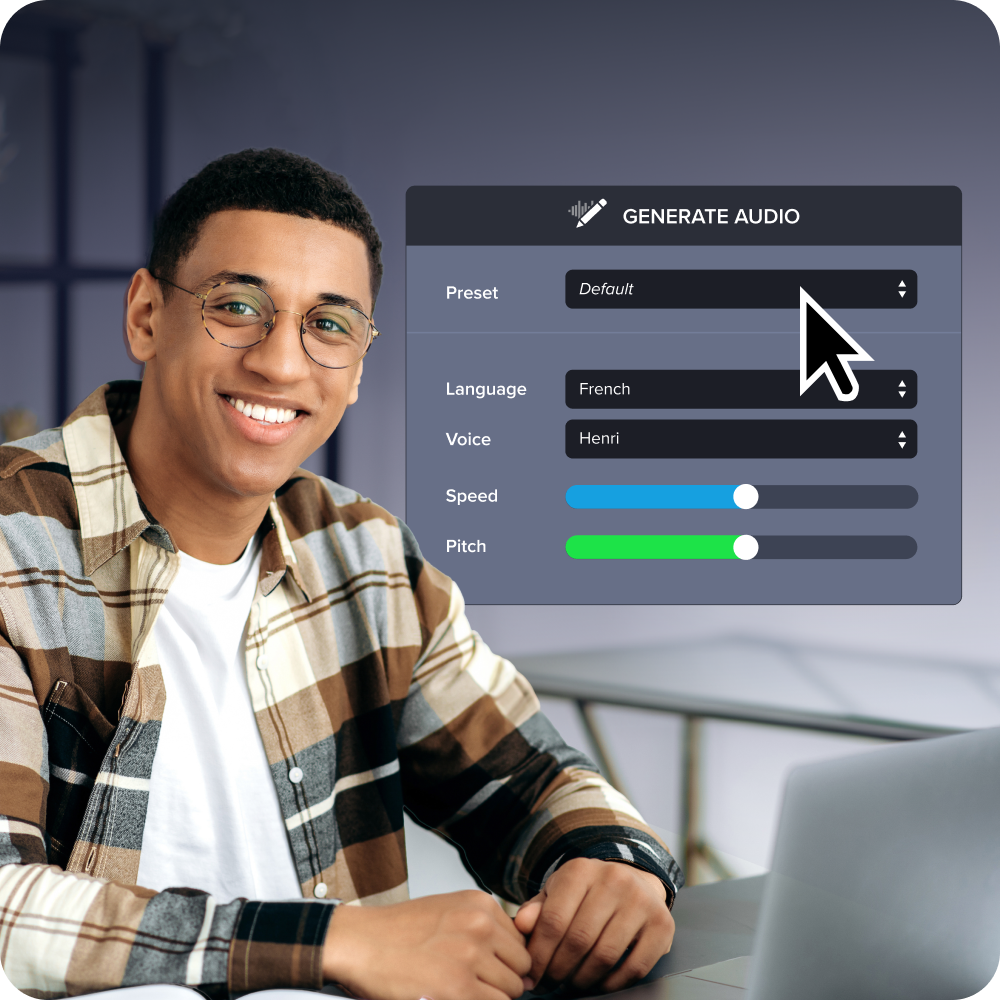
Frequently asked questions
When does a fragmented AI tool stack become a problem worth fixing?
A fragmented AI tool stack becomes worth addressing when the governance overhead of managing multiple vendors starts delaying or blocking projects. According to Mavvrik’s 2026 State of AI Cost Governance Report, fragmentation and a disconnect between AI adoption and governance are driving one in four businesses to delay or cancel AI projects because of unforeseen costs. If your content team sources screen recording, narration editing, captioning, and AI voice generation from separate vendors, each with its own security review and renewal cycle, that’s a concrete signal the stack has outgrown what IT can govern efficiently.
Are there situations where keeping specialized point tools makes more sense than consolidating?
Point tools can remain defensible when a single, highly specialized function, like real-time multilingual dubbing for broadcast, sits well outside the scope of any platform your organization would otherwise need. The trade-off is that a point tool may offer slightly more depth in one narrow function, but that edge comes with its own security review, data processing agreement, user provisioning cycle, and renewal management obligation. For most enterprise content teams producing training, documentation, and onboarding video, the governance savings from consolidation outweigh the capability difference.
How does consolidating an AI tool stack reduce an organization’s security surface area?
Each AI vendor relationship in a content production stack creates a separate data handling agreement and a separate security audit obligation, so five vendors means five distinct review cycles IT has to manage and defend. Consolidating to one platform compresses those obligations into one vendor relationship, one data processing agreement, and one security review process. Camtasia Pro’s SOC 2 Type 2 audit report, VPAT, and AI policies are available for enterprise security review in the Trust Center, which gives IT a documented starting point.
What’s the difference between an AI tool stack audit and a standard software license review?
A standard software license review typically focuses on seat counts and renewal costs. An AI tool stack audit goes further by mapping each tool to the workflow function it performs and counting the governance obligations each vendor relationship creates. The goal is to surface redundancy, like two tools covering the same captioning function, and shadow AI adoption by team members who brought in tools outside the procurement process. That broader scope gives finance and IT teams something they can act on, whether they’re preparing a unified security review or making a case to budget approvers for platform consolidation.
Can AI-generated narration actually remove the need for re-recording when training content needs to be updated?
Yes. Updating AI voice narration in Camtasia Audiate when content changes can be as simple as editing the script text, with no new recording session required. That’s an operational advantage for teams managing high-turnover training content, like process documentation or policy updates, where re-recording costs in scheduling, room bookings, and follow-up editing add up quickly. AI voice generation produces AI-generated output, so follow applicable platform, industry, or organizational disclosure requirements when you deploy this capability.
Share