










These days, most knowledge workers reach for generative AI tools without a second thought: drafting copy, summarizing notes, brainstorming ideas. But most organizations still haven’t built structured training to help teams use these tools effectively and safely.
So employees end up experimenting on their own, and that scattered approach can lead to security risks, inconsistent quality, and software investments that never quite pay off.
AI training for employees means building programs designed to close the skills gap and teach workers to use AI tools productively, while steering clear of common pitfalls such as data leaks, inaccurate outputs, and overreliance.
Using practical, video-based screen demos, learning and development (L&D) teams and business leaders can create a repeatable training flow that improves outcomes without slowing work down.
Key takeaways
- AI training for employees connects tool adoption to productive, safe usage, helping organizations capture real value from AI investments rather than creating new risks.
- Effective programs cover four core areas: foundational literacy, data security practices, prompt engineering basics, and role-specific applications that connect directly to daily work.
- Video-based training modules work especially well for AI topics, since they can demonstrate tool interactions, show real prompts and outputs, and get updated quickly as tools evolve.
- Starting small with screen recordings of actual AI workflows builds employee confidence faster than abstract courses ever could. The Camtasia Product Suite makes it easy to create these demos, even if you’re not a video professional.
- Measuring training impact through task completion times and error rates gives you concrete evidence of ROI, without piling more admin work onto already-stretched L&D teams.
Why AI training for employees matters today
Over 70% of orgs now use AI in at least one business function, but many haven’t kept pace with structured training, and that gap between tool availability and effective use is widening.
Unstructured AI use introduces some serious risks to an organization:
- Data breaches: Employees frequently enter proprietary source code or confidential customer details into public tools, exposing corporate intellectual property to open models.
- Wasted time: Without guidelines, workers spend hours wrestling with vague prompts in an exhausting loop of trial and error, undermining the very speed the software promised.
- Inconsistent quality: Public models regularly generate incorrect information with absolute confidence, and unverified errors slip into client deliverables as a result.
Structured training turns scattered experimentation into consistent results. Think of it as doing double duty: a protective measure that reduces security and compliance risks, and a productive engine that delivers real workflow value.
When employees know how to structure a prompt and verify the output, job satisfaction goes up, because they’re spending less time on tedious routine tasks. That’s what positions your training as a strategic, revenue-protecting investment instead of a compliance checkbox.
From onboarding to upskilling in AI employee training
A successful program needs both onboarding (initial AI literacy for new or first-time users) and upskilling (continuous learning as tools and roles evolve). Treat AI education as a single, static presentation, and your workforce will be stranded the moment interfaces change or new features launch.
AI onboarding establishes the fundamentals within the first 30 days: what AI can and can’t do, baseline safety protocols, and initial hands-on practice with approved tools. It sets the baseline expectations for corporate use.
AI upskilling, on the other hand, is continuous. It teaches advanced techniques, like chaining multiple prompts to complete complex, multi-step workflows. It adapts as new AI capabilities emerge and strengthens complementary human skills, like editing and strategic thinking, that software simply can’t replicate.
By 2030, the half-life of tech skills will likely drop to a record low of just 2–5 years, so AI training can’t be a one-time event.
Leaders can map progression to these milestones:
- Onboarding phase: Establish AI basics, safety protocols, and initial tool familiarity within the first 30 days.
- Foundation building: Develop prompt engineering skills and workflow integration over 60–90 days.
- Role-specific application: Apply AI to actual job tasks, with guided practice and feedback. This requires light partnerships between L&D and department managers.
- Continuous upskilling: Update skills quarterly as tools evolve and new capabilities emerge.
- Peer knowledge training: Enable trained employees to support colleagues and spread best practices through internal communication channels.
Core topics every AI in the workplace training program must cover
Effective AI corporate training blends technical skills (how to use tools) with critical judgment skills (when and whether to use them). These topics stick best through demonstrations using actual screens, prompts, and outputs.
Foundational AI literacy and ethics
Artificial intelligence recognizes patterns and generates responses based on training data, but it doesn’t reason the way humans do. That’s why platforms suffer from AI hallucinations: answers that are confident, polished, and completely wrong.
An AI might invent a fake corporate policy, for instance, or cite a legal precedent that doesn’t actually exist. That’s exactly why training has to make human verification a non-negotiable step for all AI-assisted work. So cover practical ethics too, like bias, appropriate use cases, and transparency, so teams have enough understanding to use these tools wisely.
Secure data and privacy practices
Employees need to know that things like proprietary data, customer information, and confidential business details should never go into an AI tool. But there is a big difference between in-house and public AI platforms.
With enterprise AI tools, inputs stay securely within organizational boundaries. With public tools, the provider may use those same inputs to train its model. The bottom line is simple: if you wouldn’t post it publicly, don’t enter it into a public AI tool.
To drive compliance, tie these practices back to your organizational policies, corporate data governance rules, non-disclosure agreements (NDAs), and industry-specific privacy mandates like HIPAA. One accidental paste into a public model can permanently compromise intellectual property, void a client contract, or trigger regulatory fines.
When employees understand that these rules exist to protect both the company and their own jobs, not to serve as arbitrary IT roadblocks, they’re far more likely to respect and enforce those digital boundaries every day.
Prompt engineering basics for non-technical roles
Prompt engineering, at its core, means writing clear, specific instructions that help AI produce useful outputs on the first try. The key elements are context, instructions, desired format, and examples when they’re helpful. A vague prompt yields generic, robotic results that require heavy editing; a specific one cuts the rework way down.
To demonstrate this in your training, give employees a concrete before-and-after example:
- Before (Vague): “Write an email to our team about our new PM software rollout.” Without details and guidance, the AI will likely produce a generic email with some basic potential benefits, a lot of useless filler, and nothing about timelines or impact.
- After (Specific): “Write a three-paragraph email announcing the transition to our new project management tool to the marketing team. Emphasize that the transition happens this Friday, highlight how it saves 2 hours of admin work each week, and include a bulleted list of 3 steps to set up their new login. Use an informal, friendly tone.” This is much more likely to get an output that’s scannable, action-oriented, and ready to send after a quick proofread.
Seeing that difference in output quality makes the point fast that a small investment in the initial prompt saves a lot of manual editing time down the line. Encourage employees to save their best prompts in a shared internal document, so the whole team benefits from each other’s trial and error.
Role-specific use cases that add value
Generic AI training tends to underperform because employees need to see AI applied to their actual daily tasks. Identify 3–5 high-value use cases per role before you start building training, and target repetitive tasks first. Personalize training videos for different departments to really drive behavior change.
- Marketing: Generating headline variations, structuring content outlines, or recycling long articles.
- Sales: Summarizing long client email threads, customizing outreach, and researching prospects.
- Customer support: Polishing raw technical notes into clear replies and drafting knowledge-base articles.
- Operations and human resources (HR): Parsing data patterns, drafting job descriptions, and summarizing meeting transcripts.
Show employees role-specific workflows, and adoption follows, since they immediately feel a personal benefit to their daily workload.
5 steps to launch an AI corporate training workflow
Here’s a practical roadmap, from planning to execution. Starting small and iterating beats waiting around for a perfect, complete program. Focus on behavior change, not module completion.
1. Set clear learning outcomes
Define success in observable terms: What can employees do after training that they couldn’t do before? Keep outcomes tight and limit modules to 3–5 specific, measurable outcomes.
For example, “Learn to write prompts that produce usable first drafts requiring less than 10 minutes of editing” or “Understand the three types of information that should never be entered into public AI tools.” These direct outcomes guide your content creation, prevent scope creep during production, and enable long-term impact measurement.
2. Choose approachable creation tools
Most L&D teams don’t have video production backgrounds, but they still need to produce effective visual content. To keep the workflow simple, prioritize tools that combine screen recording, editing, and sharing in a single platform.
The Camtasia Product Suite is built for trainers and instructional designers who want professional results without needing professional video skills.
Camtasia helps your team focus on the educational content rather than wrestling with complex timelines and rendering errors. Easy screen capture lets you show tool interactions, straightforward editing makes it simple to keep content up to date, and automated captions support accessibility.
3. Record bite-sized screen demos
Short, focused videos consistently outperform long courses. Tools change frequently, attention is limited, and employees need just-in-time refreshers more than long lectures. Around 3–5-minute modules, each focused on a single concept or task, tend to be the sweet spot.
Record real AI interactions, and narrate your thinking as you write prompts and evaluate outputs. When you create an employee training video using Camtasia Editor, it captures the screen, camera, and audio on separate tracks, so cutting out a mistake doesn’t mean rerecording the whole walkthrough.
If you can edit a doc, you can edit a video
Stop fearing the timeline. Camtasia Audiate transcribes your recording so you can edit your video just by editing the text.
Free Download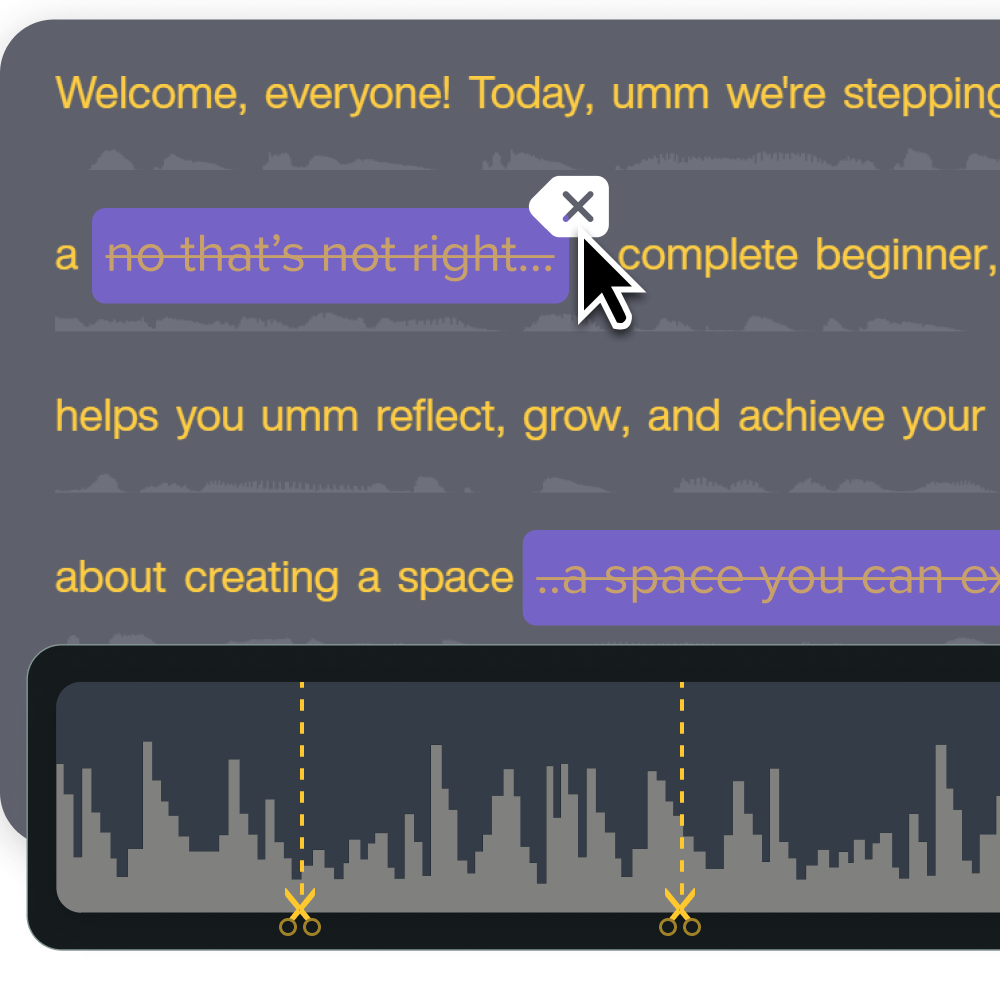
4. Brand, caption, and export for any platform
Polished training with consistent branding builds credibility and engagement by showing that your org is invested in developing employees’ skills. And captions matter for more than accessibility. They’re also practical for viewing in open offices or during commutes without headphones.
Use Camtasia Editor features such as dynamic captions and reusable project templates to maintain a consistent look across dozens of modules. Once everything’s polished, export your files in standard formats ready for your learning management system (LMS), internal communication hubs, or direct distribution.
5. Collect feedback and iterate quickly
Recorded video content is easier to refine once learner feedback starts coming in. Feedback prompts should target clarity, relevance, and missing workflows. In other words, ask learners what daily tasks they still struggle with.
Set an expectation for regular reviews, at least quarterly, given how fast these tools evolve. Modular videos reduce maintenance by letting you reopen your project file and rerecord a single short segment, rather than rebuilding the entire course from scratch whenever the interface updates.
Common roadblocks and how to avoid them
Even the most thoroughly planned AI training programs run into predictable organizational hurdles. Anticipate these challenges, and you can build proactive solutions directly into your rollout strategy.
Outdated content as tools evolve
AI tools update faster than traditional software, often rolling out changes monthly or even weekly. Teach evergreen principles, logic, and workflows rather than exact button locations to reduce how often you need to update.
Maintain a review calendar with clear ownership, so someone’s actually watching for tool changes and triggering updates. Lean on modular video content so you can swap out a 30-second clip of a new menu layout while leaving the rest of your original training video intact.
Employee skepticism or fear
Job security concerns and general resistance, whether due to fear of making mistakes or just comfort with the old methods, are all normal roadblocks to AI adoption. So it’s important to reassure employees that AI is an augmentation tool that supports their work, rather than an automation tool designed to replace roles.
Include peer success stories to make the benefits feel credible. Highlight how early adopters are spending more time on work that matters instead of slogging through admin tasks. And build confidence through hands-on, low-stakes, real-world practice before anyone uses AI on a critical client deliverable.
Measuring real workflow impact without extra admin
Teams need return on investment (ROI) evidence without the overhead of complex analytics, but vanity metrics like view counts don’t tell you anything meaningful.
Instead, track a small set of meaningful behavioral shifts to measure employee training engagement, and use those insights to decide what to revise, expand, or retire.
- Pre/post task timing: Compare how long tasks take before AI training versus 30 days after to show productivity gains. Self-reported times or project management software logs both work fine.
- Quality spot checks: Review samples of AI-assisted work and monitor error rates or rework frequency to see whether AI is actually improving quality, or just creating new problems for managers to fix.
- Employee confidence surveys: Ask employees to rate their comfort level with AI tools before and after training. Qualitative survey data complements your quantitative metrics and helps confirm that workers feel supported.
- Support ticket tracking: Monitor whether AI-related access and how-to questions to IT or the help desk decrease after the training rollout.
- Adoption metrics: Track how many employees actively use approved AI tools within 60 days of training to confirm your role-specific modules drove genuine engagement.
The financial incentive here is massive. Research from a joint Microsoft-IDC study found that structured AI training programs yield an average ROI of $3.70 for every dollar invested, with top-performing organizations clearing an impressive $10.30 return.
Build your next training video with Camtasia
Record your screen or camera. Then, use the video editor to add polish and clarity.
Learn More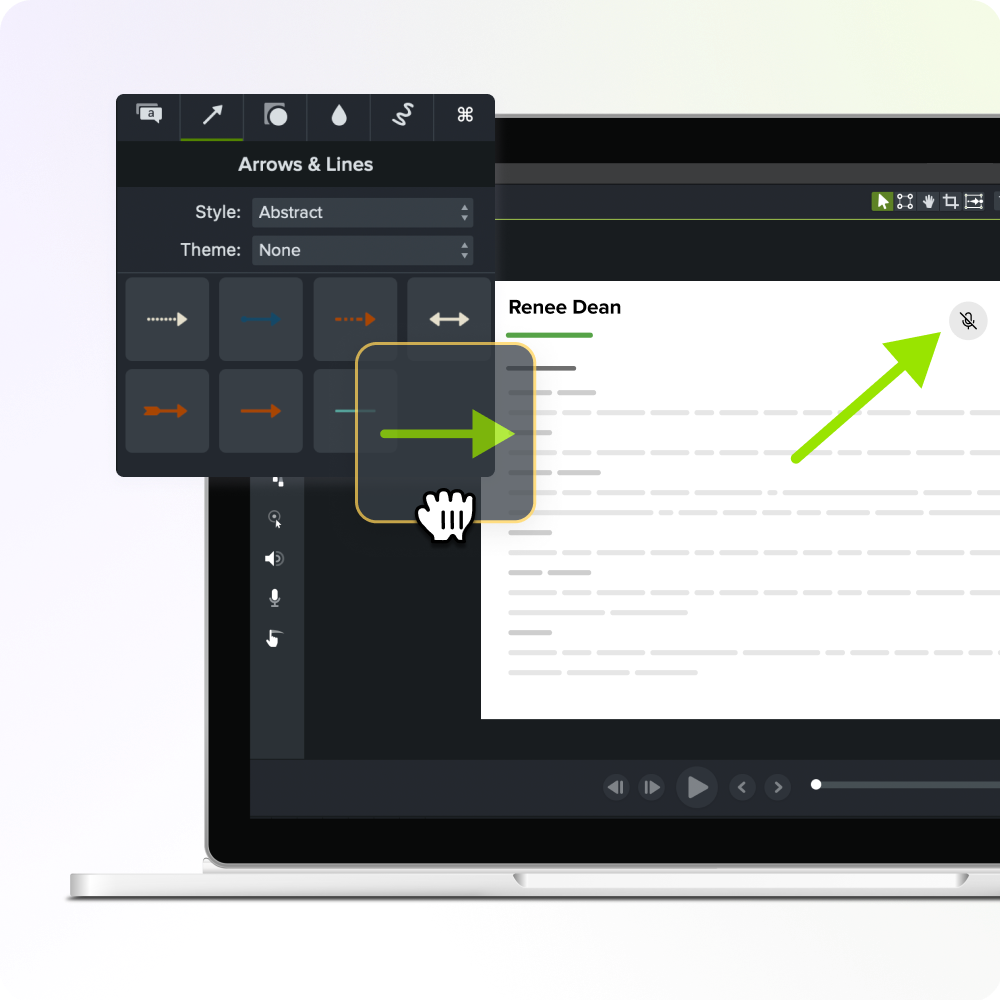
Leverage AI to keep employees skilled using Camtasia
Video instruction works well for AI topics because it removes the abstract guesswork and shows exactly how to interact with tools, structure prompts, and evaluate outputs. And with the right solution, your training program can actually keep pace with the speed of AI development.
Camtasia Editor is an all-in-one screen recording and editing platform built to give L&D teams and non-video professionals the power to move fast, without sacrificing quality.
With Camtasia Editor, screen capture, camera, and audio all record on separate tracks, while captured metadata lets you tweak, enlarge, or highlight elements in post-production.
You can also pull in Camtasia Audiate for automated captions and quick narration tweaks. Delete a word or phrase in the transcript, and the underlying video track cuts automatically, saving hours of manual timeline slicing.
One-click tools handle automatic noise removal, audio leveling, and hesitation detection, for professional production quality without specialized expertise or an expensive recording studio.
Ready to build an AI training program that actually sticks? Explore the full capabilities of the Camtasia Product Suite today.
FAQs
What is a practical cadence for updating AI training content?
Review AI training content at least quarterly, and update it immediately after major tool changes. AI platforms evolve quickly, and outdated training can lead to confusion and errors.
How long should each AI training video be?
Aim for 3–5 minutes per video, focused on a single concept or task. Short AI skills modules are simply easier to produce, update, and use during real work.
Who should own the governance of ongoing AI workforce training?
Ongoing governance typically rests with an L&D lead, who partners with IT and department managers to keep training aligned with tool changes, security policies, and employee feedback.
Share