









Screencastify is a user-friendly screen recorder and video editor.
Screencastify alternatives are screen recording and video editing tools that help educators, students, and professionals record, edit, and share videos, with features, sharing options, or platform support that differ from Screencastify’s.
It operates via a Chrome extension with all content stored on Google Drive. Institutions that rely entirely on Google Chromebooks love Screencastify. As a knowledge-sharing screen recorder comparison guide, it automatically generates a shareable link upon completing a screen recording.
Key takeaways
- Camtasia Snagit is the best overall Screencastify alternative for users who need screen capture plus recording.
- Loom is best when quick video messaging and instant sharing are the top priorities.
- Nimbus Capture is the best Chrome extension alternative for browser-based capture, recording, and annotation.
- Vidyard is best for sales prospecting and video analytics.
- ScreenPal is best for budget-friendly video editing.
What is Screencastify used for?
Screencastify is mainly used for classroom lessons, student recordings, internal training, and customer communication. Screencastify can cater to different audiences.
Educators
Educators use Screencastify to create video lessons, provide feedback, and deliver online content. Screencastify is most widely used by K-12 teachers. Popular features include a live drawing tool to annotate while recording and cursor-click animation.
Students
Students use Screencastify when teachers create class assignments that require recorded presentations. Screencastify has unique features enabling teachers to create these assignments.
Professionals
Professionals use Screencastify for internal training and customer communication.
Pricing and plans
It offers a free plan with a 5-minute recording time limit. For unlimited recordings, premium plans start at $49/year.
Why do users look for Screencastify alternatives?
- Lack of a screen capture tool
- Lack of support for higher-quality content. The maximum resolution for a Screencastify video is 1080p.
- Lack of video editing features
- Limitations in workflow related to rigid integration with Google
All of the alternatives on this list are also quick-share recorders. These reviews focus on Google integration, pricing, and editing tools.
At a glance: Screencastify alternatives compared
Screencastify
- Best for Chromebook and Google Drive-based recording.
- Works as a Chrome extension built for Google Chromebook environments.
- Offers a free plan with a 5-minute recording limit.
- Stores all content on Google Drive.
- Does not provide image capture.
- Offers limited video editing features.
Camtasia Snagit
- Best for screen capture plus recording.
- Does not run on Chromebook or offer a Chrome plugin.
- Offers a free trial, but no free plan.
- Integrates with Google Drive for storing and sharing content.
- Provides scrolling capture, image editing, HDR image capture, and HD images.
- Includes trimming, cutting, Screen Draw, automatic step numbering, background noise removal, and optional advanced editing through Camtasia.
Loom
- Best for video messaging and quick sharing.
- Offers a Chrome plugin and desktop installation.
- Free plan limits users to 25 videos and 5-minute recordings.
- Does not store content on Google Drive.
- Provides some image capture capabilities.
- Includes trimming, cursor highlighting, and custom thumbnails.
Nimbus Capture
- Best for Chrome extension recording and annotation.
- Offers extensions for Chrome, Firefox, and Microsoft Edge, with a desktop app for more functionality.
- Free plan includes a 5-minute limit, watermarks, and fewer features.
- Paid version offers Google Drive sharing.
- Provides image capture, annotation, and blur.
- Includes trimming, GIF creation, live drawing, and up to 4K resolution in the desktop app.
Vidyard
- Best for sales prospecting and video analytics.
- Offers a Chrome extension, with a desktop app for most advanced features.
- Free plan includes video limits, watermarking, and fewer integrations and analytics.
- Does not integrate with Google Drive.
- Does not provide image capture.
- Includes trimming, CTAs, video chapters, 4K recording, branding tools, and custom thumbnails.
ScreenPal
- Best for budget-friendly video editing.
- Offers a Chrome extension, with a desktop app for full functionality.
- Free plan includes a 15-minute limit, watermarking, and fewer features.
- Does not integrate with Google Drive.
- Offers screenshot capture with basic editing and annotation.
- Includes trimming, cutting, post-production annotations, Draw and Zoom, cursor highlighting, and click animations.
Which Screencastify alternative is best overall?
Camtasia Snagit is the best overall alternative to Screencastify for users who need screen capture plus recording. Camtasia Snagit is the top alternative on G2 to Screencastify. Snagit has more market share than Screencastify in higher education, the Fortune 500, and social media creators. Camtasia Snagit is ideal for users who need screen capture plus recording.
Pricing and plans
- Less Expensive Pricing: Camtasia Snagit costs less than Screencastify, at $39/year. Camtasia Snagit provides a free trial but no free plan. Camtasia Snagit v24 is also available as a one-time purchase at $63.
How does Camtasia Snagit compare with Screencastify?
Camtasia Snagit is stronger for users who need image capture, 4K recording, editing tools, and more flexible sharing. Camtasia Snagit has many benefits, such as flexible workflows for video creation, including video from images, stitching videos, and GIF creation.
Image capture and image editing
Camtasia Snagit offers the best image capture and editing, including scrolling capture so you can capture everything, even if you need to scroll down or over. It also offers HDR image capture and HD images.
Video editing tools
Videos are captured in 4K resolution HD to ensure a clear, crisp video screen recording. Additionally, Camtasia Snagit has video editing tools that turn plain recordings to clear, comprehensive ones.
- Screen Draw tutorial for Camtasia Snagit
- Automatic step numbering
- Video trimming
- Video cutting
- Background noise removal (v.25)
Expandable feature set
Camtasia Snagit offers optional premium plans, which include different assets depending on user needs.
- Integrated asset libraries
- Speech-to-text caption generation
- ADA caption editor
- AI video summaries
- Cloud collaboration features
- Online annotation for images and video
- Advanced video editing via integration with Camtasia
More flexible sharing integrations
Camtasia Snagit provides quick sharing functionality from your choice of its cloud sharing tutorial for Camtasia Snagit or your cloud-sharing service. It also includes integration with Slack and MS Teams.
Additional considerations when comparing Screencastify to Camtasia Snagit include a strong Google integration. Camtasia Snagit fully integrates with Google Drive to store and share all file content. However, Camtasia Snagit does not run on a Chromebook or offer a Chrome plugin.
The best snipping tool for Windows and Mac
Don’t let clumsy built-in tools hold you back. Take and edit screenshots with Snagit!
Get Snagit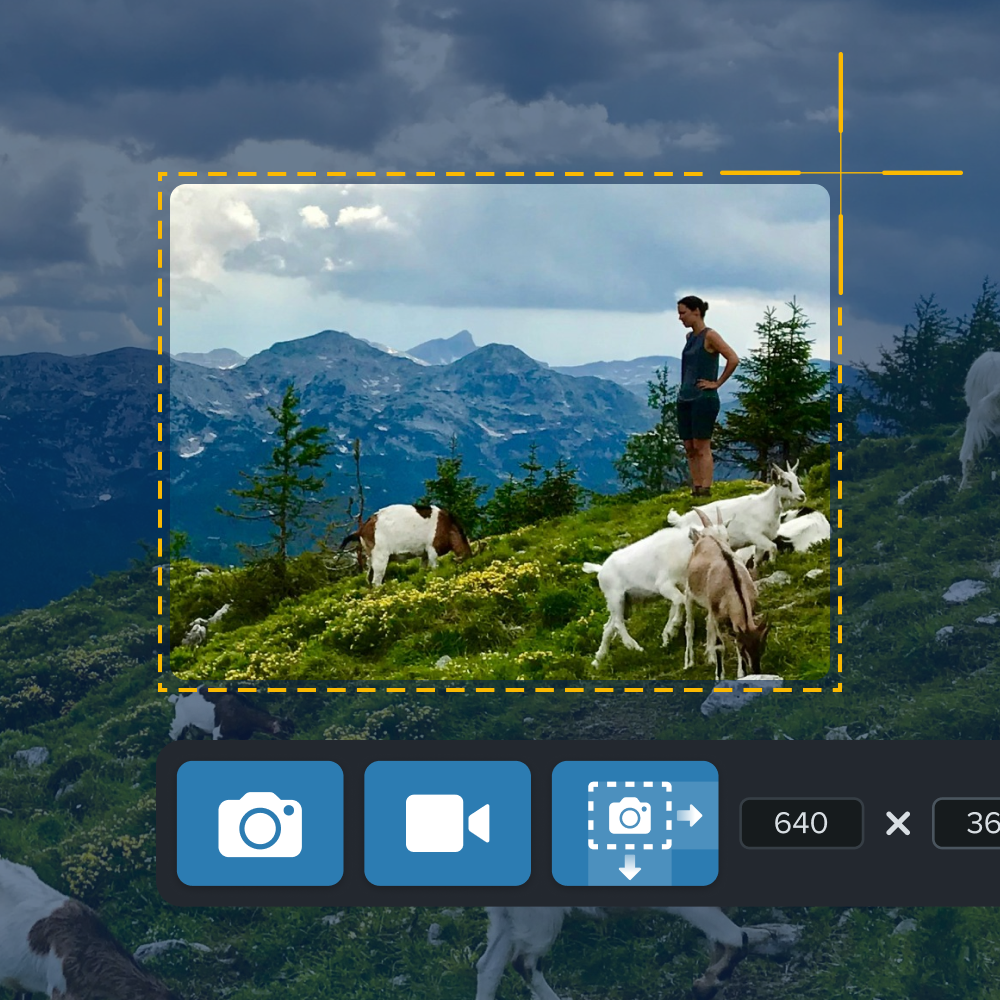
The best snipping tool for Windows and Mac
Don’t let clumsy built-in tools hold you back. Take and edit screenshots with Camtasia Snagit!
Which Screencastify alternative is best for video messaging and quick sharing?
Loom is best when instant video sharing and video messaging are the top priorities. It’s a solid alternative, with automatic link generation that lets you share videos right away.
Loom is a prevalent choice for:
- Personalized customer communication, including CTAs
- Providing feedback to coworkers and students and video messaging
Pricing and plans
More expensive pricing: Loom offers a free plan that limits the number of videos (25) and recording time (5 minutes). Use a premium plan for unlimited video recording and higher-resolution video content.
Unfortunately, they are one of the more expensive options, starting at $150/year.
Loom also offers some premium features that are free to K-12 educators. This includes HD video recordings up to 45 minutes in length.
How does Loom compare with Screencastify?
Loom provides quick sharing through its own hosting, while some recording features require the desktop app. Loom also provides a Chrome plugin and a desktop installation. Loom limits certain features to the desktop app, such as capturing the entire screen or system audio.
Google integration
Loom centers sharing around its own cloud hosting service rather than Google Drive storage. It does not allow for content storage on cloud-sharing services like Google Drive.
Tip: Screencastify’s exclusive use of Google Drive gives it additional security over content. Loom (and Camtasia Snagit) provide password protection to help address this concern.
Video editing tools
Like other quick share recorders, you can trim videos. Loom also provides mouse cursor highlighting and custom thumbnails.
Image capture
When evaluating Screencastify vs. Loom, consider that Loom provides some image capture capabilities.
Which Screencastify alternative is best as a Chrome extension?
Nimbus Capture is the best Chrome extension alternative for users who want browser-based recording, capture, and annotation tools. It’s versatile and easy to use, right from your browser. Its Chrome extension provides screen capture, video recording, and annotation tools.
Users value Nimbus as a web-based screen recording tool that integrates well with browsers. Its edit and share features record lectures in schools and document business processes.
Pricing and plans
More Expensive Pricing: Nimbus’ free version limits video length (5 min), adds watermarks, and turns off features. Its premium plan is in the middle of the range on this list at $60/year.
How does Nimbus compare with Screencastify?
Nimbus is strongest for browser-based capture and Google Drive sharing in the paid version, while more complete functionality requires the desktop app.
Strong Google integration
Nimbus offers extensions for Google Chrome, Mozilla Firefox, and Microsoft Edge. Customers report Chrome as their best browser experience. Like Loom, Nimbus requires a desktop app for more functionality, such as recording the entire desktop and editing.
With the paid version, unlike Loom but similar to Camtasia Snagit, Nimbus offers Google Drive integration for sharing content. It also integrates with Nimbus Note, Dropbox, or YouTube.
Image capture and editing tools
Nimbus provides image capture and editing tools such as annotation and blur.
Video editing tools
These include trimming, GIF creation, live drawing, and higher-quality video resolution (up to 4K). However, most of these are available in the desktop app, not the Chrome plugin.
Customers rate Nimbus on G2 as lower than Camtasia Snagit, Loom, or Screencastify despite all these features.
Which Screencastify alternative is best for sales prospecting and video analytics?
Vidyard is best for sales and marketing teams that need prospecting features and viewer analytics. It’s screen recording and video creation software built for business and marketing teams.
Vidyard is best for video messaging in the context of sales and marketing prospecting. Sales teams value personalized video messages that engage potential customers.
Pricing and plans
Vidyard has a free version. It limits the number and length of videos (30 minutes), adds watermarking, and turns off integrations and analytics. Its premium plan, at $229/year, includes advanced analytics, password protection, and unlimited video hosting.
How does Vidyard compare with Screencastify?
Vidyard trades Google Drive storage for business-focused hosting, analytics, CTAs, chapters, and CRM-related workflows.
Some Google integrations
Vidyard offers a Chrome extension but hosts and shares content through its own cloud platform. It does not integrate with Google Drive.
Image capture and editing tools
Like Screencastify, Vidyard does not provide this capability.
Video editing tools
These include trimming, CTA, video chapters, 4K recording, branding tools, and custom thumbnails. It does not provide live drawing or cursor highlighting. Other than trimming, most of these features require the desktop app.
Vidyard also has many specialized features for sales prospecting, such as integration with CRM tools and Zoom. Its analytic tools track viewer engagement and performance metrics.
Which Screencastify alternative is best for video editing on a budget?
ScreenPal is best for users who want simple screen recording and budget-friendly editing tools. ScreenPal is a popular tool for screen recording and simple video creation. Users value its simplicity, ease of use, and affordable pricing.
Typical use cases resemble Camtasia Snagit and Loom, including educational content, quick tutorials and how-to videos, and visual feedback.
Pricing and plans
ScreenPal’s free plan limits recording length (15 min), adds watermarking, and turns off features. Its lowest-paid plan is the least expensive option at $36/year on this list.
How does ScreenPal compare with Screencastify?
ScreenPal offers stronger budget editing features than Screencastify, while relying on its own cloud instead of Google Drive integration.
Some Google integration
ScreenPal offers a Chrome extension and shares content through its proprietary cloud. It does not provide an integration with Google Drive.
Image capture and editing tools
ScreenPal offers screenshot capture and basic editing and annotation tools.
Video editing tools
ScreenPal offers strong video editing capabilities, including trimming, cutting, and post-production annotations. However, full functionality requires the desktop app. It also provides “Draw and Zoom” and (like Camtasia Snagit) both mouse cursor highlighting and click animations.
ScreenPal ranks ahead of Screencastify in third-party G2 reviews for screen and video capture tools.
What is the best Screencastify alternative for you?
The best Screencastify alternative depends on your use case, budget, and platform, with Camtasia Snagit remaining the best overall recommendation.
Loom is an excellent option if you prioritize the speed of sharing. For specialized use cases such as sales prospecting, consider Vidyard or Loom. ScreenPal is the least expensive alternative despite its video editing capabilities (although only $3/year less than Camtasia Snagit).
None of the alternatives provide comparable functionality in a Chromebook/Google Drive-exclusive environment. Only two support Google Drive for storing and sharing content – Camtasia Snagit and Nimbus. Other solutions may have hidden costs as you leverage their cloud storage and bandwidth.
Camtasia Snagit provides powerful screen recording, video editing, and sharing tools at one of the lowest price points. It also offers additional functionality to help you grow as your needs evolve. Camtasia Snagit is the best alternative overall.
Record your screen with Camtasia Snagit
Camtasia Snagit makes it easy to share quick updates and how-tos by capturing exactly what’s happening on your screen.
Ready to build more polished videos with the broader Camtasia workflow? Try Camtasia Editor free
Record your screen with Snagit
Snagit makes it easy to share quick updates and how-to’s by capturing exactly what’s happening on your screen.
Get Snagit
Frequently asked questions
What is Screencastify used for?
Screencastify is used to record screens, create video lessons, provide feedback, and share recordings. It is especially common in classroom workflows where teachers and students rely on Google Drive. Professionals can also use it for internal training and customer communication.
Is there a free version of Screencastify?
Yes, Screencastify offers a free plan with a 5-minute recording time limit. For unlimited recordings, premium plans start at $49/year. That free plan can work for short classroom clips or quick updates, but longer videos require a paid plan.
What is the best Screencastify alternative overall?
Camtasia Snagit is the best overall Screencastify alternative for users who need screen capture plus recording. It adds practical editing tools, flexible sharing, and strong image capture features. It is a good fit when you need to capture screenshots, record short videos, and share clear visual instructions from one workflow.
Which Screencastify alternatives support Google Drive?
Camtasia Snagit and Nimbus support Google Drive for storing and sharing content. Screencastify also stores content on Google Drive, which is one reason it works well in Chromebook-focused environments. Loom, Vidyard, and ScreenPal rely on proprietary cloud hosting instead of Google Drive integration.
Share