










A customer education leader walks into a quarterly budget review and hears a familiar ask: Prove the program’s value with a number tied to net revenue retention (NRR), the share of recurring revenue kept and expanded from existing customers, not a completion rate. Support leaders raise the same challenge from a different angle, pointing to ticket volume and resolution time instead of course enrollments.
That’s a specific ask: driving revenue with customer education means proving that structured, repeatable training measurably improves metrics leadership already tracks, including retention, expansion revenue, support cost, and time-to-value. One-off content doesn’t do that. Structured programs do.
Most customer education programs still sit on the budget spreadsheet under training expense, a line item finance reviews for cuts before it reviews for investment. That’s the wrong frame. Somewhere in your current onboarding sequence, product documentation, or in-app guidance, the work is already moving one of those four metrics.
Key takeaways
- Reporting course completions instead of retention or time-to-value keeps many education programs stuck as cost centers.
- Structured training closes the competence gap that often turns into cancellation, directly reducing churn.
- Customers who keep building skills with a product tend to upgrade tiers, add products, and bring colleagues on board, which makes education a driver of account expansion.
- Self-service training that answers common questions before a ticket opens is often the fastest lever to prove to leadership.
- One-off training content breaks the metric chain, since gains fade once the product changes and no one updates it.
Cost center perception still surrounds customer education
Customer education keeps getting labeled a cost center because most teams report completions and course activity instead of the business metrics leadership funds, like retention, adoption, support cost, and time-to-value.
Most programs live here. Only 10.4% of customer education teams connect their work to net revenue retention, adoption, and time-to-value together. The stakes are high: Teams that can’t prove value are 5.7x more likely to face budget cuts, while teams aligned to leadership priorities are 4x more likely to gain resources.
The program is probably doing its job. Completions feel safe to report because they’re easy to pull, but that reporting isn’t speaking the language finance and leadership already use.
4 revenue levers customer education moves
Customer education can influence four distinct business levers:
- Retention
- Expansion revenue
- Reduced support cost
- Time-to-value
Each works through its own mechanism, and each shows up in a different metric leadership already tracks.
1. Retention gains from structured customer education
Structured training reduces churn by closing the competence gap before product friction turns into a cancellation decision.
Companies with formalized customer education programs saw stronger customer retention, including a 35% increase in average lifetime value per trainee. The most successful organizations were also more likely to run fully formalized programs than ad hoc efforts, which is the difference between structured training and one-off onboarding sessions.
The retention gain shows up when learning paths map to the outcome a customer bought your product to reach, not to a list of features covered in isolation. Check whether your leadership tracks retention rate or churn rate, then report your training data against that metric so the connection is obvious in a budget conversation.
2. Expansion revenue unlocked by customer education
Customer education drives expansion when growing product competence leads existing accounts to adopt more capabilities, upgrade tiers, add products, or bring more colleagues into the tool. Customers build skill and confidence, and they naturally want to do more with what they already have.
Retention tells you whether an account stayed. Expansion tells you whether it grew.
An account that never goes past basic use stays active but flat: same seats, same tier, same spend. An account that completes feature-specific training often looks different afterward: more seats added, an upgrade to a higher tier, or a second product purchased.
Some programs take this further and charge for validated mastery, like certifications or role-based proficiency, while keeping foundational learning free. Whether you opt to do this or not, building feature-specific learning paths from reusable training assets keeps the content consistent, so you can compare upgrade and add-on rates between customers who completed the training and those who didn’t.
3. Support cost reductions from self-service training
Self-service training lowers support costs by answering common questions before customers call or open a ticket.
Clever cut support tickets by 25% after scaling its customer education program with Skilljar. That kind of drop is often the fastest lever to prove, since your support team already tracks ticket volume and can pull it for a budget conversation without extra setup.
To make deflection measurable, map your self-service content directly to the friction points behind your highest-volume ticket categories, then track the drop by topic.
Short, searchable segments hold up better than one long onboarding video, since they stay current as the product changes and keep the comparison clean. That tradeoff is significant when you weigh the cost of keeping content current against what it saves in support load.
4. Time-to-value gains from faster onboarding and adoption
Structured onboarding education shortens time-to-value by guiding each customer role to a defined first meaningful action instead of letting them find their own way through the product. Leadership tracks this number closely because it feeds activation forecasts and expansion timing models well beyond the training team’s own reporting.
Feature adoption is what produces the gain. A customer who reaches their first key action faster is also adopting the features tied to that action faster, which is the leading indicator behind retention and expansion.
To measure this consistently, define that first key action for each role and map role-specific training directly to it. Reusable training keeps that milestone stable across cohorts instead of shifting every time content gets rebuilt.
Reusable expertise makes your revenue case measurable
Your revenue metrics stay comparable only when the training behind them stays repeatable across reporting periods. Swap out content every quarter and you lose your baseline. Keep the same core training in place, refined instead of rebuilt, and you can trend the same metric against the same customer data.
One-off content quietly breaks your measurement, but a scalable production workflow protects it.
One-off content breaks the metric chain
A single onboarding video or training deck can’t sustain a metric across multiple reporting periods, because the content it measures doesn’t stay put.
You built a video walkthrough for last year’s product launch. The workflow it teaches has since changed, and the video still shows the old screens. Nobody owns updating it, so new customers either watch outdated instructions or skip the training altogether.
Now you’re rebuilding from scratch, and that breaks the comparison you needed.
Even with clear key performance indicators (KPIs) and training records tied to customer accounts, results become hard to trust when the material behind them keeps shifting. This quarter’s cohort learned something different from last quarter’s, so any gain or drop in retention or time-to-value reflects a content change, not a training effect.
Scalable workflows keep metrics consistent
Reusable expertise, captured once and repurposed across onboarding, support, and certification content, is what keeps a metric comparable release after release. A workflow documented one time doesn’t need to be rebuilt for every use case. Reusing it means your reporting periods measure the same content instead of a new version each time.
Camtasia Editor gives you three ways to hold that structure steady across contributors:
- Themes store your brand fonts, colors, and logos.
- Templates save a proven project structure so the next contributor starts from the same layout.
- Library assets preserve customized callout, title, and lower-third styles.
All three export as files or a Camtasia package for your team to import, keeping output consistent without a shared workspace.
Simplified interface graphics and short recording segments are also helpful. When the product changes, you swap a graphic or re-record one small clip instead of rebuilding the whole training video, which keeps updates fast and the comparison clean. This guide on how to create employee training videos that actually work covers how to build that update-friendly structure from the start.
Build your next training video with Camtasia
Record your screen or camera. Then, use the video editor to add polish and clarity.
Learn More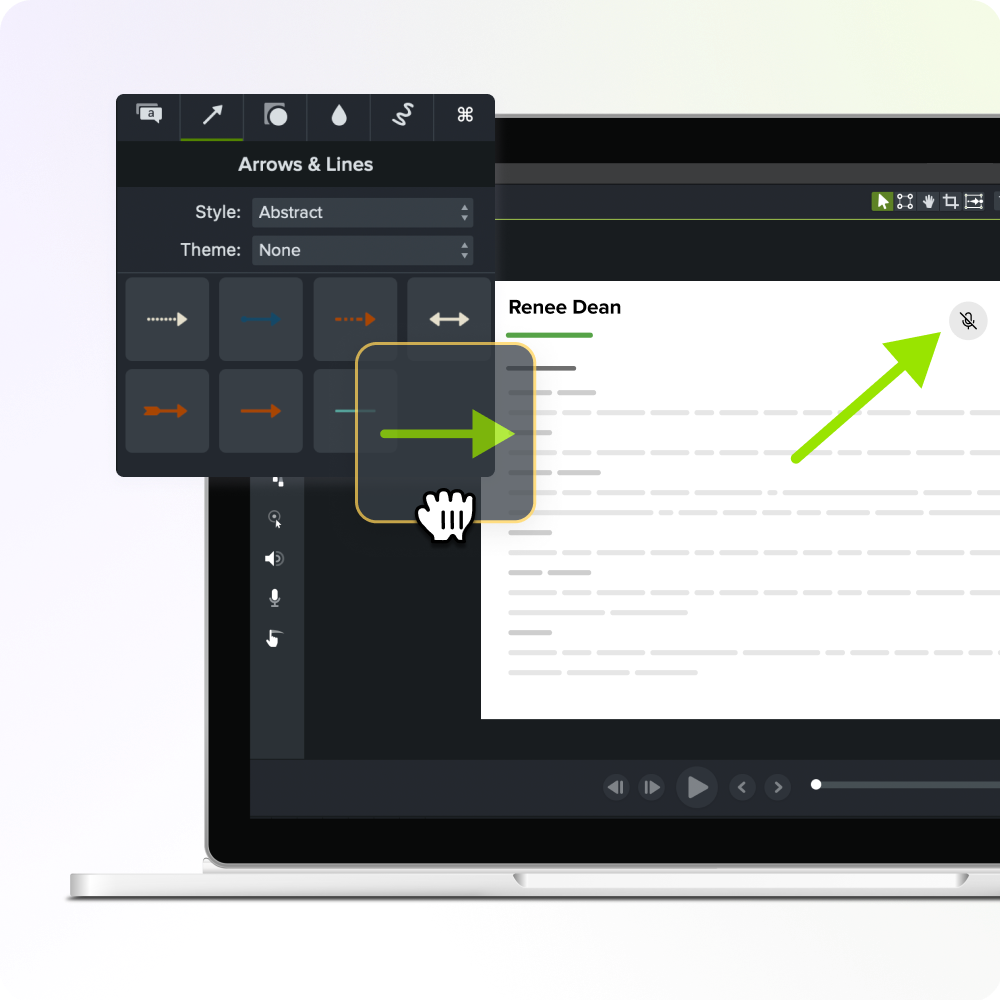
Metrics to track before you pitch leadership
The measurement foundation you need is training records connected to account-level customer data in your customer relationship management (CRM) platform, customer success platform, or business intelligence tools, so completions link to specific accounts.
Once that connection exists, you’re ready to pull four metrics: net revenue retention (NRR), support ticket volume, time-to-value (TTV), and expansion rate.
NRR shows expansion health
NRR combines two questions leadership already asks into one number: Did existing revenue stay, and did it grow?
Start from the training records you already matched to customer accounts, then split your customer base into two groups: those with completed training and those without. Then ask finance or your revenue operations team to run NRR separately for each cohort.
Since NRR usually already sits on an executive dashboard, this comparison becomes the first bridge between education participation and revenue performance, without asking anyone to trust a new measurement system.
Support ticket volume shows service efficiency
Support ticket volume, or cost per ticket, shows whether self-service training is cutting the number of routine questions reaching your support team.
You don’t own the ticketing system, so you can’t estimate this number on your own. Go to the support team and ask them to segment ticket volume or deflection rate by customers who completed self-service training against those who didn’t. That comparison, not a guess based on course completions, is what makes the number credible in a budget conversation.
Keep this metric scoped to service efficiency. It tells you whether training is reducing support load, not whether it’s saving accounts or expanding revenue.
TTV shows onboarding speed
TTV, or how long it takes a customer to reach real, meaningful use of your product, is the earliest metric that shows whether structured onboarding is working.
You don’t have to wait for a renewal cycle to see it move. Pick one defined first key action for your product: activating a core feature, completing a setup step, or hitting a usage threshold that signals real adoption.
Track the interval from signup to that action for customers who went through your prior onboarding process. Then track the same interval for customers who go through your structured onboarding content. Compare the two windows directly. A shorter interval after rollout is your earliest proof point.
Expansion rate shows upsell momentum
Expansion rate isolates the upgrade, seat, and cross-sell revenue you generate from existing customers, separate from new-logo revenue. It’s the metric that tells you whether accounts already using your product are growing their spend.
Start by pulling the list of customers who completed feature-specific training on a capability tied to an upgrade or add-on. Match them against similar accounts, same plan tier, similar tenure, that didn’t complete that training. Then compare how fast each group expanded and how much they spent when they did.
Feature adoption is the bridge between the two. If trained customers use the feature more and expand sooner, you have a measurable link between the training and the revenue.
Turn reusable expertise into a revenue story leadership believes
The whole pitch comes down to one number, tied to one training milestone, tied to one dashboard leadership already checks. You don’t need a bigger video library or a slicker LMS. You need proof that the walkthrough a customer watched in week one shows up in the renewal numbers six months later.
Getting there depends on content that stays current without a full rebuild every time something changes. That’s exactly what the scalable workflow covered above makes possible: themes, templates, and library assets keep your output consistent across contributors, and short recording segments mean a product update requires swapping one clip, not re-recording from scratch. Camtasia Editor is built for that kind of ongoing production, not just a one-time launch.
Pick one metric, connect your training data to it, and keep the content behind it current enough to trust. Do that consistently and you have a number that trends instead of spikes once and disappears — which is the case leadership will actually fund.
Do AI Voices and Avatars Improve Learning?
Discover what the data reveals about learning outcomes.
Get the Full Report
Frequently asked questions
How long does it usually take for a customer education program to show measurable revenue impact?
Most customer education teams see support cost and time-to-value gains within a couple of quarters, since these metrics respond directly to content already in production. Retention and expansion revenue take longer to move, usually a full renewal cycle or longer, because those numbers reflect a full renewal or upsell cycle. Programs that track early indicators like adoption and ticket deflection get proof points well before the lagging revenue metrics catch up.
Should a customer education team report to marketing, support, or customer success to maximize revenue impact?
Customer education programs tend to show a stronger revenue link when they report into customer success or the revenue organization rather than support or marketing. That placement keeps the team’s goals aligned with retention and expansion targets instead of ticket volume or lead generation. Reporting lines alone won’t create the revenue connection, but they make it far easier to get the segmented data needed to prove it.
Can a small customer education team make a credible revenue case without a big analytics budget?
A lean customer education team doesn’t need a full analytics function to prove revenue impact, but it does need to be selective about scope. Rather than trying to prove all four revenue levers at once, pick the lever your program most directly affects. Build a single, clean before-and-after comparison around that metric, since a focused case convinces leadership faster than a broad, unsupported claim.
How do you separate the impact of training from other factors that also affect retention or expansion?
Isolating training’s effect works best by comparing similar customer cohorts, such as accounts with comparable size or tenure, split by whether they completed the course. This approach controls for the biggest variables, like account size or industry, that also influence retention and expansion. No comparison will be perfectly clean, but a well-matched cohort analysis is usually solid enough to support a revenue-based case for leadership.
Is investing in customer education a better use of budget than hiring more support staff?
Support headcount and customer education solve different problems, so the smarter investment depends on where the friction in your customer base actually lives. Adding support staff addresses ticket volume after a customer is already stuck, whereas training can prevent some of those tickets entirely. Many organizations get the strongest return by pairing both, using education to deflect routine questions so support staff can focus on complex, high-value cases.
Share