









A resignation letter just arrived, and your first thought isn’t the hiring timeline. It’s everything that person knows that nobody else does. The workaround they built into the line changeover. The vendor contact who only answers them. The judgment calls they make every shift that never made it into any procedure.
That’s what institutional knowledge loss from turnover looks like. It’s the operational and financial damage that happens when a departing employee takes undocumented process knowledge, judgment, and relationship context with them, and nobody recorded any of it for their replacement to learn from.
Most HR and operations leaders already know turnover is expensive. The harder moment comes when a specialized employee gives notice, you have no plan to record what they know, and they’ll be gone before you can hire their replacement.
This article gives you two things: a way to spot which roles in your organization carry the highest knowledge-loss risk, and a step-by-step workflow you can start before that employee’s last day.
Key takeaways
- Roles with long tenure, undocumented processes, and heavy informal escalation load carry the highest knowledge-loss risk when someone leaves.
- Nearly half of what a departing employee knows may be unique to them, so colleagues can’t cover for it informally after a resignation.
- Screen-based processes are the fastest knowledge to document, because a departing employee can record them in the time it takes to perform them once.
- Delayed documentation raises the total cost of a departure, since each day without records is a day the replacement spends relearning what the former employee already knew.
- Knowledge that nobody reviews before an employee’s last day may contain errors only that employee could have caught and corrected.
When a departure becomes a knowledge crisis
Specialized and long-tenured roles almost always create a knowledge crisis when the people in them leave, because their expertise rarely gets written down anywhere anyone else can reach it.
Filling the open role is a recruiting problem. The undocumented expertise is a separate problem, and it compounds every week the replacement spends relearning what the person who left already knew.
A 2025 Society for Human Resource Management (SHRM) Foundation study of 1,912 HR professionals found that 61% of organizations weren’t formally documenting industry knowledge. So the replacement repeats errors, ramps up more slowly, and never fully recovers that employee’s institutional context.
A solid knowledge transfer process is how you stop those losses before they pile up.
Which roles carry the highest knowledge-loss risk
Departures create different risks depending on the role, so you need a consistent way to compare roles before deciding which to document first. The four criteria below give you a practical framework for assessing any role in your organization, then sorting it into a documentation priority before someone hands in their notice.
Tenure and process uniqueness
Long tenure and process uniqueness together point to the highest knowledge-loss exposure, because both increase the share of knowledge that exists nowhere else. A 10-year employee who also owns undocumented decision logic carries far more risk than a 10-year employee whose every task follows a written procedure.
According to the same 2025 SHRM Foundation study, 43% of HR professionals said client or partner relationship knowledge would be difficult or very difficult to rebuild if a highly tenured employee suddenly left. Another 43% said the same about industry knowledge. That confirms tenure length as a reliable proxy for knowledge concentration.
Process uniqueness describes how much a role depends on informal judgment, workarounds, and exception handling that never made it into a standard operating procedure. A replacement can’t learn those tasks from any document that currently exists.
Ask yourself: Could a competent new hire perform this role’s most critical tasks within 30 days using only existing documentation? If the answer is no, the role scores high on process uniqueness and belongs at the top of your documentation queue.
Documentation status
Missing or unusable documentation turns concentrated expertise into a single point of failure. A high-tenure specialist with unique process knowledge but strong, current records is recoverable when they leave. The same role with no actionable documentation is a crisis waiting for a departure date.
Most organizations document less than they think. The SHRM Foundation study also found that 69% of organizations weren’t formally documenting cultural norms, and 64% weren’t documenting client or partner relationships.
When you assess a role, ask whether the documentation that exists is current, findable, and complete enough for a replacement to act on without help from the person who left.
Informal escalation load
A role carries high knowledge-loss risk when coworkers keep routing difficult or ambiguous problems to one person, even when that person isn’t formally responsible. That pattern is a reliable signal that the role holds tacit knowledge others can’t reach on their own.
You’ll recognize it when that person’s calendar fills with ad hoc questions and judgment calls with no clear owner.
If that employee left tomorrow, those problems wouldn’t disappear. They’d pile up unresolved or land with the wrong person. A spike in misrouted escalations is your clearest sign the role needs structured documentation before the departure happens.
Replacement ramp time
A role scores highest on replacement ramp risk when a capable new hire would need six months or more to work independently and has no usable documentation to shorten that timeline. Roles where existing materials could get someone productive in 30 days score lowest.
The distance between those two ends shows how much undocumented expertise the role holds. When long ramp time overlaps with any other flagged criterion, that role moves to top-tier risk.
Turning the four criteria into a role risk tier
The signal is overlap. When the same role scores yes on several criteria at once, continuity risk concentrates there.
Treat each of the four criteria as a yes-or-no flag per role, then sort by the count:
- Three or four yes flags means top-tier risk, so move that role into the documentation workflow first.
- One or two flags is moderate priority and can wait.
- Zero is low priority.
Once you’ve tiered your roles, the next question is what it costs to keep waiting on the ones at the top.
The compounding cost of waiting until someone leaves
Waiting to document a specialized role raises the total cost of a departure. On top of the usual expense of replacing the employee, it adds:
- Slower ramp-up
- Preventable errors
- Permanent context loss
Every day without records is a day the replacement spends relearning what the previous employee already knew, repeating errors that clear documentation would have prevented, and escalating questions nobody left can answer.
SHRM estimates replacement cost at 50–200% of annual salary, and that baseline can multiply fast. One HR executive described a case where a single departing top performer’s workload took three new hires to cover. That meant three replacement costs, three ramp-up periods, and three people learning by trial and error.
Slower ramp-up and repeat errors are recoverable. The permanent loss of undocumented context (the judgment calls, the workarounds, the decision logic) is not. Once the employee is unreachable, that knowledge is gone.
Camtasia Snagit’s Step Capture feature turns what a departing employee still knows into a usable guide before that knowledge becomes unrecoverable.
A pre-departure documentation workflow, phase by phase
Start with the most urgent knowledge and work toward the most complete. The four phases below move from quick prioritization through process documentation and narrated explanation to a final review before the employee’s last day. Whether you have two weeks or two months, the sequence stays the same, and only the pace changes.
Phase 1: Identify what must be documented first
Nobody can document a departing employee’s full knowledge in the time available, so your first move is deciding what to record. Start with the processes a replacement will need in their first 30 days. Everything else can wait.
Use the risk flags from your earlier assessment to narrow the list fast. Poor documentation status and high escalation load point straight to the tasks most likely to stall the replacement on day one.
This triage takes about an hour. Finish it before any recording begins.
Phase 2: Record screen-based processes immediately
Screen-based processes are the fastest knowledge to document, because Camtasia Snagit’s Step Capture builds a numbered, static guide while the person leaving performs the work once. The employee doesn’t need any writing skills, and the result is a ready-to-use reference a replacement can follow right away.
If that guide may later become a narrated training video, save the .snagx project file and import it into Camtasia Editor through the Share menu. Camtasia Editor can automatically apply transitions, callouts, and cursor motions, giving you a video from the same screenshots without a second recording session.
Most other solutions default to exporting a PNG-based static guide only, and that file alone can’t become a video. Camtasia Snagit screenshots export as standalone image files you can store in SharePoint, Google Drive, Camtasia Screencast, or email, so they stay portable.
Create how-to guides in seconds with Snagit
Document any internal process as you do it. Step capture organizes the screenshots, numbers, and steps into a clear, shareable visual.
Learn More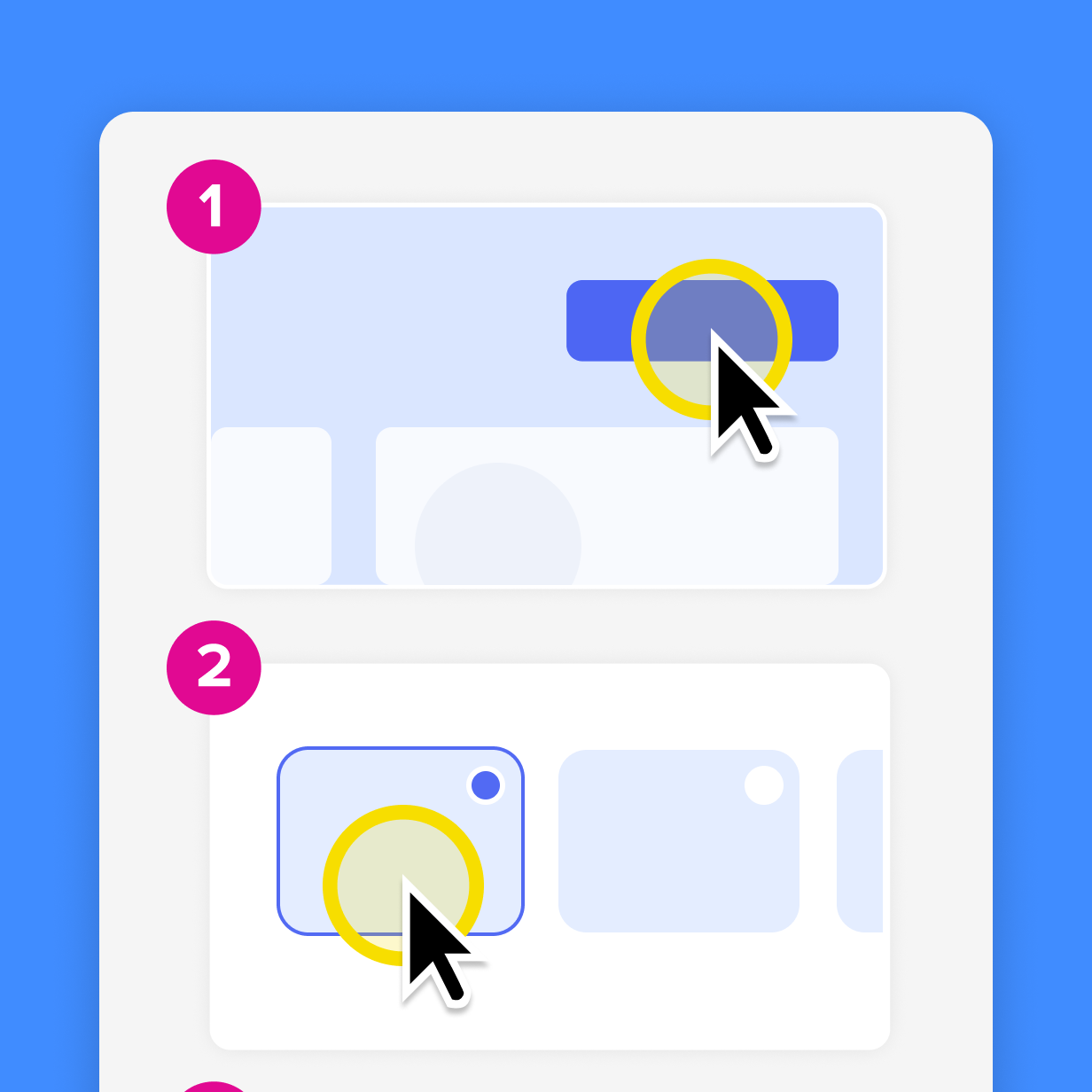
Phase 3: Record narrated walkthroughs for complex processes
Complex processes need a narrated walkthrough, because the departing employee has to explain decision logic and situational context while doing the work. A static guide can’t preserve that kind of reasoning. Use Camtasia Editor to record the employee’s screen, camera, and audio in one session, with each on its own track for independent editing.
They don’t have to perform the work flawlessly. You can correct cursor movement in post-production, so nobody needs to re-record after a wrong click.
If writing process documentation feels like a chore to the employee, Camtasia Audiate lowers the barrier further by transcribing their narration as they go, so you can edit the walkthrough as text. The transcript is AI-generated, so the resigning employee should review it for accuracy before you share it. For transparency, tell viewers the walkthrough uses AI-assisted output.
Go from screen recording to polished video
A screen recording is just the start. Camtasia’s editor helps you add the callouts, animations, and edits you need to create a truly professional video.
Free Download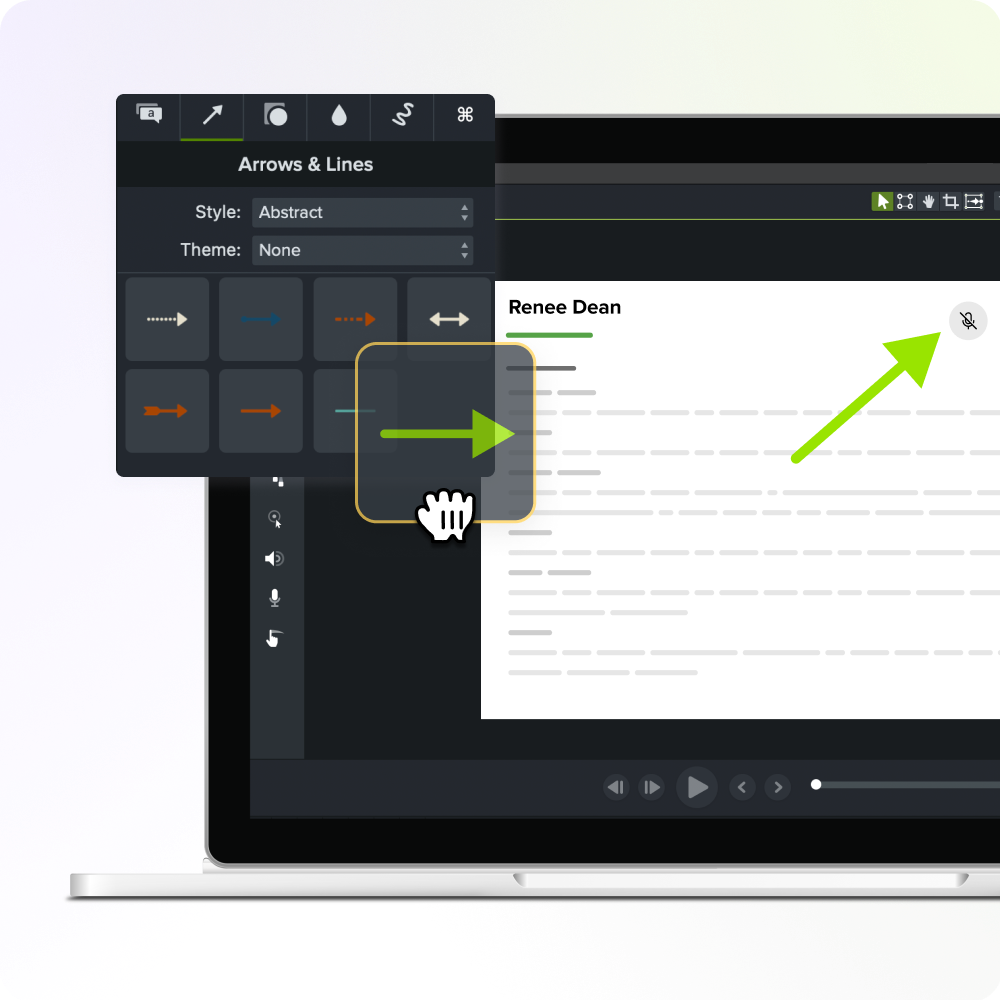
Phase 4: Get content reviewed before the last day
A guide or recording that nobody reviews before the employee leaves may contain errors only the departing employee could have caught. Share the content through Camtasia Screencast while they’re still around to respond. Reviewers can leave time-stamped comments directly on the recording or guide, and the person leaving can add missing steps or correct mistakes before their final day.
Ask a manager, a successor, or a subject-matter peer to review the recorded walkthrough and flag anything unclear or inaccurate. Treat this as a team review practice rather than a formal approval workflow.
Start documenting before the next resignation arrives
The organizations that avoid knowledge crises are the ones that identified their highest-risk roles before a resignation arrived and had a documentation workflow ready to run.
Two tools make that possible: the role-risk framework and the pre-departure sequence in this article. Use the framework now, before anyone hands in notice, to find the two or three roles where undocumented expertise and replacement difficulty overlap most. Then, when a departure is confirmed, run the prioritized workflow before the last day.
Camtasia Pro is built for this sequence, with Camtasia Snagit’s Step Capture for immediate process documentation, Camtasia Editor for narrated walkthroughs, and Camtasia Screencast for sharing and review before the last day.
Get started with Camtasia Pro today.
Build your next training video with Camtasia
Record your screen or camera. Then, use the video editor to add polish and clarity.
Learn More
Frequently asked questions
What is the difference between tacit knowledge and explicit knowledge when it comes to turnover?
Explicit knowledge is documented in procedures, manuals, or guides and survives a departure. Tacit knowledge is the judgment, informal workarounds, and decision logic built into a person’s experience, and it exists only in their head until someone records it on purpose.
A 2025 SHRM Foundation study of 1,912 HR professionals found that 53% of organizations weren’t formally documenting knowledge of internal tools and systems, and 39% said that knowledge would be difficult or very difficult to rebuild if a highly tenured employee suddenly left. That shows how much of what employees know never gets written down in the first place.
Can non-technical employees document their own processes without a documentation team?
Non-technical subject matter experts can document their own processes without writing skills or documentation experience. Camtasia Snagit’s Step Capture feature builds a numbered, step-by-step guide automatically as an employee performs a process on screen, so nobody has to write anything. For processes that involve spoken reasoning or judgment calls, Camtasia Editor records screen and audio together, so the employee can narrate the workflow as they perform it.
How much does it actually cost an organization when a specialized employee leaves without transferring their knowledge?
SHRM estimates replacing an employee can cost 50–200% of their annual salary. One HR executive described a case where a departing top performer’s workload took three new hires to cover. That shows how severe the multiplier can get for a role carrying significant institutional knowledge. Knowledge loss multiplies that cost further, because the replacement ramps more slowly, repeats errors a documented process would have prevented, and can’t reach institutional context once the departing employee is gone.
What should you do if a key employee resigns and you have almost no time before their last day?
Start with screen-based processes, because they’re the fastest to document. A departing employee can use Camtasia Snagit’s Step Capture to produce a numbered, shareable guide in the time it takes to perform the process once, with no writing or documentation experience. Even a partially recorded process is better than nothing, so prioritize the tasks a replacement will need in their first 30 days and work outward from there.
Why do most organizations still lack a formal knowledge transfer process even when they know turnover is a risk?
Most organizations lack a formal knowledge transfer process because documenting expertise takes dedicated time and tools, and competing priorities keep pushing it aside. A 2025 SHRM Foundation study of 1,912 HR professionals found that 69% of organizations weren’t formally documenting cultural norms and 64% weren’t documenting client or partner relationships. That shows how easily documentation gets postponed until a departure forces the issue. By then, the departing employee has little time left, and the replacement timeline is already tight.
Building a workflow before a resignation arrives, and using tools like Camtasia Pro that let employees document their own processes without writing or production experience, removes the scheduling friction that usually delays knowledge transfer until it’s too late.
Share