









Most of us can remember sitting through a dull presentation — but do you remember what made it feel dull? Too much information? No clear structure? Slides so crowded with text and data that they were impossible to read? These common issues make it difficult to establish an emotional connection with the audience.
Even the most confident and charismatic speakers can encounter these pitfalls. But they’re avoidable. Anyone can create engaging, memorable presentations by following a few practical guidelines that accommodate an audience’s natural attention habits.
Whether it’s an inspirational speech or a training video, presentations become more interesting when the audience knows “what’s in it for me,” follow a predictable structure, and focus on need-to-know information. Video workflows can enhance presentations by reducing cognitive load, improving audience preparation, and engaging people with diverse learning preferences.
In this guide, we’ll share tips on planning your content, designing your delivery, and prepping your audience, while addressing the challenges you may encounter when creating an engaging presentation.
Key takeaways
- Start every presentation with a clear statement addressing “What’s in it for me?” so your audience knows why the content matters and what they’ll gain.
- Use a simple, repeatable structure to maximize impact: tell the audience what you’ll cover, deliver it, then reinforce the takeaways.
- Design clear, relevant, simple slides that support your delivery using minimal text and custom visuals.
- Get an edge by preparing your audience with a short warm-up video or a pre-meeting question to increase readiness, participation, and engagement.
1. Plan your content
When planning your content, start with intention. Content needs to be clear, relevant, and simple to maximize audience engagement.
To help with this, we use a content development framework that you can easily apply to your presentations.
Start with WIIFM to hook your audience
A solid presentation earns attention by proving its relevance — fast. As the presenter, your first and most important task is to establish a connection between the audience and the content by answering the question ‘What’s in it for me?’ (WIIFM). Show the audience what they stand to gain to keep them engaged: If they don’t know why the content matters, they’ll mentally check out.
For example:
- No WIIFM: Our fitness program includes personal coaching, meal plans, and weekly check-ins.
- WIIFM: We’ll work with you to create a fitness routine that fits your schedule and a coach to keep you on track.
WIIFM can work for employee training videos.
For example:
- No WIIFM: We’re rolling out a new time-tracking system next month.
- WIIFM: The new tool tracks your time automatically — no more forms!
When someone understands the relevance, their attention increases; but if the relevance isn’t immediately obvious, they may lose interest. So, WIIFM isn’t optional — it’s the first step to earning attention and focus.
Use a repeatable structure to keep your message clear
We use a simple, easy-to-remember structure that keeps the presentation on track and conveys its key message:
- Tell the audience what you’ll cover.
- Cover it.
- Remind them what you’ve just covered.
That’s it. It may seem repetitive, but repetition improves comprehension and recall, making your presentation more memorable. Following this structure also reduces the likelihood of going off on a tangent and reducing engagement.
Share only what’s essential and close with a personal tie-in
A presentation can seem like an opportunity to impress the audience with expertise or information. In reality, oversharing is one of the biggest mistakes presenters make.
Because the human brain has a limited working memory capacity, we can overload it by delivering too much information at once.
Imagine you’re an investor in an enterprise software company, and you’re hearing the annual financial results. Which one is more likely to stick in your mind?
- Version 1: Last year, we sold 42,300 licenses across North America, up from 36,800 the year before. Enterprise contracts increased by 15%, renewal rates rose to 92%, and our annual recurring revenue reached $187 million.
- Version 2: One in three US businesses now runs on our software.
Sharing only the most meaningful information makes your presentation more memorable for the audience.
Research also shows that stories and context can help anchor a message emotionally. Stories give information a structure the brain can follow, which increases comprehension and helps abstract information become relevant.
Use this anchoring effect to create maximum impact in your presentations, by including a short anecdote or personal connection. It will enhance engagement and recall in your presentations. A narrative arc — problem → tension → resolution — can also help to organize your core message.
Go from screen recording to polished video
A screen recording is just the start. Camtasia’s editor helps you add the callouts, animations, and edits you need to create a truly professional video.
Free Download
2. Design your delivery
Once you’ve planned your content, you can start working on how you’d like to deliver it. Designing clear, simple, and relevant content can (and should!) be fun and leverage your creativity.
Use simple visuals that reinforce, not replace, your message
The Picture Superiority Effect is the tendency for people to remember visual information better than written words. However, too many images presented at once can trigger cognitive overload.
Select images that reinforce your key message, increasing both comprehension and retention. Similarly, avoid using decorative or stock visuals, even for aesthetic purposes, as they risk hurting your audience engagement.
Break presentations into scenes or sections to maintain clarity
Using modular content is another way to leverage what we know about cognitive memory.
Modular content breaks larger amounts of information into shorter segments, similar to the chapters of a book. Each segment focuses on a single concept and can be presented in various ways, like:
- Graphics
- Data points
- Case studies
- Q&As
Delivering information like this allows a cognitive “reset” between modules, helping to maintain engagement and promote retention.
Organize your presentations using tools like Camtasia Online, which offers a scene-based creation feature. It keeps each idea time-limited and focused on a specific topic.
Avoid distractions and let your delivery support connection
Your tone, body language, and pacing influence how you connect with the audience.
- Vary your tone and emphasize key words to maximize attention.
- Make regular eye contact with the camera or audience members to build a connection.
- Maintain a relaxed posture to create trust and a sense of ease.
Speak a little more slowly than usual, giving you time to think while allowing the audience more time to absorb what you’re saying. Strategically incorporating pauses can also create impact.
But avoid overscripting your presentation. Reading from a script leads to a more monotonous, robotic delivery, making it feel less authentic. Use notes or storyboards instead, which leave more room for natural variations in tone and emphasis. A more authentic speaking voice will increase audience connection, and you can still rely on prompts where necessary.
3. Prep your audience (the missing step most presenters skip)
Most presentations start cold: the presenter has to establish relevance and connection when the presentation begins. But warming up your audience in advance will reduce cognitive friction and increase engagement before your presentation.
Send a short warm-up video before the meeting
Watching a short warm-up video beforehand helps your audience mentally prepare for the main event, increasing engagement and energy.
Use a tool like Camtasia Online to record a quick preview presentation of key points, including sensitive topics, so the audience has the necessary context.
Need to show your screen?
Skip the downloads. Use Camtasia online to record your screen, camera, and microphone right in your browser for free.
Start Recording
Boost engagement with one simple, relevant question
People are more likely to care when they contribute, so ask a straightforward question to increase readiness and emotional investment.
Examples of questions:
- What do you hope to learn from this session?
- What assumptions do you already have about this topic?
- How do you hope to apply this information in your daily life or work?
- If you could solve one challenge related to this topic, what would it be?
Use asynchronous presentations to level the playing field
Instead of convening a live audience, asynchronous presentations let you record the presentation so people can watch it at any time.
Asynchronous video works well for many different types of presentations and content. Use it for training videos or product demonstration flexibility, allowing people to watch at their own pace and on their own terms with features such as skip or replay.
Asynchronous presentations accommodate diverse learning styles and may be better suited for audience members with particular needs or cognitive preferences, like neurodivergent participants.
Bring your next presentation to life
By using the three pillars outlined here — intentional planning, well-designed delivery, and audience preparation — your next presentation will be captivating.
- Planning with a consistent structure and a clear WIIFM connection ensures your audience is emotionally engaged with your content and message.
- Clear, simple delivery with well-chosen visuals increases clarity and retention.
- Preparing your audience with a warm-up video, scene-based recording, or even a WIIFM-forward introduction is an easy first step.
Together, all of these tips will make your presentation truly memorable.
Camtasia Online makes it easy to record, edit, and share high-quality screen recordings. It’s easy to use and completely free to get started.
Create an engaging and professional presentation with Camtasia today!
Looking for professional screen recording software?
From simple screen captures to polished video editing, TechSmith has everything you need to create professional-quality content.
Learn More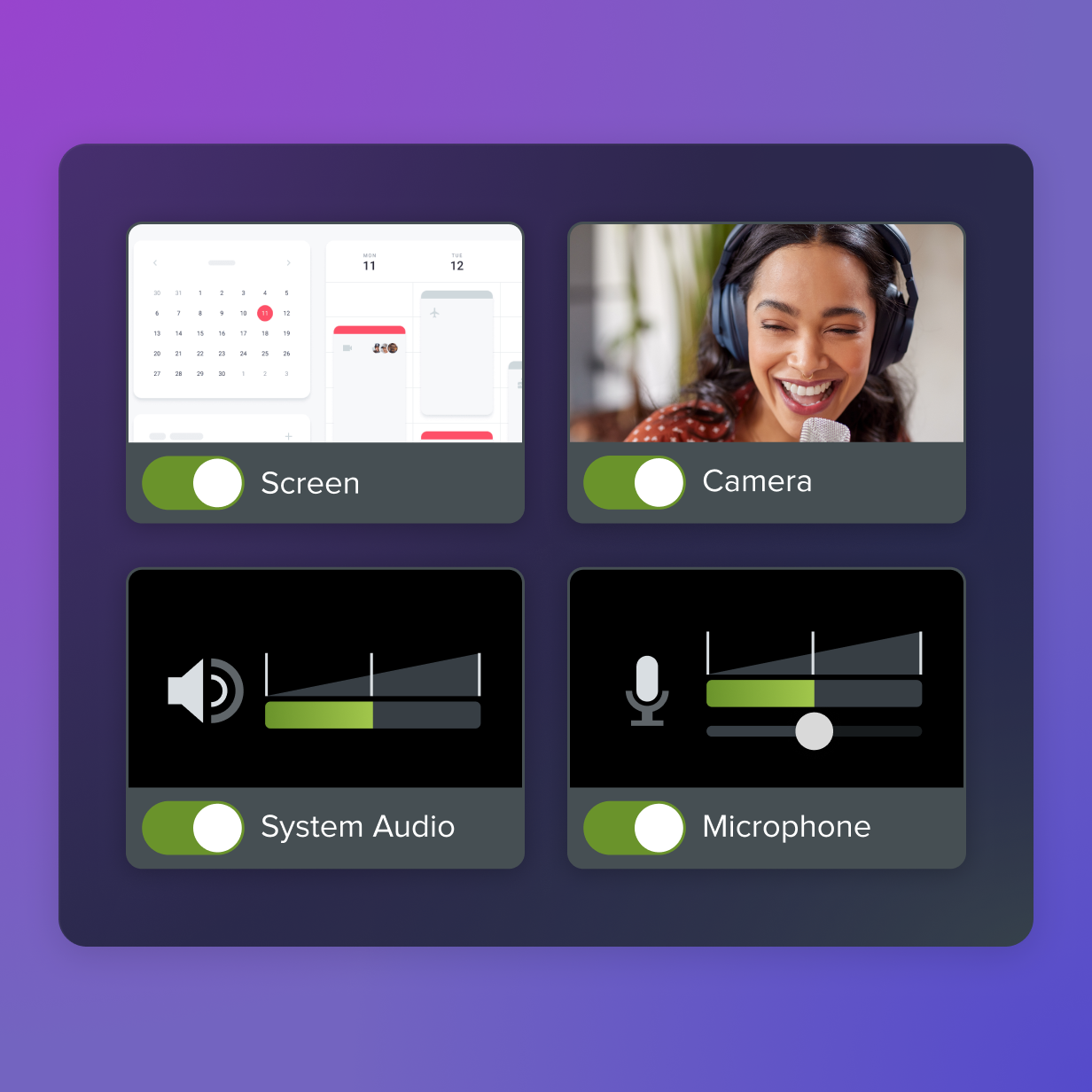
FAQs
What’s the fastest way to make a presentation more interesting?
Open with WIIFM (“What’s In It For Me?”). Tell your audience why the presentation matters and what they’ll gain from it. Keep slides simple, add relevant visuals, and focus your delivery on a few clear, memorable takeaways.
How many visuals should I use in a presentation?
Choose visuals carefully and only use them to reinforce a point. Replace text-heavy slides and distracting stock images with custom screenshots, diagrams, or short clips created in tools like Snagit or Camtasia.
Should I send anything to my audience before the presentation?
Yes, send a short warm-up video beforehand. A quick Camtasia Online recording that previews the topic, addresses concerns, or asks one simple pre-meeting question helps the audience arrive more prepared and invested, dramatically increasing engagement.
How do I keep my presentation from overwhelming the audience?
Only include information that’s essential for the audience to act or make a decision. Use tools like Camtasia’s scene-based recording to break content into digestible sections. Avoid jargon, and use a clear structure: tell them what you’ll cover, deliver the message, and reinforce the takeaways.
Share