









What do you think is the number one reason people quit their jobs? Poor benefits? Low salaries? Less than pleasant bosses?
While these are contributors, Amy Casciotti, Vice President of HR at TechSmith, says they’re not the leading cause.
The biggest reason employees leave is often due to a lack of training in the workplace.
Skeptical? The 2025 Randstad Workmonitor indicates that 41% of people consider L&D to be a deal breaker. Think about it: Without L&D, it’s challenging for them to do their jobs right and to advance in their careers.
Onboarding and ongoing training can reduce employee ramp-up time and prepare them for future roles. It also shows that you value your team, which can improve engagement and loyalty.
Why employees really leave (and how training changes that)
While most employers think that money is the biggest cause of turnover, Amy indicates that “Many employees actually leave due to a lack of growth opportunities and inadequate training.” This is because a lack of training can make their work harder and limit their growth opportunities.
Offering training, whether through mentoring programs, role-specific skill modules, or job-shadowing opportunities, gives employees the knowledge they need for their current positions and prepares them for future roles. It also shows them that your company values and invests in them, which can increase their engagement and willingness to stay.
The overlooked link between onboarding, ongoing learning, and retention
According to Amy, “One of the most overlooked links is the continuous nature of learning. Many companies will invest heavily in onboarding and then neglect ongoing training,” or vice versa.
This has significant repercussions. Onboarding without ongoing learning may fail to prepare employees for new challenges or future roles. And ongoing learning without dedicated onboarding could impact employee ramp-up time.
Effective training programs should incorporate both onboarding and continuous learning. This helps employees settle into their roles faster and continually challenges them to improve themselves.
We know what you’re thinking: The cost of employee training can be high, especially if it’s ongoing. You’re not wrong. According to the Association for Talent Development (ATD), the average organization spent $123 per hour of training in 2023. But you can reduce costs by investing in easy-to-scale solutions, like video training, instead of relying solely on live training.
Plus, the benefits of training outweigh the costs. Effective programs can boost retention, saving you between $2,000 and $20,000 (the average cost of hiring a new employee as a replacement).
Here’s a look at how to link onboarding, ongoing learning, and retention:
Making learning a habit, not a hurdle
Ongoing training can seem like a distraction that takes employees’ attention away from their work. It just depends on how you handle it.
Make training a habit by creating and sharing bite-sized videos. They’re more “digestible” than hours-long live sessions and easier to fit into employees’ work schedules, helping you keep them engaged without overwhelming them.
You can also make learning a habit by offering frequent refreshers instead of annual training. Refreshers like micro-learning quizzes, quick role-play sessions, or short videos prevent knowledge decay, and can make regular training less overwhelming for employees.
With Camtasia and Snagit, you can quickly create bite-sized video content, regardless of your technical expertise. Use Snagit to grab quick screenshots and Camtasia to create and edit videos.
Go from screen recording to polished video
A screen recording is just the start. Camtasia’s editor helps you add the callouts, animations, and edits you need to create a truly professional video.
Free Download
Keeping momentum beyond the first 90 days
Employee engagement may take a nosedive if you stop training after onboarding. Employees may start to feel like you don’t value learning and advancement, causing them to look elsewhere for opportunities.
To reduce turnover, keep your training momentum going. You could create content that introduces employees to your company and its systems (onboarding), then move on to broader skills like problem-solving, and then offer upskilling opportunities through job shadowing or mentorship.
For optimal results, have quarterly training check-ins and career mapping discussions, and update your content to keep it fresh and relevant. This is relatively easy to do when you use Camtasia for video creation. It records your screen, camera, audio, and mic on different tracks, so you can update videos without redoing everything from scratch.
Faster video creation with Rev
Make videos as easy as click, click, done! Camtasia Rev is so fast it’s like magic!
Learn More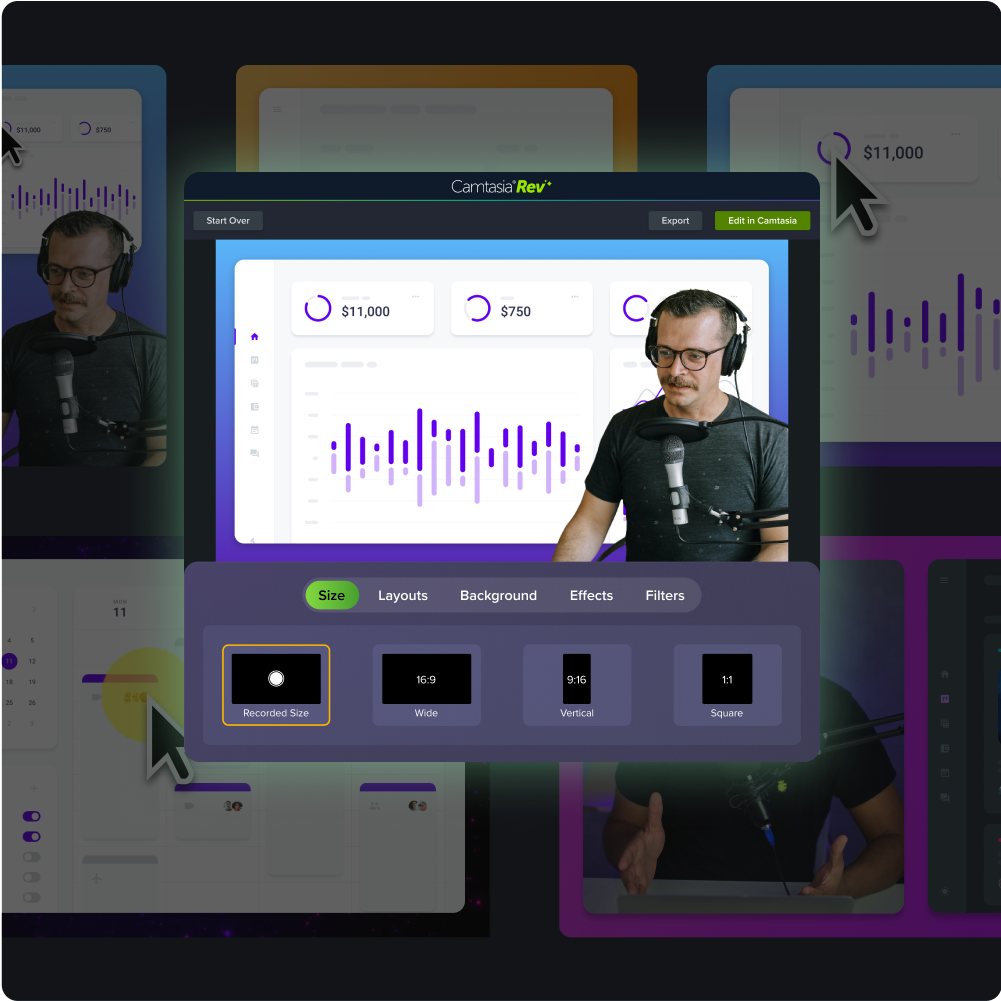
Real-world example: Career “jungle gyms” at TechSmith
At TechSmith, we don’t just talk about the value of continuous employee development. We walk the talk by offering the same growth opportunities we encourage others to embrace.
We have created career “jungle gyms” within every discipline, defining everything from what each role does to what employees need to do or have to be considered for each one. We then create training programs that include job shadowing, employee pairings, mentoring, and video guides for every role.
That’s not all. Our team makes sure each employee knows that the training is available and understands how to access it. We also make sure they have the time to use it to improve employee participation.
Training that prepares for today and tomorrow
Our training doesn’t just aim to help employees improve performance in their current roles. It’s also intended to prepare them for future potential positions.
So, we don’t just show them how to handle the roles they’re currently in; we also provide cross-training, where they get to explore different disciplines, and leadership development to prepare them for potential career advancements.
Why video is a game-changer for modern training
“Video is uniquely effective because it’s engaging and can break down complex topics into easily digestible segments,” says Amy. Employees don’t just learn from reading alone (as with text) or listening (as with audio recordings); they can hear, see, and even read whatever you’re presenting (if you include captions). This could make it easier for your team to understand and remember concepts.
Video is also great for modern training because it:
- Can be paired with hands-on activities; Employees can listen to or watch videos as they practice what you’re teaching
- Lets employees learn from anywhere at any time
- Allows them to rewatch content as many times as needed to understand topics
- Is easy to update to align with current processes and meet employees’ new needs
With video training, employees feel supported, which can improve their confidence and productivity.
Camtasia can help you create high-quality, accessible, scalable, and easy-to-update videos. With features like screen recording, automated captioning, and AI avatars, you provide multi-sensory input for your employees, all without spending hours on manual processes.
Crystal-clear screen recording
Why settle for blurry screen content? Camtasia Editor’s screen recorder captures everything at up to 4K!
Free Download
Bite-sized content for better retention
One of the biggest benefits of video is that it facilitates microlearning. As the human attention span decreases, this type of learning is excellent for absorbing and applying new skills.
As Amy says, creating “smaller, more bite-sized videos” helps break complex or lengthy topics, which:
- Prevents information overload
- Reduces the intimidation factor
- Promotes learner engagement and recall
- Makes it easier for employees to incorporate learning into their workdays
- Allows trainers to integrate learning into hands-on training sessions
For optimal results, aim for <10-minute videos. For example, you could create a 3-minute introduction video, a 5-minute internal compliance recording, or an 8-minute software walkthrough. If your content is longer than expected, consider breaking it down into various videos.
Keeping training current without reinventing the wheel
Offering continuous training that features outdated content is as detrimental as not providing any training at all. As processes, best practices, and tools change, so should your content. Otherwise, it may cause confusion, errors, and disengagement.
Videos created with tools like Camtasia let you update training materials without incurring a heavy production overhead. If, for example, your workflow changes, you can update the affected parts of your video instead of creating a whole new course.
To keep training aligned with current needs, conduct quarterly training audits and update content that needs refreshing. Also, regularly track employee training engagement — by keeping up with metrics like replay behavior and completion rates — to identify what employees want more of.
The role of self-paced learning in confidence and support
Flexibility in learning is vital in encouraging employees, boosting their engagement, and building their confidence. “Self-paced learning empowers employees to take control of their development,” says Amy. “It acknowledges that individuals learn at different rates and provides the flexibility to absorb information without the pressure of a fixed schedule.”
Self-paced learning also allows employees to revisit complex concepts as many times as they need, potentially reinforcing their understanding and recall. Plus, they can always rewatch content if they feel stuck.
Of course, this hinges on an organized video library. Group videos by purpose or department so employees can quickly find what they need.
Signs your training program is hurting retention
Not all training programs improve retention rates; if they’re irrelevant or poorly conducted, they may contribute to employees leaving. Here are some signs your training program is in the danger zone:
- Low employee engagement or course completion rates
- Declining employee performance after training
- Complaints from employees about content value
- High turnover rates despite introducing continuous L&D
- Exit feedback points to poor training
Collect feedback from people in different departments and at various levels to spot training red flags — you can use surveys, focus groups, or one-on-one interviews, and try to cover a good cross-section of your company.
Then, update your program based on the feedback. For example, if employees complain about outdated content, Amy encourages refreshing it regularly to make sure it’s “relevant to current job roles and career paths.” She goes on to say that you may also need to “incorporate more interactive and varied content, such as video-based modules, hands-on workshops, or mentoring and shadowing programs.”
Rethinking corporate training from the ground up
What would a training program that boosts retention look like? According to Amy, it should be dynamic, continual, and integrated, “rather than a series of isolated events.” Ideally, it would incorporate:
- Video training
- Interactive modules
- Hands-on application exercises
Amy also recommends “using data analytics to tailor the training experience to individual needs and career aspirations.” This means tracking training engagement and collecting employee feedback to identify their areas of interest (or struggle), and then personalizing training paths.
This holistic approach ensures that training aligns with your company’s goals and with employees’ growth aspirations, potentially boosting retention.
Smarter training, stronger teams: Get started today
While a good salary and benefits can attract employees, they’re not enough to keep them. You also need to offer training programs that meet their job performance and career growth needs. Ideally, the programs shouldn’t be one-off — blend onboarding and ongoing L&D to continually support your teams.
TechSmith’s full product suite can help you create engaging, scalable training programs. Whether you need to take screenshots for your software tutorials, record your screen to walk employees through processes, or use AI avatars (or voice-overs), Snagit and Camtasia have you covered.
Looking for professional screen recording software?
From simple screen captures to polished video editing, TechSmith has everything you need to create professional-quality content.
Learn More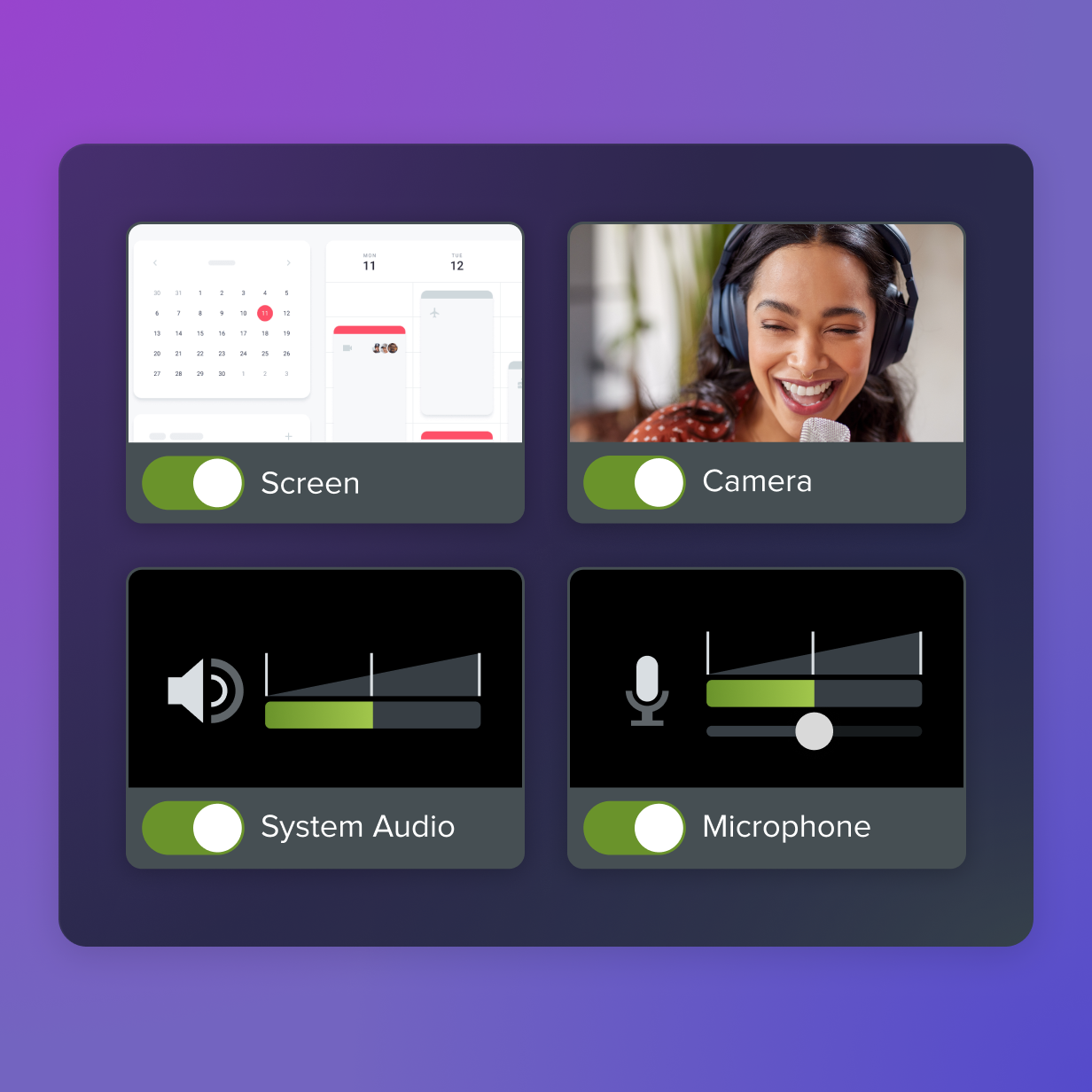
You can also collaborate with other subject matter experts and trainers, as well as update your video content, all on the same platform.
Use TechSmith products today to elevate your training programs for better retention!
Share