









The demand for engaging video content to help document, train, and share knowledge keeps growing, but for most teams, the resources to produce it are not keeping up.
Even the most talented teams find themselves racing just to stay current. And that creates tension; you know your learners need high-quality, accurate content, but the organization simply demands more of it, faster.
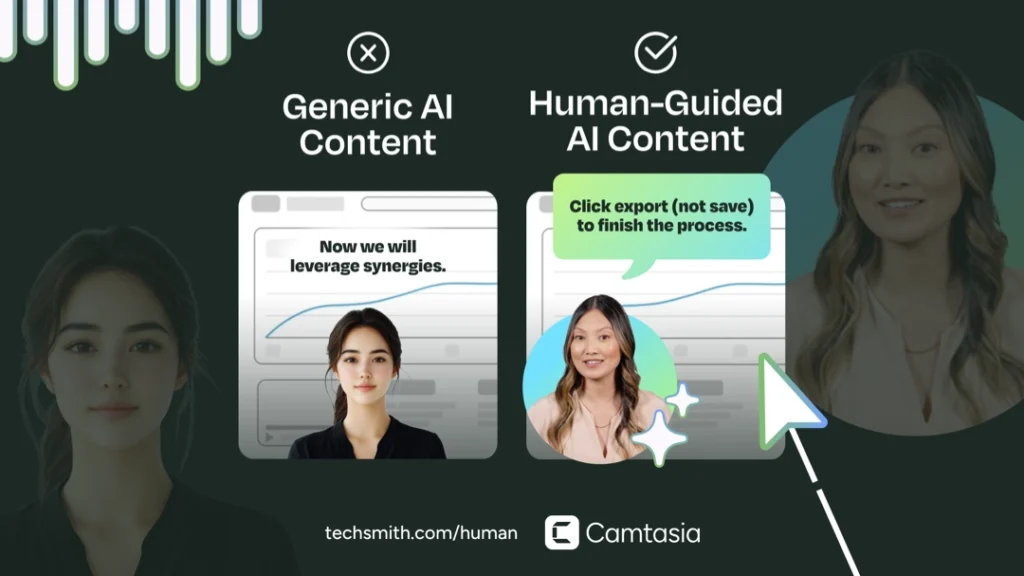
AI tools promise a way to solve this, but just because AI can crank out a video in minutes doesn’t mean the result will be worth watching. Only focusing on speed has trade-offs. Videos can end up having mistakes, missing context, or they all start to feel the same. When everything looks familiar, learners tune out instead of paying attention.
And that’s where “AI slop” creeps in. Without intention or skill behind the wheel, AI becomes less of a competitive advantage and more of a liability.
Take this framework with you.
Download the HUMAN Framework guide as a PDF to read offline and plan your AI video strategy without the tabs.
By submitting your email address, you agree to receive email from TechSmith. You can unsubscribe at any time.
The problem with “AI slop”
You’ve definitely seen it out there. It’s polished on the surface, but something just isn’t… right. AI slop is what happens when someone hits generate and publish without asking any questions along the way.
The result might look polished and professional, but it is still bad content.
And in the context of training, that’s a dealbreaker. Your audience doesn’t want content that feels robotic. They want relevance and clarity. If your video just looks good on the surface, but doesn’t actually meet learning needs, it’s not helping anyone.
Why human-centered content still wins
The best training connects with learners because it’s shaped by human expertise, empathy, and real-world context. This is especially true for screen-based content, which is fundamentally different than what most AI tools are built for.
A generic AI is great at making a TikTok voiceover or generating an image of “bear cubs on a trampoline”. But in training, that AI is like a substitute teacher; it may know the general subject, but it “can’t find the bathroom”.
Your expert knowledge, your company’s specific workflow, the “why” behind a click, the part of the process that always trips people up, is the “bathroom location.” That knowledge is not in Wikipedia. AI can’t replicate that critical, human-led context on its own.
The good news? You can use AI to accelerate your workflows and stay human. The key is knowing when to lean on the machine and when to trust your own voice. That’s where the HUMAN Framework comes in.
What is the HUMAN Framework?
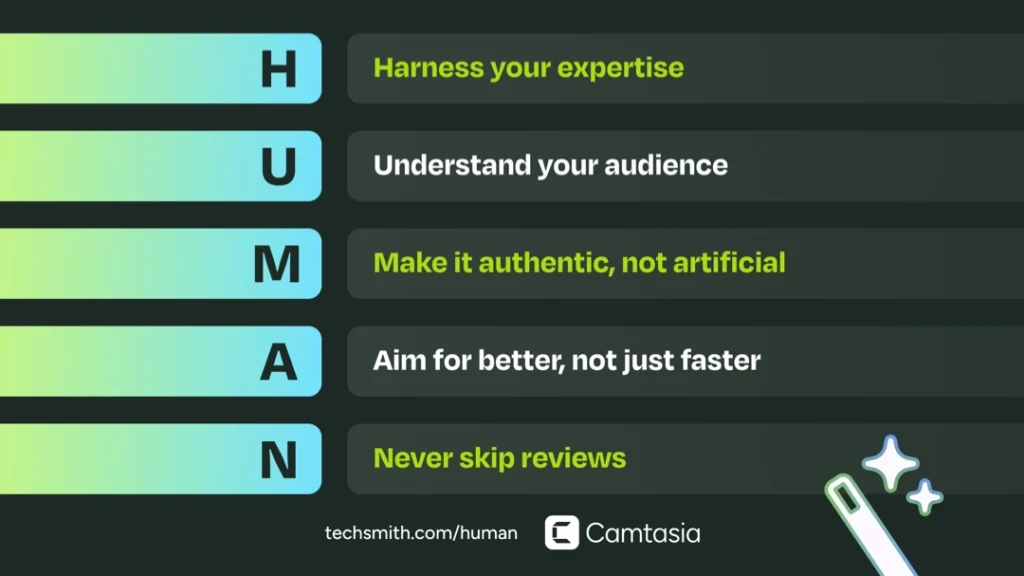
The HUMAN Framework is a set of five principles for using AI effectively and responsibly in your training videos. It’s not about ignoring AI, it’s about embracing new tools while keeping your content rooted in what learners actually need.
Here’s what it stands for:
- Harness your expertise
- Understand your audience
- Make it authentic, not artificial
- Aim for better, not just faster
- Never skip reviews
Using the HUMAN Framework will help make sure your AI training videos stay accurate, engaging, and aligned with your audience, regardless of what AI tools you’re using.
Harness your expertise
It’s tempting to see AI as a magic shortcut. All you have to do is plug in your idea, and you’re set. But when you let AI take over your entire workflow, you’re going to get a result that looks really polished and professional on the surface, but doesn’t really connect.
AI doesn’t think. A script generator is just predicting the most likely next word based on the data it’s been trained on. A video generator can mimic styles and pacing, but it doesn’t know why one shot should linger or another should cut quickly.
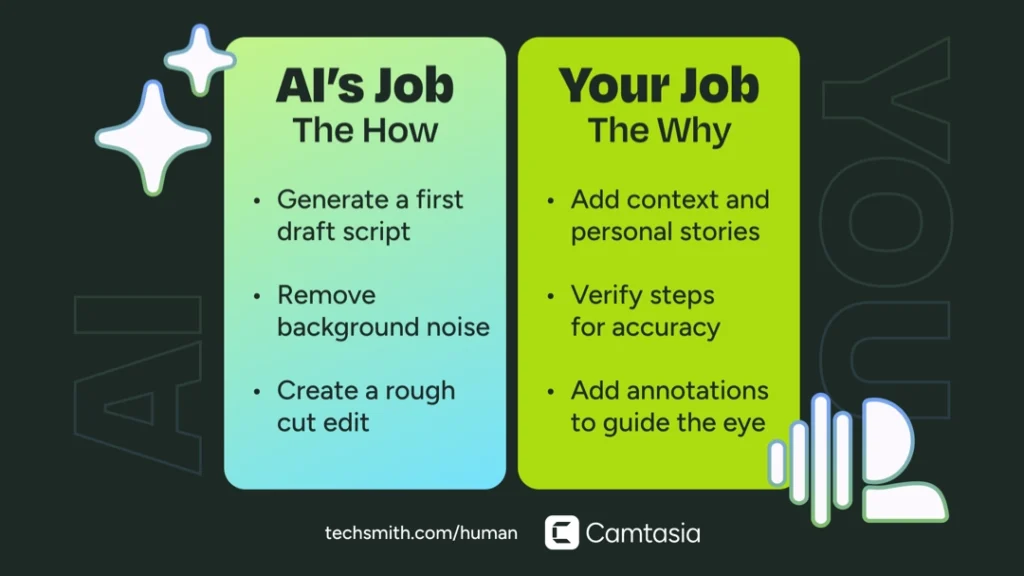
The real power of AI isn’t in doing everything for you, it’s in supporting you throughout your workflow by clearing away the busywork.
Leverage AI for things like removing the background in your video, trimming dead space in your audio, or generating a first draft of your script. The kinds of tasks where speed is more important than judgment.
Because even with the magic of AI, your expertise still matters. AI tools, no matter how powerful, will never have the judgment, experience, and understanding of nuance that you have as a human creator, so harness it!
Understand your audience
When you lean on AI for video creation, it’s easy to get caught up in how polished the output looks and forget to check if it’s actually right for your audience.
AI doesn’t understand context. It can’t tell if a viewer is brand new to the task or if they’ll care more about one feature than another. That’s why so much AI-generated training can feel generic; it lacks the human judgment that helps connect the dots between what’s being taught and who it’s intended for.
This is also a major challenge when capturing knowledge. Your subject matter experts (SMEs) are brilliant, but their explanations can be messy, long, complex or full of tangents. AI can be a powerful partner in turning that “verbal spaghetti” into concise, engaging, content, but needs your direction.
Ask yourself, “Who is this for?” “What do they need to walk away knowing?” If you don’t know those answers, then whatever AI tools you’re using don’t either.
For example, an AI script generator that only sees “create a tutorial” will churn out something bland. But if you provide the context of who your learners are, what level they’re at, what’s important to them, and what problem they’re trying to solve, you’ll get a much stronger draft that saves you time and feels more relevant from the get-go.
That said, AI can also help you understand your audience better. Use AI tools to cluster feedback from surveys and support tickets, or flag where viewers tend to drop off. Those insights can give you a clearer picture of what engages your audience the most.
And that’s a virtuous cycle: your expertise provides the audience context AI needs to give you better drafts, and AI gives you signals that help deepen your understanding of that audience. The end result is more effective training videos.
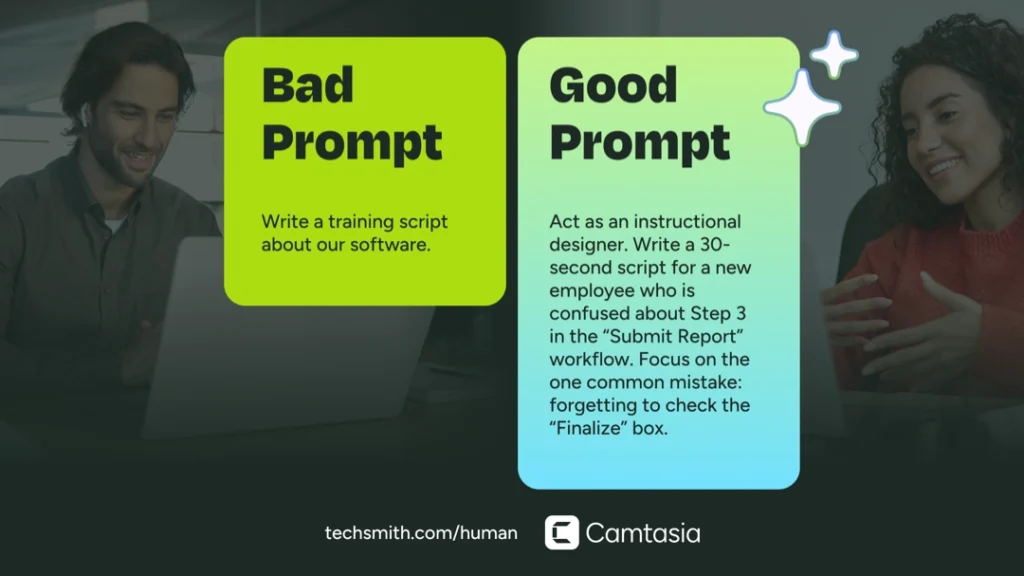
Make it authentic, not artificial
Effective training videos depend on trust. Your viewers will be more engaged when they know that you understand their challenges and care about helping them succeed.
Authenticity is hard to fake, and that’s why it’s so easy for even novice creators to spot AI-generated videos in the wild.
And when your viewers spot obviously AI-generated content, they’re less likely to trust it. According to a Pew Research survey, 66% of adults in the U.S. are concerned about getting inaccurate information from AI.
That doesn’t mean your goal should be to avoid using AI altogether; the key is knowing where it’s critical to rely on human input.
Build your next training video with Camtasia
Record your screen or camera. Then, use the video editor to add polish and clarity.
Learn More
Scripting
Use AI tools for your first draft or an outline, but always reinsert your own words and make sure the language matches your brand voice and how you would actually explain the concept to someone.
Images and video
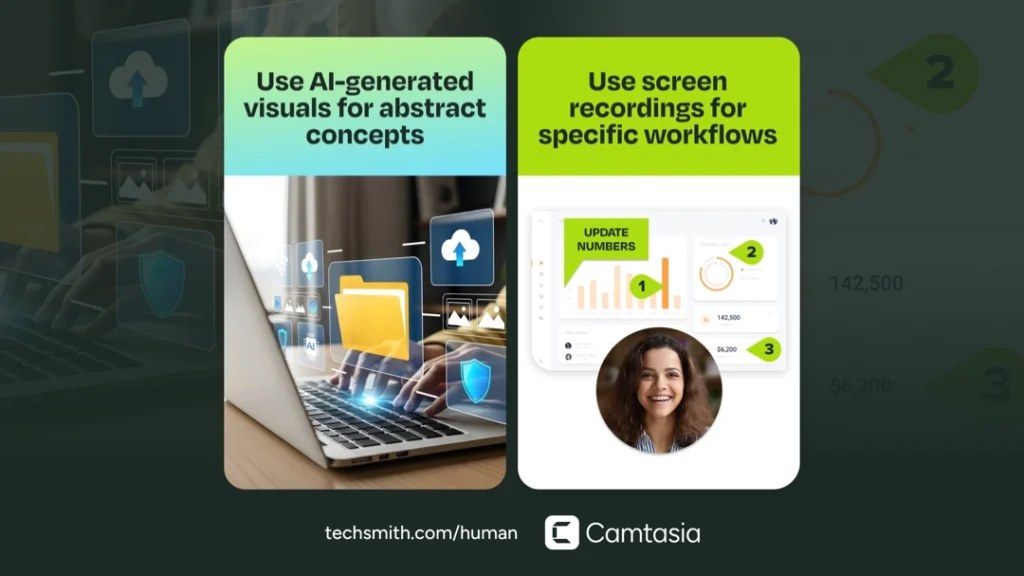
Use AI-generated visuals when you need a quick placeholder or draft while storyboarding, or you need to illustrate an abstract idea that can’t easily be captured. But when learners need to see the actual workflow, real screen recordings or simplified user interfaces will always be more effective.
On camera talent and narration
Use AI avatars in training videos where speed and consistency are more important than emotional connection, like process demos or compliance-style training.
We recently surveyed more than 750 professionals across five countries to see how they really feel about AI in video. The results were clear: 67% found it acceptable to use avatars for screen-based instructional videos, but only 15% felt it was acceptable for a CEO’s welcome video. For those moments when connection is essential, a human presence makes all the difference.
Don’t settle for defaults
Authenticity also comes from the choices you make when using AI-generated assets. Instead of defaulting to whatever voice, avatar, or stock visual an AI tool offers, take the time to select the right option for your context.
That could be choosing a narration style that matches the tone of your organization, or using visuals that align with your brand’s design standards. All of those decisions add up, making your content feel more intentional rather than generic.
Let AI tools handle the parts of your workflow where speed and efficiency matter, like generating captions, creating supporting visuals, or localizing videos.
If you’ve ever finished a project wishing you had more time for this or that, now you do, use it wisely!
Aim for better, not just faster
One of the biggest promises of AI-powered workflows is speed. And it delivers! But if churning out video quickly is your only goal, you’re missing the real opportunity. A bad video made quickly is still a bad video, and potentially dangerous depending on the training topic.
The real value of AI for video creation is in how it augments your abilities. Think of it like glasses that can sharpen your vision or shoes that can help you run faster with less effort. These tools don’t do the work for you; they enhance what you’re already capable of. AI is the same way. It won’t make great training by itself, but it can give you a clearer view of your content, speed up the process, and help you land on a video that really works.
Real power users don’t just approach AI like a content factory; they think of it as a partner. You can ask an AI chatbot to review your script against a learning framework like Bloom’s taxonomy, or you could ask it to align your training to clear learning objectives using Mager’s approach. In each case, the tool isn’t just making you faster; it’s amplifying your attention to detail and helping you make better instructional choices.
Don’t just use AI to move quicker, use it to move smarter. When you treat AI as a tool that enhances your work, you can gain more than just efficiency.
When you prioritize quality over speed, AI can even outperform traditional methods. In a recent Camtasia survey, we compared knowledge retention across different voiceover types. Videos featuring high-quality AI-generated narration outperformed low-quality AI and even the human voice control group The takeaway? It isn’t just about using AI; it’s about using AI well.
Do AI Voices and Avatars Improve Learning?
Discover what the data reveals about learning outcomes.
Get the Full Report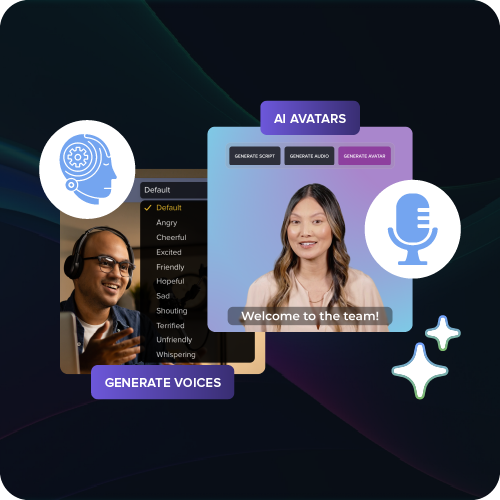
Never skip reviews
No matter how slick an AI-generated output looks, there could still be mistakes. Sometimes that means leaving out a critical step, labeling something incorrectly, or even inventing details that don’t exist.
In a training video, those kinds of errors aren’t just embarrassing; they can create confusion or even put people at risk.
Think about it. What if your video skips a step in a data-handling process and someone accidentally deletes critical files? Or worse, what if it overlooks a safety instruction, like forgetting to lock out machinery before maintenance? In those cases, the consequences of “good enough” aren’t just wasted time; they can be harmful or dangerous.
Even in more low-stakes training scenarios, your reputation is on the line. A single incorrect caption, a mismatched screen recording, or a missing step can make your training feel sloppy and erode trust with your viewers. And once learners lose confidence in your training, it’s hard to win it back.
That’s why every video, especially when you’re working with AI-powered tools, still needs a human reviewer who knows the process inside and out.
Review your AI training videos like people’s lives depend on it, because in some cases, they actually might. And even when they don’t, your credibility is on the line.

Choosing the right AI tools for training video creation
There is no shortage of AI tools promising to completely transform the way you work. The challenge isn’t really finding them, it’s figuring out which ones are actually worth using.
Not all AI is created equal. The right tool will save you time and help you make better videos. The wrong one will leave you fixing mistakes and working around limitations. So how do you tell the difference and what should you consider?
Does it produce an editable asset or a “glitter bomb?”
Many AI video tools produce something that is dazzling and fun, but impossible to clean up. Generated content isn’t valuable without the tools to meaningfully edit and maintain it.
The best AI tools for training content give you options. Training videos are most effective when they feel tailored, not cookie-cutter.
When looking at AI tools, ask if you can control the output. Can you fix a typo in a caption, adjust the timing of a callout, or replace an out-of-date screenshot? If the tool only gives you a one-and-done video files, you’ll be starting from scratch every time a process changes.
Balance cost with value and how well it fits into your workflow
When you weigh cost against value, think about the time saved and the improved outcomes you’ll see. A tool that integrates seamlessly into your workflow, while helping you make more effective videos will pay for itself pretty quickly.
The best tools don’t force you to juggle multiple apps or stitch together a messy process, they fit naturally into the way you already work.
That’s one of the advantages of Camtasia. It’s already a go-to tool for creating training videos through screen recording and video editing, but also has AI-powered features like background noise removal and script generation, built right in.
Record once. Deploy globally.
Create your training video in English. Audiate can then translate your edited script and generate a new audio track in Spanish, German, French, and more.
Free Download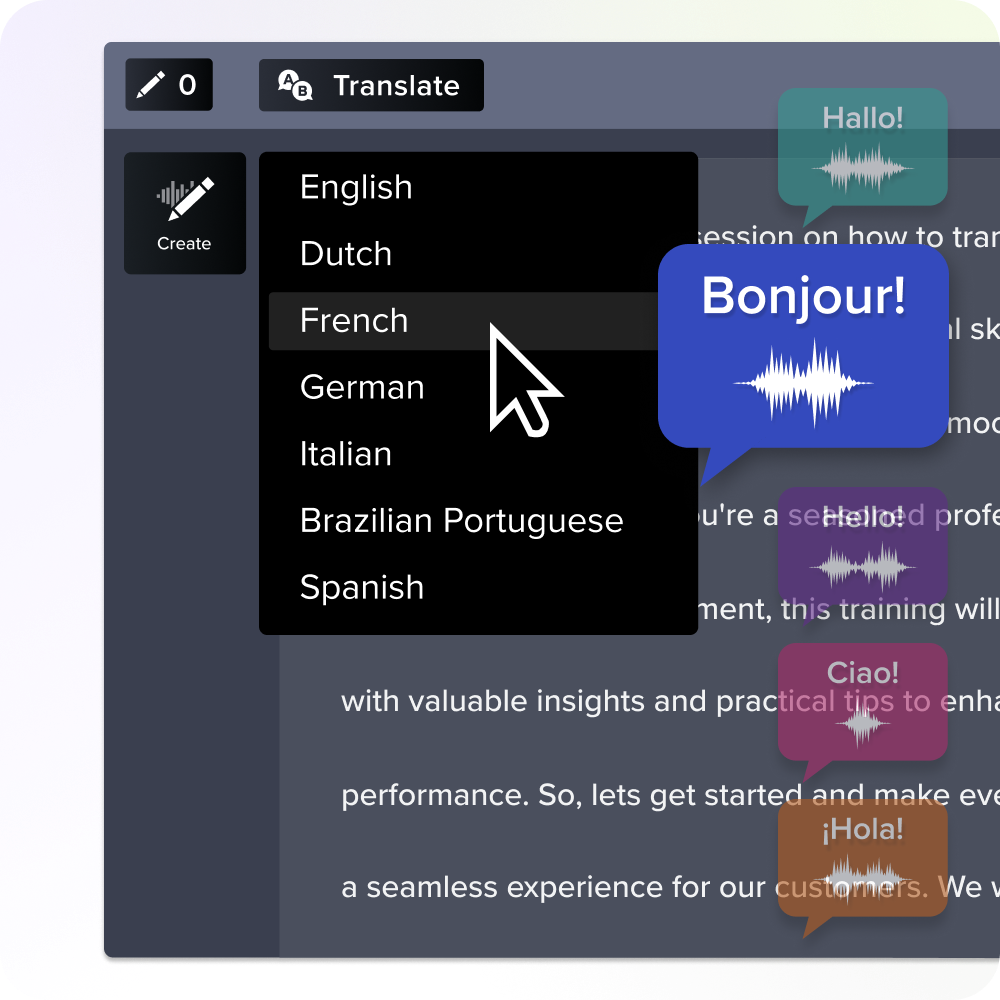
Don’t just compare features, ask what’s powering them
When you’re comparing AI-powered tools, it’s worth looking under the hood. Two products might look similar, but the AI technology powering them can make a big difference in how accurate and secure they are.
Different AI vendors have different strengths. For example, one may be stronger in speech-to-text transcription while another might specialize in noise reduction. A video editor tied to a stable, well-supported AI ecosystem is more likely to keep improving (and not break your workflow.)
That’s why we take a careful approach with our own tools, like Camtasia. The AI features you see in our products aren’t built on whatever was easiest to plug in. They come from vendors we’ve evaluated for accuracy, security, and reliability.
So if you’re using Camtasia or any TechSmith tool, you can trust the technology behind the features and spend your energy where it matters most: making great training videos.
Bringing it all together
AI is changing the way we make training videos, but the fundamentals of what makes training effective remain the same. Your viewers still need content that is accurate, engaging, and credible. This means they still need a human guide who understands the nuance of their challenges.
So don’t think of AI as a replacement for your skills. It’s an amplifier. When you bring your expertise together with the right tools, you’re not just making training videos faster; you’re creating content that is more effective.
Go from screen recording to polished video
A screen recording is just the start. Camtasia’s editor helps you add the callouts, animations, and edits you need to create a truly professional video.
Free Download
Share